The job lifecycle & profitability platform for contractors
90-day free trial
Know what you kept on every job.
AI proposals, e-signatures, payment schedules, and real-time margins in one system — for the office and the truck alike.
No credit card required. Full access for 90 days.
- No credit card required
- Full AI access for 90 days
- Downgrade to free anytime
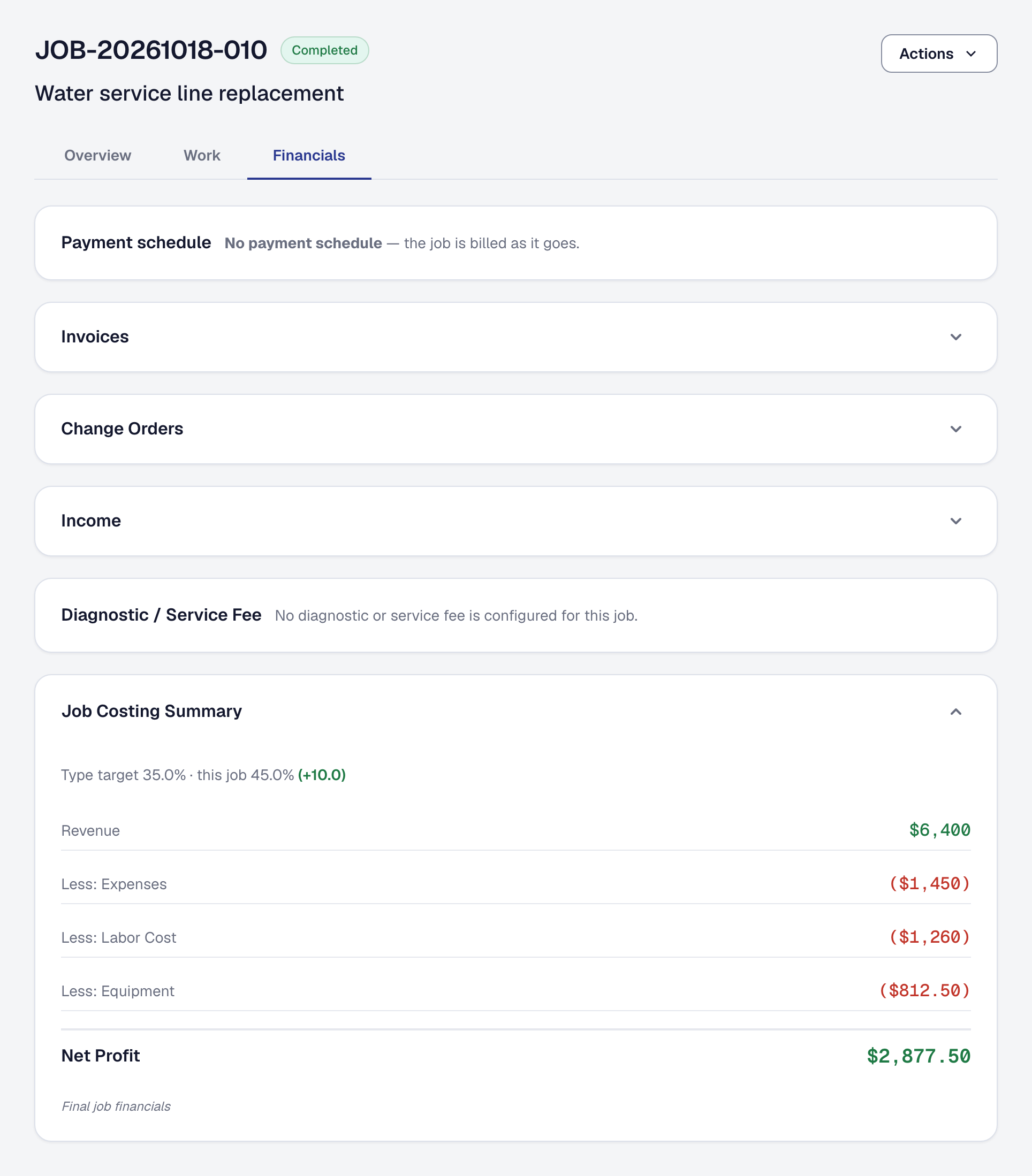
See which jobs made money — and what to charge for the next one
Every job is costed as it runs: labor at what each hour really costs you, materials, expenses and the equipment it used. Then the jobs you finished add up by kind of work, worst first, with what each kind was quoted at beside what it made.
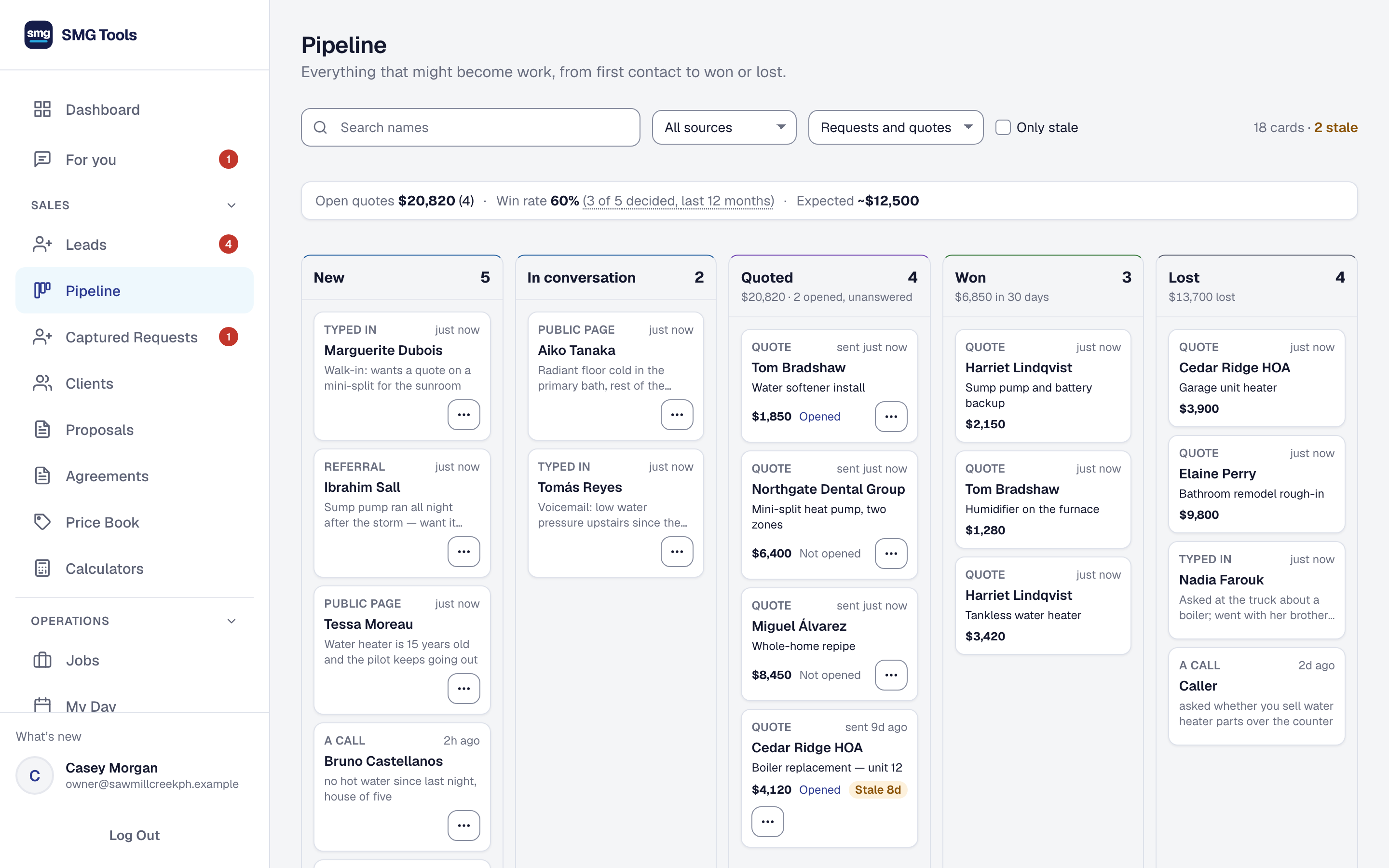
That is what your next bid is priced from. Set a target margin for each kind of work, and see every kind and every job against it: what to quote higher, and what to stop taking.
One water heater, the way most shops run it
Four tools, the same job typed into each, and the one number that matters is the one nobody has.
- Monday
The quote is typed in a word processor and emailed as a PDF.
- Tuesday
The job goes on the calendar, its address typed in again.
- Wednesday
The new tech’s hours go in a text, because another seat in the app costs too much. The receipt for the parts rides in the truck’s door pocket.
- Thursday
The one person who knows who is where is out sick, and the day stops.
- Friday
The invoice is typed into the accounting app, a third time. Payroll runs, and the crew lost money on the job without anyone knowing.
- Six weeks on
The check arrives, after three phone calls.
- Three months on
“Did we make money on that one?” Nobody can say.
One system instead of four. The proposal becomes the job, the job collects its own costs, and the margin is a number you can look at while there is still time to do something about it.
“I was paying for four subscriptions and still couldn’t answer the most basic question: am I actually making a profit on this job?”
Michael Emerick, who built SMG Tools to answer it
One connected workflow — from first quote to final deposit
Proposal data flows into job tracking, expense management, and invoicing automatically. No duplicate entry. No guesswork.
- 1
AI proposal
Describe the work. AI writes a client-ready proposal with scope, pricing, and risk analysis.
- 2
Proposal → job
Client e-signs your proposal — it becomes a tracked job with its stages, its payment schedule and its budget. No re-entry.
- 3
Track & bill
Log expenses, scan receipts, track time. Bill each payment as it comes due, with Stripe payment links.
- 4
Know your profit
See estimated vs. actual margins update in real time as the job progresses. Then see it by kind of work: which types make money and which you should quote higher or stop taking. Set a target per kind of work and see every type and job against it. And by where the customer came from: which lead sources send the customers who make money, after what each one costs you.
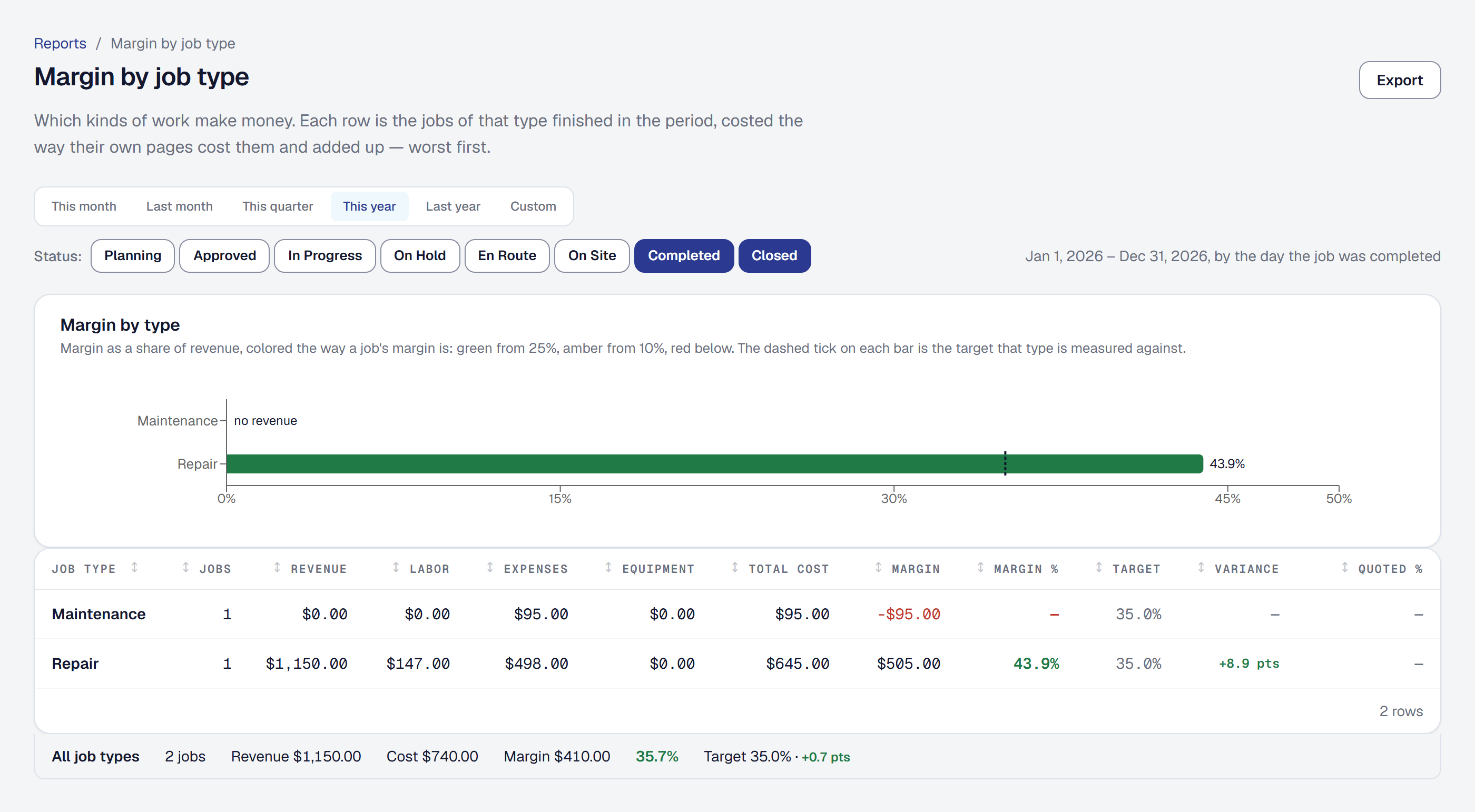
Your website already says what you do. Hand us the address.
We read your site and the pages behind it, find your Google listing and check it points back at you, and fill in the kinds of work you do, the equipment you work on, the towns you cover, your hours and your logo. You read one screen and change anything that is wrong. Nothing is saved until you say so.
Every line shows where it came from — the page, and the words on it — so you are checking evidence rather than trusting a guess. And where your site and your Google listing disagree about your phone number, we tell you, because local search ranks partly on those matching and almost nobody is told.
No website? Describe the business in a sentence, or answer the questions by hand. That has always been one click and still is.
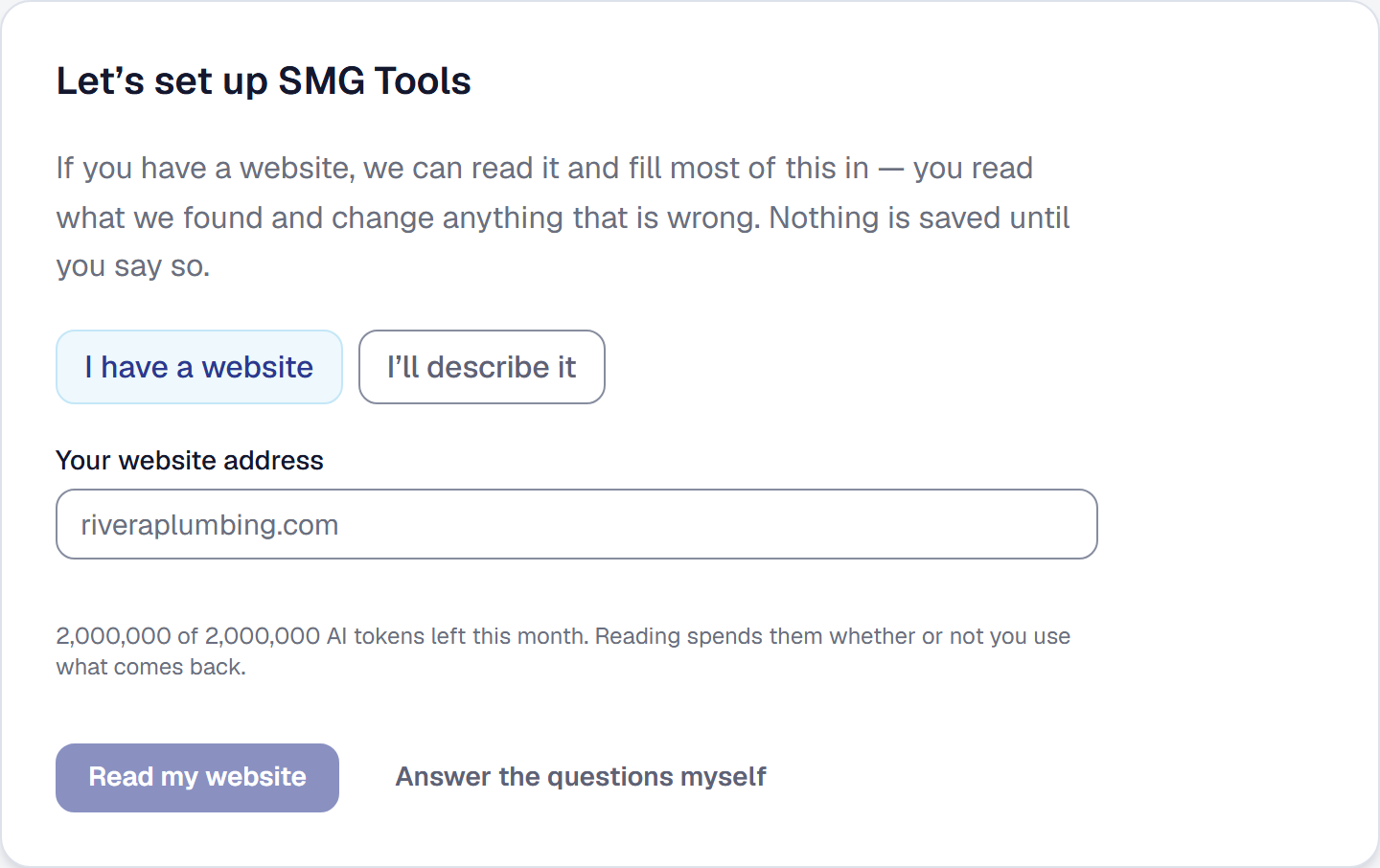
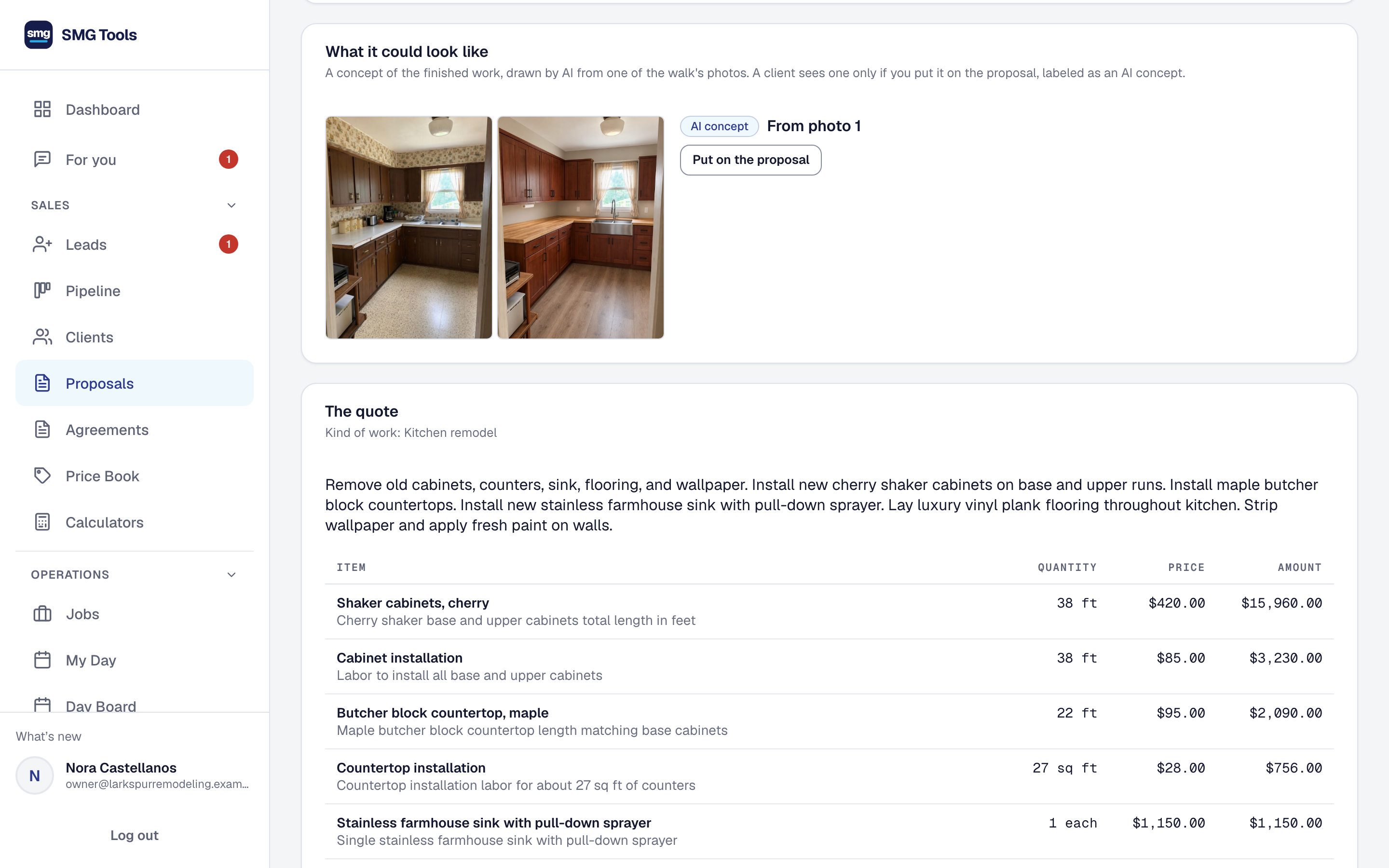
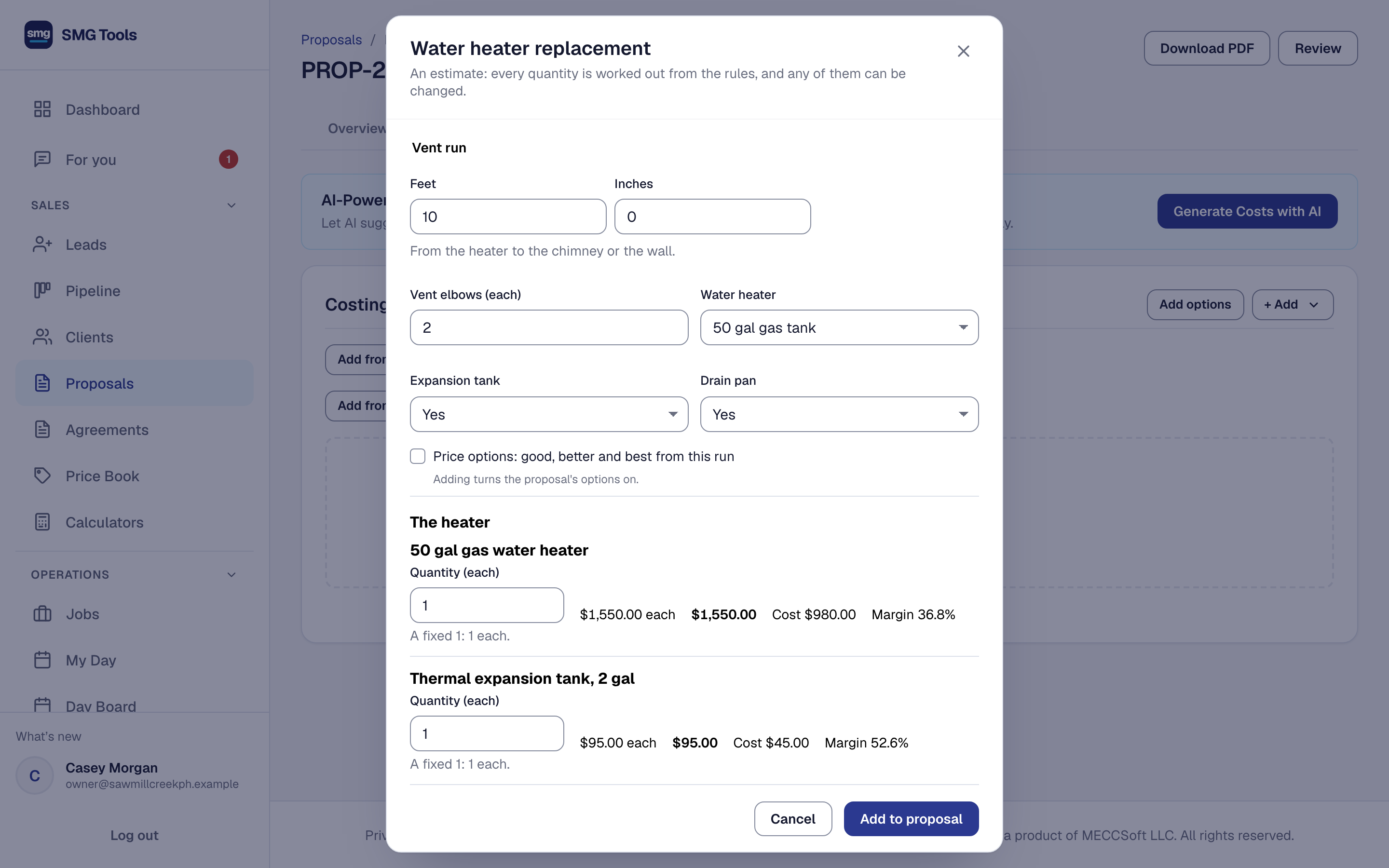
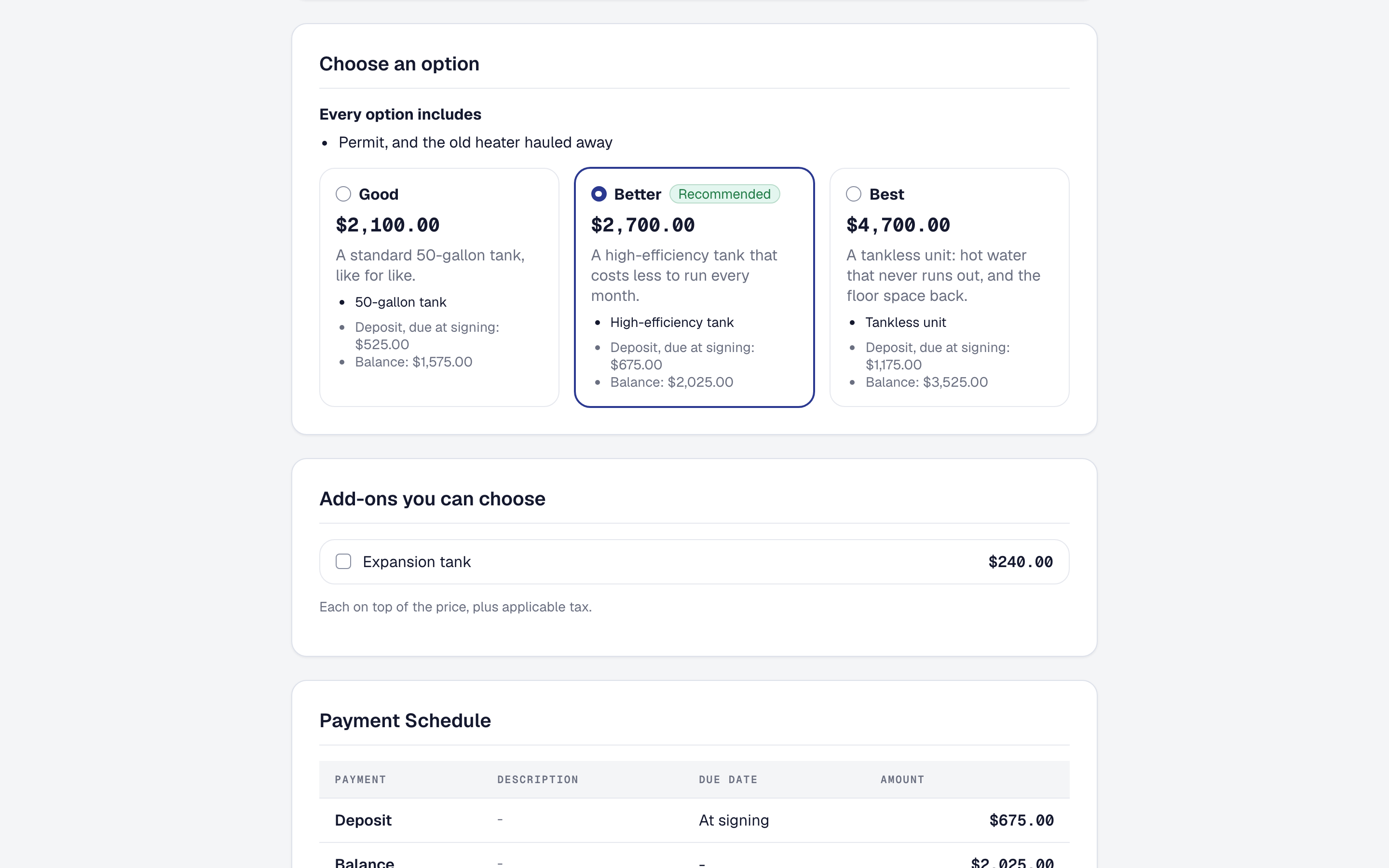
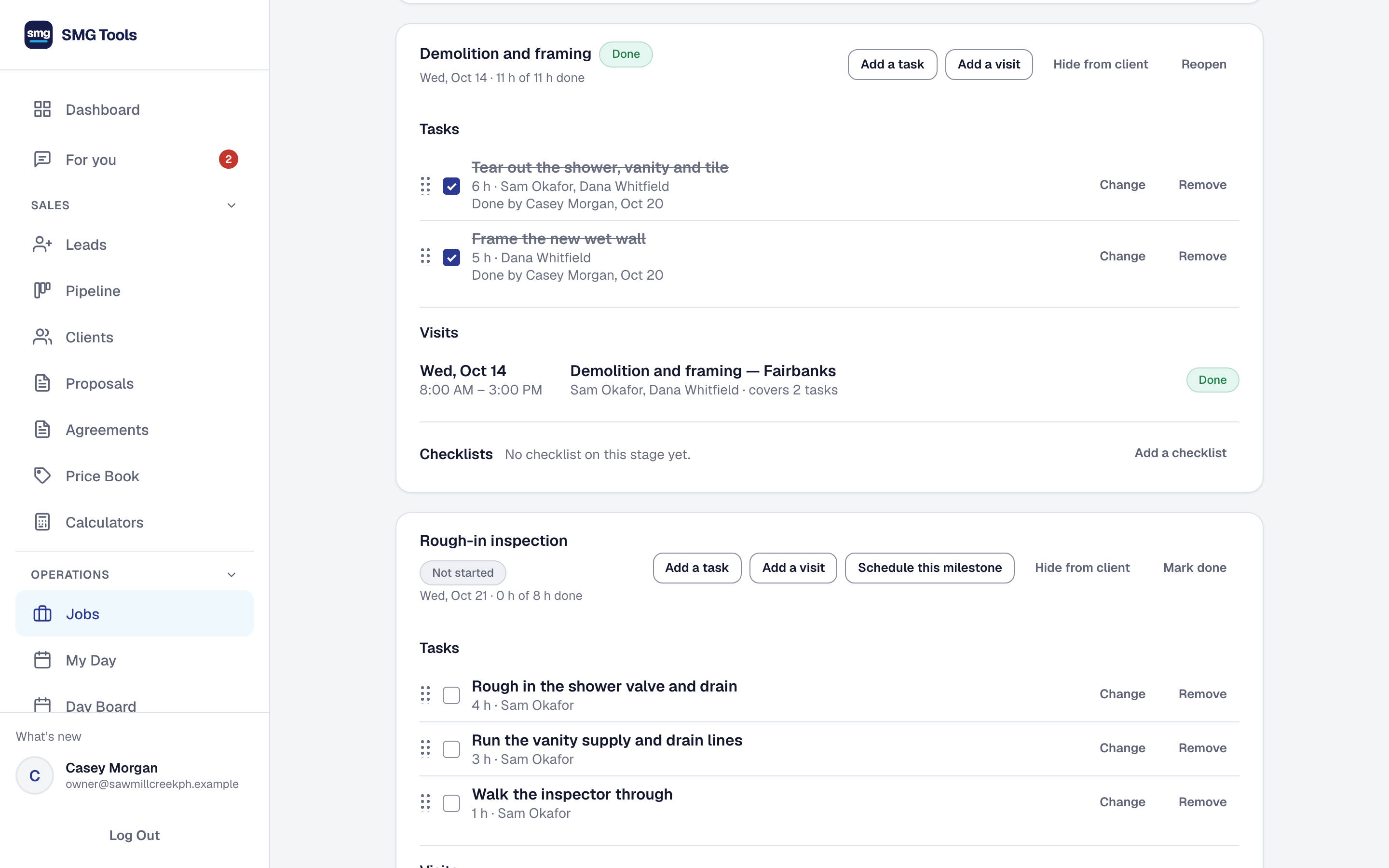
Real screenshots. Real workflows.
Not mockups — this is what you’ll actually use every day.
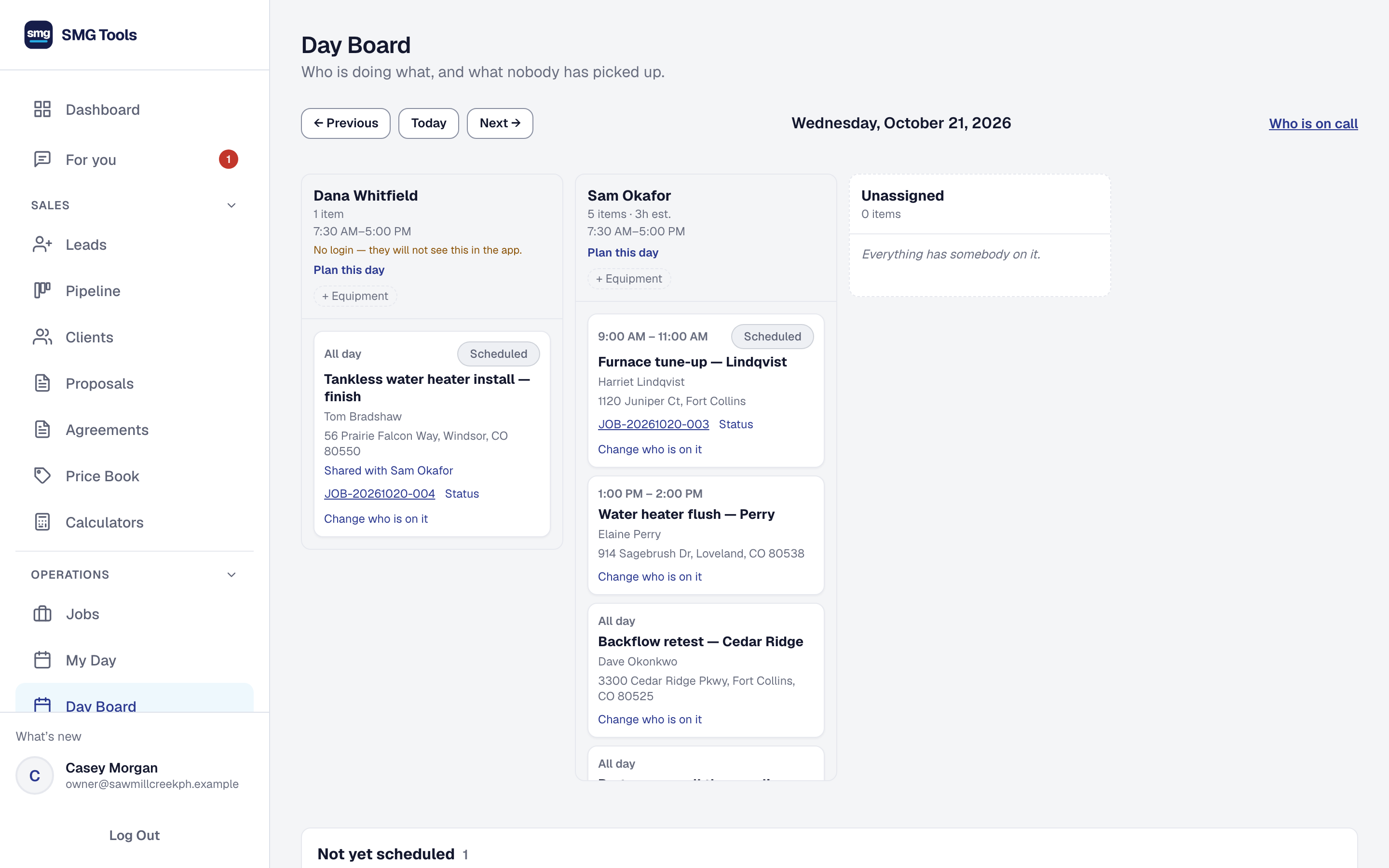
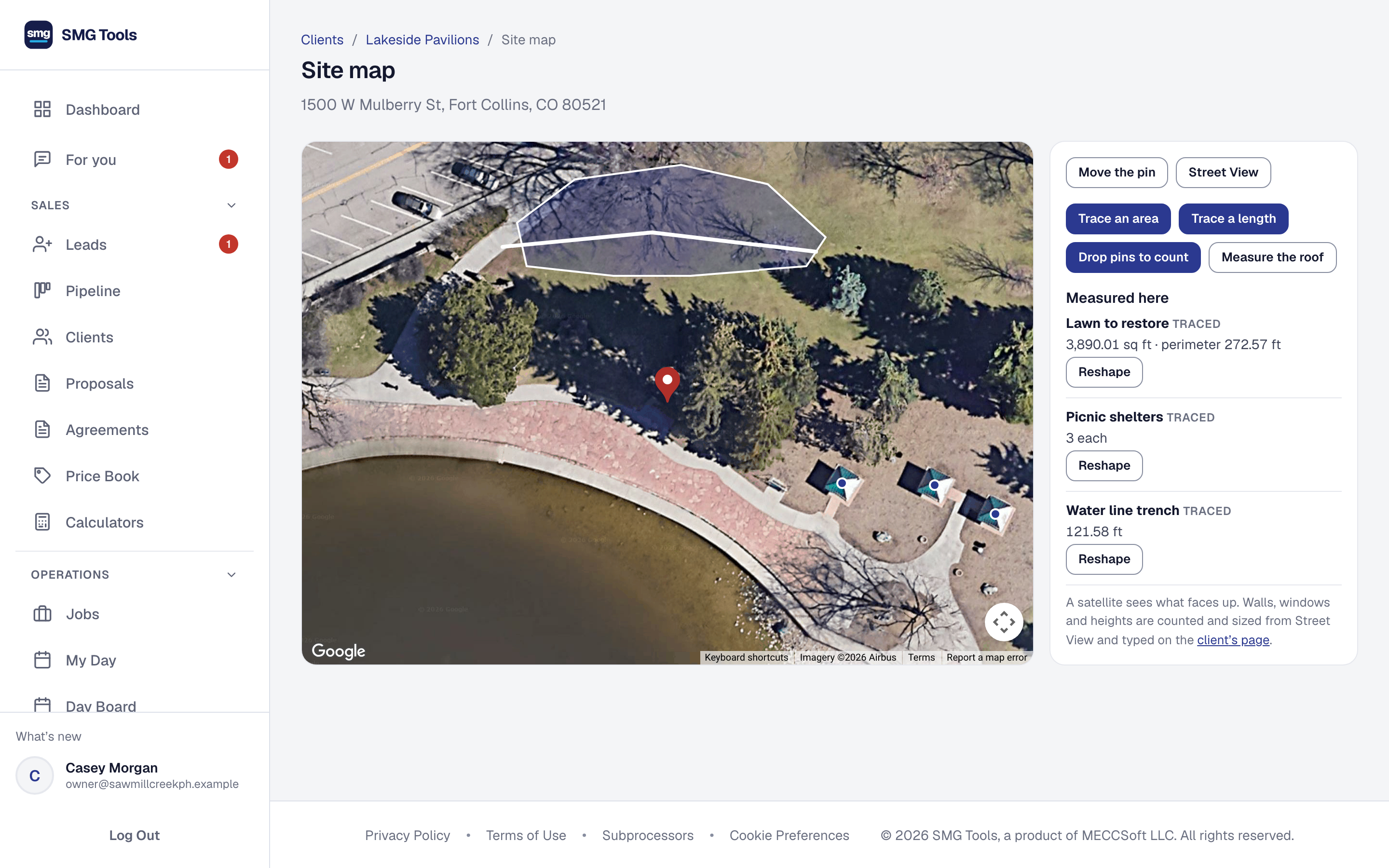
Start with the core. Add the tools your work needs.
Every business gets proposals, jobs, invoices and job costing. These are a few of the 58 tools it can add.
Online Booking
Customers pick a real time from your availability and book it.
Every plan
Phone assistant
Answers the calls you cannot, and books a visit from your availability.
Add-on
Contractor directory listing
Your business listed where people look for one like it.
Every plan
Referrals
Who sent each customer, and a link your clients can share.
Every plan
Service Agreements
Recurring work you have already sold, and the visits it produces.
Every plan
Client equipment
The units at a customer's property, and what was done to each.
Every plan
Equipment
Your own vans, trailers and machines: who has them, what they cost a job.
Every plan
Assistant
Say or type what you want done; confirm it before it is written.
Professional, Crew and Scale
Set up for the work you do.
Say your trade in setup and SMG Tools starts with what it uses: the tools, the job types, the checklists and the ready-made calculators. Every calculator here is free to try.
HVAC
Heating and cooling: the units at each house, the readings a tune-up takes, and the refrigerant record.
Plumbing
Plumbing: the water heater at each house, the pressure and temperature it read, and the service agreements that bring you back.
Electrical
Electrical: the panel and the generator at each property, and the readings that prove the work is sound.
Pest control
Pest control: recurring service plans, the visit checklist, and the application record a regulator can ask for.
Cleaning
Cleaning: recurring visits sold once, booked online, and the checklist the crew works at every house.
Residential clean by home size · Commercial clean by area and visits
Landscaping
Landscaping and lawn care: seasonal agreements, the mowers and trailers, and the record of every application.
Remodeling
Kitchens, baths and basements laid out in stages, with the inspection a rough-in has to pass and the finishes measured by the foot.
Basement finish · Drywall hang and finish · Bathroom tile, floor and shower walls · Interior trim and doors
Roofing
Tear-offs and repairs measured in squares, with the weather a roof can't be opened in and the photos an insurer asks for.
Painting
Interiors and exteriors priced by the square foot, with the temperature and moisture readings that decide whether paint will hold.
Handyman
Small repairs and installs at one house after another, with the photos and readings that show each was done right.
Decks and fences
Decks and fences quoted from a few measurements — footings, framing, boards, posts and pickets worked out — with the weather that stops a pour.
Deck build · Wood privacy fence · Vinyl fence · Chain-link fence
Flooring
Plank, laminate, tile, carpet and hardwood quoted from the room sizes, with the moisture readings that decide whether a floor will stay down.
Concrete and hardscape
Slabs, patios, pavers and retaining walls quoted from their size — yards, base, block and drainage worked out — with the weather a pour fears.
Concrete slab or patio · Paver patio or walkway · Block retaining wall
Gutters, siding and insulation
Gutters by the foot, siding by the square and insulation to an R-value, quoted from the house's eaves, walls and attic.
Gutters and downspouts · Vinyl siding · Attic blown-in insulation · Wall batt insulation
Switch in an afternoon. Leave in a minute.
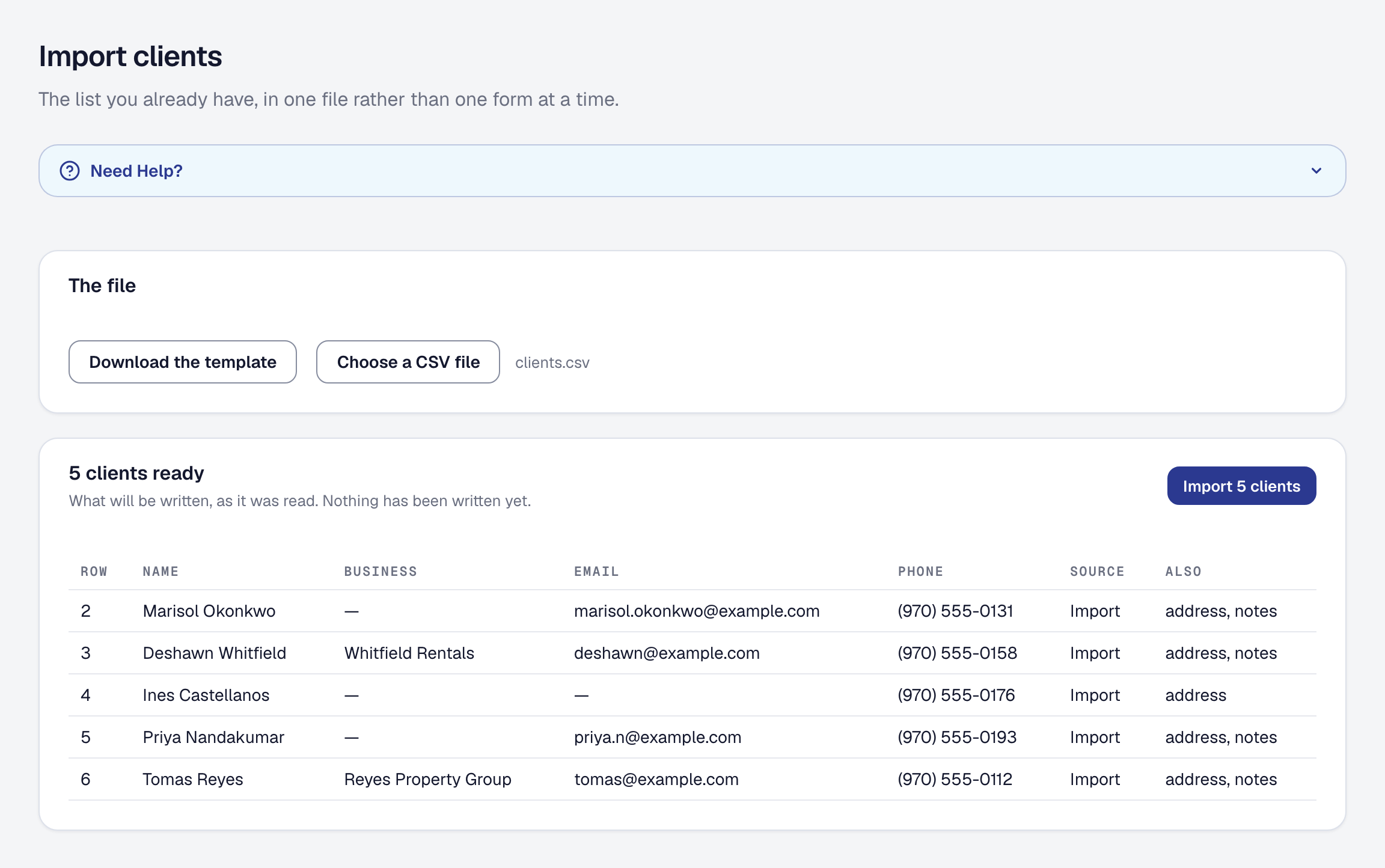
The thing that keeps a business on the software it has outgrown is the filing cabinet — the client list, the units at their properties, the vans and machines, the price book. Bring each one in from a spreadsheet: download the template, fill a row per record, and the whole file is checked before anything is written. A file with a problem is refused with the row and the reason; a good one previews, then writes.
- What you have comes in
- Clients, the units at their properties, your equipment, your Price Book, the materials you fit, job types and bookable services — the things a business has. A client already on your list is refused by name, never merged. The client file also carries how to get into each property and where each one came from, so a migration keeps the two things a spreadsheet of names always loses.
- What happened stays yours to keep, not ours to pretend
- Old invoices, payments and hours are not imported, because here they would be a history that never took place and a margin figure built on it. Keep the old system’s export; the day you stop opening it, the move is finished.
- Every list comes back out
- Each list downloads as a CSV in the same columns it came in, so a file can leave, be edited and return. Invoices, hours and agreements export in the columns their pages show. The whole account is one archive, always.
Import & export is on every plan, with no export fee and no onboarding ticket. A gate on leaving is the one thing we promise never to charge for.
Built for people who do the work, not push paper
Contractors & trades
Plumbers, electricians, HVAC techs, remodelers — anyone who bills for skilled work and hates paperwork.
A remodel runs as a plan of stages, each with its tasks, its visits and its crew, finishing itself when its work is done.
Regulated trades
Pest control, lawn care, HVAC refrigerant, pool & spa — log the application, capture the weather, hand the inspector an audit CSV.
Maintenance & service plans
Anyone selling a recurring book — quarterly programs, seasonal contracts, membership plans that bill themselves and prove which ones make money.
One truck or sixty people
The same software runs a one-truck business and a sixty-person company, with the same tools, and field workers are never a seat. Your data stays connected — no migration needed. Every change anybody makes is kept, with who made it and the role they held, back to your first day. For a company of ten to sixty.
One protected job can pay for a year of SMG Tools.
A year of Professional is $588. These are three things it caught in one sample business, each with the screen it came from. They are examples, not a promise of what yours will catch.
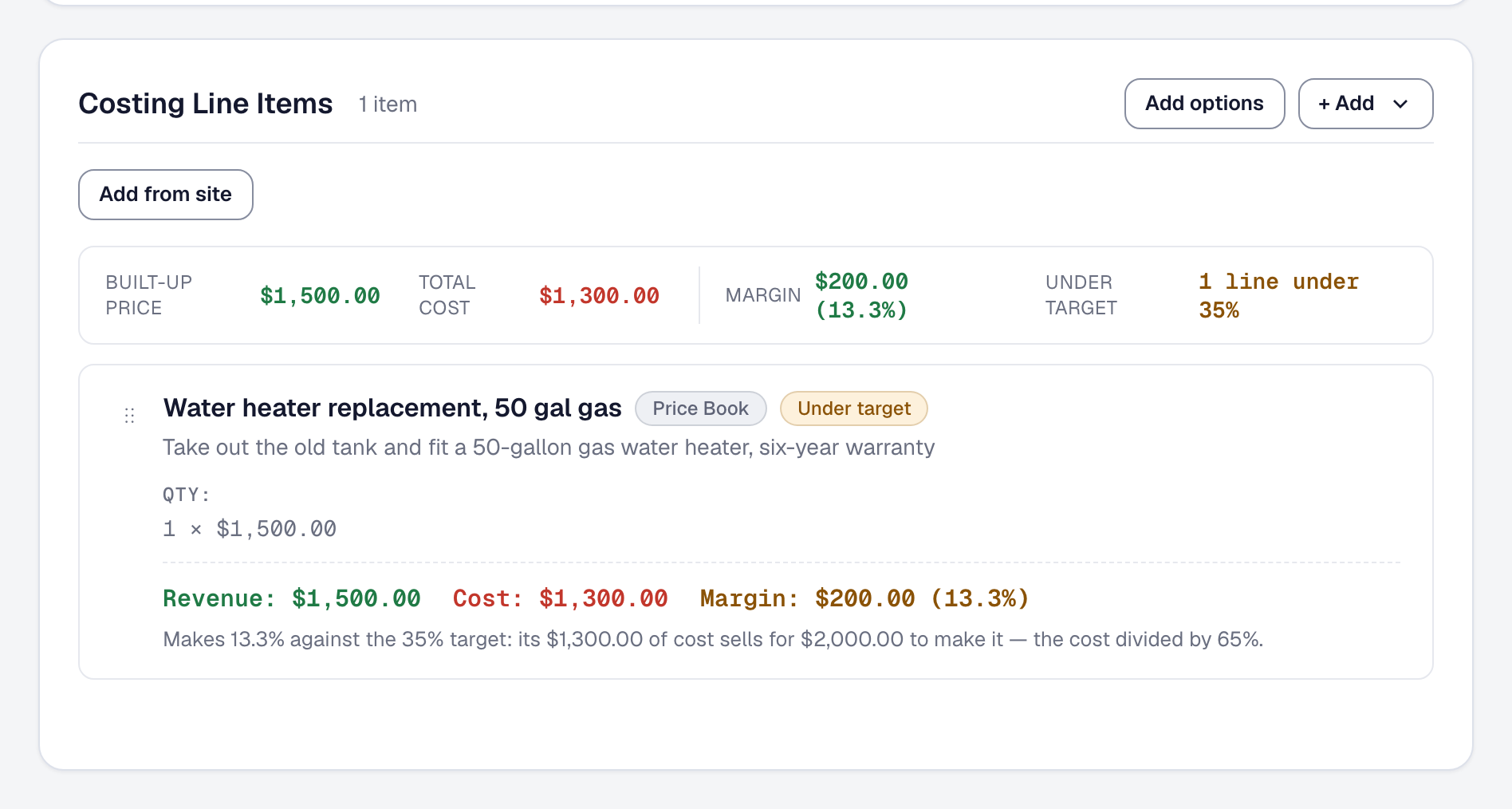
$500 more on one quote
A quote under target, caught before it went
A water heater replacement priced at $1,500 on $1,300 of cost makes 13.3%. Against the business's 35% target, the line reads Under target and says it sells for $2,000.
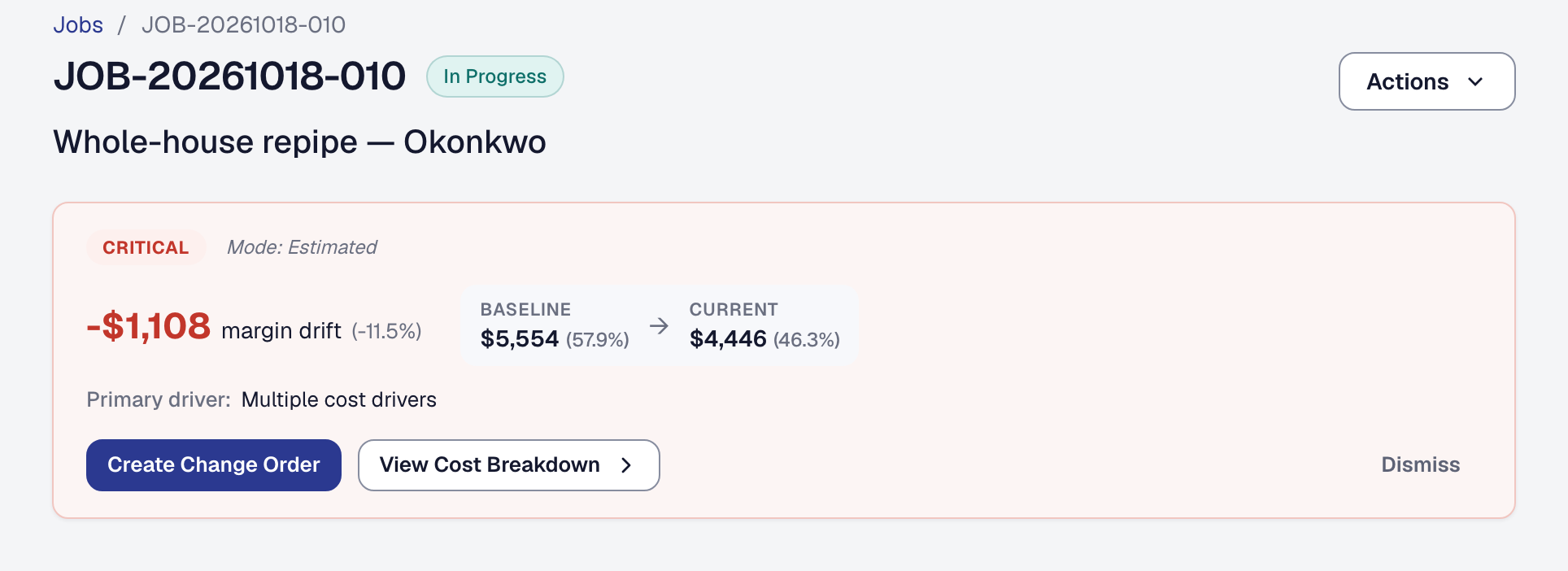
$1,108 of margin, flagged while the job was running
A job running past its estimate, flagged in time
A whole-house repipe sold on 38 hours had 52 logged, and a corroded tee took $520 more in parts. Its margin alert showed the $1,108 while the work was still going, with Create Change Order beside it.
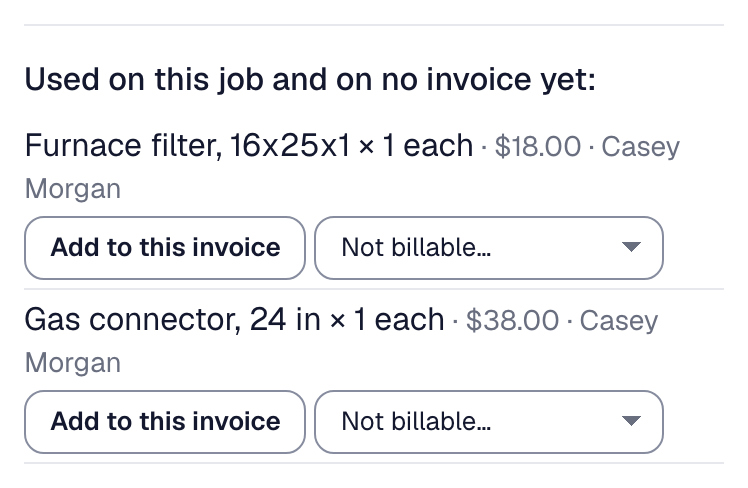
$56 back on a $250 invoice
Parts used, put back on the bill
A furnace tune-up was invoiced from its time alone. Marking the invoice sent listed the filter and the gas connector used on the job and on no invoice yet, each with Add to this invoice.
Once you are a customer, your own Billing page counts what SMG Tools caught for you each month, from your own records and beside what your plan costs: how it counts.
What a year costs at your volume, beside Jobber, Housecall Pro and the others: compare them.
Start free. Upgrade when it pays for itself.
Start free — no credit card, no commitment. Every plan connects your proposals, jobs, expenses, and payments in one workflow. Pay only when you collect payments through Stripe.
Starter
$0/month
0.25% + $1 minimum per transaction, plus standard Stripe fees — your client pays the invoice, nothing is added on top
- Unlimited proposals & invoices
- Unlimited jobs & clients
- E-signatures & signed PDF storage
- Change orders with e-signature acceptance
- Online payments via Stripe
- Sales tax by jurisdiction & what you owe each place
- Expense, time & mileage tracking
- 1 GB of storage for job photos, documents & receipts
- Price Book & job budgeting
- Public business page, lead capture & PDF flyer
- Automated invoice reminders & proposal follow-ups
- 5-star review chaser
- Margin Intelligence & at-risk alerts
- Quarterly tax reminders
Professional
$49/month
No $1 minimum on transactions
- Everything in Starter
- Voice assistant — record and ask by talking
- Ask about your own business — and a monthly summary
- Receipt OCR scanning
- 25 GB of storage
- Bank account sync & reconciliation
- Proposal assistant & Risk Auditor
- Text messages to your clients — reminders, confirmations, on my way
- AI drafts — payment reminders, proposal lines, parts lists
- Describe your own automation in a sentence
- Address autocomplete & route mileage
Crew
$99/month
5 office users — more at $25 each — and unlimited field workers
- Everything in Professional
- You and your office in one business
- Unlimited field workers — never counted as a seat
- A role for each person — dispatcher, estimator, bookkeeper, crew lead
- Assignment & the day board — who is on what, today
- Your crew’s day on their phone — clock in, arrival proof, status and photos from site
- Invite by email; remove anyone, any time
Scale
$299/month
15 office users — more at $20 each — and unlimited field workers
- Everything in Crew — the same tools
- Roles you build yourself
- Company sign-in through Microsoft 365 or Google Workspace
- 15 office users included, with no ceiling
- Larger allowances of AI, receipt scans, bank accounts and storage
- Set up by a person, and priority support
- For a company of ten to sixty
We’re building SMG Tools to grow with you
Your data stays connected as features expand. No migration required.
Recently added
Coming next
In the field
- A native phone app
- Card readers and tap to pay
- Where each vehicle is right now, and its drive and idle time priced into each job
Owner insight
- Two-way accounting sync, with what changes in QuickBooks or Xero coming back
From your first proposal to your last payment — one system.
Try Pro free for 90 days. Full access, no credit card required.
No credit cardDowngrade anytimeSecure payments