
Ask it by typing
The assistant is no longer a microphone. Ctrl+K opens a box from anywhere in the console, it tells you what your business could ask for, and speaking now fills the same box.
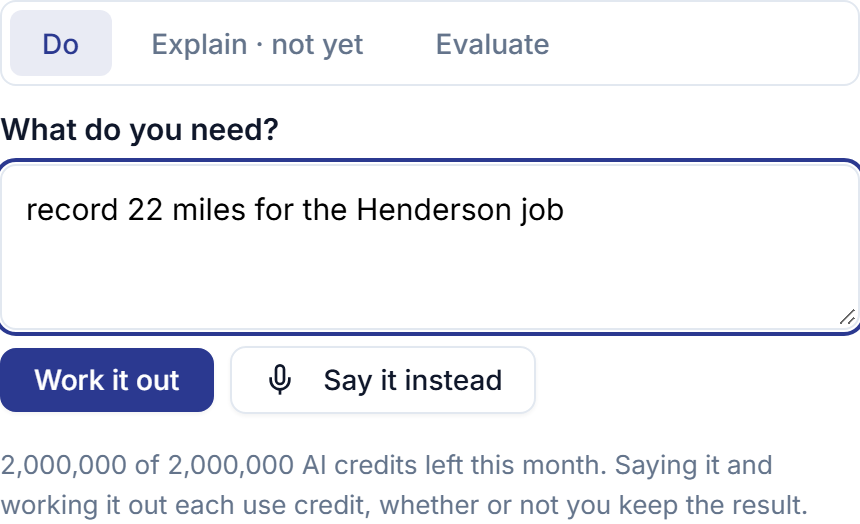
The text box has been in the assistant since the day it shipped, and almost nobody found it. The only way in was a floating microphone labeled Open the voice assistant, with the recording controls in front of it — so anyone at a desk had to press a microphone and scroll past a waveform to reach the thing they actually wanted.
That is fixed. The button now says Ask the assistant, Ctrl+K — ⌘K on a Mac — opens it from anywhere in the console with the cursor already in the box, and the box is the first thing in the panel rather than the fallback underneath it.
Speaking now fills that box instead of bypassing it. What you said is written down where you can read it, and working it out is a separate press. A misheard name used to cost you the whole recording: the only way back was to say the sentence again and pay for the seconds twice. Now it is a keystroke, and correcting costs nothing.
And an empty box tells you what to put in it. A few things your business could ask for, picked from what the assistant can actually do on your plan — so nothing suggested is something you cannot run. Choosing one drops it into the box for you to change the names and numbers to yours, rather than running somebody else’s sentence.
Nothing else about it changed. It still shows you a filled-in card before it writes anything, it still never sends, charges or deletes, and the microphone is still exactly where it was for anybody with wet hands and a van to load.