What’s New
Everything SMG Tools has shipped, dated the day you could first use it. One entry per feature, in plain words, with a picture of the real thing.
Subscribe by RSSNovember 2026
-
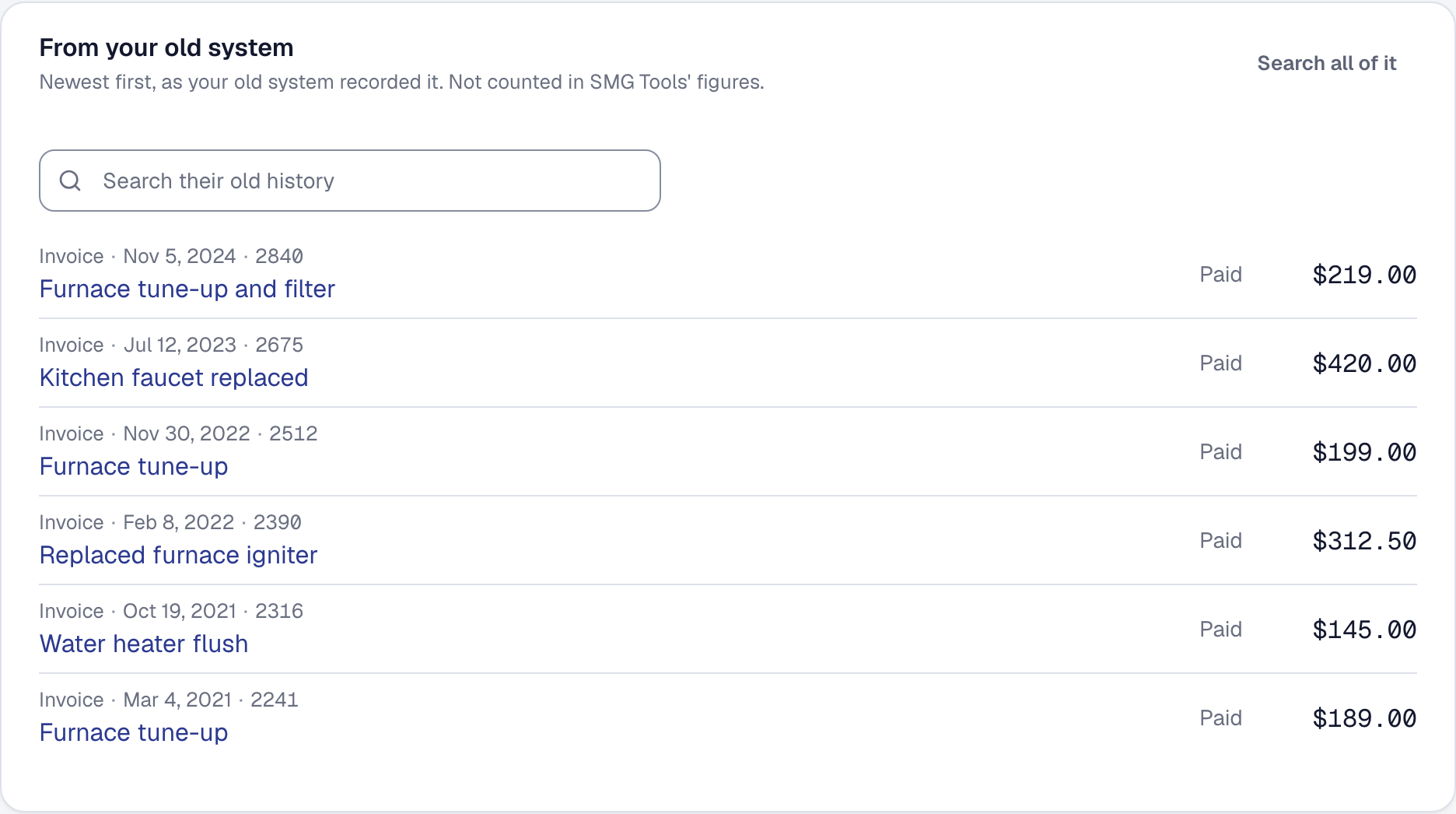
Bring in your old system's history, counted in nothing
Your old system's jobs, invoices, payments and hours, from its own export, kept on each client as history — searchable, and read by no figure. On every plan.
-
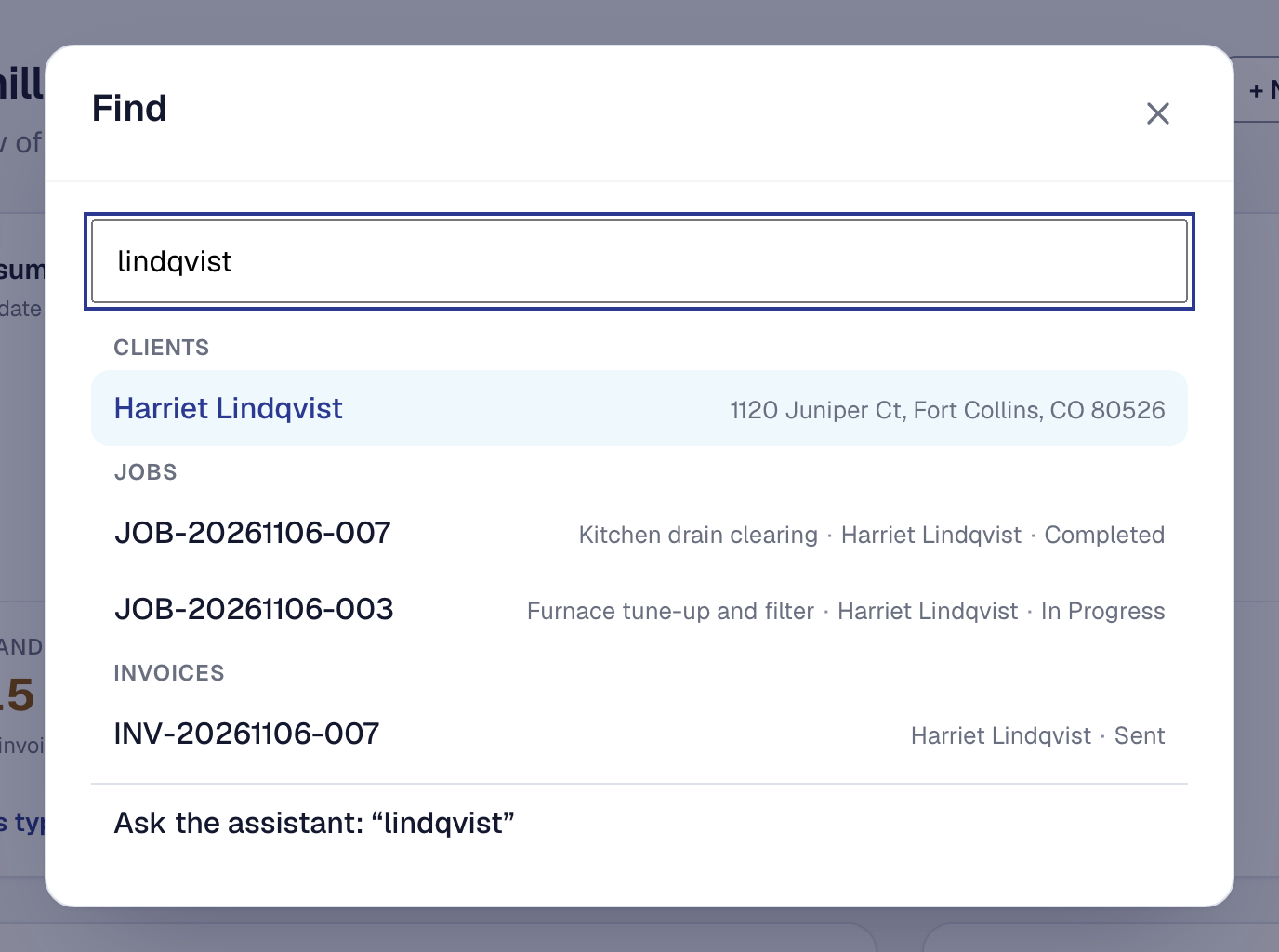
Find anything: press Ctrl+K and type
One box from every page goes to any page, a tool's settings, or a client, job, proposal, invoice, lead or unit — only what your role can open. On every plan.
-
Book a call or a demo beside a visit, each with its own link
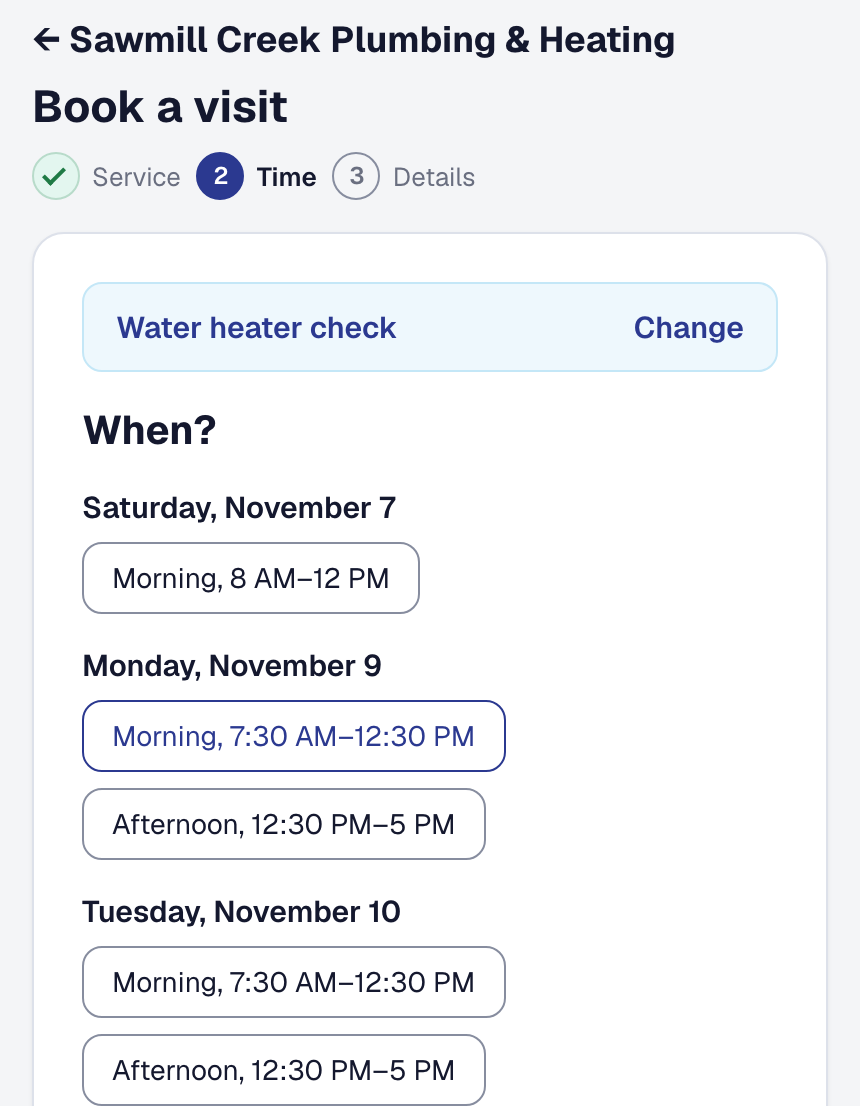
A bookable service can happen by phone or video — no address, no travel buffer — ask its own question, say Book a demo, and open from a link of its own. On every plan.
-
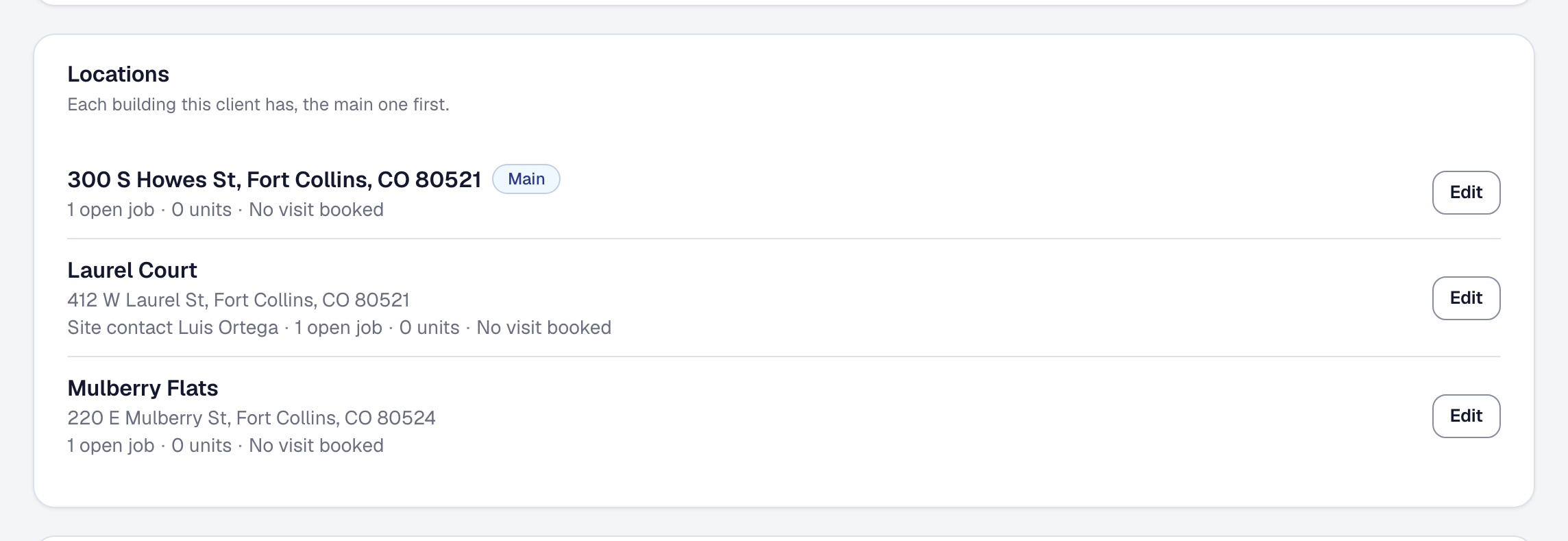
Customers with several buildings: one client, a location for each
A property manager is one client with a location per building — its own codes, units and site contact — and work, invoices, a statement, agreements and the hub by building. On every plan.
-
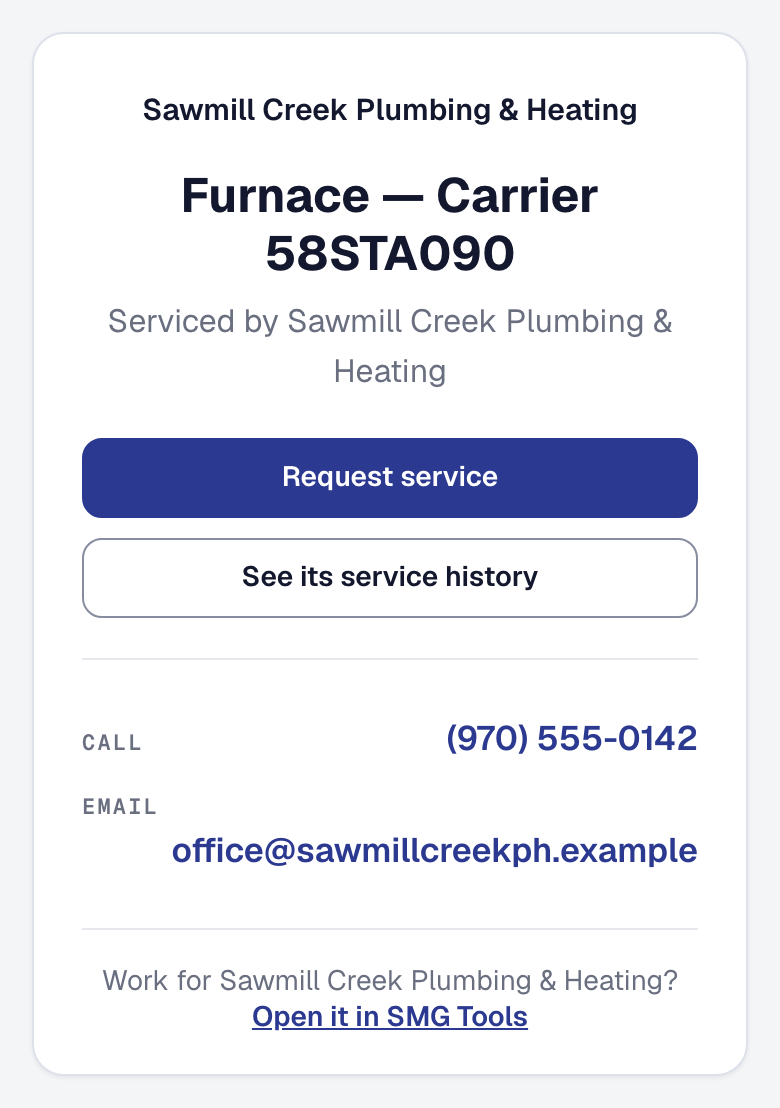
A QR label on every unit you service
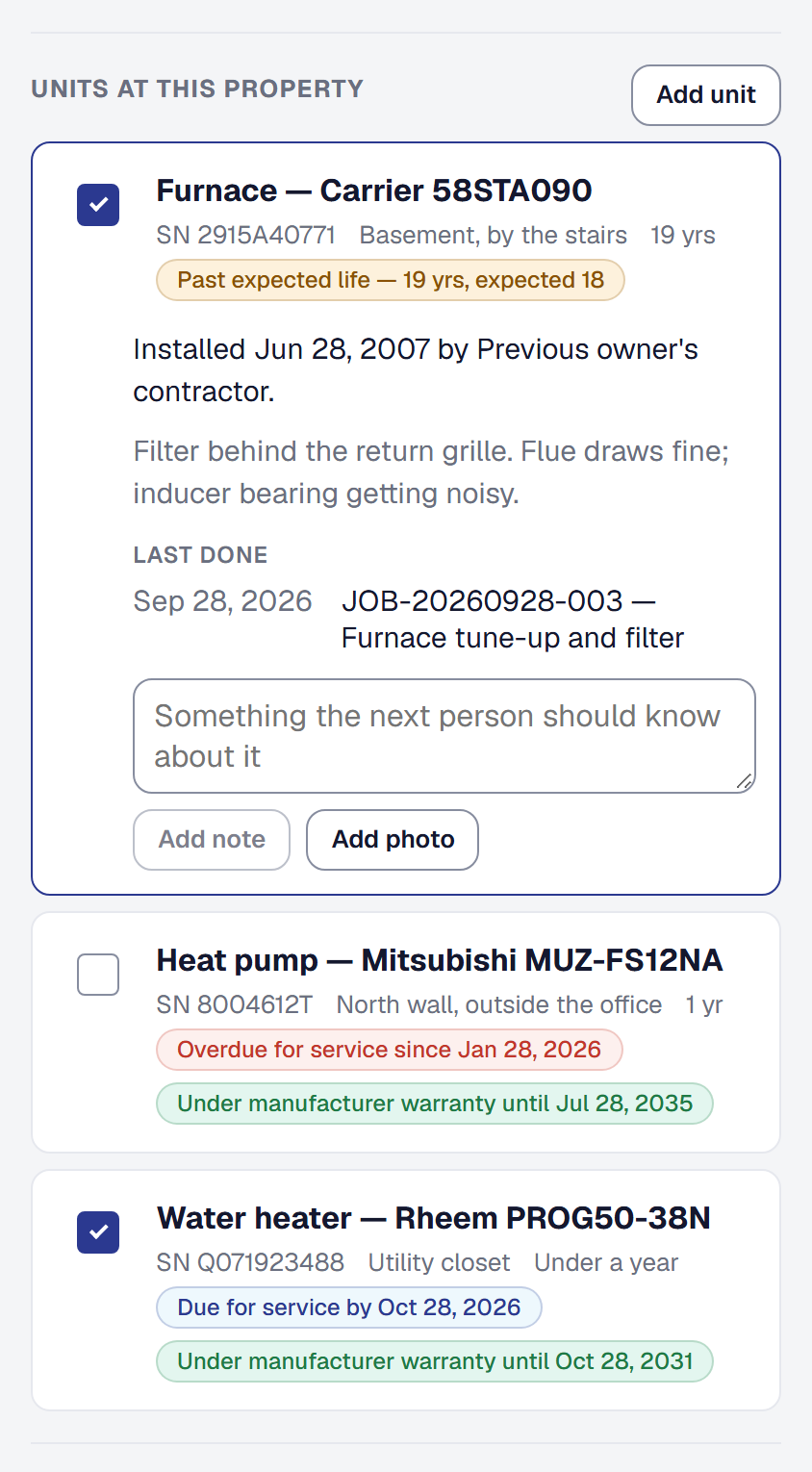
A QR label for a client's furnace or water heater: anyone who scans it sees who services it and can ask for service, and the client sees its history. On every plan.
-
What should you charge? Two free calculators
What an hour of your crew's time costs and what to charge for it, and markup vs margin with the price for the margin you want — free, with nothing you type leaving the page.
-
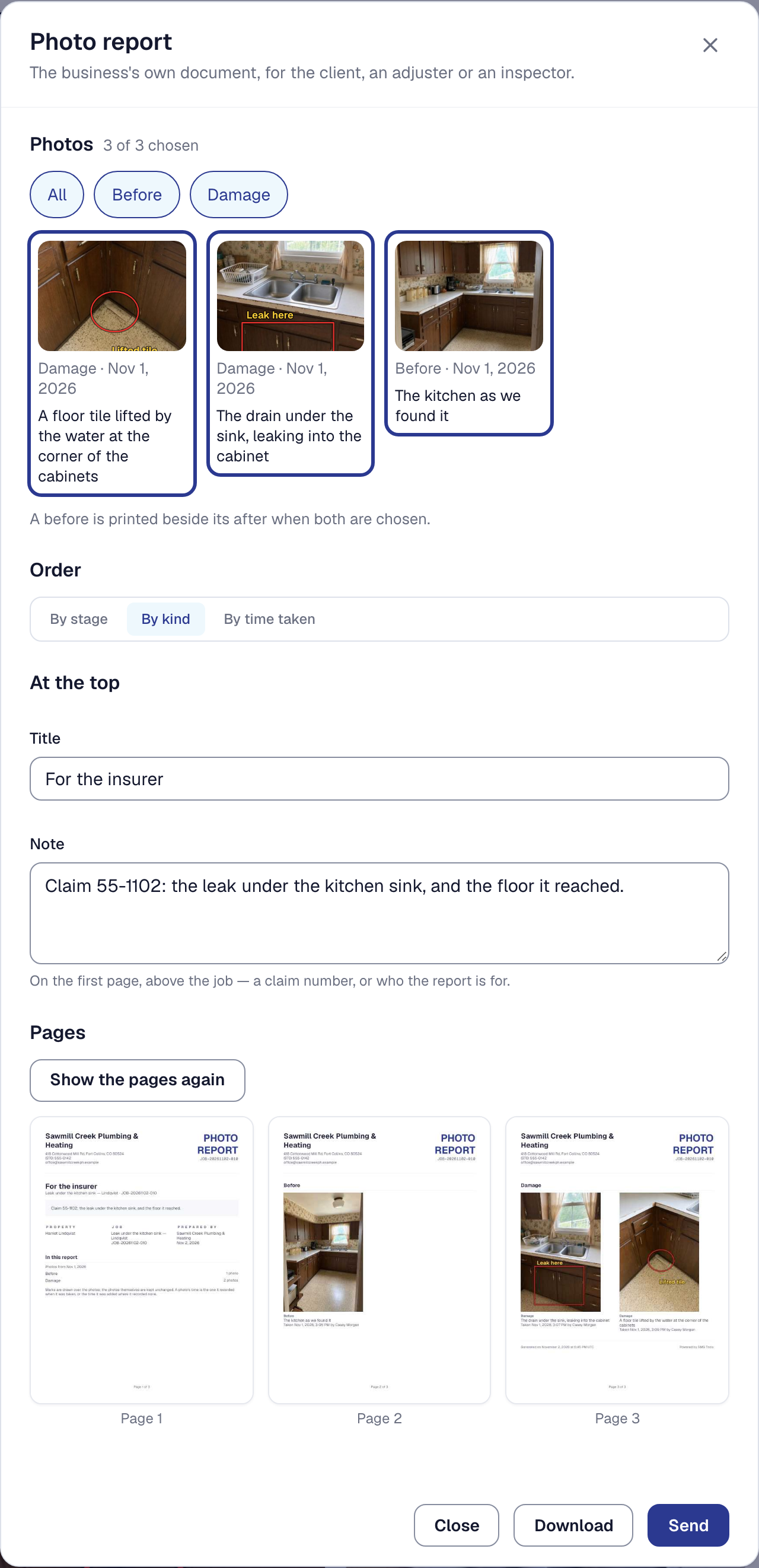
Photo reports: your job's photos marked up, paired and sent as one document
Circle the crack, put the before beside the after, and send one branded report to your client, the adjuster or the inspector — with when each photo was taken and by whom. On every plan.
-
SMG Tools is in the App Store and on Google Play
SMG Tools for iPhone and Android: the same account and pages as the web, with the phone's camera, a label scanner and its own sign-in. Free on every plan.
October 2026
-
Ask Claude or ChatGPT about your business, and confirm what it prepares
Connect SMG Tools to Claude or ChatGPT by signing in and ask about your schedule, jobs and what's owed, answered from your records. What it prepares, you confirm on SMG Tools' own card.
-
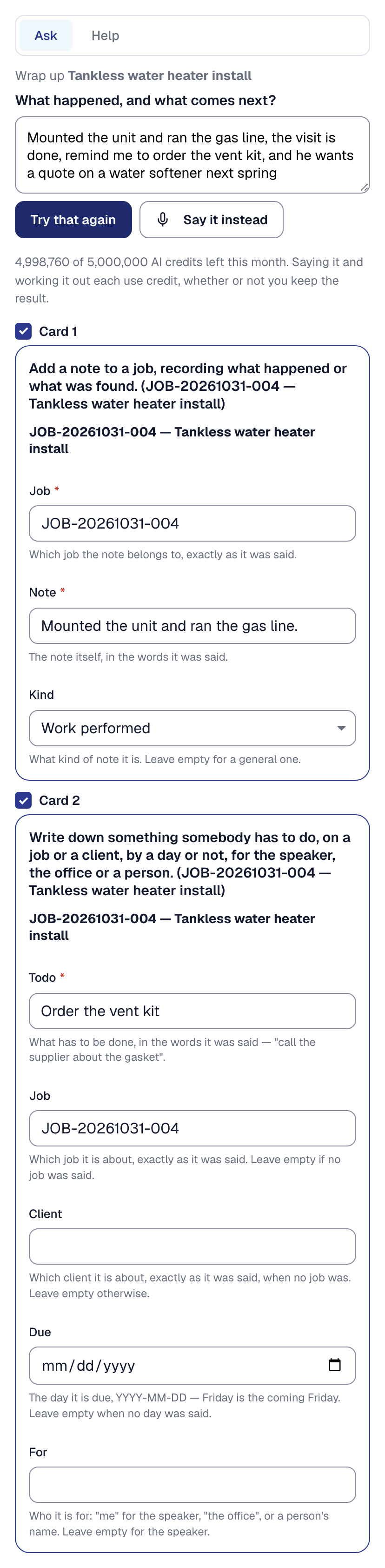
Say it once: a new customer, or the end of a job, in one go
Say everything at once — a new customer, their job and a visit, or how a job went — and check a form for each step before anything is saved. Your crew can wrap up their visits too.
-
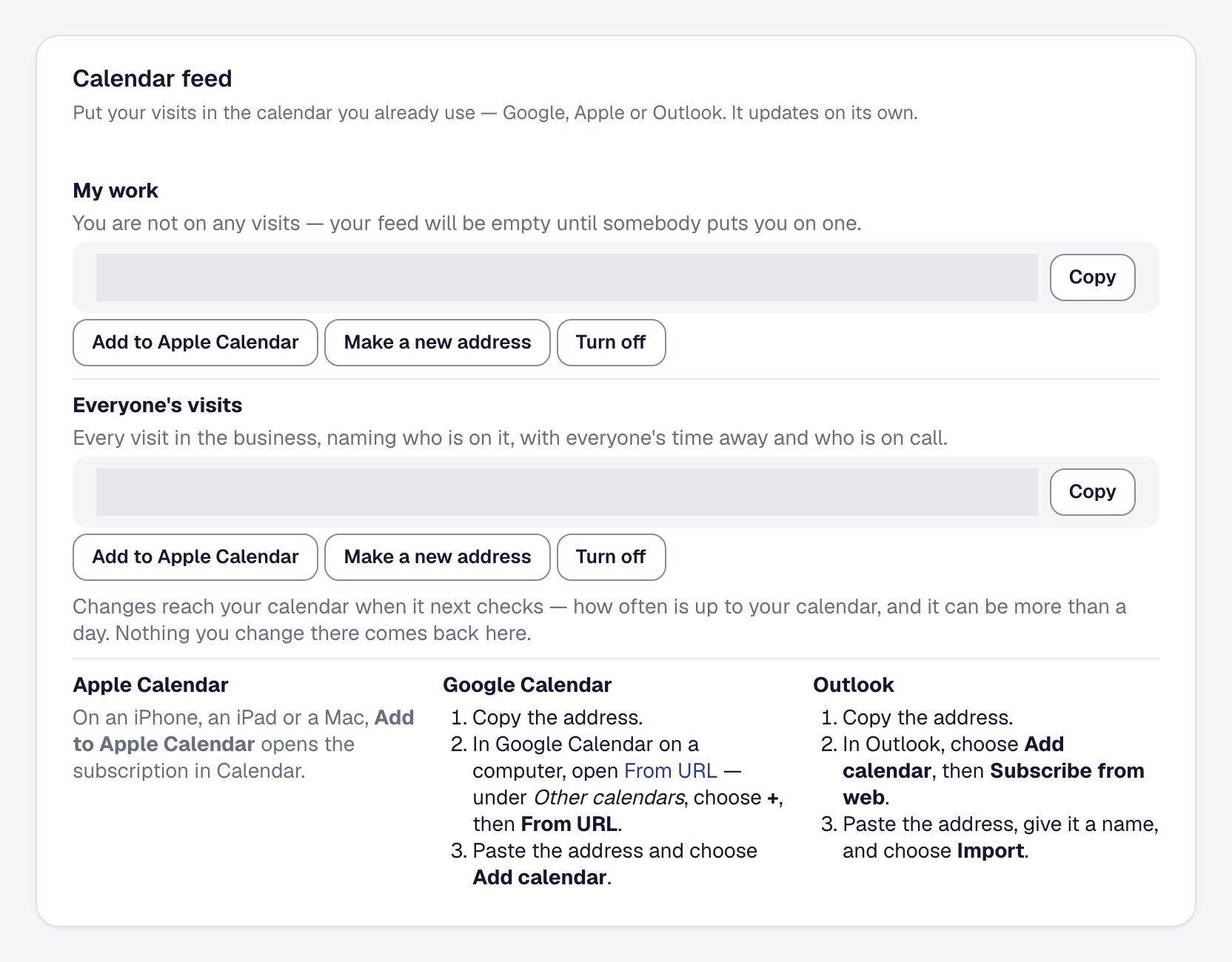
Your visits in the calendar you already use
A private address your Google, Apple or Outlook calendar subscribes to: your visits, time away and on-call — and everyone's visits for whoever runs the schedule.
-
What did your last job really make? A free job profit calculator
Put in what your last job brought in and what it cost, and see what it made, its margin, what your own hour came to, and what to charge for the next one — free, with nothing you type leaving the page.
-
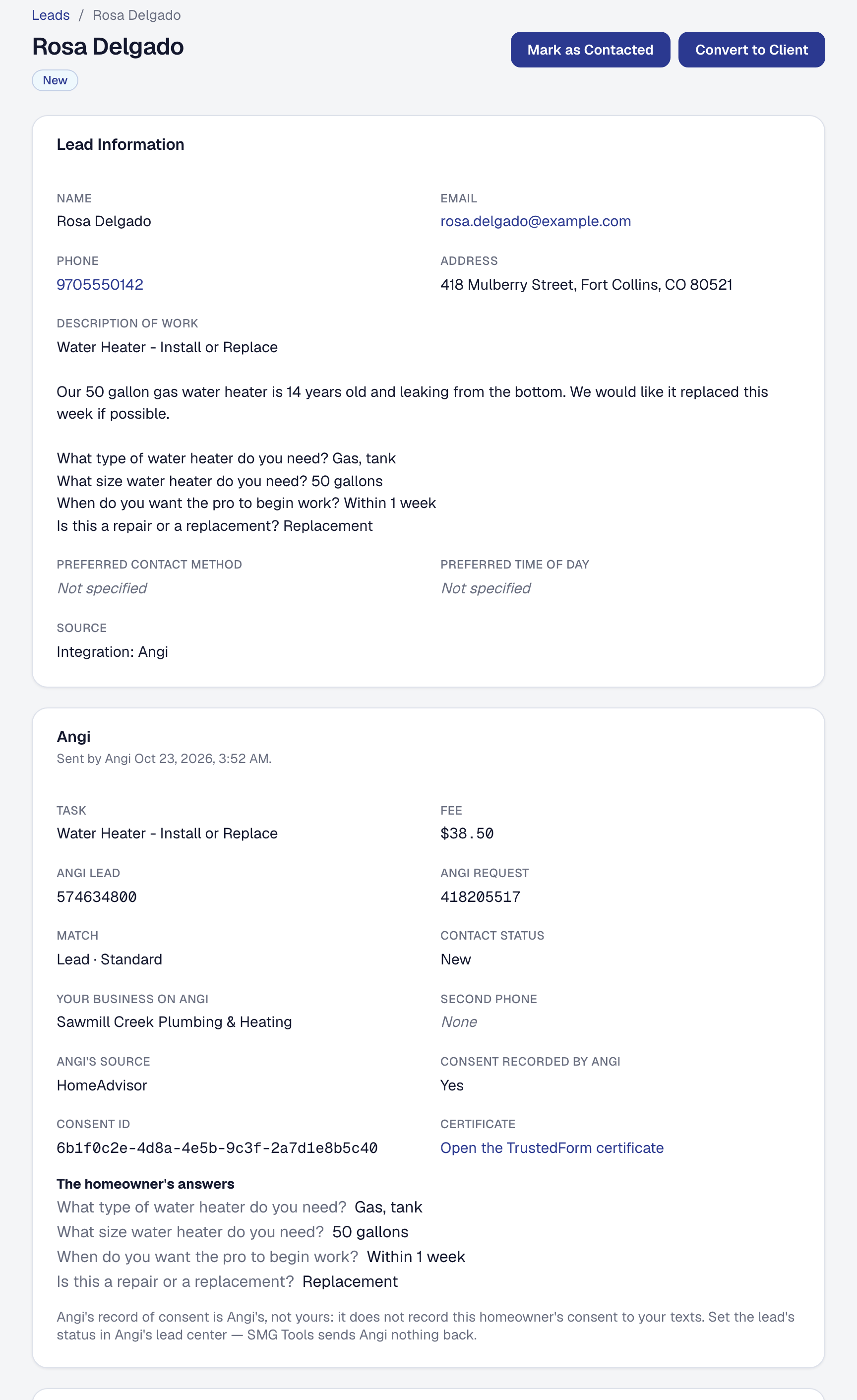
Your Angi leads arrive on their own — with the homeowner's answers, and what each one cost
Give Angi your address and key, and each lead Angi sells you is on your Leads page within seconds, with Angi's numbers on it and its fee counted against what it earned.
-
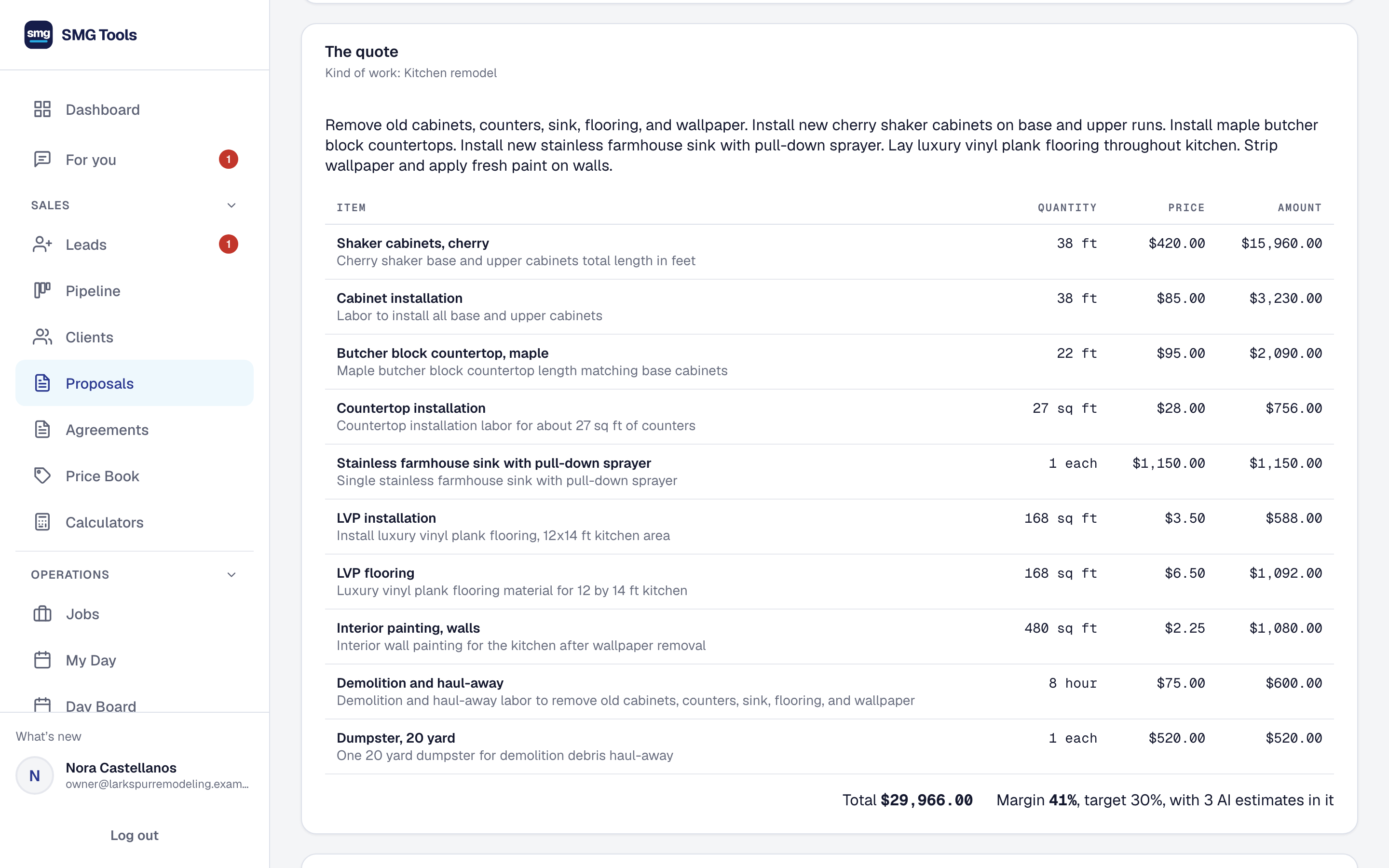
A draft quote waiting for each new request, and one from a site walk's photos
Turn on Drafted for you and each new request gets a draft quote, priced from your own Price Book. At the job, photograph it and say what's changing, and a priced draft waits in For you.
-
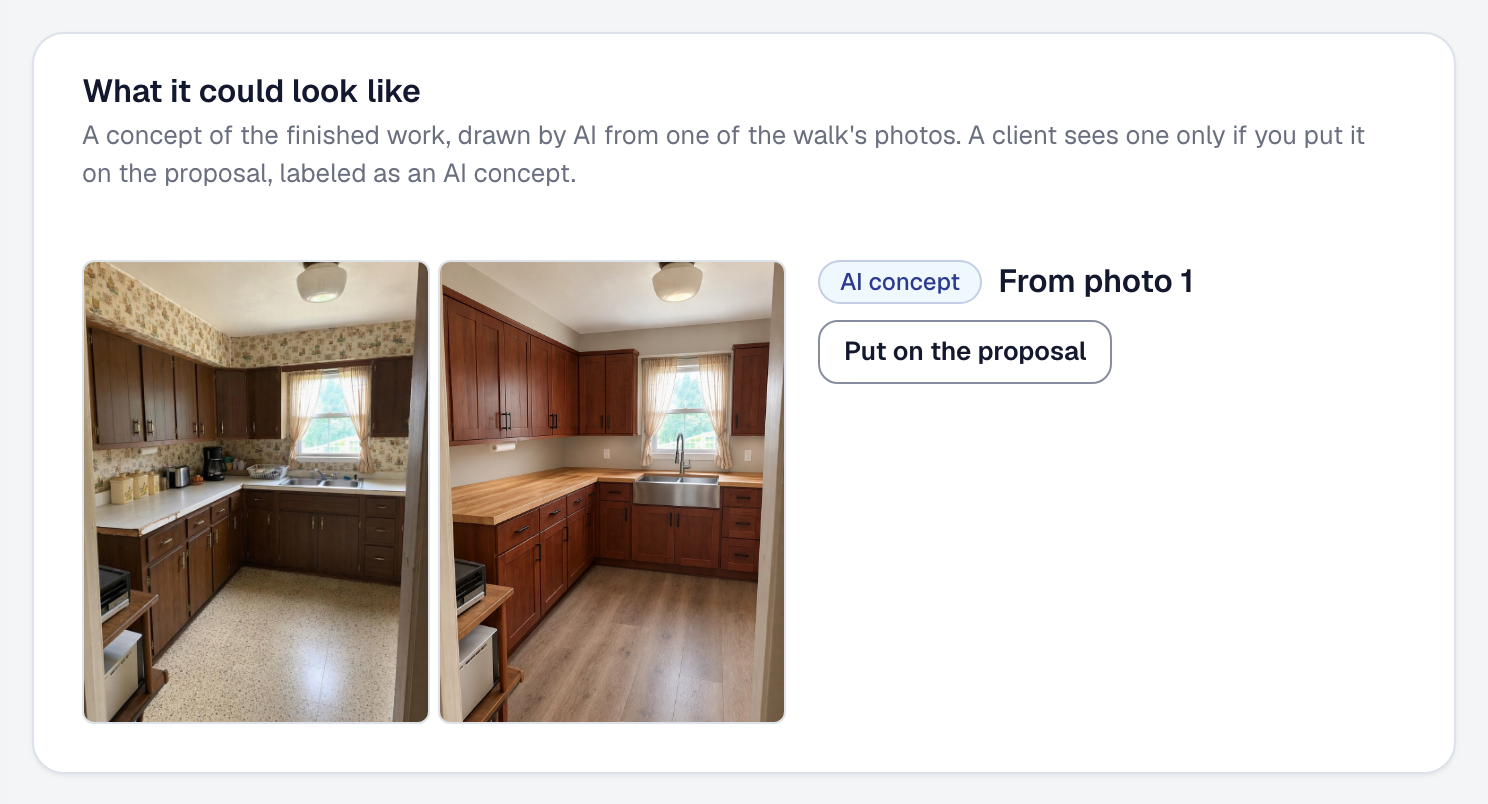
Show your client the finished job before it starts
From a site walk's photo, Drafted for you draws the work finished, in the client's own room, to put on the proposal labeled as an AI concept.
-
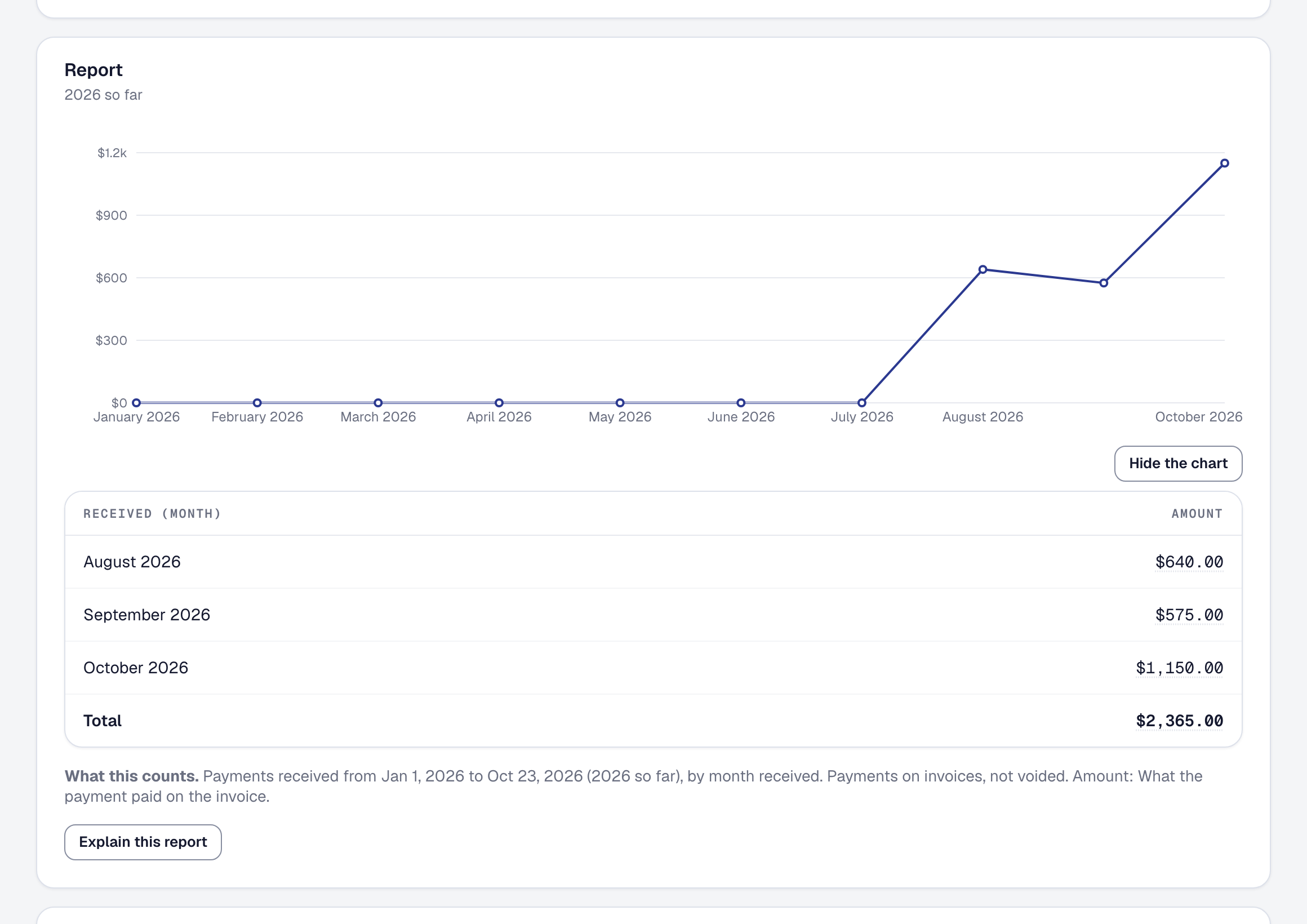
Build your own reports — by hand, or by describing them
When the report you need is not one SMG Tools ships, build it from your own records: a chart, the records behind every figure, the period before, a PDF, saved for the business and sent on a schedule.
-
Sign in with Apple
Sign in with Apple sits beside Google and Microsoft everywhere you sign in, sign up or accept an invitation — and Hide My Email works.
-
Your clients can pay from their bank account — a few dollars, not a card's percentage
Pay by bank beside Pay by card on your invoices, a proposal's deposit and your client's own page. Stripe's ACH fee is capped at $5, so a $9,000 invoice costs $29.00 to take, not $283.
-
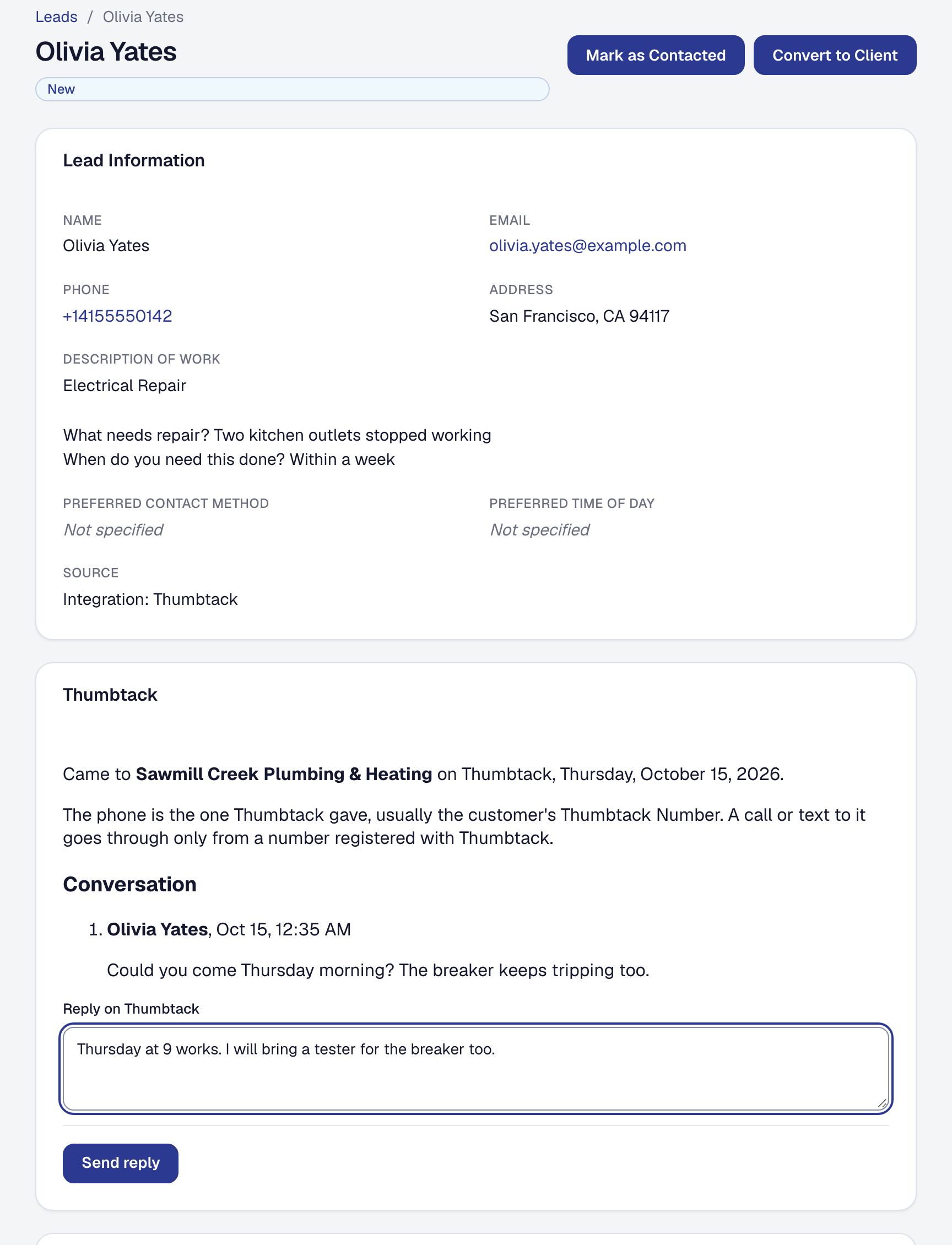
Your Thumbtack leads arrive on their own — with their conversation, and what each one cost
Connect Thumbtack and each lead is on your Leads page within seconds. Reply from SMG Tools, Thumbtack hears how the work went, and each lead's price is counted against what it earned.
-
Work that comes back: visits that repeat, and clients reminded when it is due again
Set a visit to repeat and each one is a job of its own, its times held. Give a kind of work how often it comes back, and see who is due again — and email them a link to book it.
-
Calculators: quote a project from a few measurements
Type a deck's size or a basement's walls and every line the job takes is worked out, priced and explained. Ready-made calculators for every trade, and free ones on our website.
-
Delete your own account
Anyone who isn't the owner of a business can now delete their own SMG Tools account from the Security page. Their sign-in goes; what they recorded stays with the business.
-
My Day opens with no signal
In a basement or a dead spot, My Day now opens from the copy of today your phone kept: the visits, addresses, how to get in, the work and the checklist. Read-only, and gone when you sign out.
-
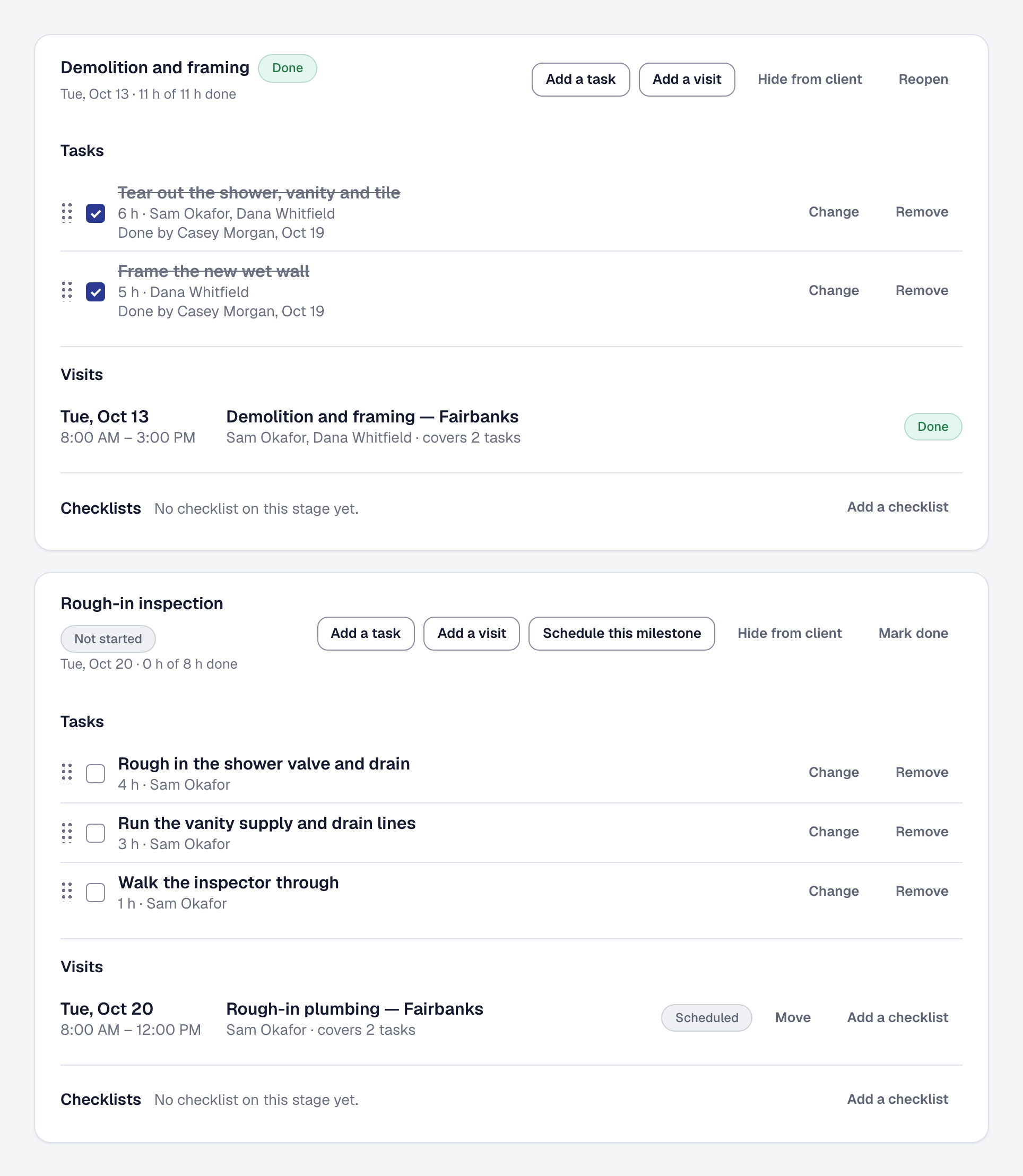
Projects: a plan for a big job, stage by stage
Lay a remodel out as stages that hold their tasks and visits, schedule a whole stage at once, see its margin as it goes, and let the client follow along. AI drafts the plan on Professional.
-
Quotes that have gone quiet come back to you
A proposal still unanswered a week after its follow-up now goes back to whoever sent it, in For you — to follow up, drafted for you on Professional, or let go.
-
Shifts, on call and time off your crew asks for
Weeks that alternate and days that change, a rota of who is on call with after-hours leads sent to them, and time off your crew asks for in the app — on the timesheet by kind.
-
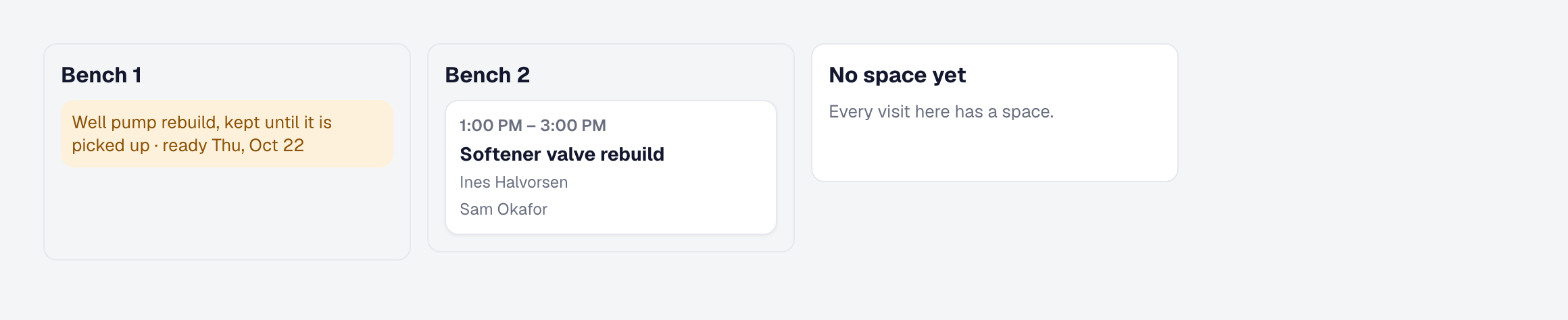
Work at your own place — bays, drop-offs and a price before the work
Work done at your own shop, studio or bay: booked with no address, only while a bay or chair is free, dropped off with a ready-by date, and the day by space.
-
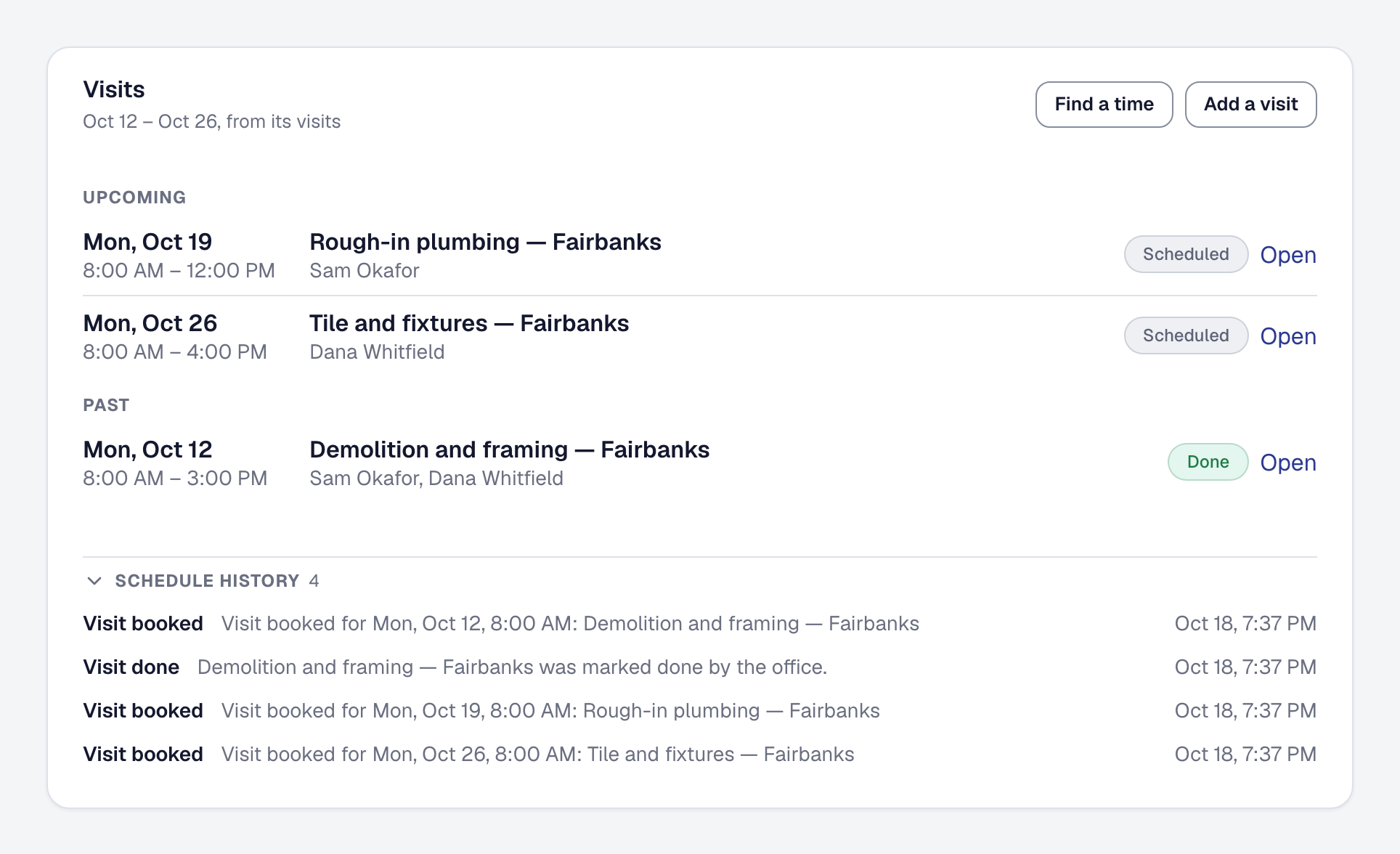
Every visit has its own status, and payments are their own schedule
On a job of many visits, each morning has its own On the way. Milestones are the stages of the work, and the money is a payment schedule, adding up to the price where one is agreed.
-
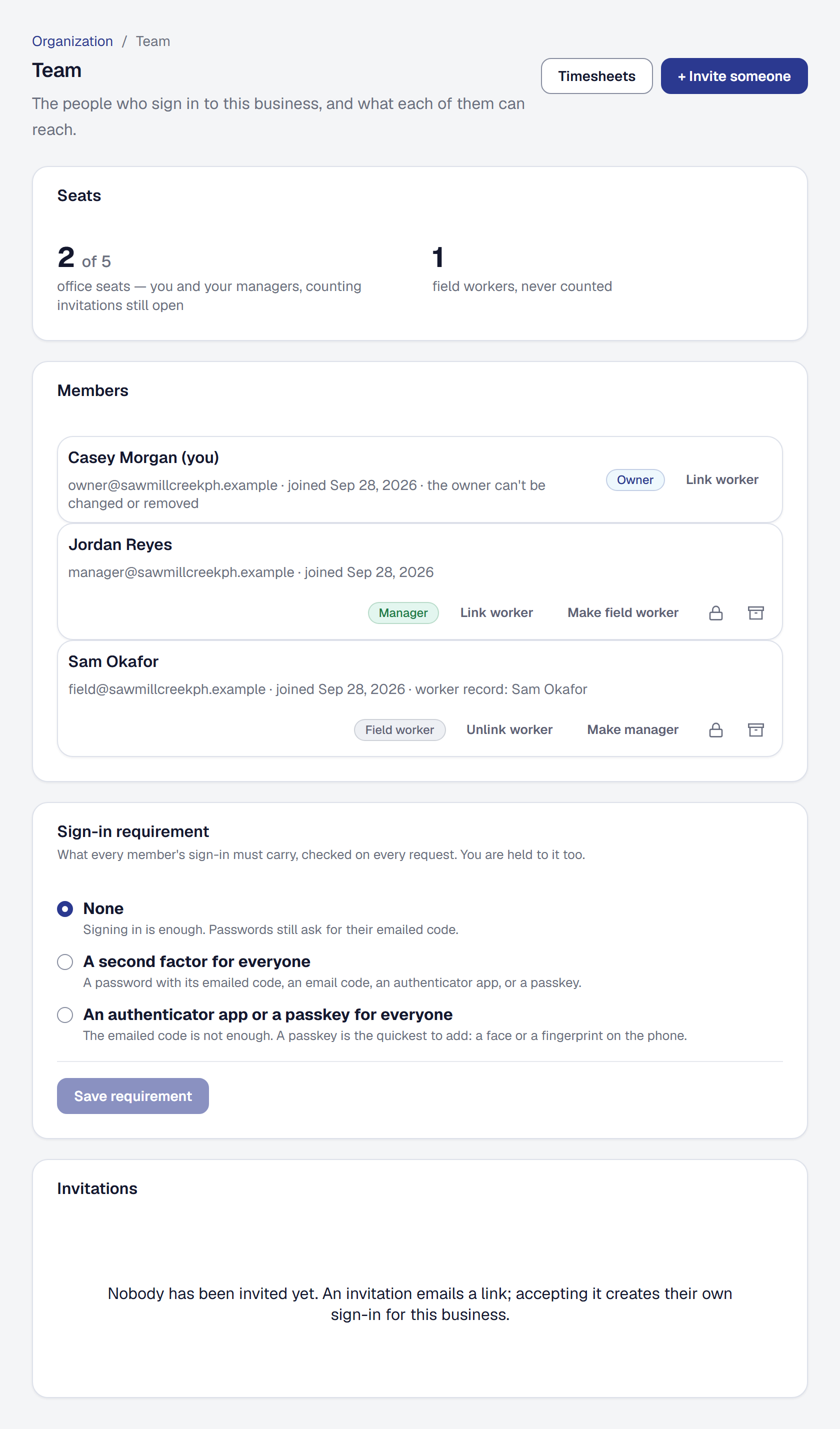
The job, client and worker pages, regrouped
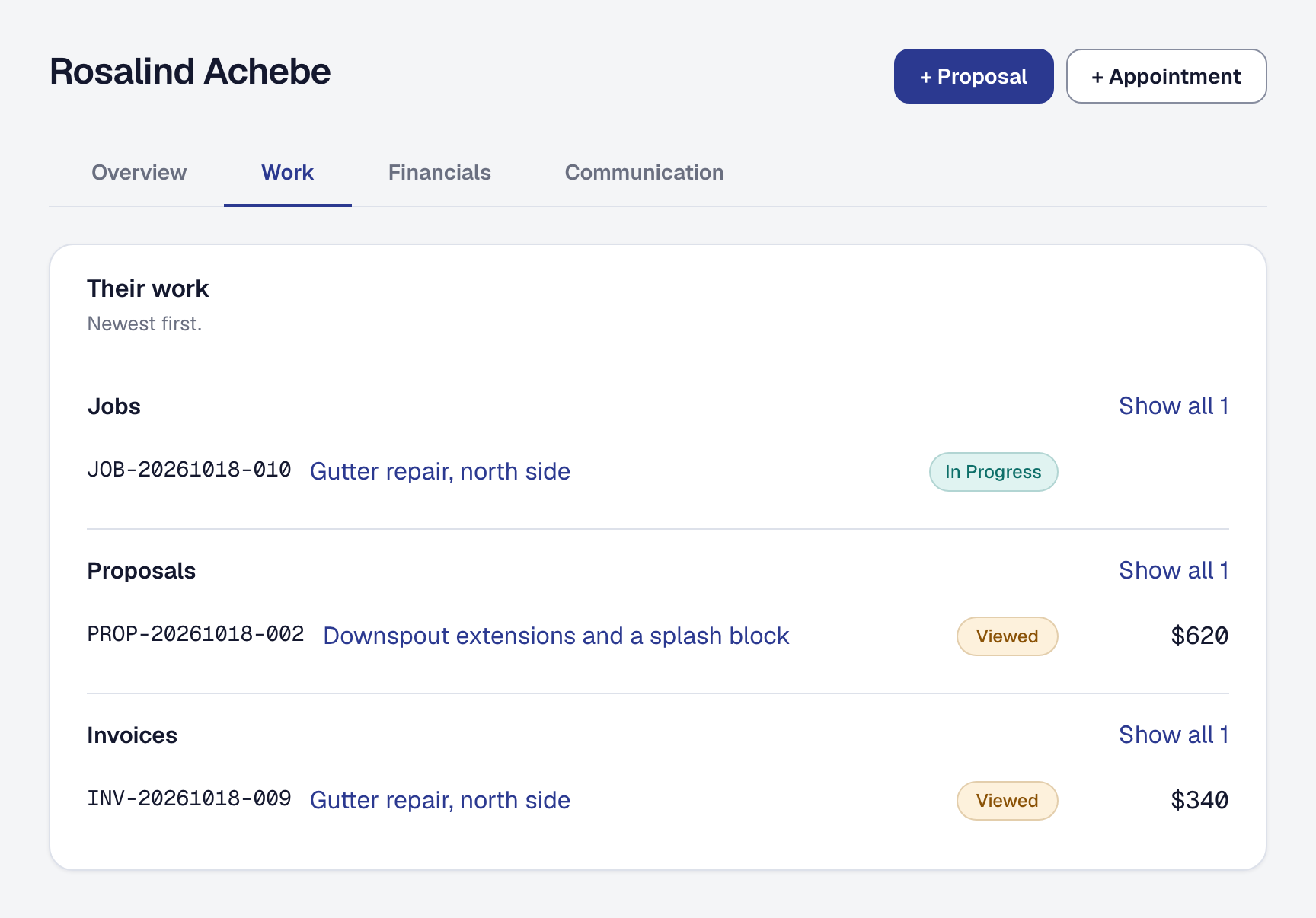
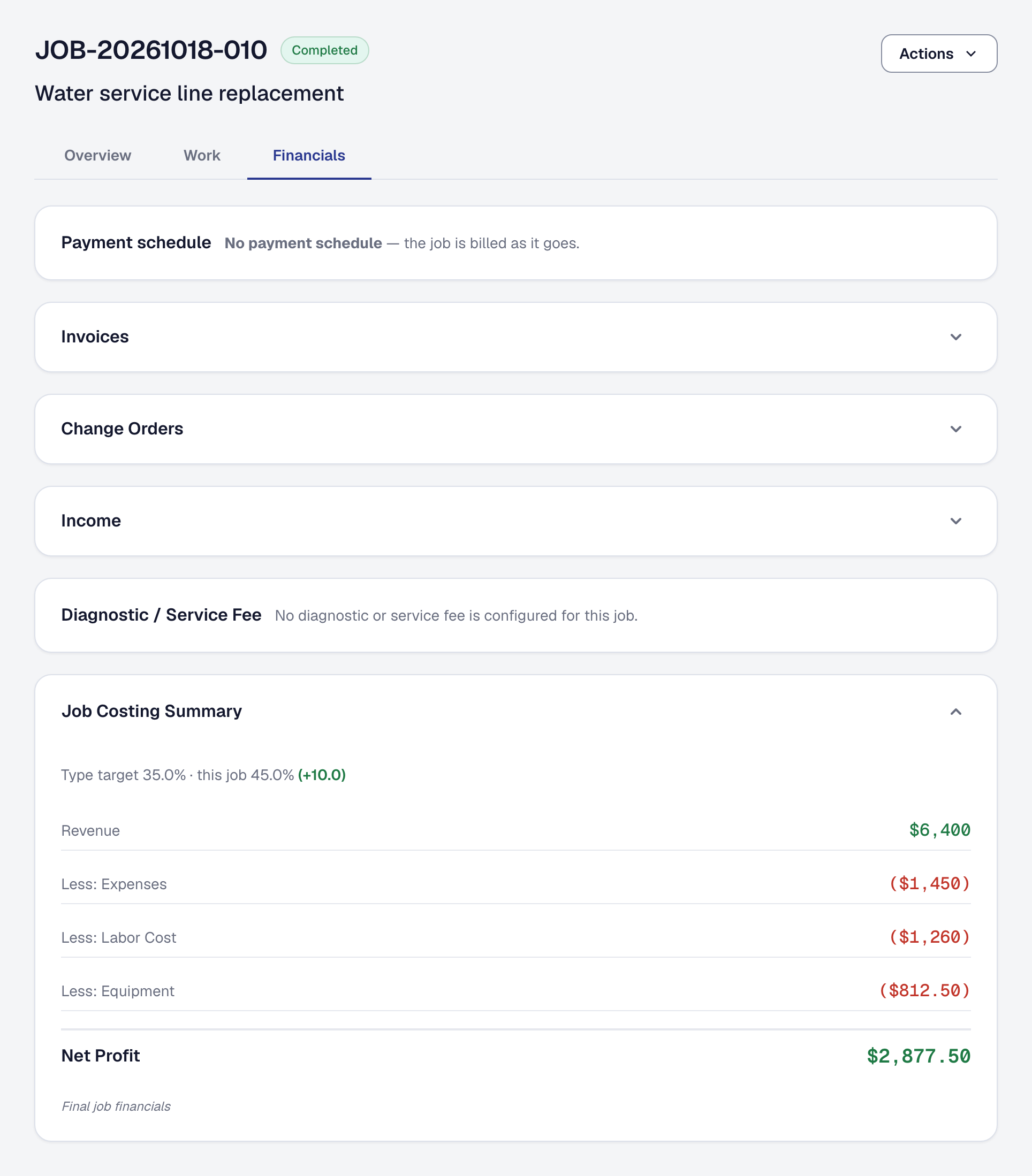
Each record page is grouped by the question you bring to it: a job's visits in one panel and its money on Financials, a client's work on their page, a worker's pay on a tab.
-
Sales tax by the place the work is done, and what you owe each place
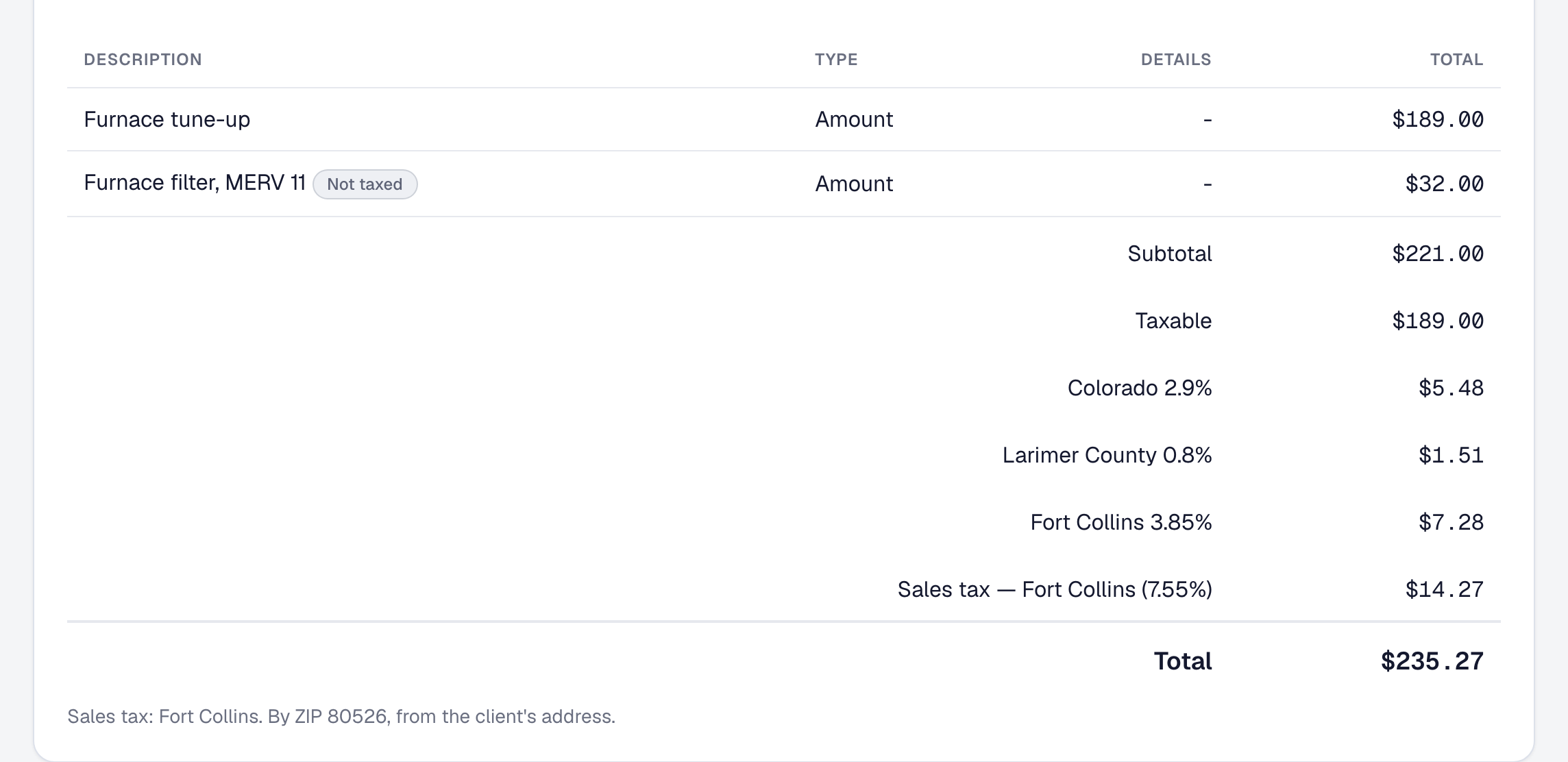
Your own sales tax rates, found by each job's ZIP code; tax on the taxable lines only; exempt clients; sales tax kept out of your revenue; and a report of what you owe each state, county and city.
-
What each role sees and changes, in one table
The roles help page now sets every preset role against every area on the Team page — sees and changes, sees, or not at all — built from the product's own record of each role.
-
What SMG Tools caught for you, on your Billing page
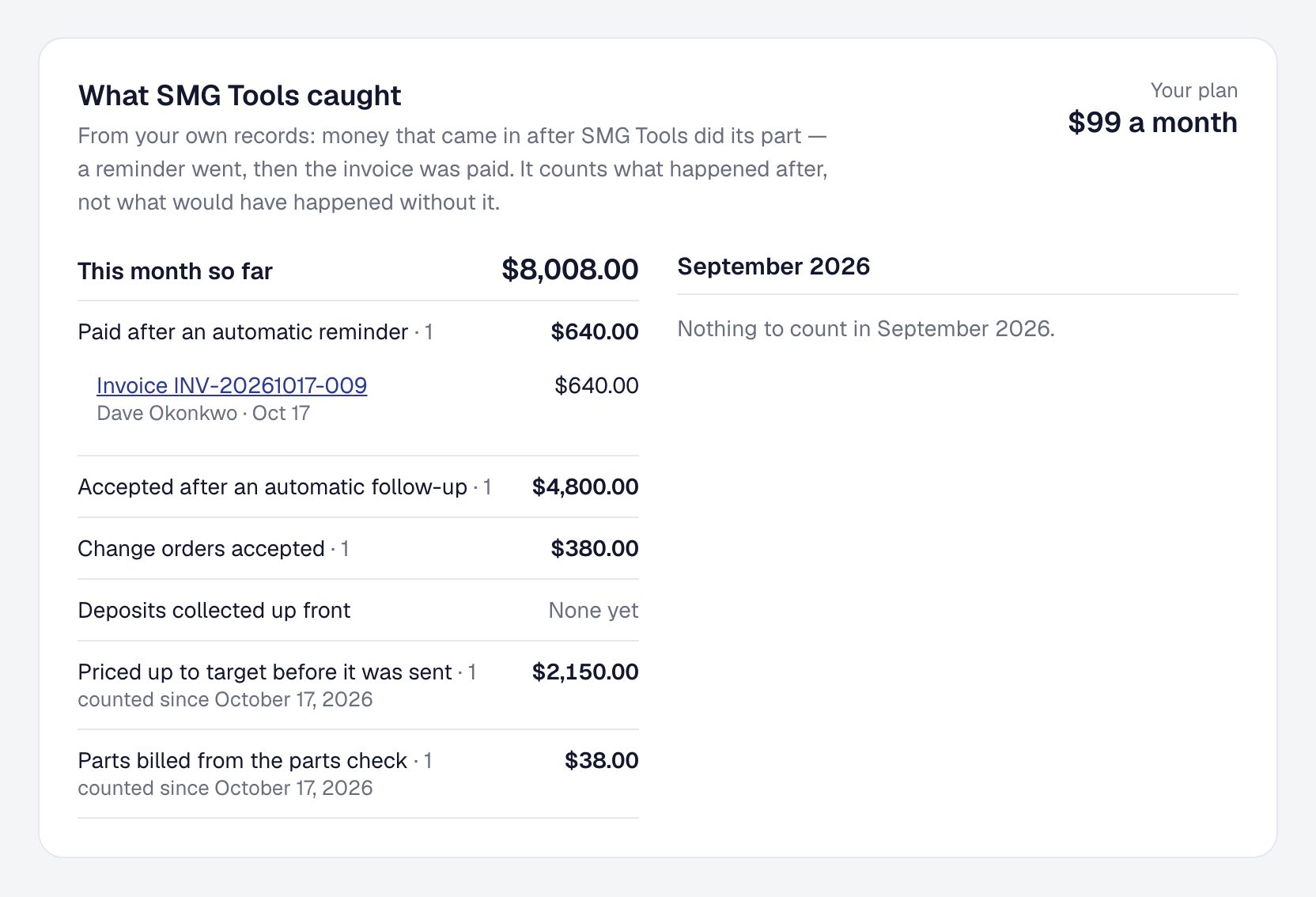
The owner's Billing page now counts, from your own records, what came in after SMG Tools did its part this month — set beside what your plan costs.
-
Every connection is set up on its own page
Inbound leads, Webhooks & API, Zapier and your bank each have a page of their own under Tools, so turning one on and setting it up happen in the same place.
-
Every plan keeps your photos, and as many as the job needs
Starter keeps photos, documents and receipts in 1 GB of its own; a job takes as many photos as it needs; photos go up smaller and open faster; and Billing shows what you keep against your plan.
-
Photos and documents from your clients, scanned before you open them
Clients add photos to a note on their page and send the documents you ask for — insurance, an approval, a signed form — and Microsoft scans each one for malware first.
-
What each person is shown is what their role can do
Your manager now changes the compliance, margin alert and service agreement settings, a dispatcher's compliance entry is complete, and nobody is offered a button their role cannot use.
-
A role you build opens every page it is for
A role you build on Scale now opens every page its areas offer: a reports-only role reads every report, and a billing clerk builds an invoice from its job.
-
Your client's page answers the call before it comes
Every job you finished with what you shared from it, a note on any job, everything owed in one payment, the card their agreement charges, a way to ask for more, and the documents you share.
-
A job's history with everything on it, and one save as one line
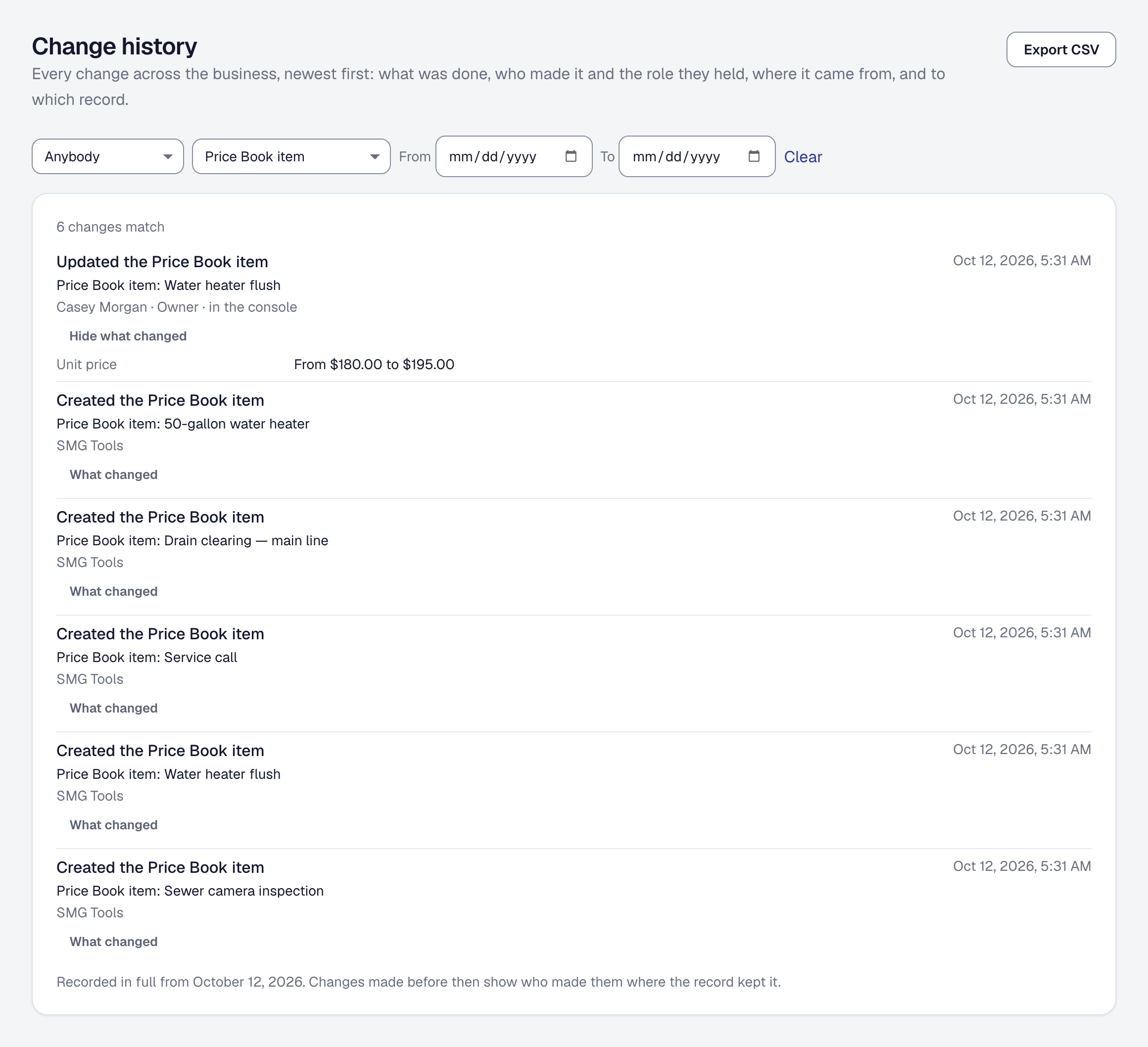
A job's change history can now list its visits, notes, milestones and parts used beside its own changes, and a save that changed several things reads as one line.
-
SMG Tools is on Zapier
Connect SMG Tools to the apps you already use, with no code: your work as triggers, every change the API can make an action, and a search that finds a client before adding one. On Professional.
-
The API, webhooks and Zapier are now part of Professional
Keys, webhooks and the Zapier app move to Professional. On Starter they are kept and paused, never deleted, and anyone already using one has thirty days.
-
Who changed what, and when — on every record, back to your first day
Every change to every record — who made it, their role and where it came from, and on most records each value before and after — already back to your first day, on every plan, kept and exported.
-
Your people sign in through your company's Microsoft 365 or Google Workspace
On Scale, connect the directory your company already runs: people ask to join by signing in, and somebody it switches off is out within a working day.
-
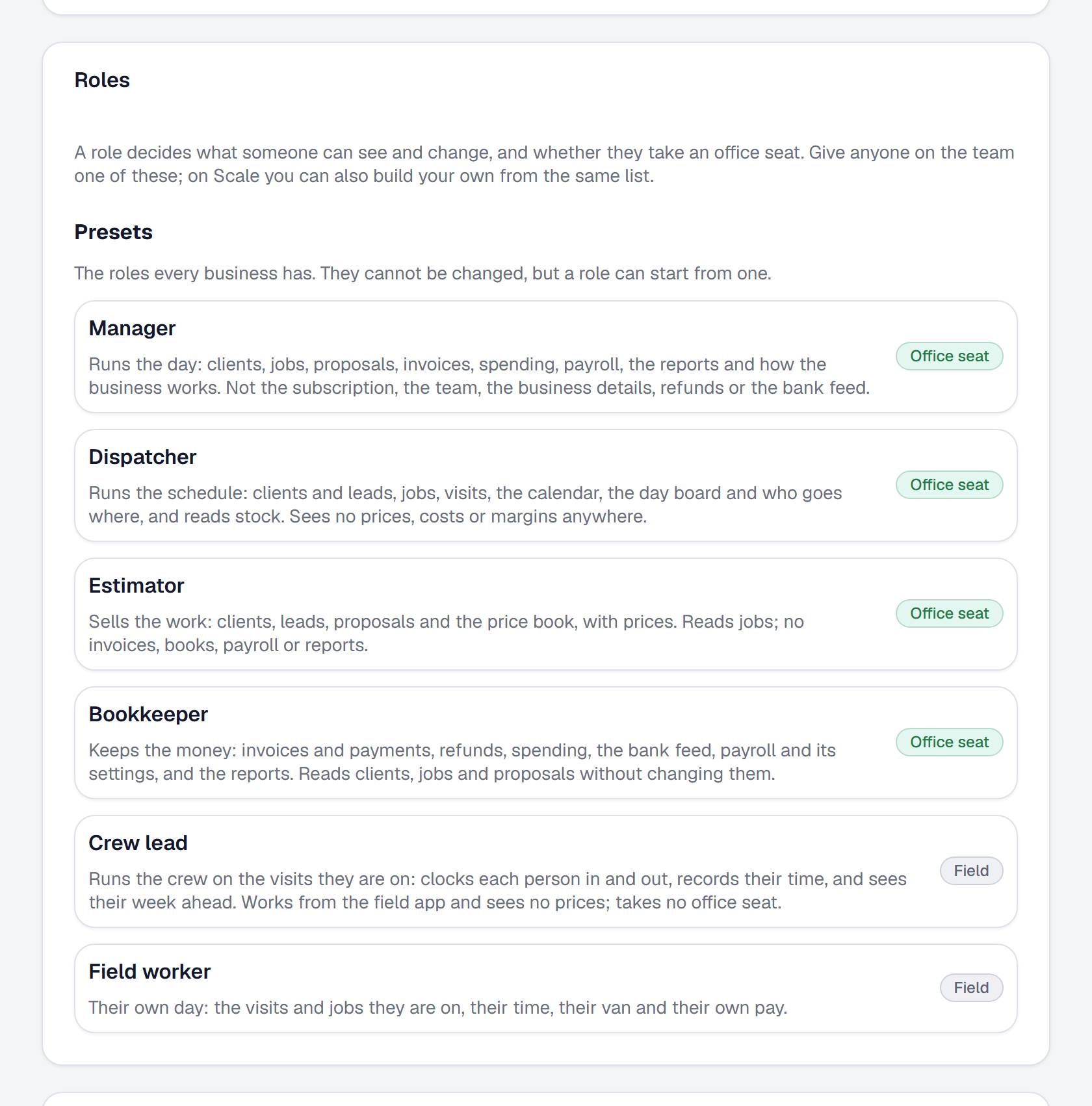
A role for everyone on your team: dispatcher, estimator, bookkeeper, crew lead
Give your dispatcher, estimator, bookkeeper and crew leads roles that fit their work — prices kept from those who should not see them — and on Scale, build your own.
-
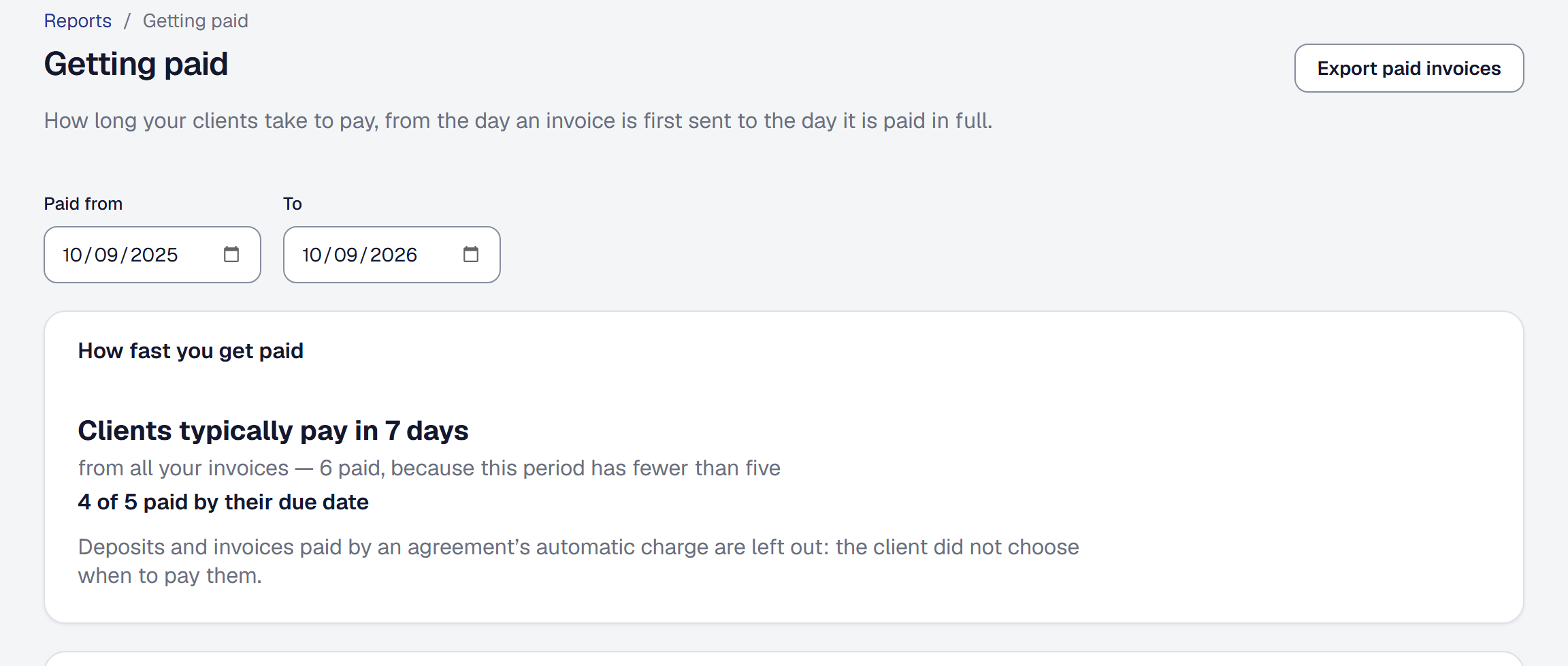
How long your clients take to pay
A Getting paid report: how many days your clients typically take to pay, how many pay by the due date, and who owes you what now and how late. On every plan.
-
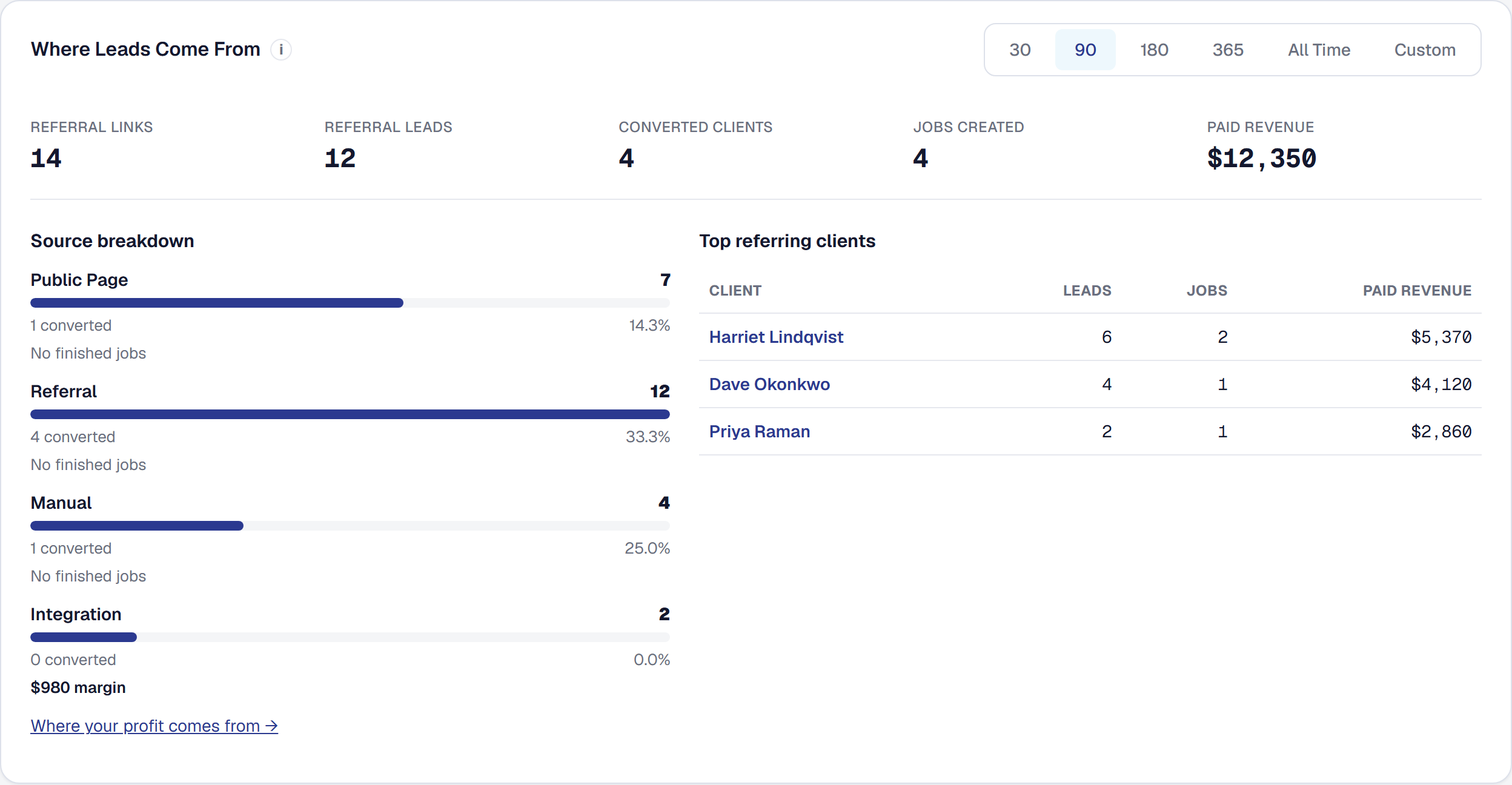
Where your profit comes from
Your finished work grouped by how each customer first came in — referrals, your public page, Angi — with what each source earned, what it cost and what it kept after marketing. On every plan.
-
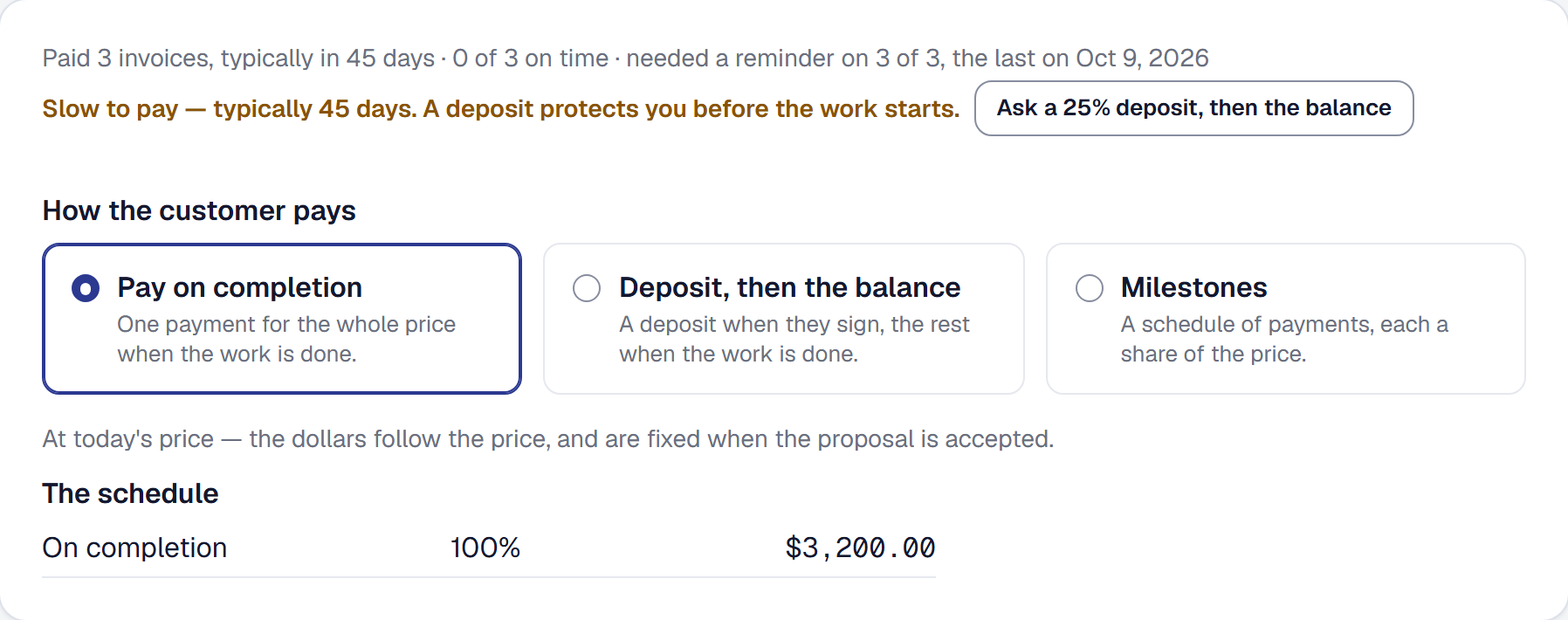
Know which clients need chasing, and ask for money the way each one pays
See which clients pay on time and which need chasing. Invoices and proposals offer terms to suit, overdue reminders firm up, and on Professional a reminder is drafted for you.
-
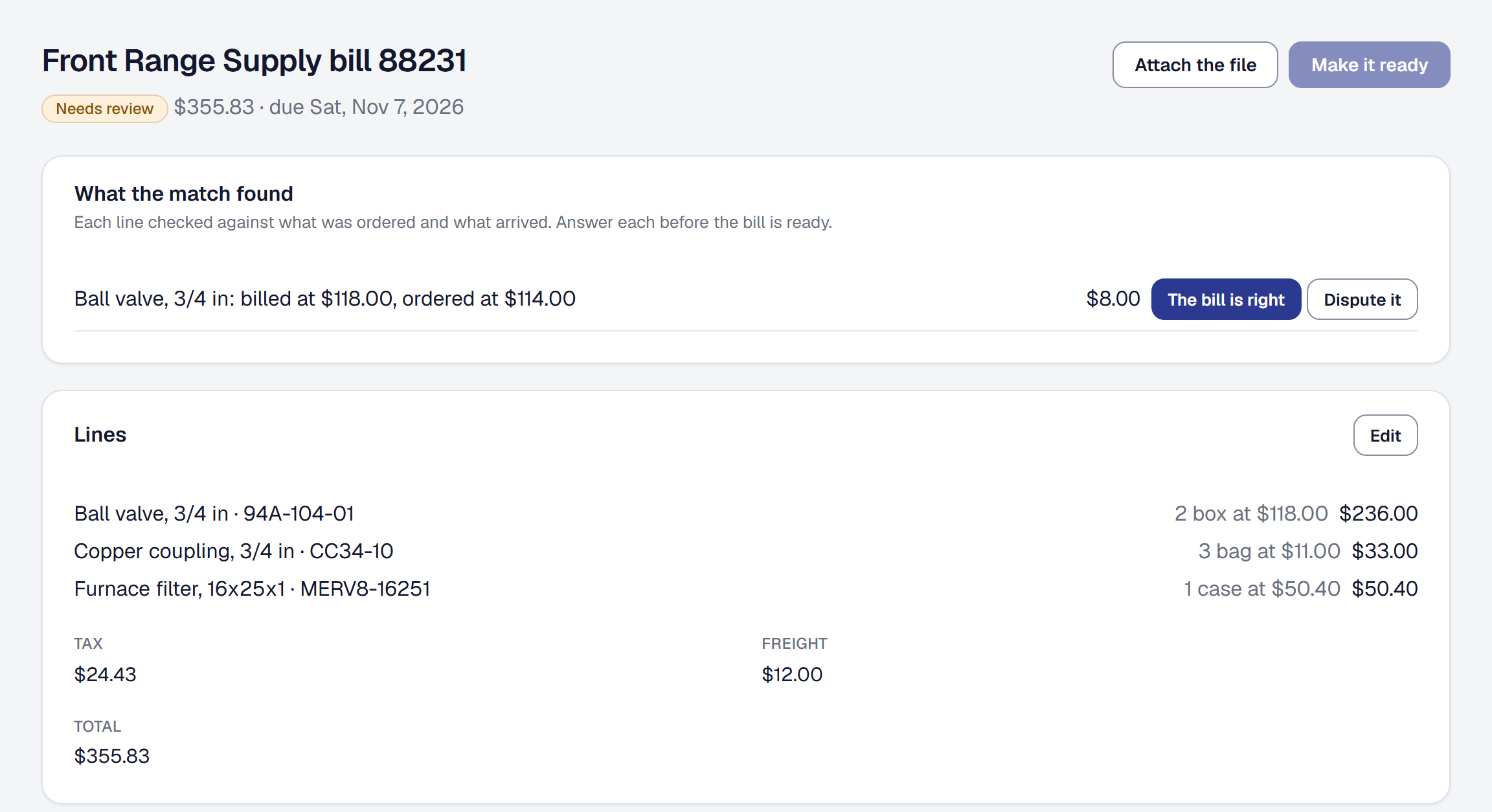
Every supplier bill checked before it is paid
Keep your suppliers and their prices, send purchase orders, receive what comes, and check every supplier bill against what was ordered and what arrived before it is paid. On every plan.
-
Know the weather before the crew drives out
Google's forecast on every outdoor visit, rules for what each kind of work can stand, the visits at risk flagged with why — and a clearer day found and moved to in a few clicks, the client told why.
-
Measure the job, price the job
Measure a house once — typed, or on Professional traced on satellite imagery and read from roof data — and price every proposal there from it, waste and margin included.
-
The same software at every size
Scale, for a company of ten to sixty: fifteen office users and more at a published price, setup by a person and priority support. Crew adds office users too.
-
Stock in the shop and on every van
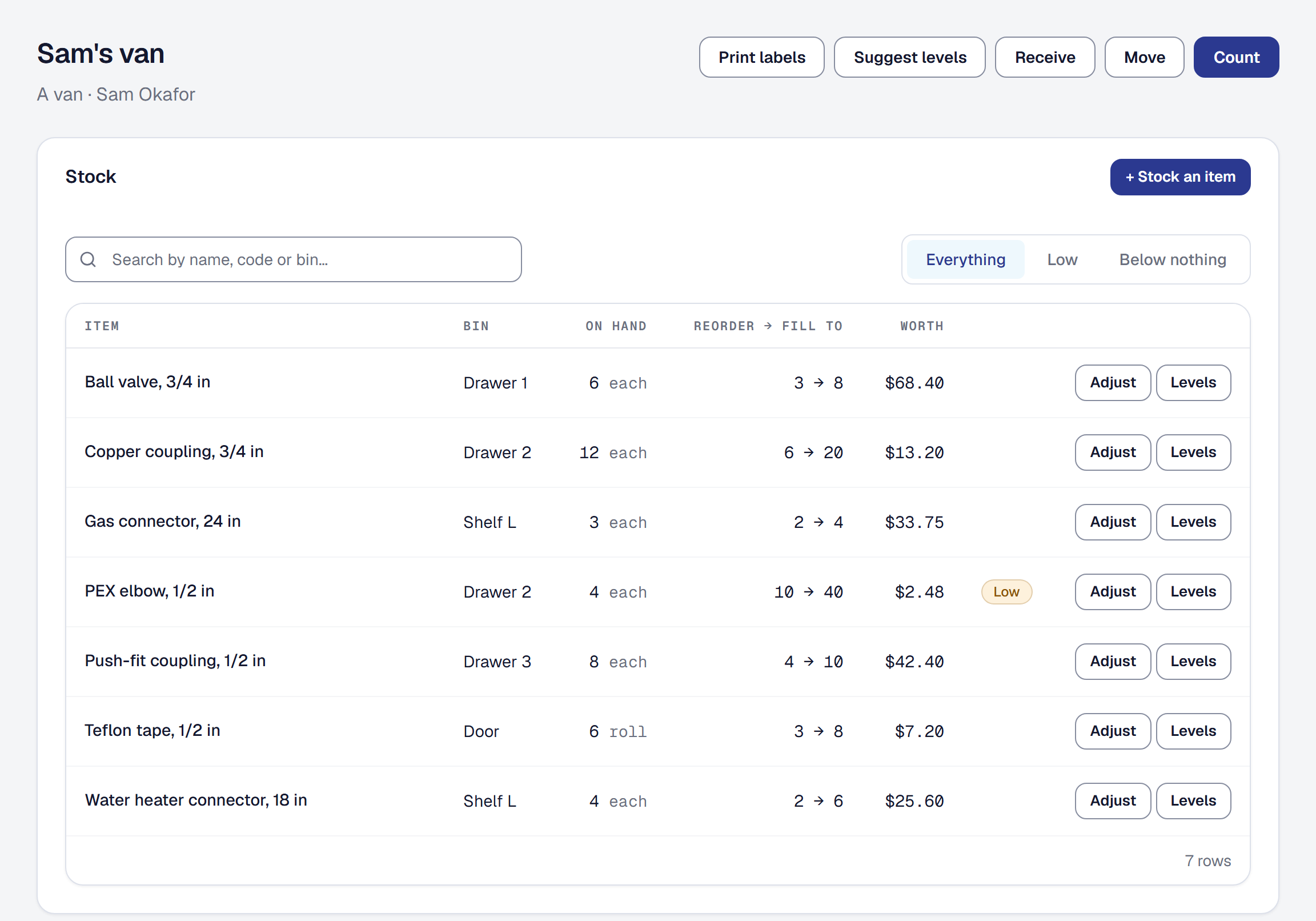
Count the shop and every van on a phone, catch every part a job used, and know what to restock, what sits unused and what your stock is worth. On every plan.
-
Who should do it, and when
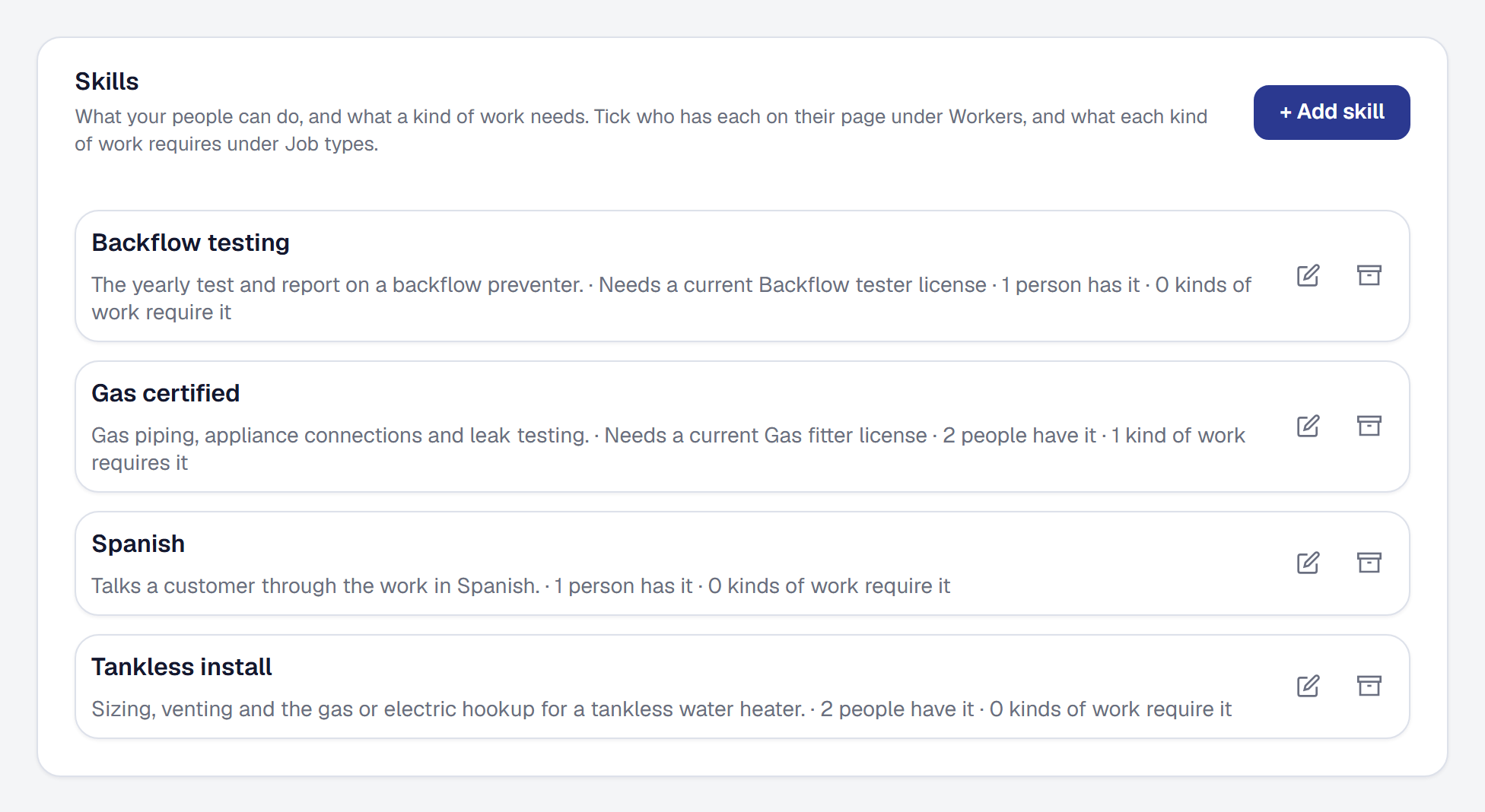
Each person's hours and time away, their skills, and who should do a job and when, ranked with reasons and by profit if you like, with new work assigned on its own. On every plan.
-
Notifications on your phone
What is addressed to you now reaches your phone as a notification — a mention, a client's reply, a job put on your day, a booking — and the office hears when a day runs behind. On every plan.
-
Your books in QuickBooks or Xero, kept up to date — and refunds and payouts recorded
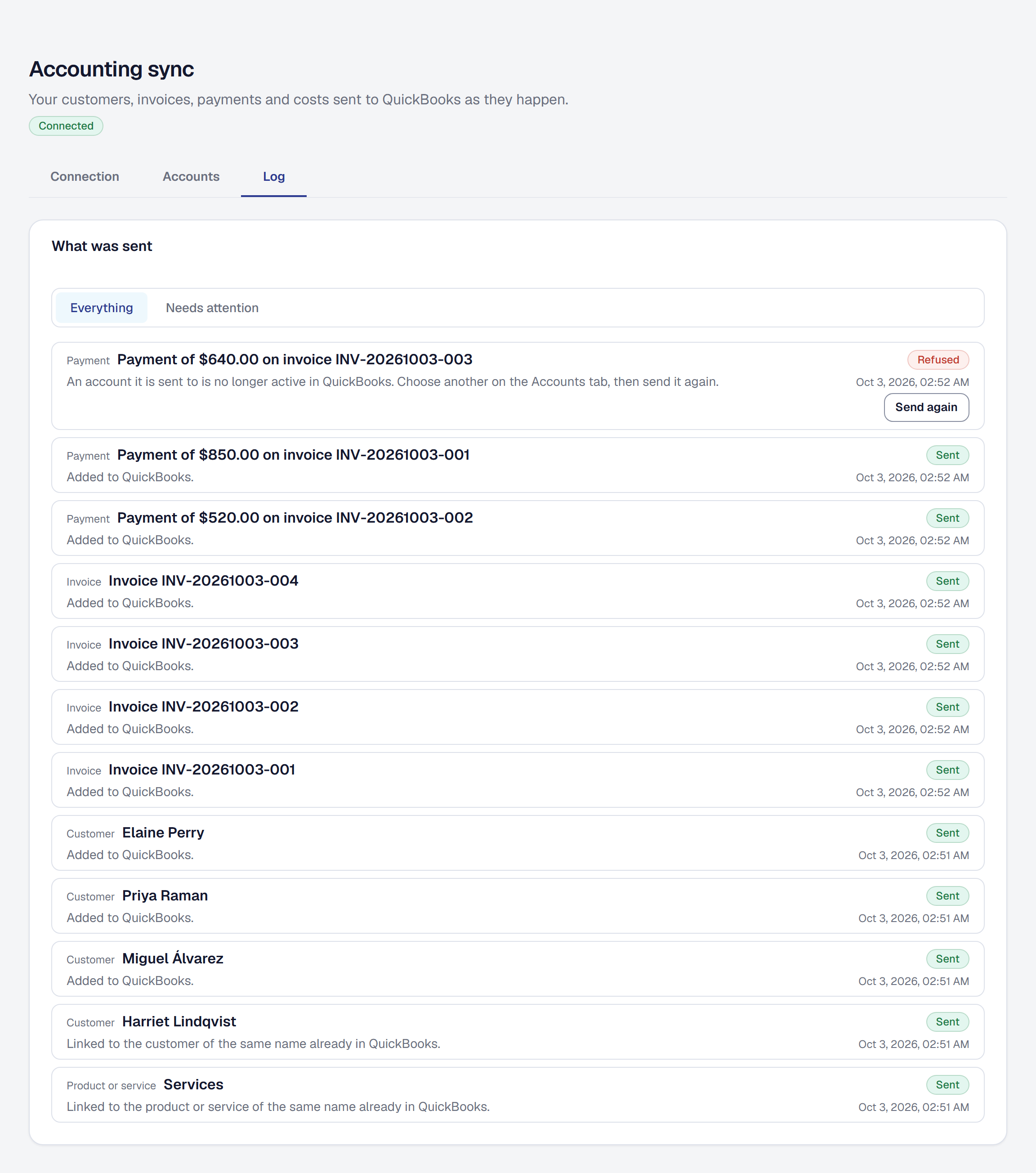
Connect QuickBooks Online or Xero and your invoices, payments, refunds, costs and payouts are sent as they change. On every plan, refund a card payment and see each payout.
-
Card purchases on the job the same day, confirmed with one tap
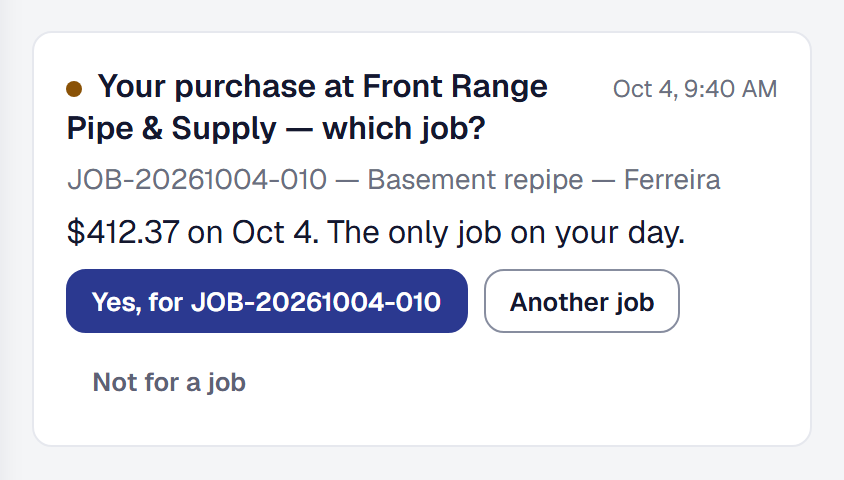
Tie each business card to its worker, and each purchase on it is matched to the job they were on that day — confirmed with one tap from the worker's phone on Crew and Scale. On Professional and above.
-
Commissions and pay rules, worked out when the customer pays
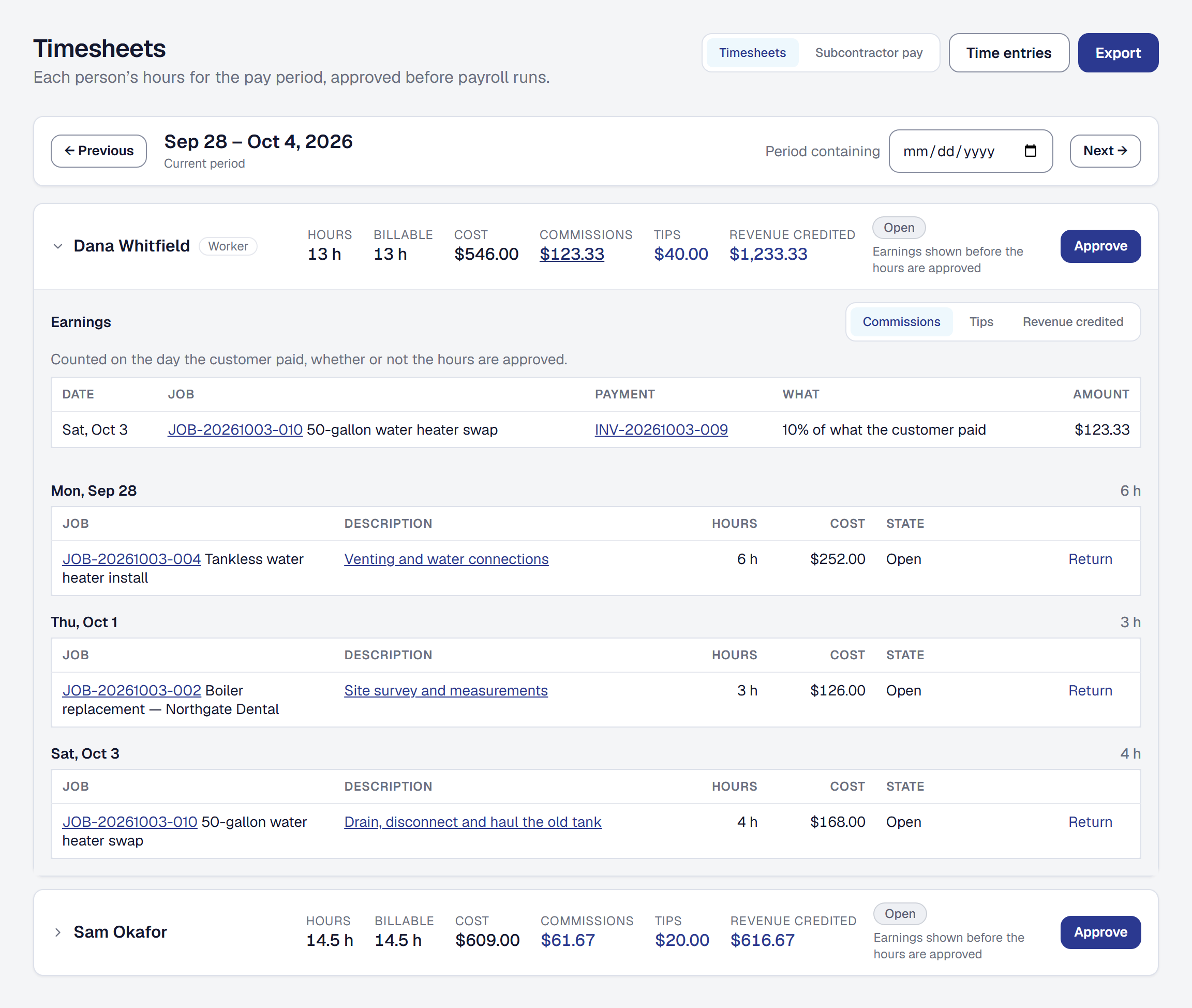
Set what your crew earns from a job — a percentage, a flat amount, or so much per item sold — and each payment works out who earned what, beside their hours on Timesheets. On every plan.


September 2026
-
API keys: let the programs you use read and write your records
Give Zapier, your website or a developer's program a key to add clients, create jobs, take leads and book visits, as far as you allow, with a log of each key's calls. Professional since October 14.
-
Good, better and best — and every job's agreed price
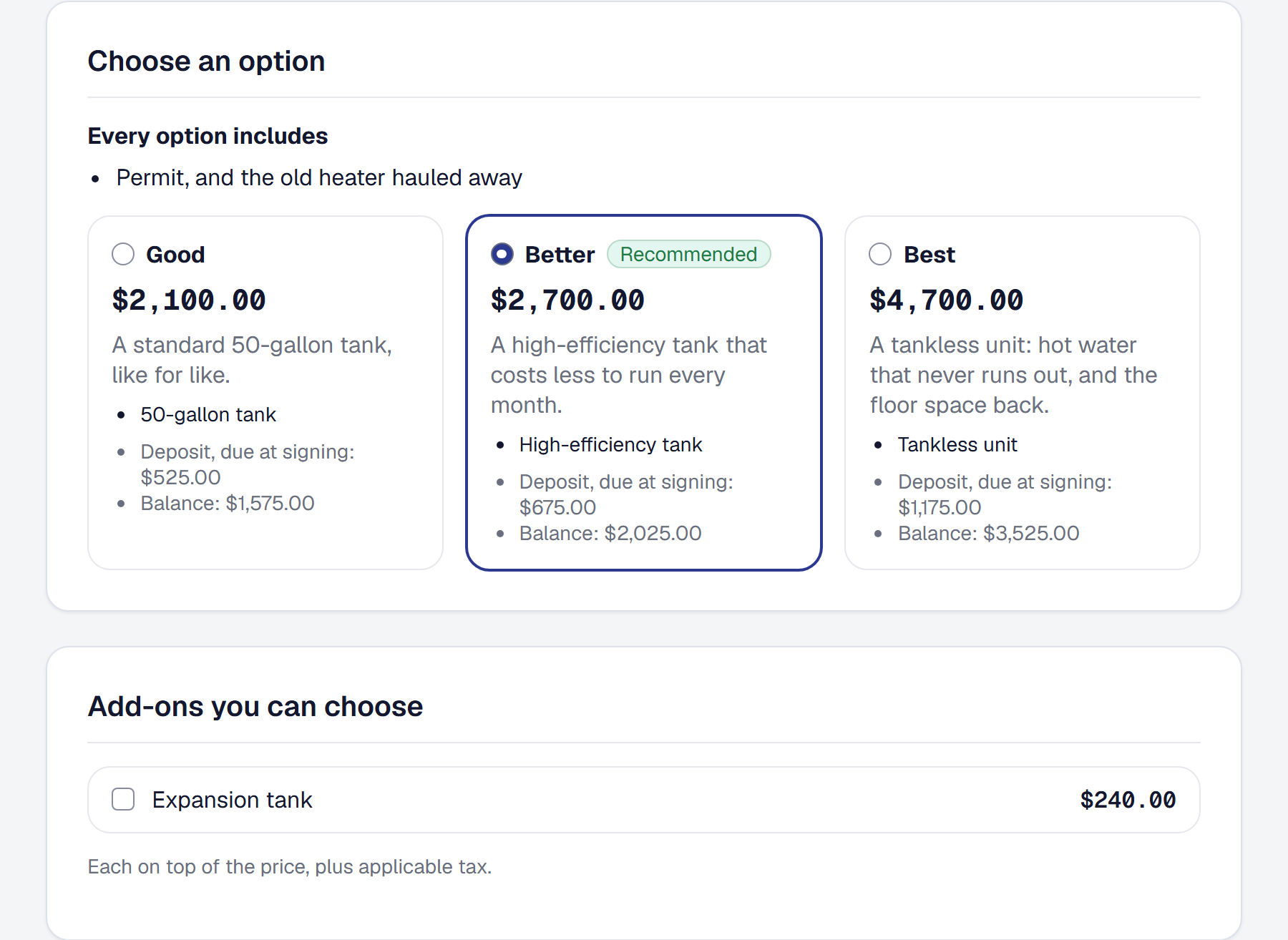
Quote a job at two to four prices with extras your customer can tick, take a deposit when they sign, and see on every job what was agreed and what is left to bill.
-
The Price Book — everything you charge for, and what it should cost
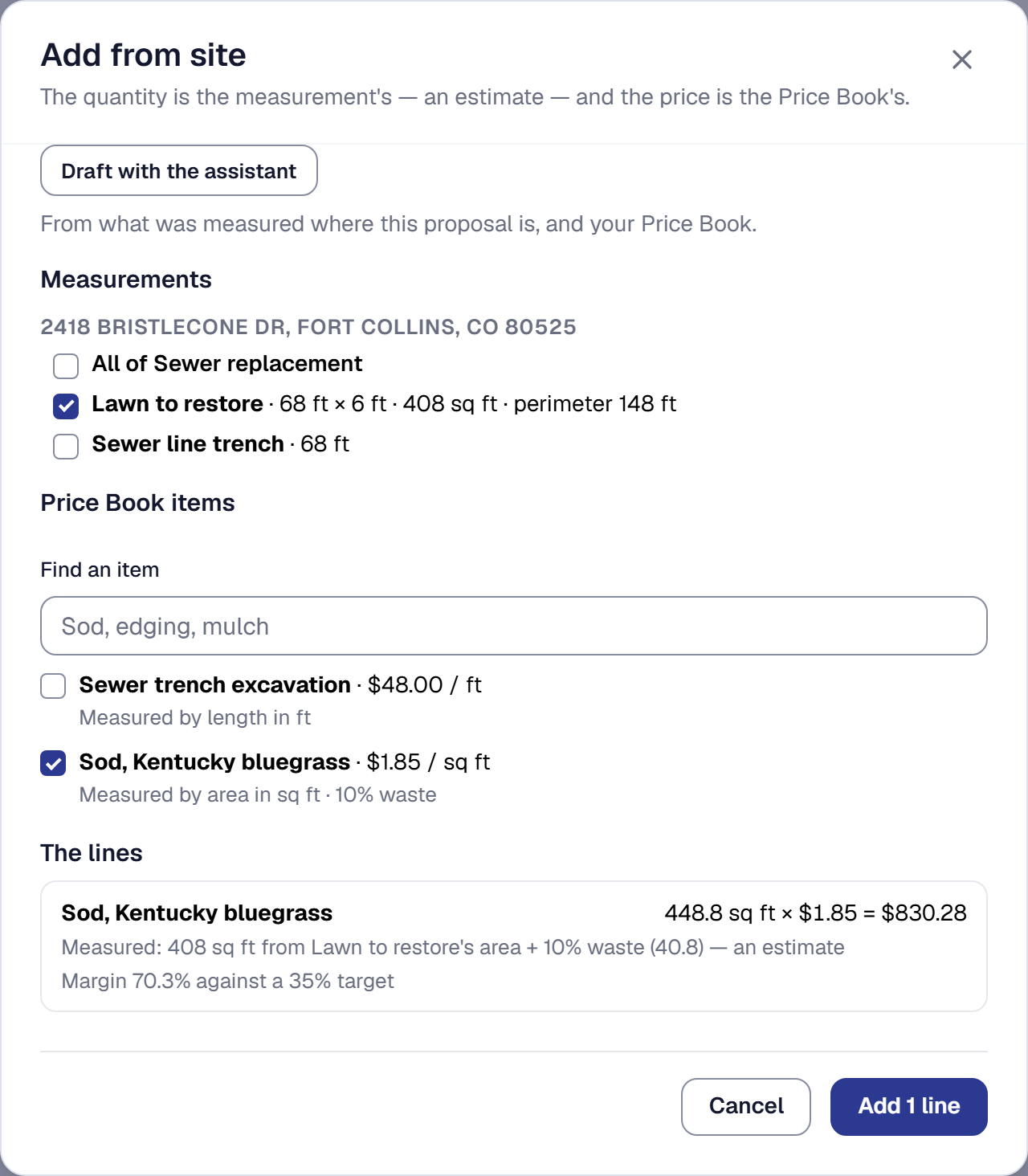
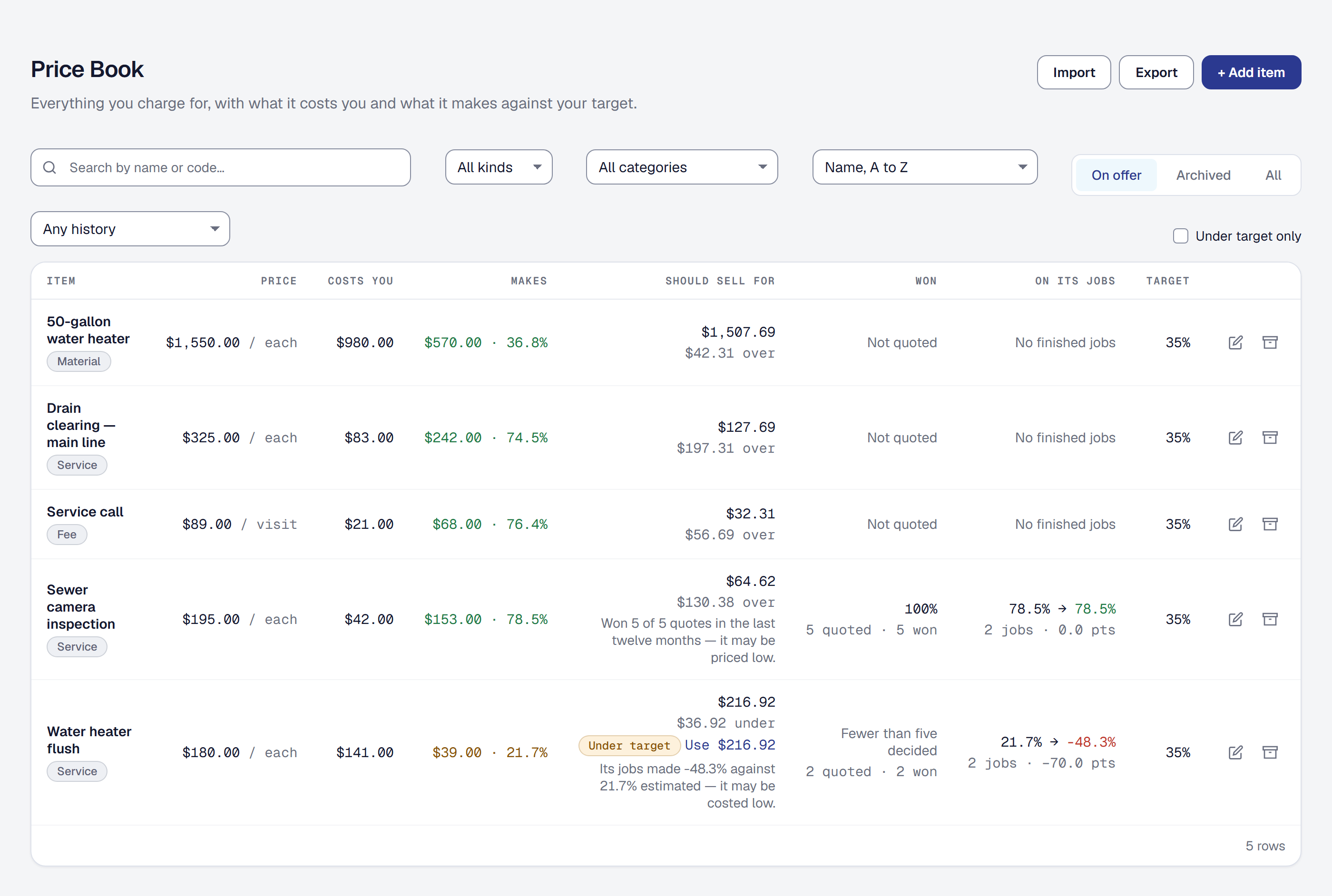
Everything you charge for, with its price and what it costs you, quoted and invoiced in a few picks, and told what each should sell for and how it did.
-
A new look — on the site, in the console, and in everything your customers get
A new mark and typeface across the site and the console, the pages your customers open, and the emails and PDFs you send. Nothing for you to change.
-
A page for every tool — its settings, what it works with, and one switch
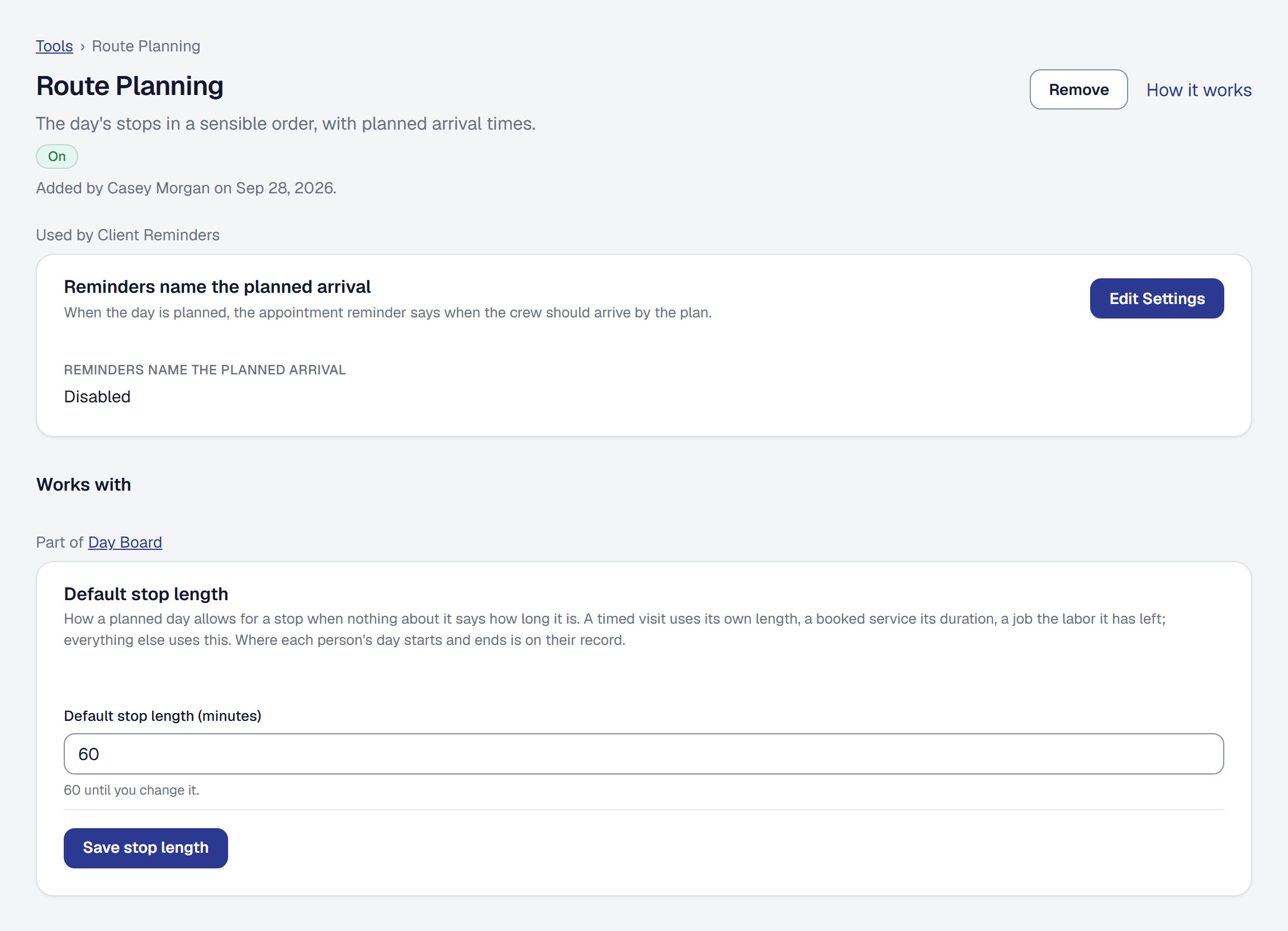
Every tool has a page of its own under Tools: its one switch, its settings, the settings it shares with other tools, and the reminders it sends. Organization is back to your business itself.
-
Every tool's switch does what it says, and Settings opens its settings
The QuickBooks export can be removed like any tool, removing Tips stops the tip question, and a tool's Settings now opens the exact section its settings are in.
-
Every tool on one page — add what you do, remove what gets in the way
Tools, in the main menu, lists everything SMG Tools can do, with what your business has on first. Add one, put one away, and ask any card why you cannot see it.
-
Every tool on the website, and a page for each
smgtools.com/tools lists everything a service business can add to SMG Tools, in the groups an owner thinks in, with the plan that includes each — and every tool has a page of its own.
-
Start from your trade
Tell SMG Tools your trade and it shows you the tools and starter content that fit it — kinds of work, a visit checklist, the readings a visit takes — to keep or leave out line by line.
-
Setup names the equipment you work on
Tell us you install water heaters and service furnaces, and setup offers Water heater and Furnace as the kinds of unit you record, beside the kinds of work it already proposes.
-
Add a service by saying it
The assistant can now add and change the services customers book and your kinds of work — the only two settings it reaches, each on a card that shows what it replaces and when customers will see it.
-
Two tabs: Ask and Help
Doing something and asking how the business did now go in the same box, and the assistant works out which you meant. The tab that answers how-do-I questions is called Help.
-
Write down what you find on site
Add a reading or a step a job never asked for, from the office or the phone — marked as found on site, never required — and make it standard for that kind of work in one press.
-
Ask the product how something is done
A third tab on the assistant answers how-do-I questions from the help pages — a short answer, and the parts of the help it came from underneath, each one a link.
-
Ask it by typing
The assistant is no longer a microphone. Ctrl+K opens a box from anywhere in the console, it tells you what your business could ask for, and speaking now fills the same box.
-
Ask your business how it did
What did I make last quarter? What moved it? Why did the Henderson job come in under? Asked in a sentence and answered from your own reports — plus a summary of the month that arrives on its own.
-
Every feature explained, without signing in
A help page for each thing the product does, written for the job you are trying to do — readable before you sign up, and linked from the screen you are on.
-
Set up from your website
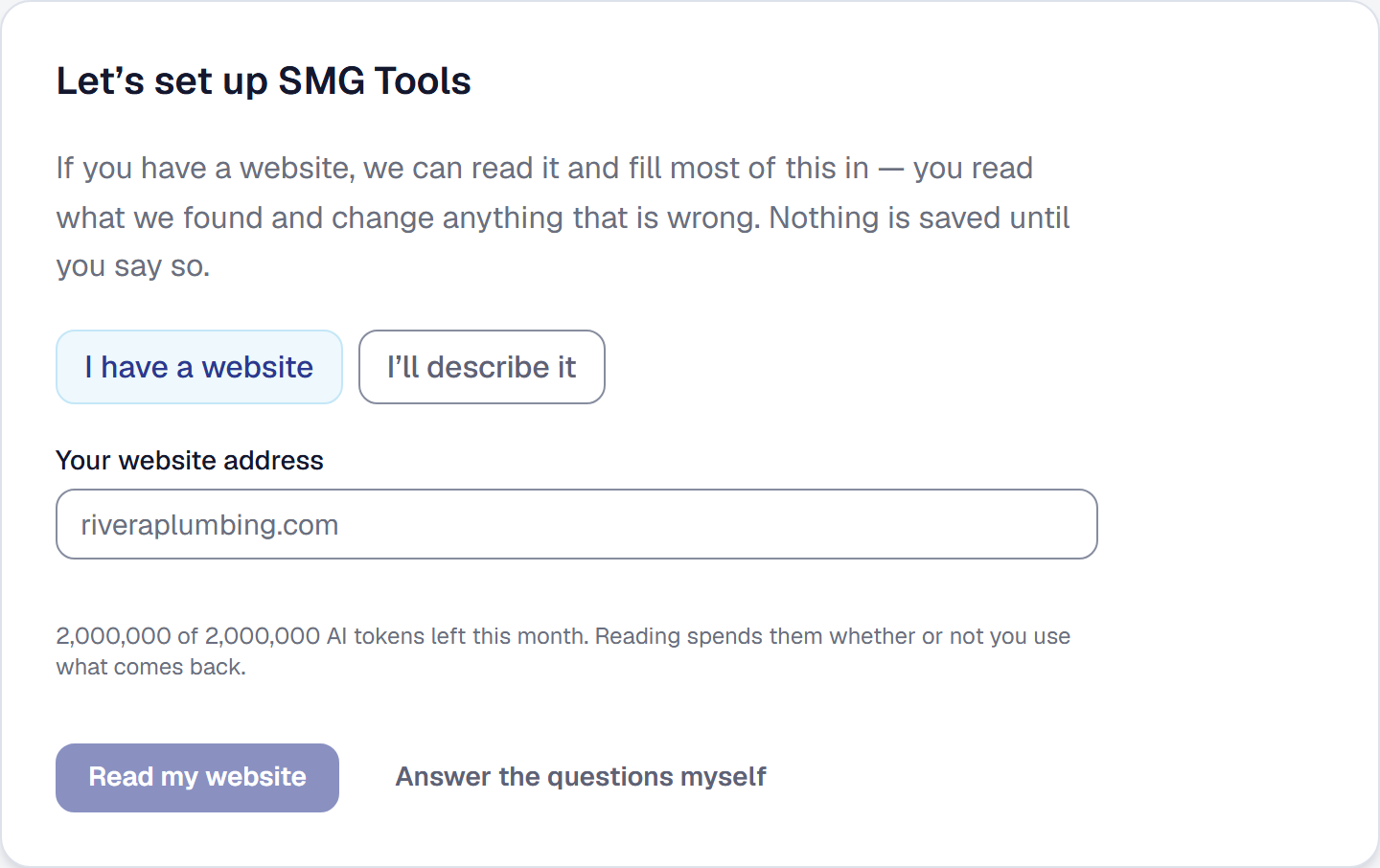
Give us your website address and we read it, find your Google listing, and fill most of your setup in for you — nothing saved until you have read it and agreed to it.
-
The list they work, and the proof you send
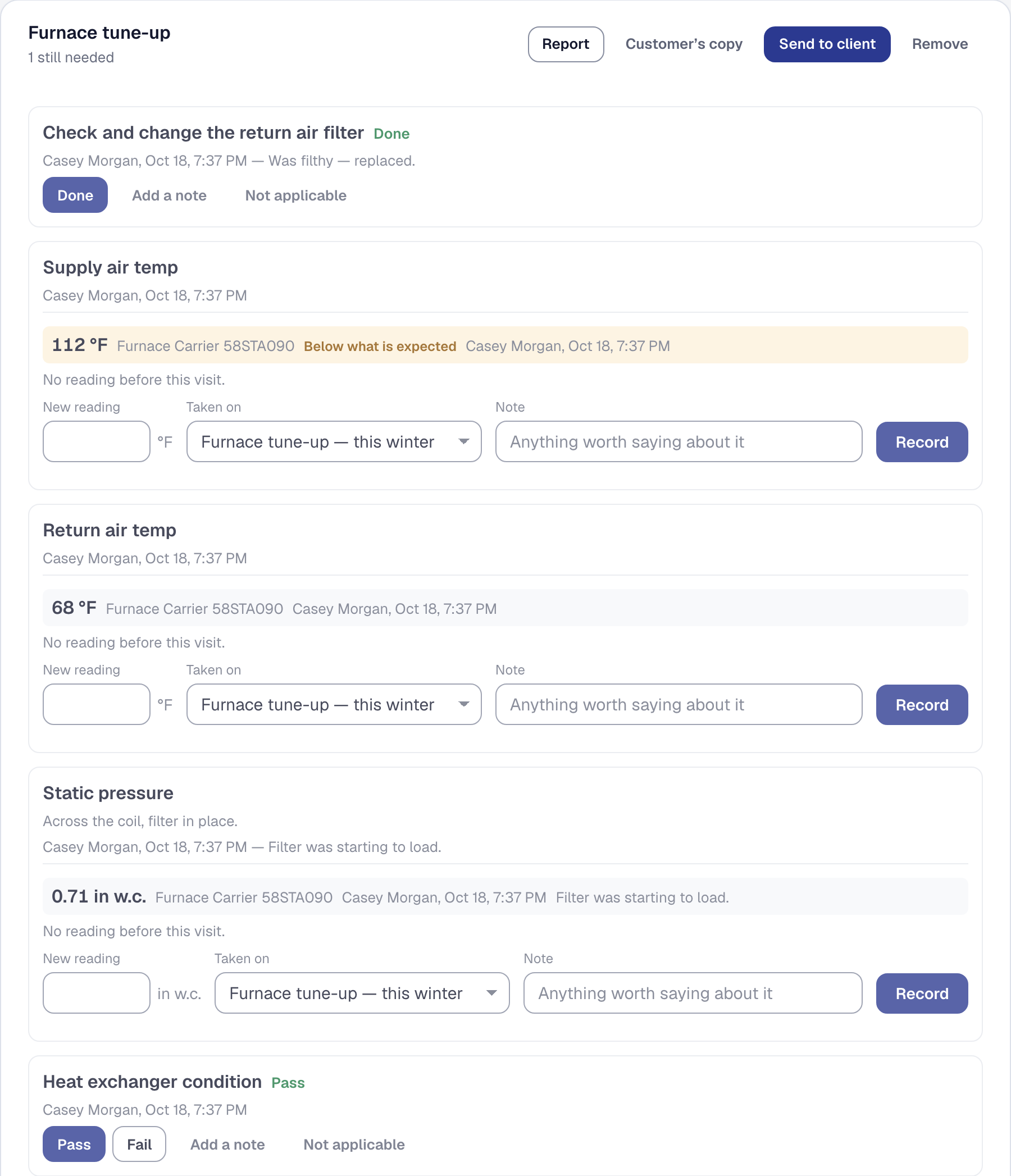
Write down how a kind of work is done, once. Every job of that kind carries it, will not close until it is answered, and sends the customer a branded record of what was done.
-
The number, and what it read last time
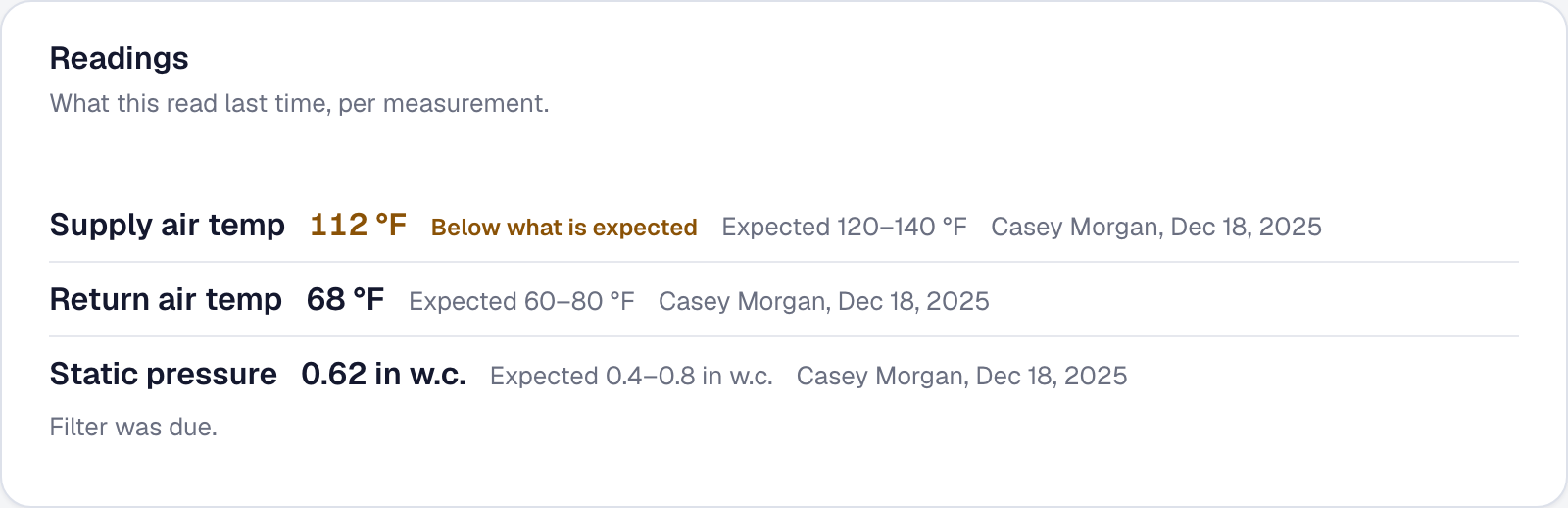
Say once what your business measures. The reading goes on the furnace, not the visit — so next winter, last winter's number is beside the box. And an inspection line can ask for a number.
-
How to get in, where they came from, and their PO number
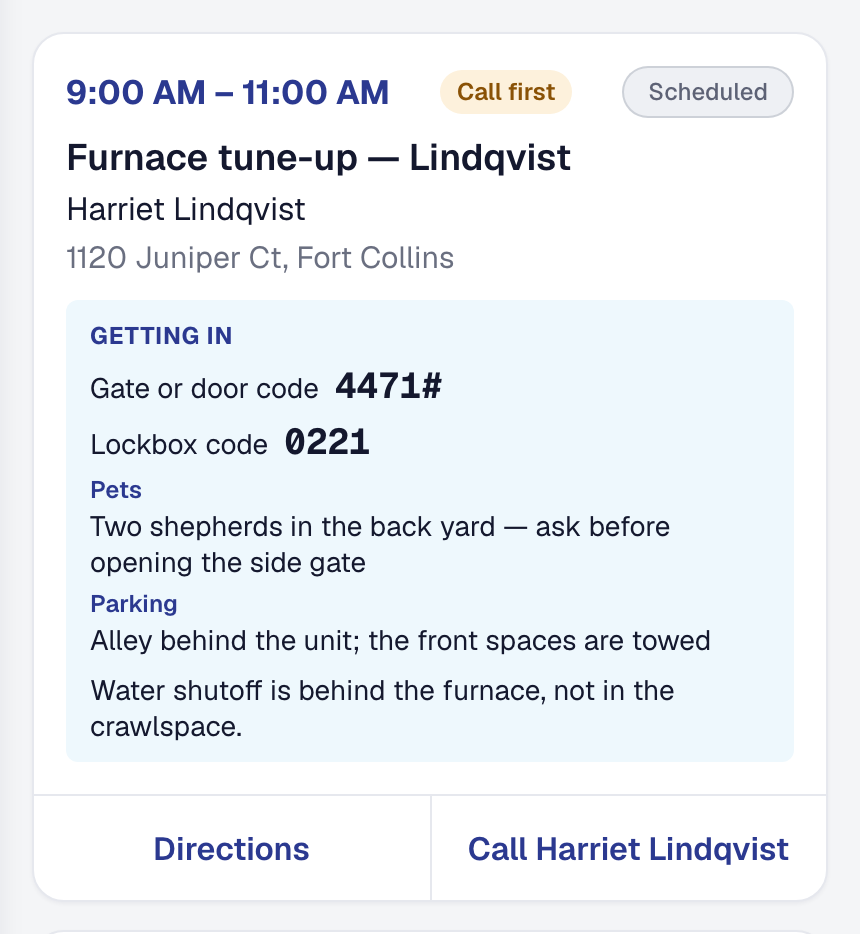
The gate code on the crew's phone at the door, a source on every client so you know which sign brings work, and the customer's own reference printed on every invoice they see.
-
A target for every kind of work
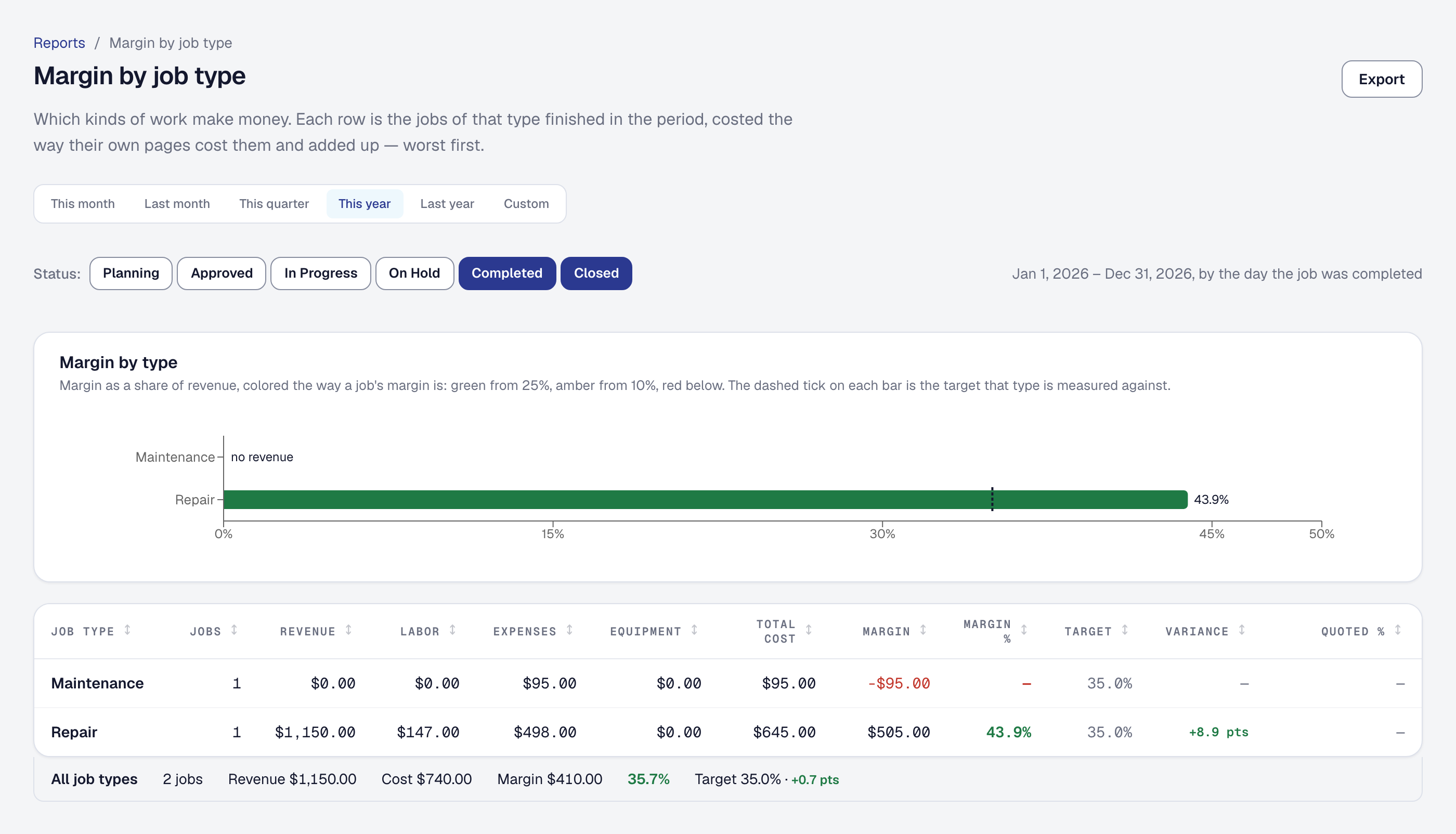
Tell the product the margin you expect — for the business, and for any kind of work — and the report, every job, and the at-risk alerts measure against it, including the jobs nobody quoted.
-
Booking into the plan
On a planned day, the windows offered online, on a client's link, by phone and to your office allow for the real drive to and from the stops around them, and never break a promise.
-
Let the road decide
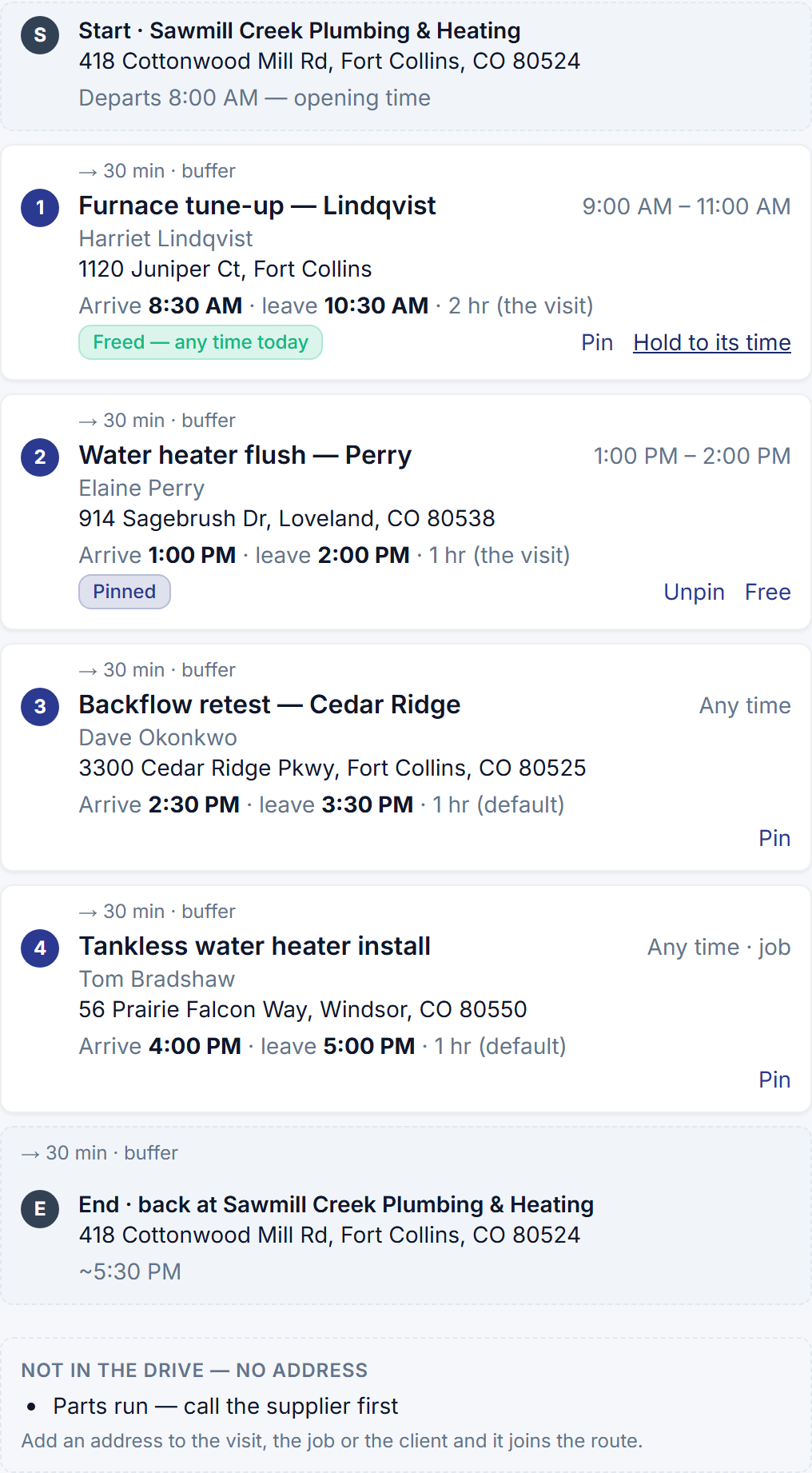
Optimize orders the flexible stops around exact times and promised windows, names the one no order can keep, honors a pin and a free, and re-plans the rest of a day from where the crew is.
-
Running behind, from the taps the crew already makes
A lane still On Site past a stop's planned departure reads running ~30 min behind, with the remaining stops' times pushed by the delay; a recipe can text the next customer once.
-
The crew follows the plan, and the customer hears it
My Day shows the planned day in order with one link that opens the route; the on-my-way text says about how many minutes; the tracking page and, if you choose, a reminder name the planned time.
-
What you owe each subcontractor
Approved hours at cost against what you have paid, per period with the balance carried, the payment recorded from the row — and the 1099 threshold that applies to the year.
-
What your open quotes are worth
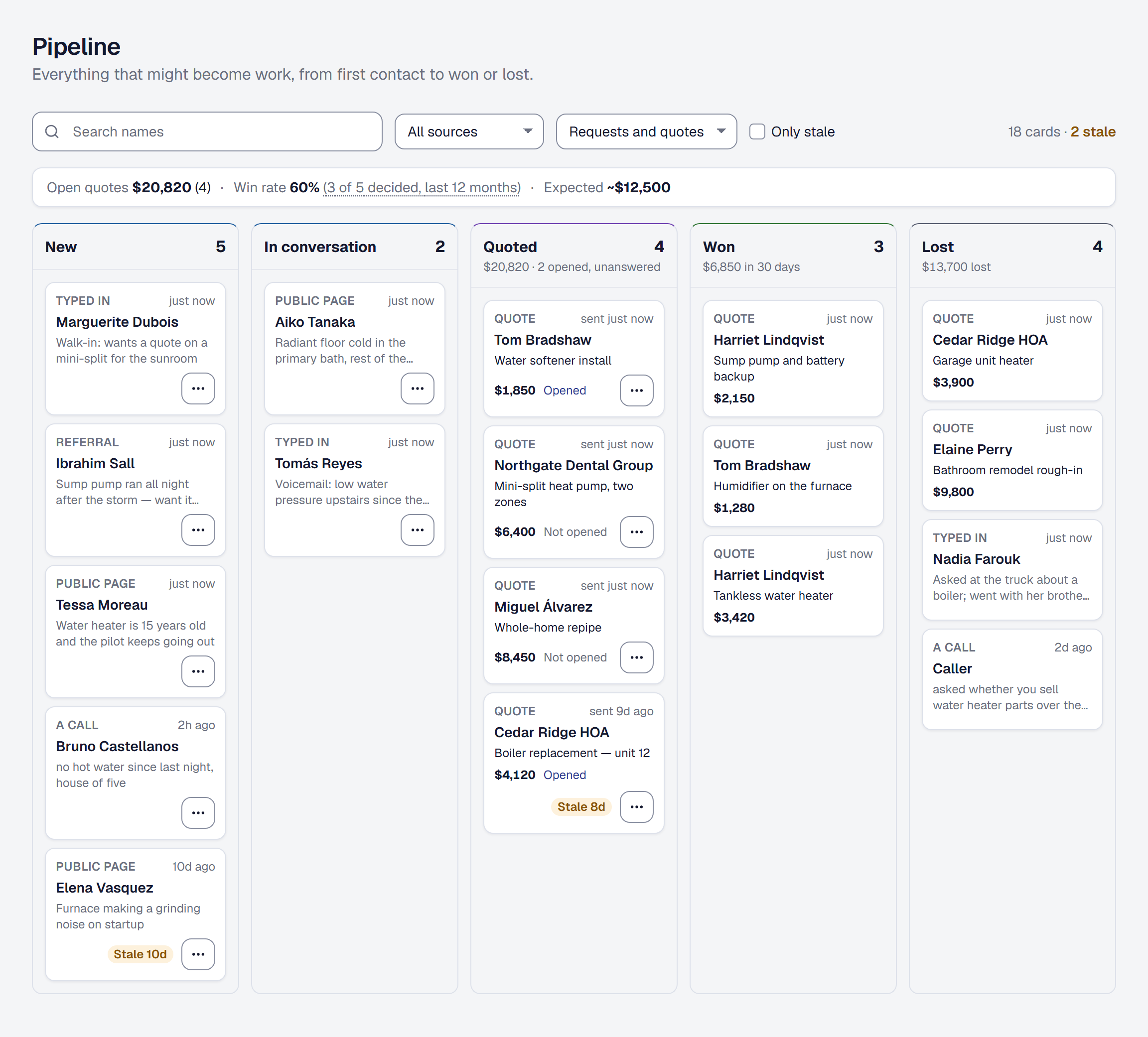
One line above the Pipeline board: the quotes out for a decision, the rate you actually win them at, and what that makes the open ones worth.
-
Your day as a route
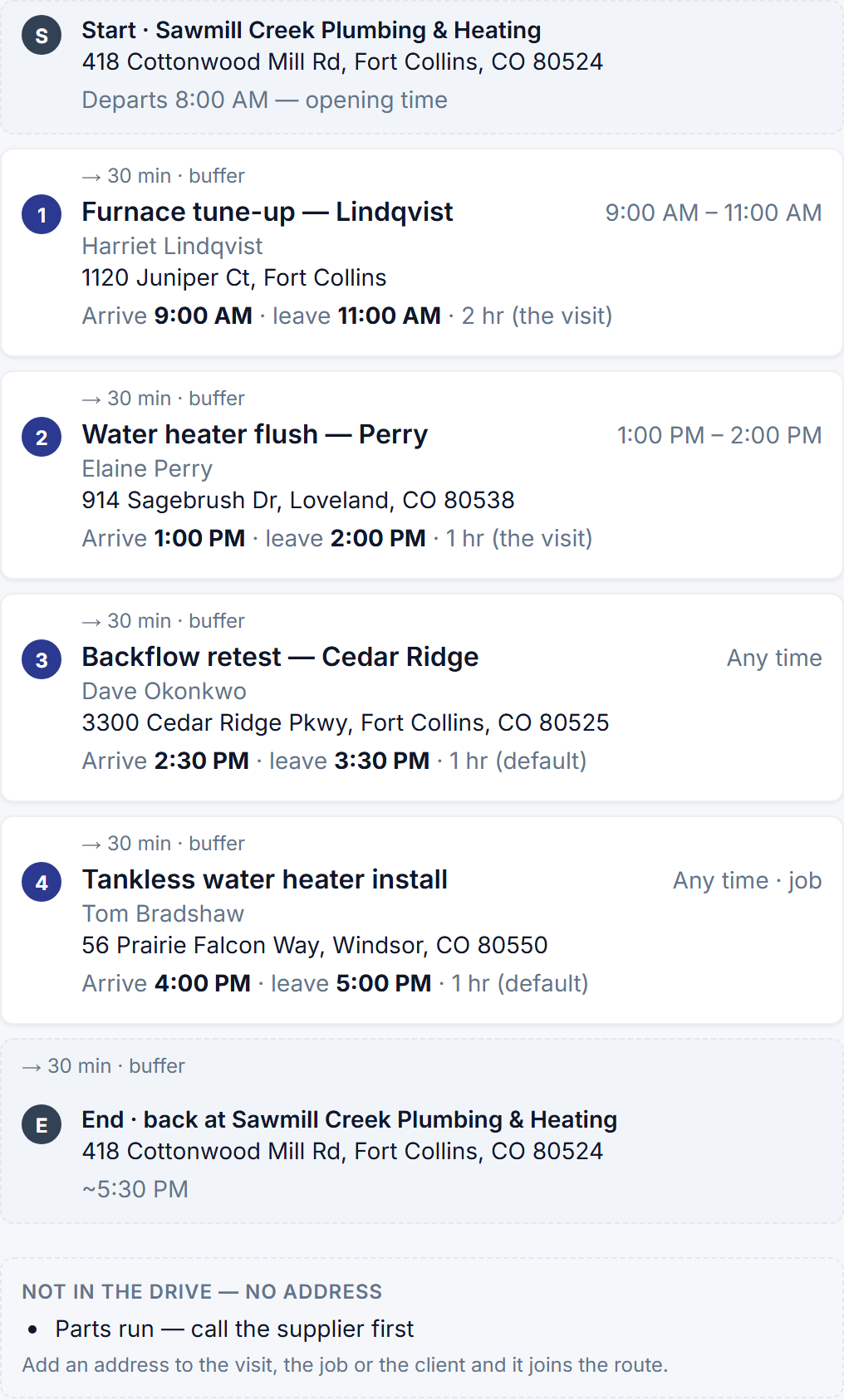
Plan anybody's day from the board: the stops in the order to drive them, the drive between each, a planned time at every door, and when they are back — a plan of its own that moves no visit.
-
Your warranties, on your page
A client's hub now answers the question they most often ring about — am I still covered? — with the warranty on each job, the maker's on each unit, and a way to ask for service.
-
Approve the week's hours and send them to payroll
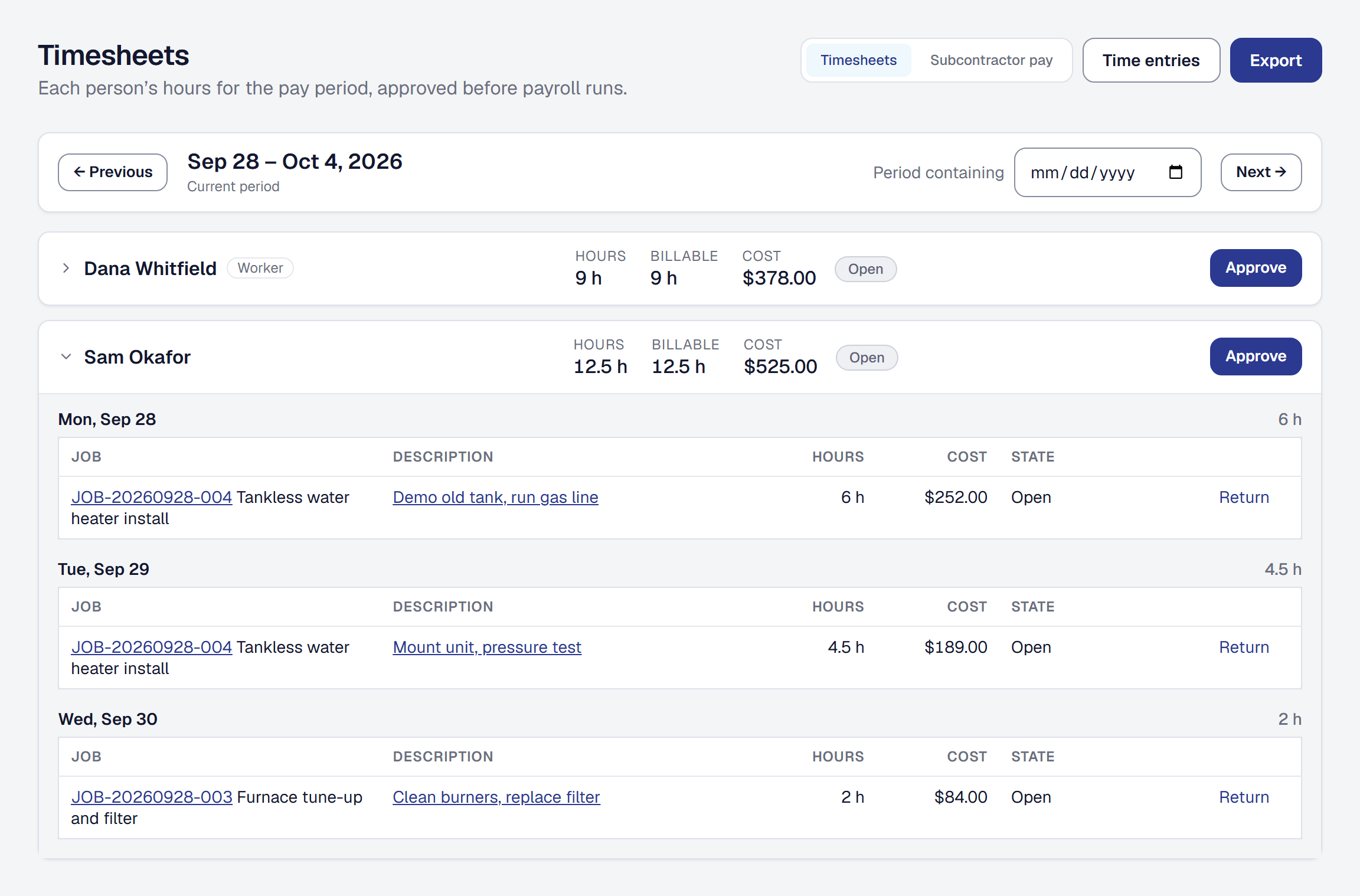
Every person's hours for the pay period on one page, a manager's approval that locks them, an entry sent back with a reason, and the approved hours as the file your payroll takes.
-
Everything you said to a client, in one place
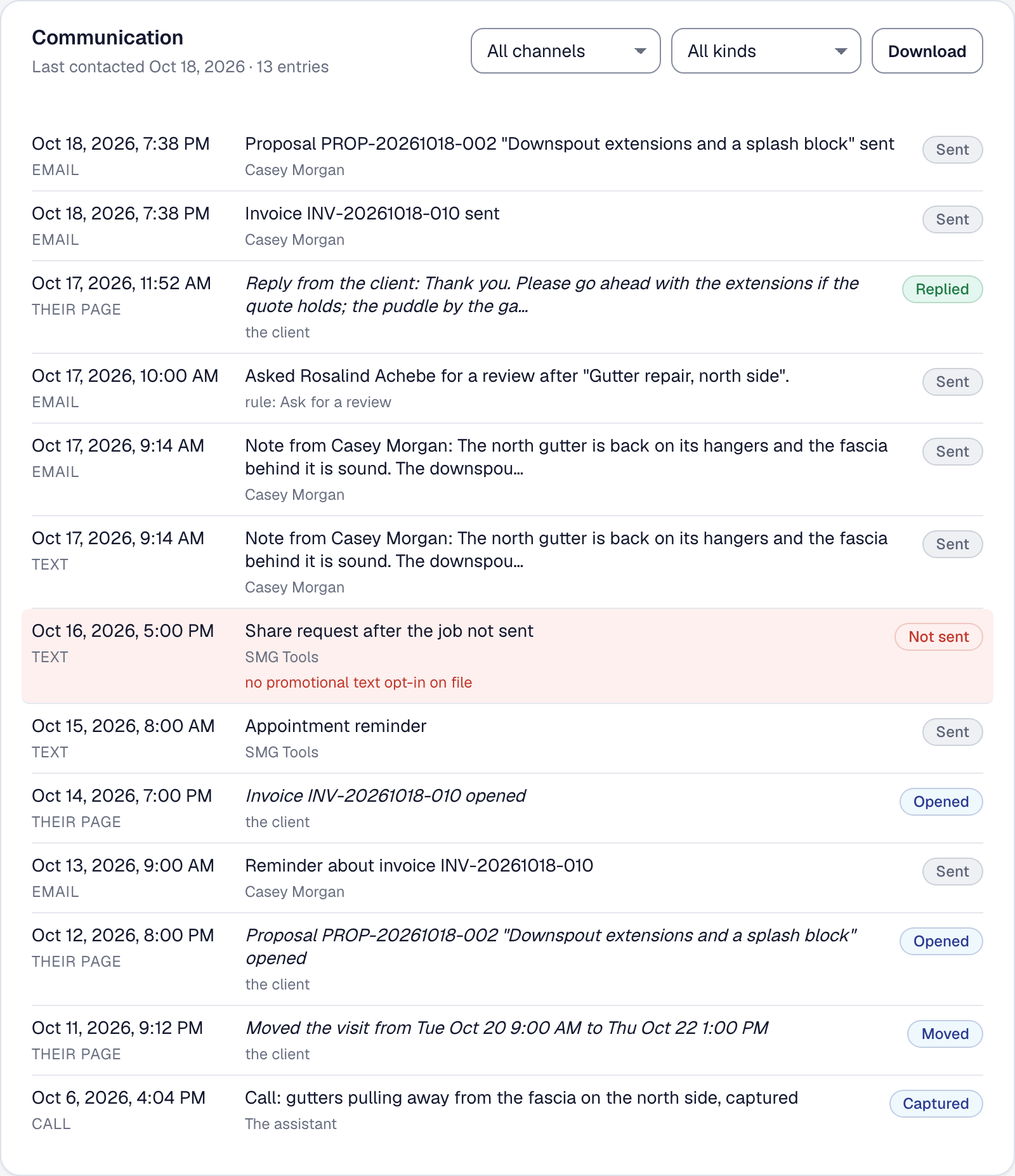
A Communication section on every client's page: every text, email, quote, invoice, call, note and reply — and every message consent stopped, with the reason — filterable and downloadable.
-
Invoice the finished jobs together
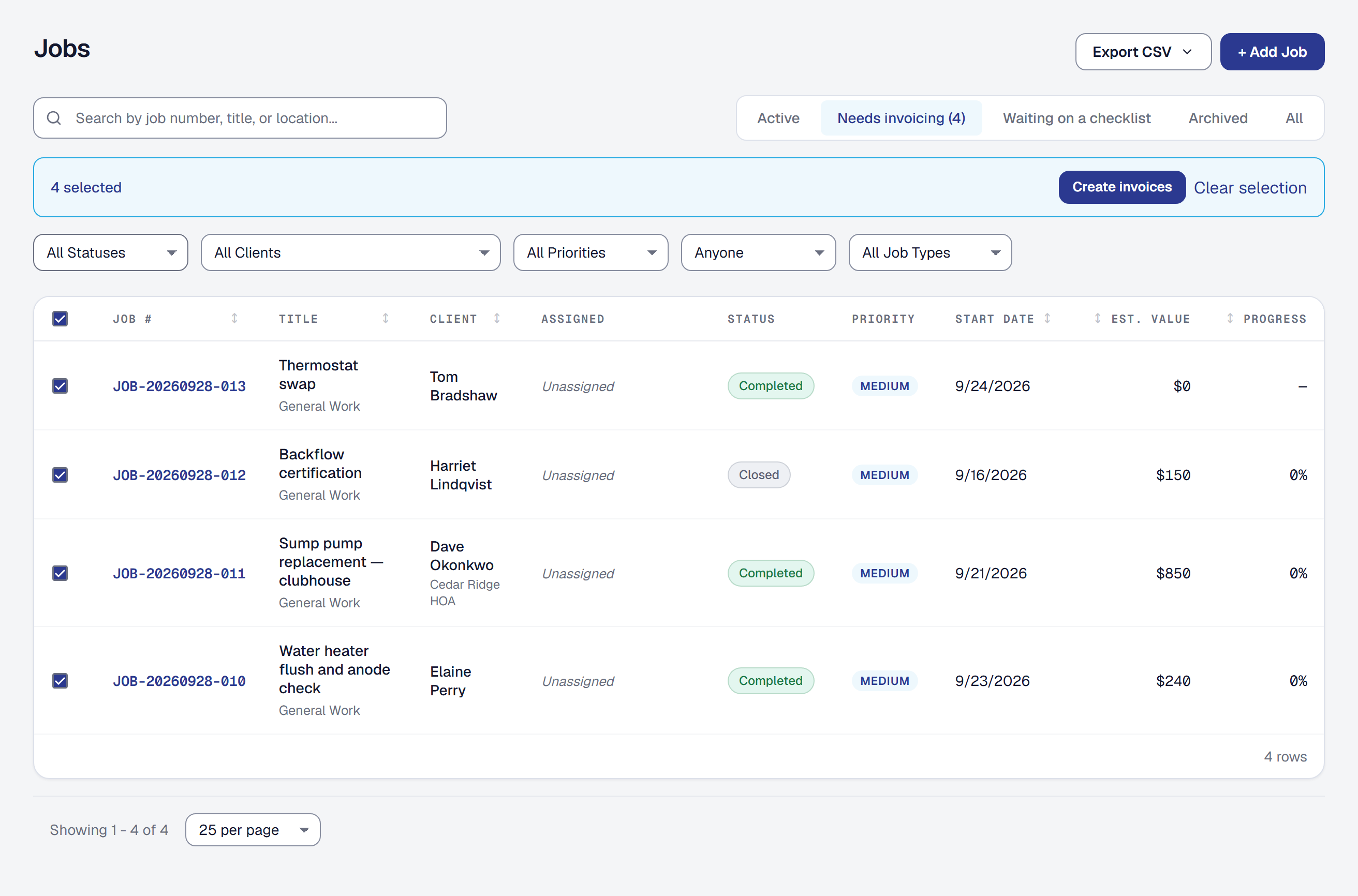
Select the completed jobs nobody billed, make their invoices in one action and send them together — and the reminder about unbilled work now opens that list with the job already selected.
-
Add a tip when you pay an invoice online
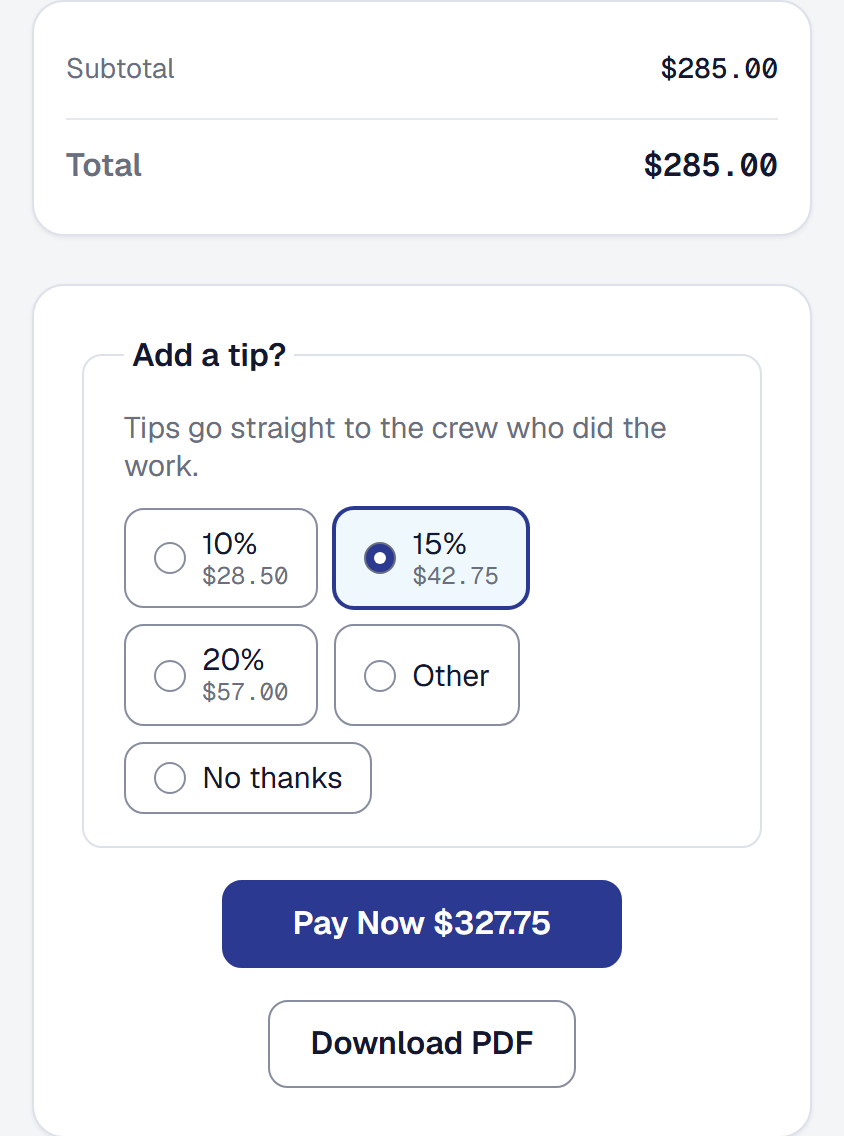
Ask customers for a tip at the moment they pay — off until you switch it on, one charge for both, no platform fee on the tip, and the tip recorded as income, never as the price of the work.
-
Webhooks, and an address any tool can post a lead to
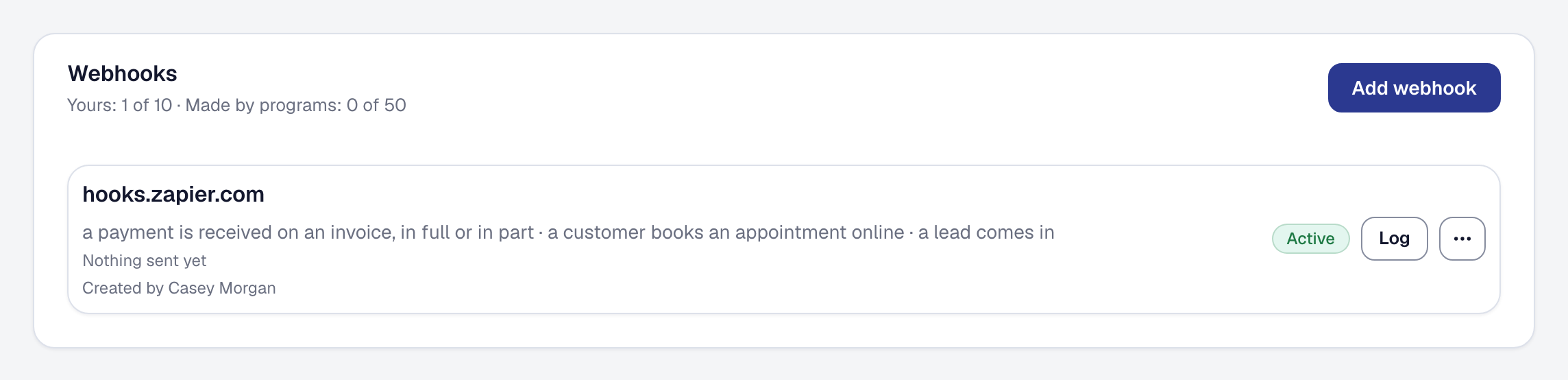
Tell the software you already use the moment something happens here, and take leads from any tool through an address of your own. Webhooks are Professional since October 14.
-
Which kinds of work make money
One report answering which kinds of work make money: the jobs you finished in a period, grouped by type, with revenue, cost and margin added up — worst first — and what each was quoted at.
-
Your pipeline on one board
Leads, calls the assistant took and quotes you sent, on one board from first contact to won or lost — drag to move, act from the card, and see which quotes have gone quiet.
-
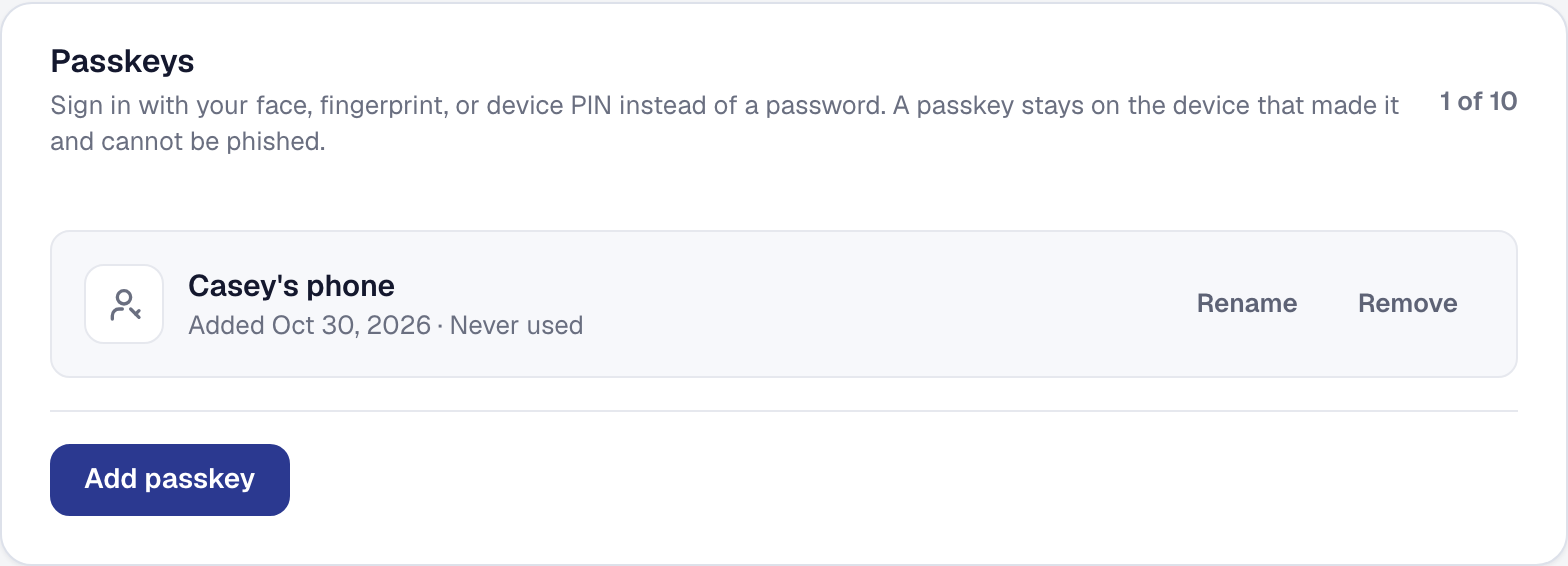
Sign in with your face, your fingerprint, or your phone's PIN
Passkeys on every plan: add one from your Security page, sign in with a glance and no code, and let a new crew member join from their phone without ever choosing a password.
-
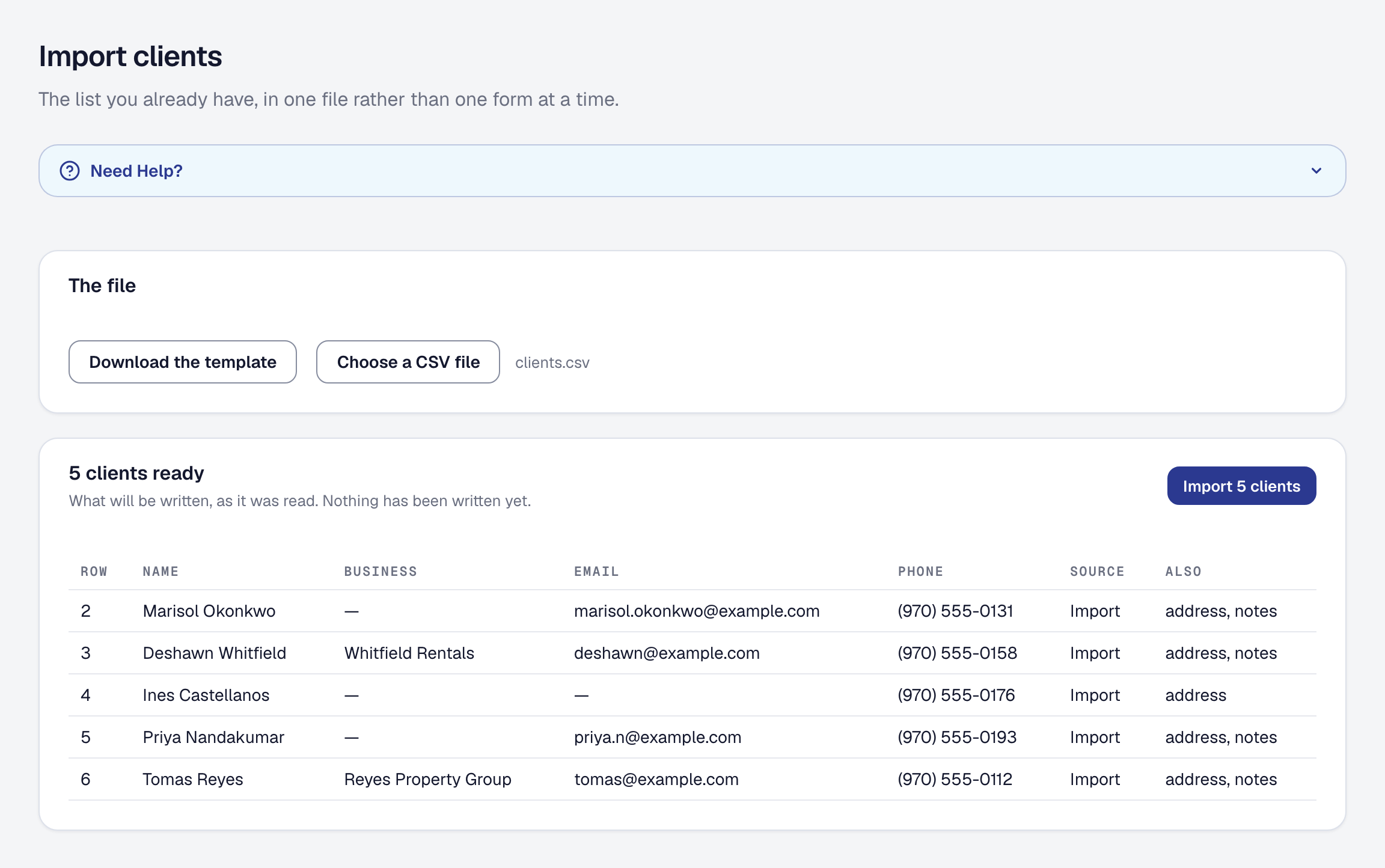
Switch in an afternoon, leave in a minute
Bring your clients, units, equipment, materials, job types and services in from a spreadsheet, take any list out as a CSV in the columns it came in, and see every way in and out on one page.
-
The excavator is in the margin
Your vans, machines and tools with what each costs to run, a machine's hours on the job's costs beside labor and materials, readings and service due, inspections, and tools scanned out and back.
-
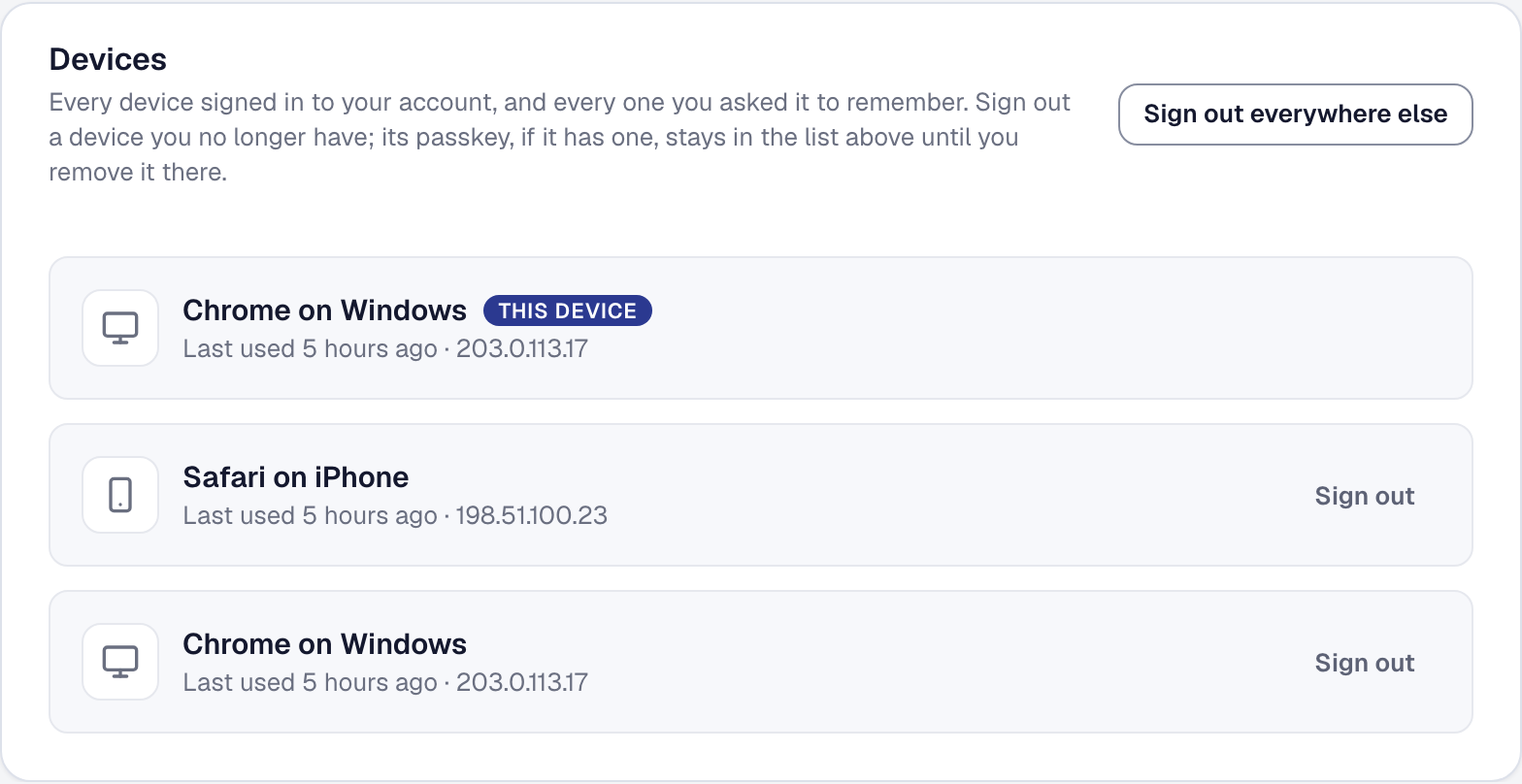
Where you're signed in, a note when a new device does, and a second factor for everyone
See every device holding your account and sign any out; an email the moment a device you've never used signs in; and, for the owner, a second factor — or a passkey — required of everyone.
-
Book a visit — from your page, from a client's link, and over the phone
Publish what can be booked and when; a customer picks a time and it lands on your calendar with the client, job and lead already made — instantly, or held for your say-so.
-
The units at a client's property, and the technician who arrives knowing
Write down the furnaces, water heaters and panels you service; each unit's page becomes its history — every visit, what was spent, whether it is past its expected life, when it is due.
-
A client replies and nobody was asked — now somebody is told
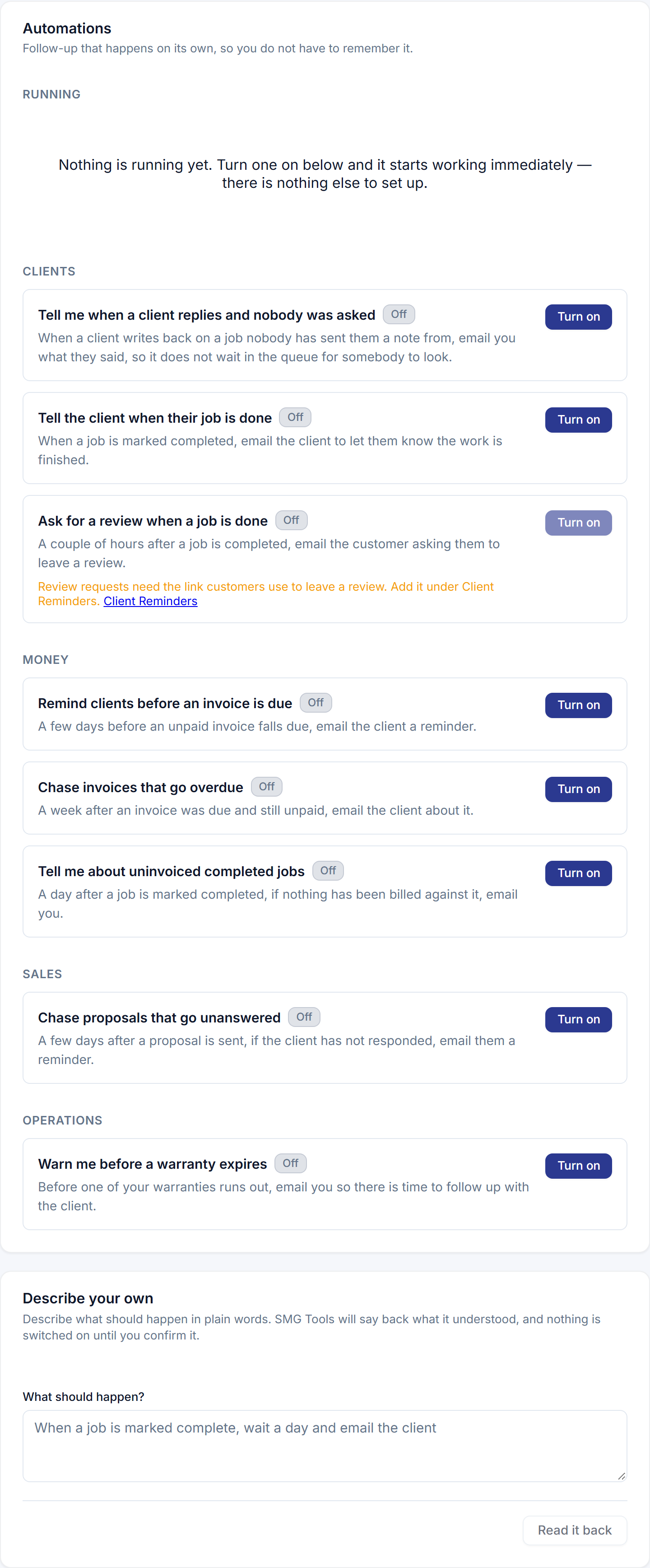
A new automation emails you, or a manager you choose, when a client writes back on a job nobody has written to them from — the reply that used to wait in a queue.
-
Margin Intelligence, reminders and digests on every plan
Starter now includes Margin Intelligence, automated email reminders and follow-ups, calendar digests, recurring revenue reporting and equipment. Professional is the things a vendor bills us for.
-
Send a note from the job. The reply lands on the job.
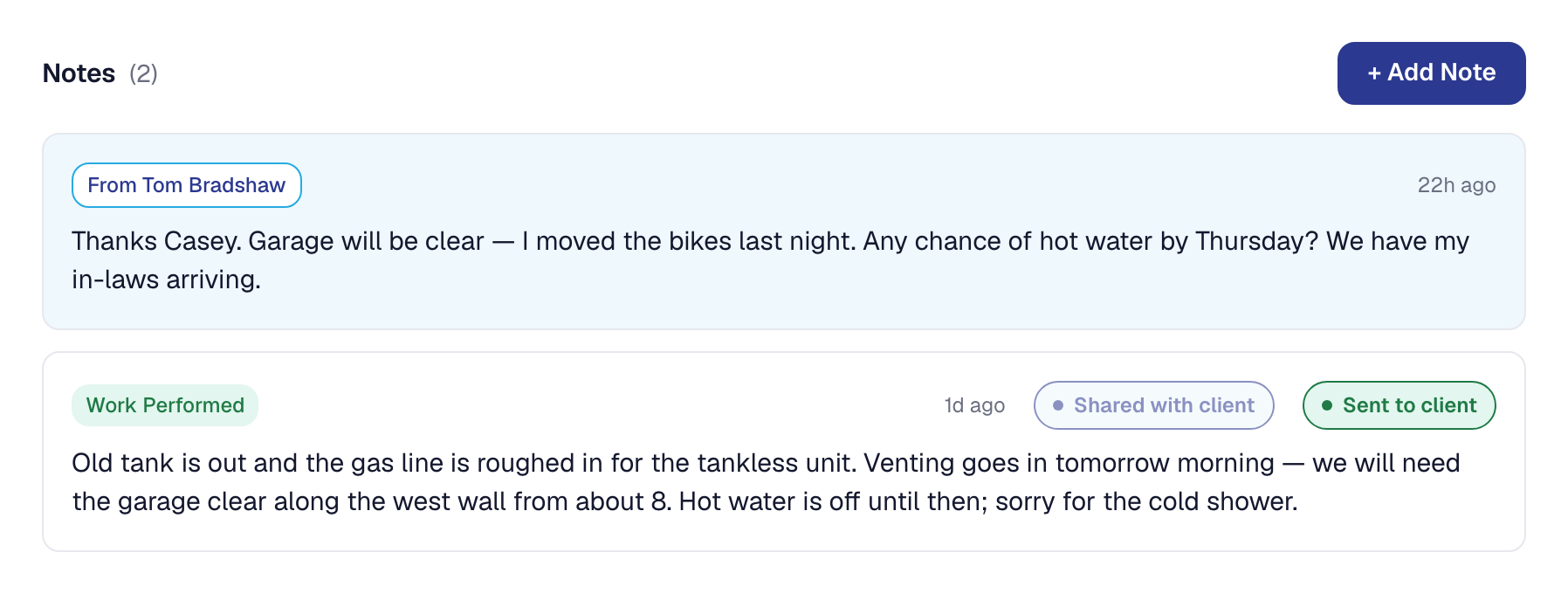
Write a note on a job and send it to your client by email or text. What they write back is filed on that job — and For you is one list of everything waiting on you.
-
This page
Everything SMG Tools has shipped, dated the day you could first use it, from the first commit in January to today — with a feed, so you can be told instead of checking.
-
One look across the console, and a dashboard you can trim
The console refreshed to one visual language — surfaces, controls, tables — and each person chooses which dashboard widgets they see.
-
The owner who does the work, on the roster in one tap
An owner-operator opening My Day is offered the roster instead of being told to ask the owner; the setup checklist asks whether you do the work yourself.
-
Your own phone number, and an assistant that answers it
Lease a phone number from inside the product, forward your line to it, and an assistant answers what you miss — captures the work, texts back a caller who hung up, and queues it for you.
-
Getting paid online, asked early
The setup wizard asks how you get paid; an invoice that cannot be paid online says so before you send it; and the dashboard checklist is shorter and ordered by what matters.
-
One page, everything a client has with you — and a way to ask for more
A hub link for every client: what needs them, their next visit, every quote, agreement, invoice and change order — behind a code, not an account — and a way to ask for more or call off a visit.
-
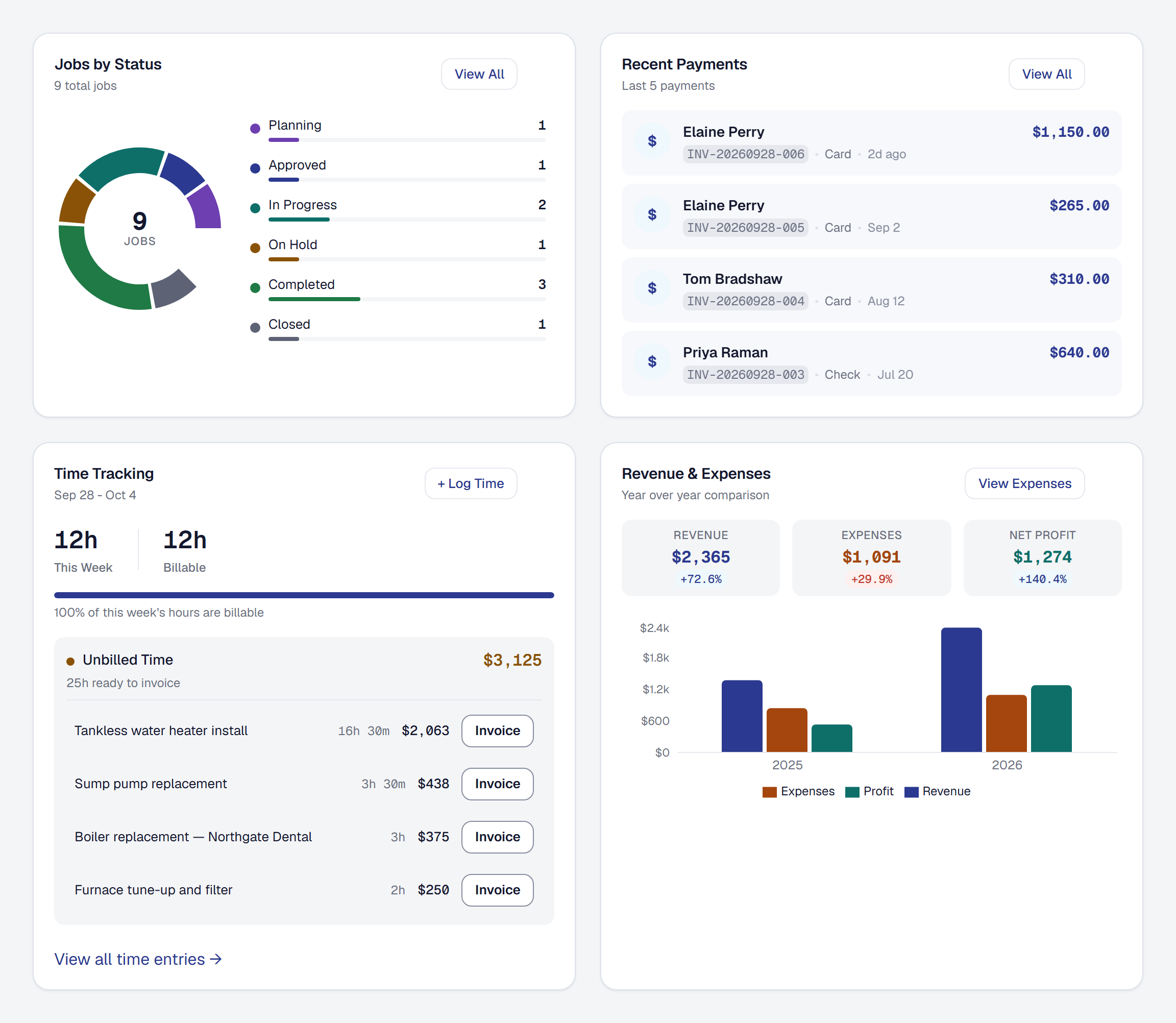
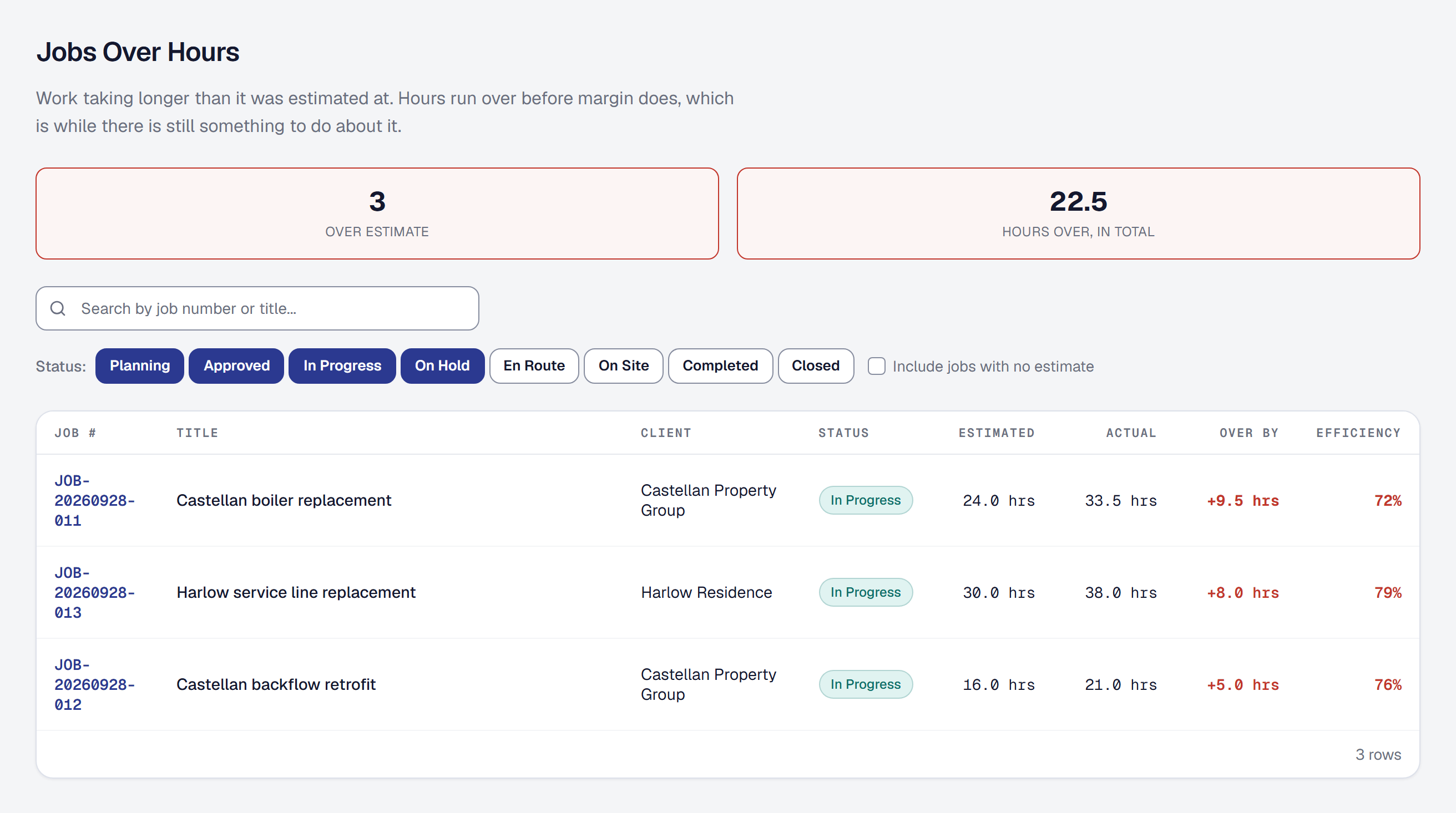
The jobs running over their hours, worst first
Labor efficiency on the job, a report of jobs past their labor estimate, who was assigned beside who actually logged hours, and each person's own record against the estimate.
-
A text when somebody sets off, and a page that says who is coming
When your crew taps "on my way", the customer gets a text with a link to a page naming who is coming, the window, and the van to look for — and it stops working a week after the job.
-
The vans and the gear, and who has them today
A catalog of what the business owns — vans, trailers, machines — a record of who has what on a given day, and the vehicle that drove a mileage trip.
-
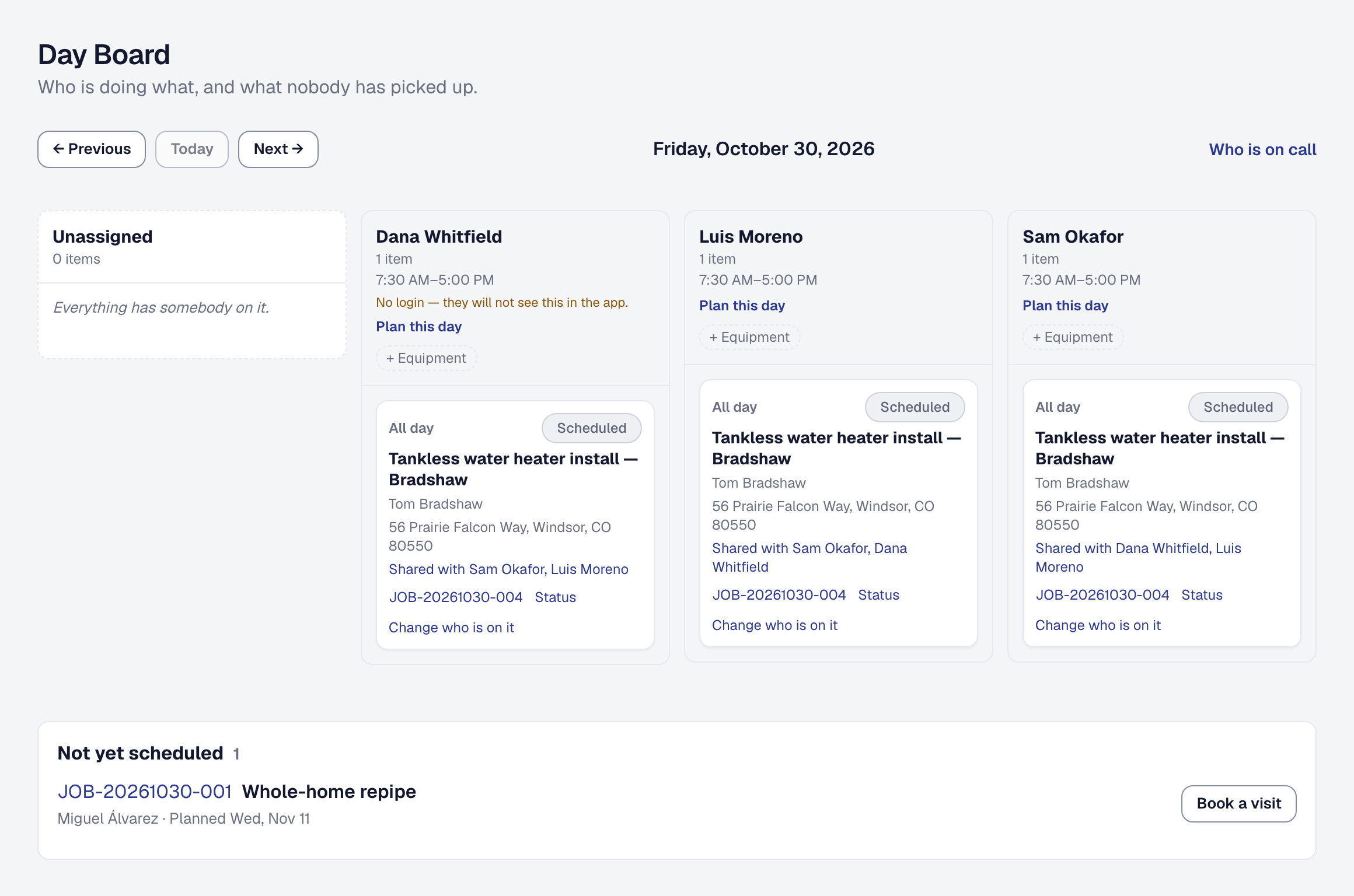
Put names on the work, and see the day as a lane per person
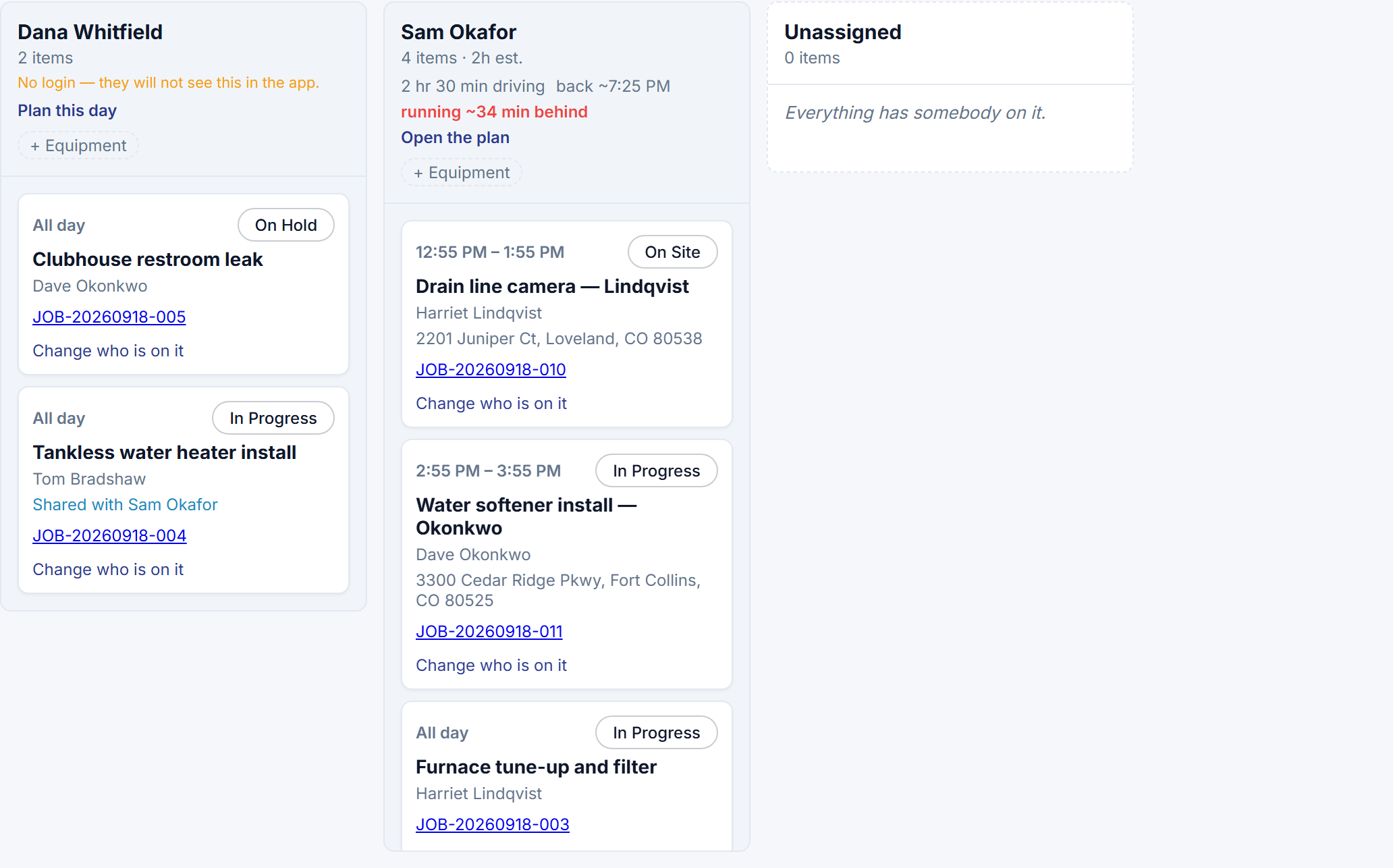
Assign one or more people to a job, a visit or a milestone, and open the day board: who is doing what today, and what nobody has picked up.
-
Books your bookkeeper can import
Three files — customers, invoices and transactions — in the shape QuickBooks Online imports, for any period, in the order it has to receive them.
-
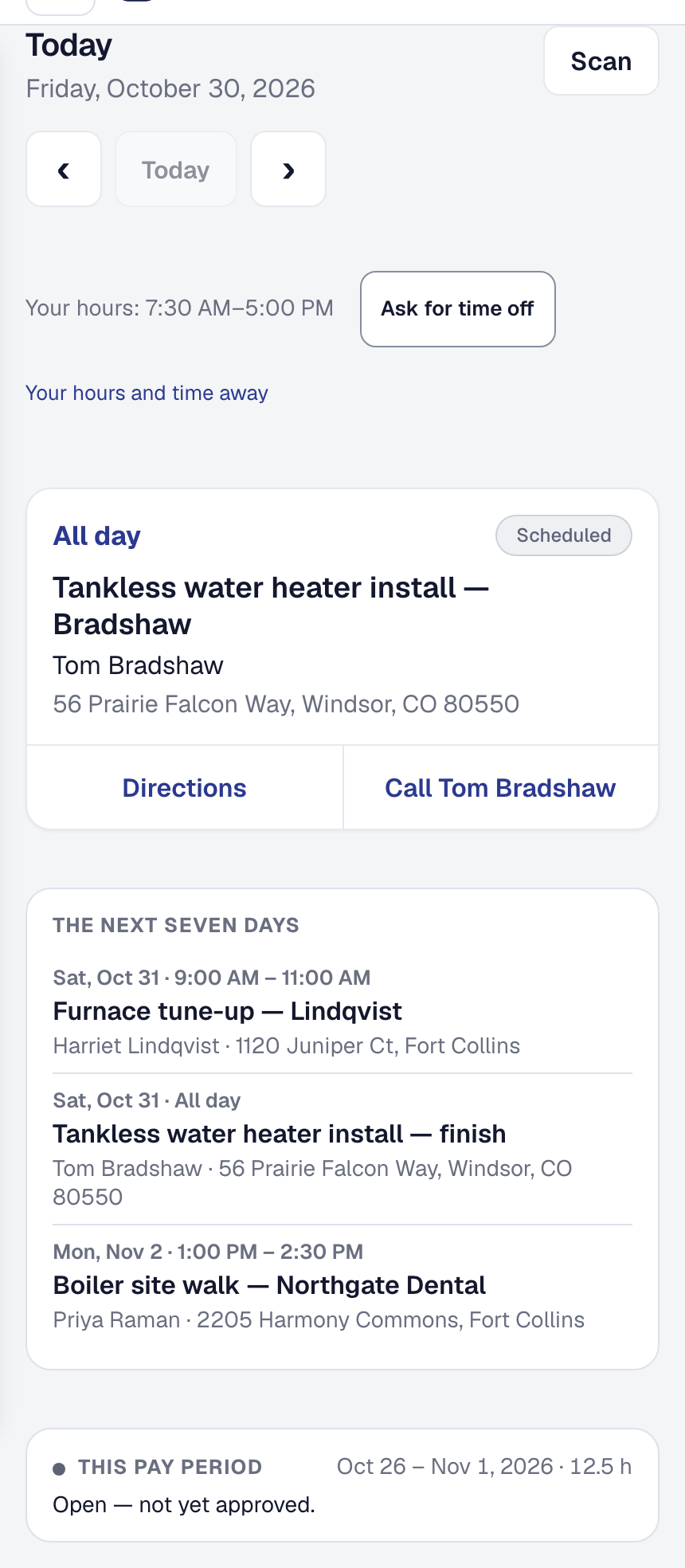
The crew's phone: their day, the clock, arrival, and photos from site
A field member signs in on their phone and sees only what is theirs today; clocks in and out against it; marks themselves arrived; moves the job forward; and sends notes and photos.
-
Tell your client who is coming, and show them what you found
A short profile for each person who works for you — photo, a line, what they specialize in — that a client sees; and a note or photo on a job you choose to share on the client's invoice.
-
Automations: switch on the follow-up you keep meaning to do
Seven ready-made automations with one toggle each, a history of what every rule did and did not do, and — for anything else — a rule you describe in a sentence and confirm.
-
Teams: invite people, give them a role, and the Crew plan
More than one person in a business — invited by email, as Owner, Manager or Field — and a plan for it: Crew, with office seats and unlimited field workers. Professional moves to $49.
-
Service agreements, recurring billing, and a directory of businesses on SMG Tools
Recurring work as a record of its own — visits that become jobs on a schedule, invoices on a billing cycle, a saved card charged automatically — plus an opt-in public directory.
-
Say it once, from the truck
Press the microphone and say what happened — miles, hours, an expense, a note, a new client or proposal, a question — and the assistant fills in the form and waits for you.
-
Your data, yours: export it, delete it, and choose your cookies
Export everything the product holds for your business as one file; delete your account yourself; a cookie banner where declining is as easy as accepting; and a page listing every subprocessor.



August 2026
-
A setup wizard, and the modules you do not use, hidden
A new business is walked through its setup in a few screens, and any business can hide the parts of the product it does not use — Materials, Workers, Transactions — from its navigation.
-
Texts your clients agreed to, links that expire, and a code before a signature
Appointment reminders and confirmations by text with STOP and HELP honored; short links; document links that expire and can be revoked; and a six-digit code before a proposal is signed.
May 2026
-
Take a service request and book the visit
A call, a text or a walk-in becomes a job with the address checked against where you work, a diagnostic fee charged or waived, and the first visit booked — in one flow.
-
Where your leads come from
Every client gets a referral link to your public page; the review request invites them to pass it on; and your Leads page shows which sources and which past clients bring work.
April 2026
-
Workers: employees and subcontractors, one record each
The people who do the work, as records: employee or subcontractor, with the compliance and financial details each kind needs.
-
Compliance records for regulated trades
Profiles that say what a job must capture and who may do the work; structured records taken in the field; locked once final, amended with a history; and CSV reports a regulator can read.
-
Appointment reminders, and warranties tracked to their end
Clients get a reminder before a visit; the warranties you give are recorded on the job, with coverage dates, terms and a reminder before they lapse.
March 2026
-
A public page for your business, and a flyer with a QR code
A web page at your own address with your hours, contact details and a Request a Quote form that feeds your leads — no website needed — and a printable flyer pointing at it.
-
E-signatures with a record, and change orders
Draw or type a signature, consent to sign electronically, and get a frozen PDF of what was signed; change orders extend a job after acceptance and roll onto its invoice.
-
Follow-ups that send themselves
Unanswered proposals are chased, invoices reminded before and after they are due, finished jobs ask for a review, warranties warn before they lapse — and you can see when a proposal was opened.
-
Open for business
SMG Tools is live at smgtools.com. What a business signing up today can do, on the free plan and on Professional.
-
Refer a friend, earn a credit
Invite another business to SMG Tools; when they subscribe, a credit lands on your bill.
-
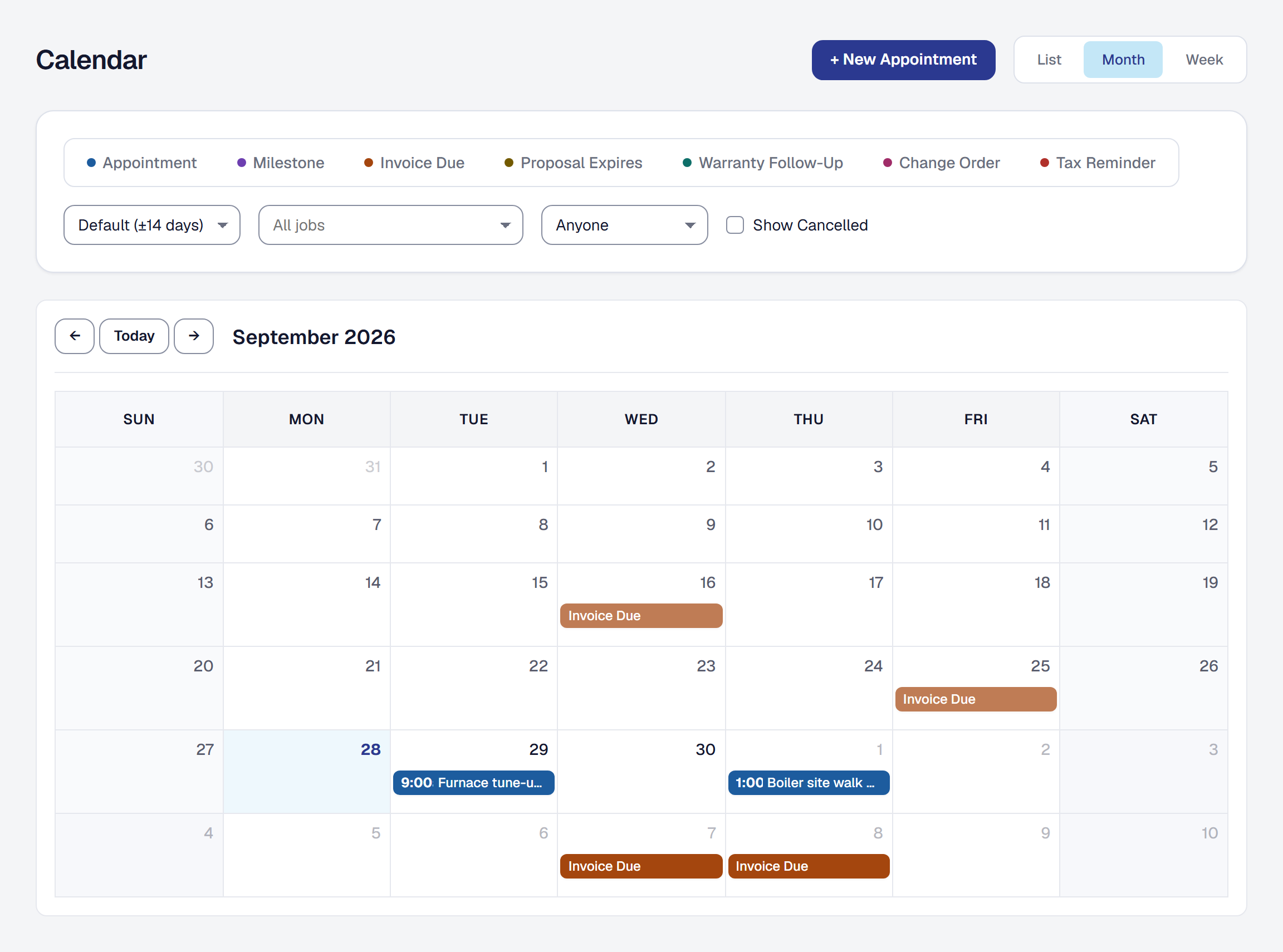
A calendar, and appointments on it
One calendar of everything with a date — appointments, milestone due dates, invoice due dates, proposal expirations — and appointments you create for visits, estimates and meetings.
-
Projected versus actual, across every job
One report answering which jobs are healthy and which are bleeding money; labor costed the same way everywhere; a draft invoice you can download before sending.
February 2026
-
A checklist that says what to set up next
A Get Started widget on the dashboard for a new business: the few things worth doing first, ticked off as they are done.
-
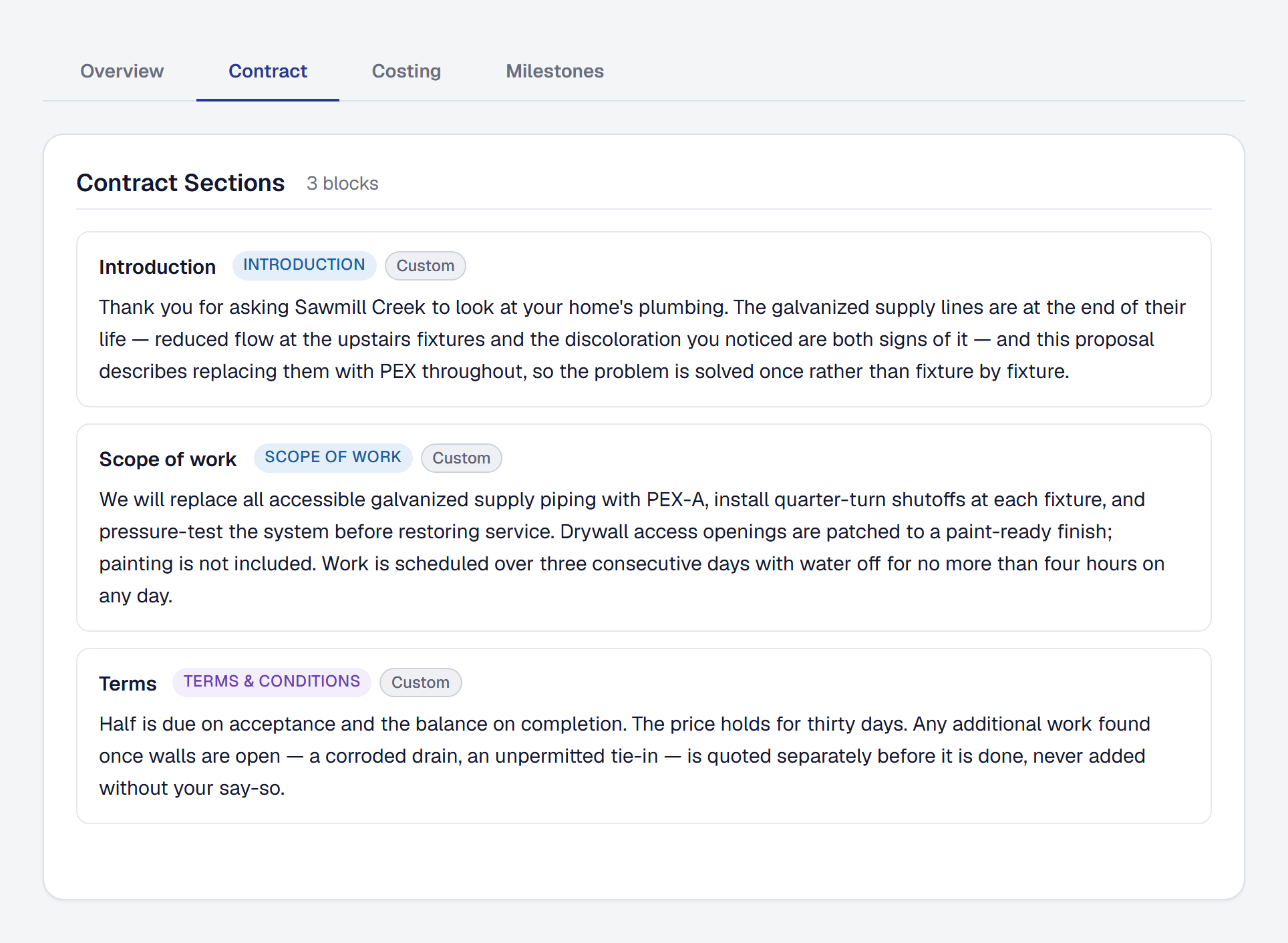
The proposal wizard, with AI that drafts the contract
Write a proposal in four steps — client, what the job is, review, pricing — with contract sections, costing and milestones suggested from your description of the work.
-
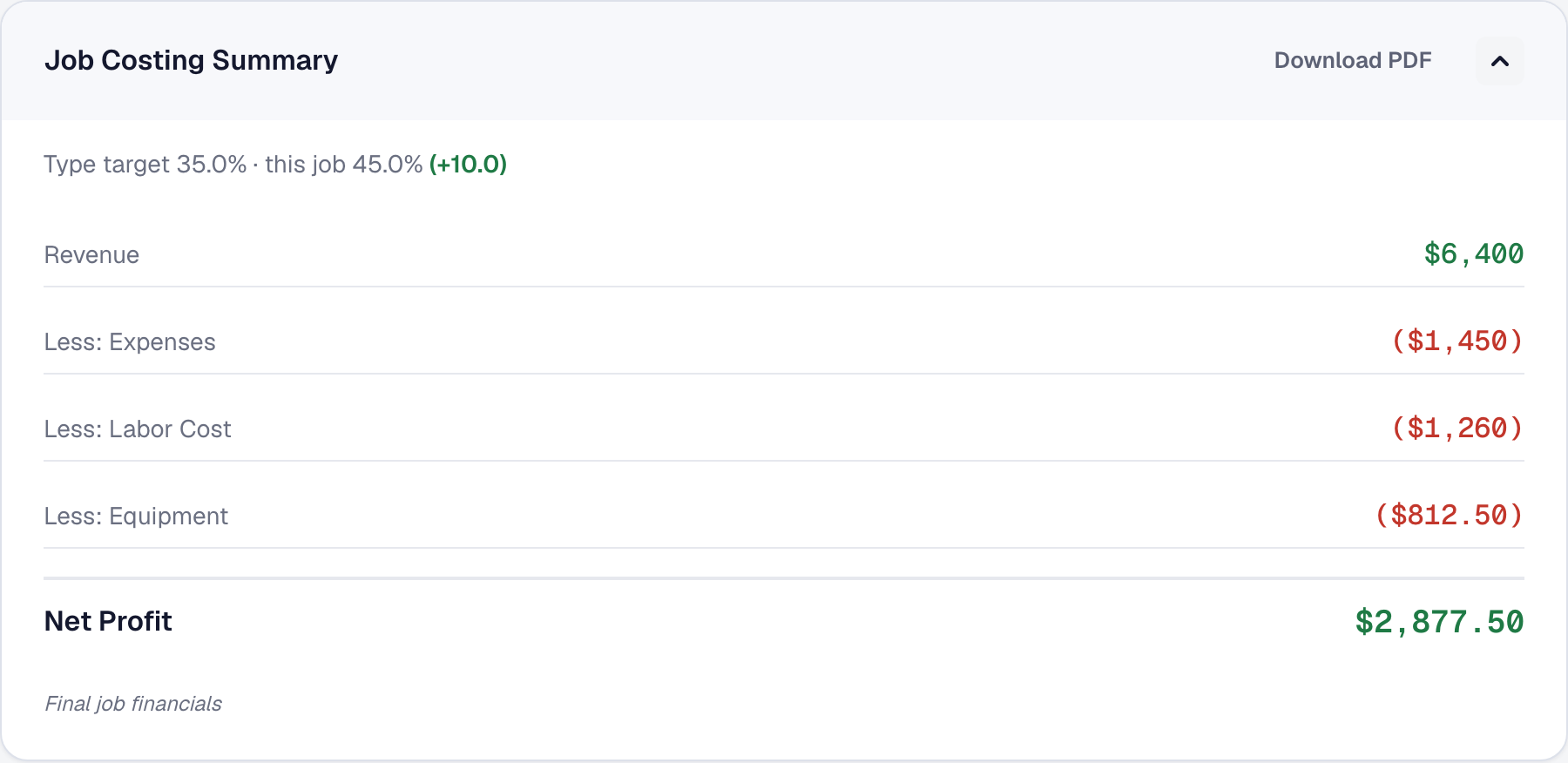
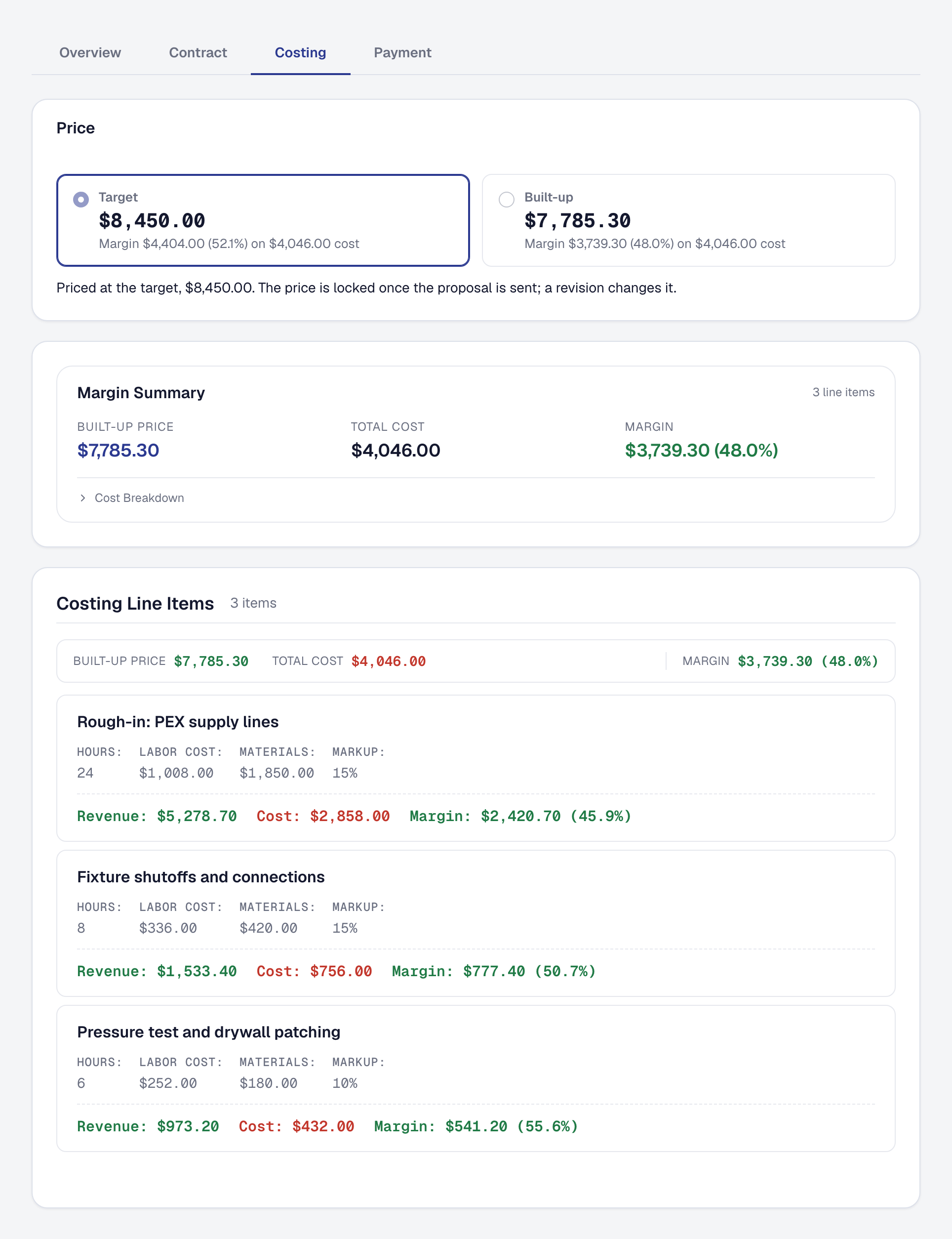
Know what you kept: job costing, cost templates, and margin alerts
Labor rate profiles, cost categories and templates for estimating; a baseline frozen when the proposal is accepted; and an alert when a job's margin drifts from it.
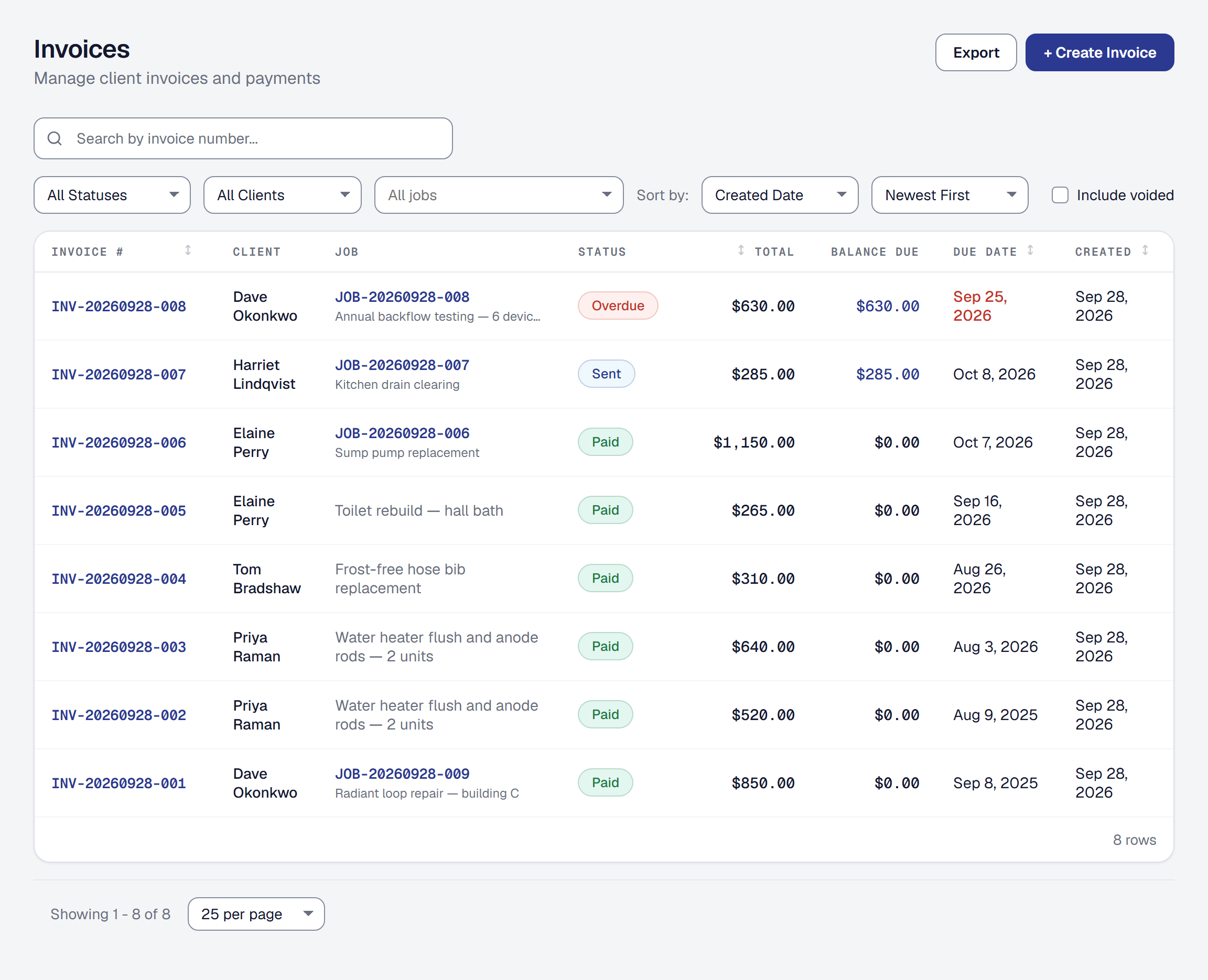
-
An invoice on its own
Raise an invoice from the Invoices page without a job behind it — a service call, a small sale — and mark one sent when it went out another way.
-
A reminder before each estimated tax payment
An email before each quarterly deadline, with a suggested set-aside for the quarter, so the payment is never a surprise.
-
Scan a receipt, write a note, upload a photo
A receipt photographed becomes an expense with the vendor, date and amount read off it; a job gets notes and photos; and the features with a monthly limit show a meter.
-
Mileage from an address to an address
Type where you went and the distance is worked out for you, with address autocomplete from Google Maps.
-
Connect your bank, and match what it shows to what you know
Connect bank and card accounts through Plaid, import transactions, and turn each one into an expense, an invoice payment, income, a transfer, or nothing — you decide, every time.
-
Income that did not come through an invoice
Record money a customer paid without an invoice — a cash job, a tip, a deposit — so revenue is complete.
-
A Professional plan, billed through Stripe
A free Starter plan and a paid Professional plan, with the subscription managed through Stripe and the features each plan unlocks stated plainly.
-
Mileage, a tax summary, and the contractors you pay
Log business miles per trip, see a quarterly tax set-aside, keep expense categories that match Schedule C, and track the subcontractors who will need a 1099.
-
Time on the job, in quarter hours
Log hours against a job in 15-minute increments, mark them billable or not, and turn billable time into an invoice line.
-
Sign in with a password, with Google, or with Microsoft — and a second factor
The product's own sign-in: email and password, Google or Microsoft, accounts you can link and unlink, a password reset that works, and two-factor authentication.
January 2026
-
Expenses, on the job and off it
Record what you spend — against a job, or as a cost of running the business — and see it against what the job brought in.
-
Quote it, invoice it, and see the money
Proposals a client accepts with a signature, invoices paid online through Stripe, a job report as a PDF, and a dashboard that says whether you are getting paid.
-
Where this started
A job-centric tool for people who do the work: an account, a business, and the jobs it runs, built so that scope, execution, proof, payment and profit are one record.