
Ask the product how something is done
A third tab on the assistant answers how-do-I questions from the help pages — a short answer, and the parts of the help it came from underneath, each one a link.
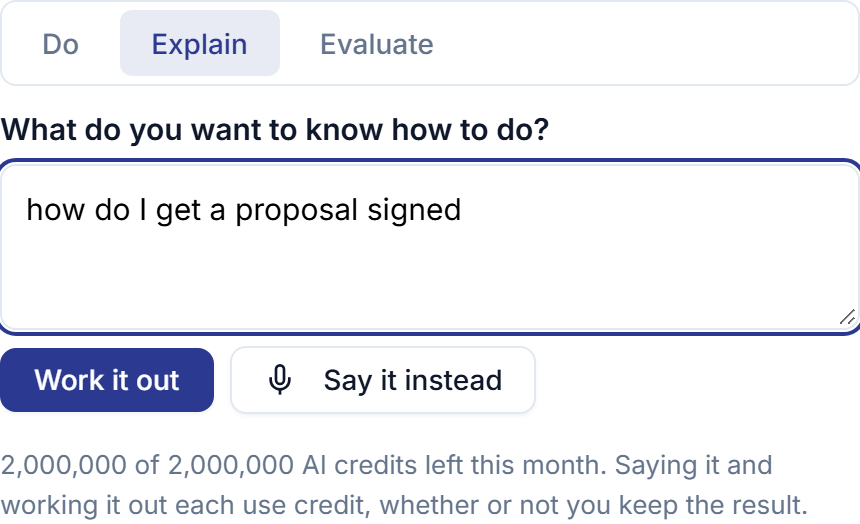
The answer to how do I do this has always been written down. Seventy help pages cover every feature you can reach, in 350 task-shaped sections. The trouble is where they are: on this site, found by people who thought to come looking. Somebody stuck halfway through a proposal at nine at night did not think to come looking. They are in the console with a half-finished screen in front of them.
So the assistant now answers from those pages. Explain is the third tab, beside Do and Evaluate: type a question the way you would say it, and you get a short answer with the parts of the help it was written from underneath — each one a link straight to the section it came from, so you can read the whole thing if the short version is not enough.
It answers about the product you actually bought. Where something it finds needs a plan above yours, it names the capability and the plan and stops there rather than walking you through a screen you do not have. The link stays, so you can read what it does before deciding whether you want it.
And it knows which screen you are standing on. Ask how do I export it while looking at Mileage and you get the mileage export, not the compliance one — without ever stopping you asking about something else from wherever you happen to be.
Every word in the answer comes from the pages. Not from what a model knows about service software in general, which is fluent, plausible, and about somebody else’s product. Before you see it, the answer is checked back against the exact sections it was given: one that names a screen, a settings path or a figure the help does not contain is not shown at all. You get the help itself, with a line saying the short answer is the part that went missing.
That is also what happens if the summary cannot be written for any other reason — the service is down, or this month’s credits are spent. The help never goes missing. Finding it is ours and is never charged; only the short answer over it spends anything.