A page for every tool — its settings, what it works with, and one switch
Every tool has a page of its own under Tools: its one switch, its settings, the settings it shares with other tools, and the reminders it sends. Organization is back to your business itself.
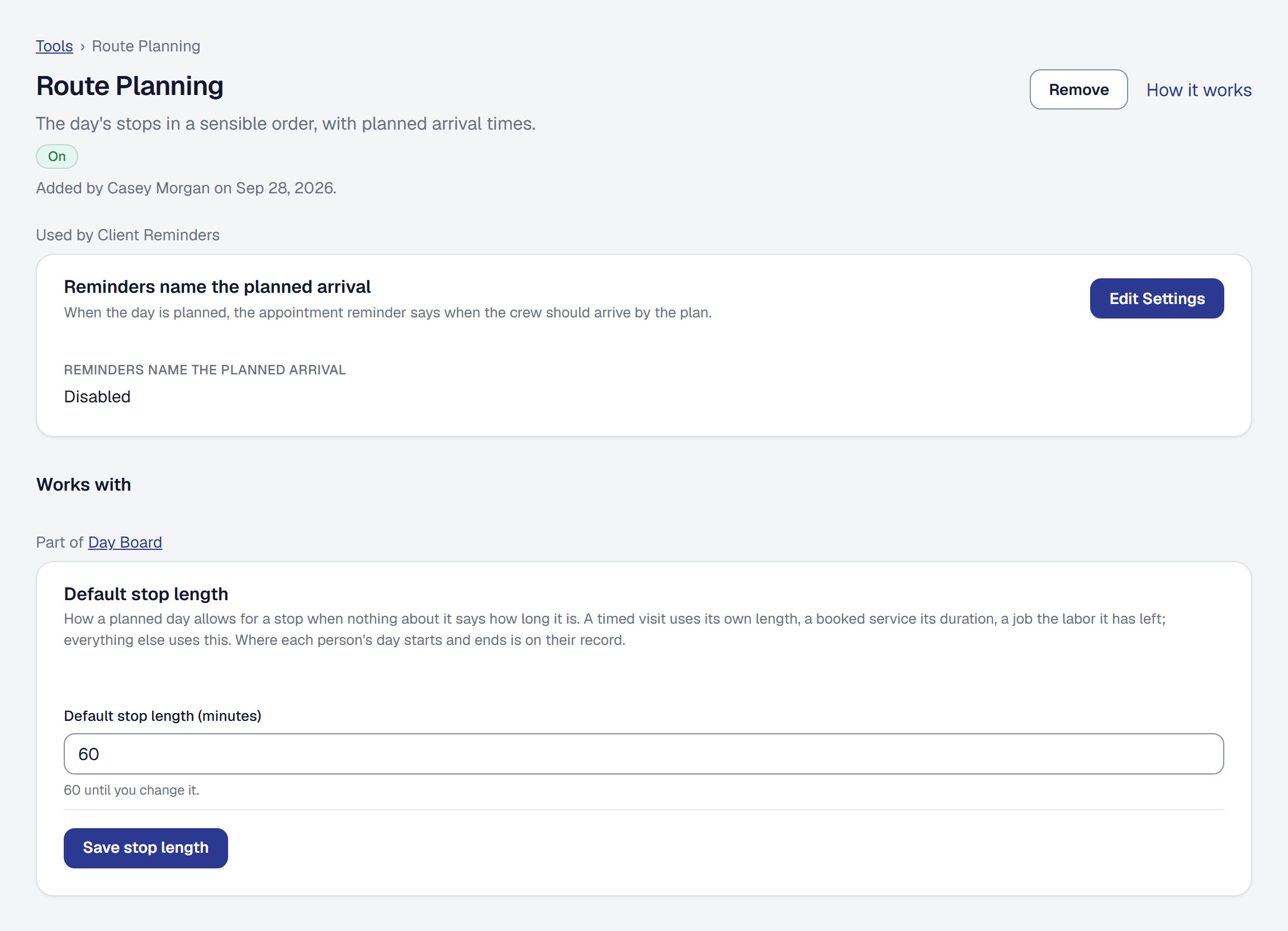
A tool’s settings used to be scattered through the Organization menu, some in a tool’s own section and some in another tool’s. Now every tool has a page of its own. Choose its name on the Tools page, or Settings on its card: the page says what the tool does and whether it is on, with the one thing you can do about that, then its settings, in tabs where it has more than one set.
Settings several tools use, kept once
Some settings belong to one tool and matter to others. Timesheets keeps the pay period that Subcontractor pay counts by; the Day Board keeps the stop length Route Planning plans with. The tool that keeps one shows it with its settings and says who uses it. Every tool that relies on it shows the same setting under Works with, marked Part of {tool}. Change it on either page and it is changed on both. If the tool that keeps it is not on, the owner can add it from right there.
Your business keeps a few of its own that tools rely on: Texting, whether you text clients at all and from which number, and Where you work, your service areas and service zones on one page. Both are in the Organization menu, which now holds only the pages about your business.
Every reminder, where it applies
Every reminder and automatic message is switched on in Automations, which lists them by the tool each one serves. Each also shows on its tool’s own page, with the same switch, its timing and its message: the warranty reminder under Warranties, the visit and invoice reminders under Client Reminders. Appointment reminders are an automation now, like the rest. Removing Automations names each reminder that stops, by the tool it serves.
One switch for each tool
A tool is switched on and off in one place: Add and Remove, on its card or at the head of its page. The public page, online booking, compliance, arrival proof, the phone assistant, Margin Intelligence, Tips and Referrals each had a second switch among their settings for the same thing, and those are gone. The day this changed, nothing your clients receive changed with it: a tool that was on with its own switch off was removed, and its history says why.
When something is off, it says why
Whatever tells you a tool is off gives the reason in the same words — not on for your business, included in Professional, needs Public Page — and what fixes it. A plan is named by its name. Compare plans takes the owner to Billing and anyone else to the pricing page, and a manager is told when the owner sets something up, rather than being sent to a page they cannot open.
A settings address you saved from before still works: it opens the tool’s page, at the part it named.