Commissions and pay rules, worked out when the customer pays
Set what your crew earns from a job — a percentage, a flat amount, or so much per item sold — and each payment works out who earned what, beside their hours on Timesheets. On every plan.
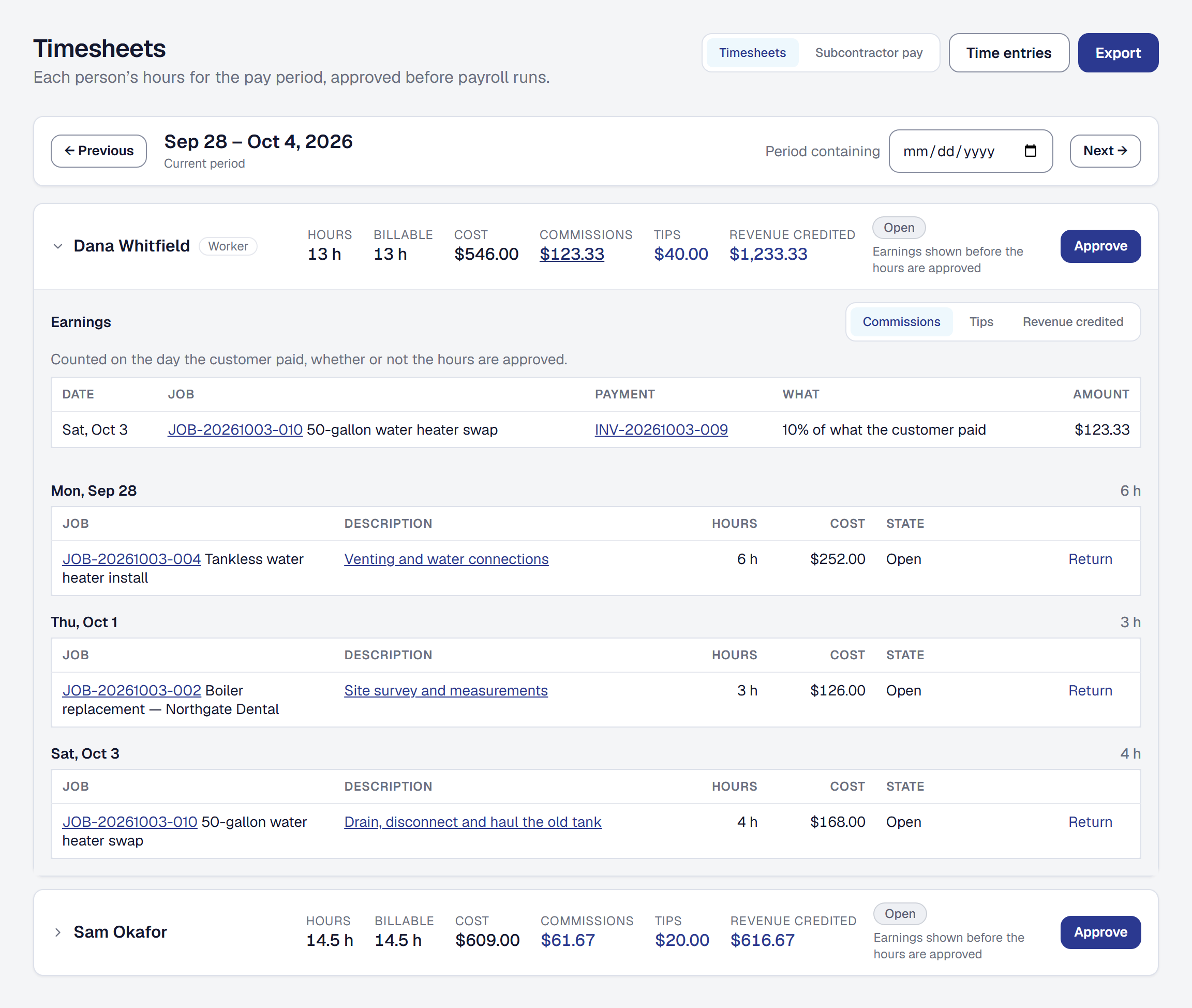
The spreadsheet beside the payroll file can go. Commissions & pay rules is a tool you add on the Tools page, and from then on you say once what each worker earns from a job: a percentage of what the customer paid, a percentage of the job’s gross profit, a flat amount per job, or so much for each Price Book item sold. Set defaults for everybody, give any worker their own, and give the person who wrote the proposal a seller’s rule that pays them beside the crew who did the work.
It pays on what was collected. Nothing is earned on an invoice you sent; each payment earns its share as it comes in, without the tax, in the pay period it falls in. A job’s profit and a flat amount are earned once, when the job is finished and paid. A refund takes its part back in the period of the refund, and a void takes back everything — so nobody is paid on work nobody paid for, and nobody has to remember to claw it back.
Shared by the hours each person put in. When several people worked a job, each one’s share is their hours on it, so a helper who came for an hour earns on an hour’s share and two techs on ten percent never pay out twenty. A tip your customer adds goes to the crew the same way.
One pay report. The Timesheets page sets each person’s commissions, tips and the revenue credited to them beside their hours, each opening onto the payments behind it, and the payroll file carries commission and paycheck tips to Gusto. A subcontractor’s commissions and tips count in what they are owed. Each worker sees their own on My Day — and nobody else’s.
It is on every plan. How it works is on the help page. What the product keeps about pay is in the Privacy Policy, section 2.1, and what it does and does not do about payroll in the Terms of Use, section 7.16.