
Every tool on one page — add what you do, remove what gets in the way
Tools, in the main menu, lists everything SMG Tools can do, with what your business has on first. Add one, put one away, and ask any card why you cannot see it.
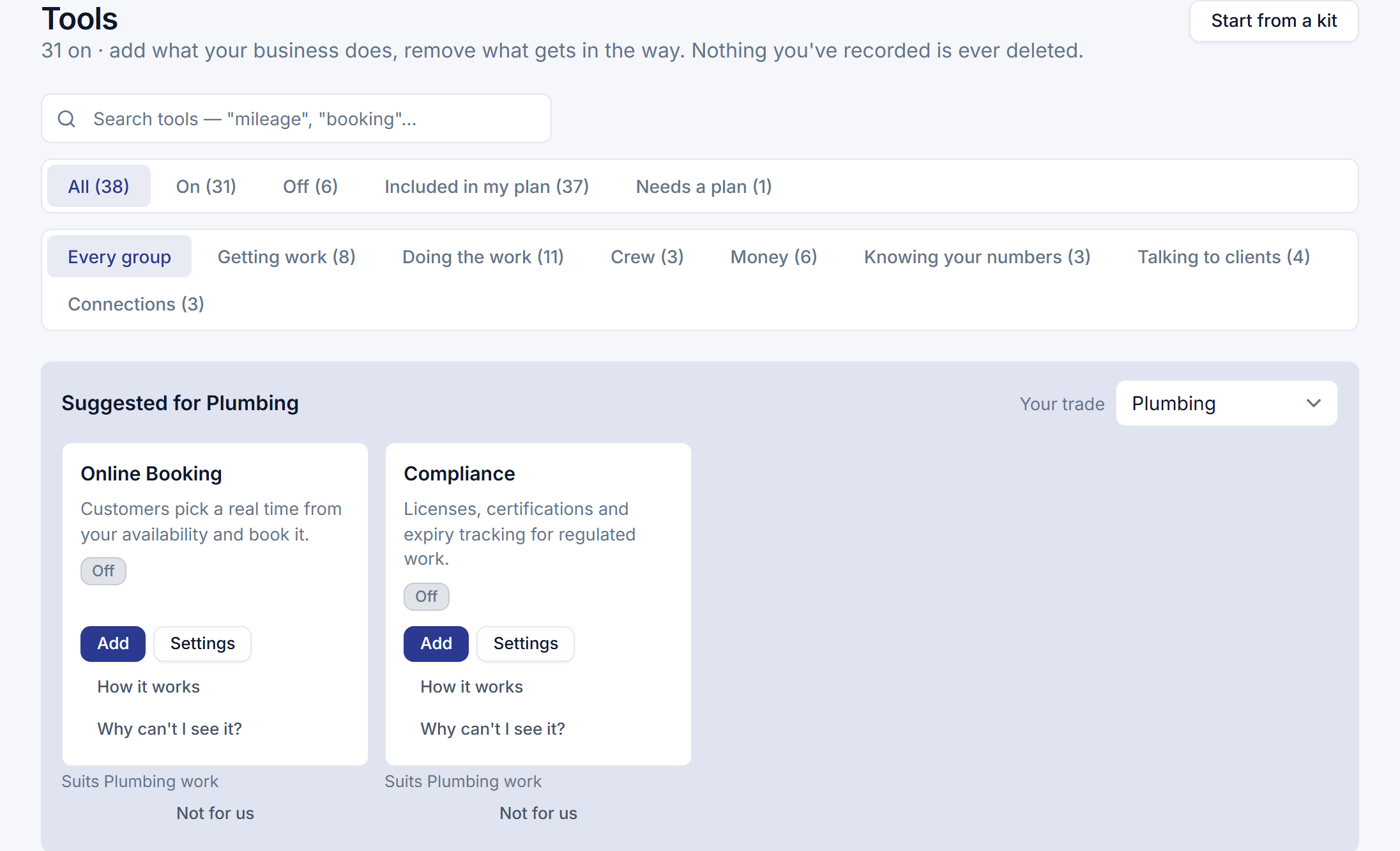
Organization → Features listed twelve areas you could hide. Tools, in the main menu, lists everything SMG Tools can do beyond quoting, working and billing — every tool, in seven groups, what your business has on first — each with one line on what it does and the state it is in: On, Off, Needs Workers, Included in Professional, New.
Add one, knowing what it does
Add shows one screen before anything changes: what the tool needs and whether that is on, what will appear and where — a menu entry, a panel on every job, a part of the crew’s day — and what still has to be set up before it does anything, with a link to each. If it needs a tool that is off, one confirmation adds both. A tool added before it can work, such as booking with nothing bookable yet, says so on its card and goes straight to the missing setting.
Put one away without losing anything
Remove says first that nothing you recorded is deleted, and that it all comes back when you add the tool again. Then it says what stops: where the tool goes from your screens, and the reminders, texts and digests it sent on its own. Removing Automations asks whether to pause your recipes too.
Why can’t I see it?
Every card that is not on answers the question: whether your plan includes it, whether your business has it on and who last changed that, what else it needs, and whether your role uses it — with the one thing that fixes each part that is missing. Ask the assistant how to do something a tool you have not added does, and it names the tool and links that answer.
And the rest
- Settings live with their tool. Every tool with settings has Settings on its card, and the Organization menu is down to the pages about your business itself.
- Suggested for your trade. Up to six tools that fit your trade or your own job types, each with why — From your job types: Furnace tune-up. Not for us hides one until your trade or job types change.
- Owners add and remove; managers look. A manager sees every card and every answer and is told to ask the owner. The crew never sees the page.