Good, better and best — and every job's agreed price
Quote a job at two to four prices with extras your customer can tick, take a deposit when they sign, and see on every job what was agreed and what is left to bill.
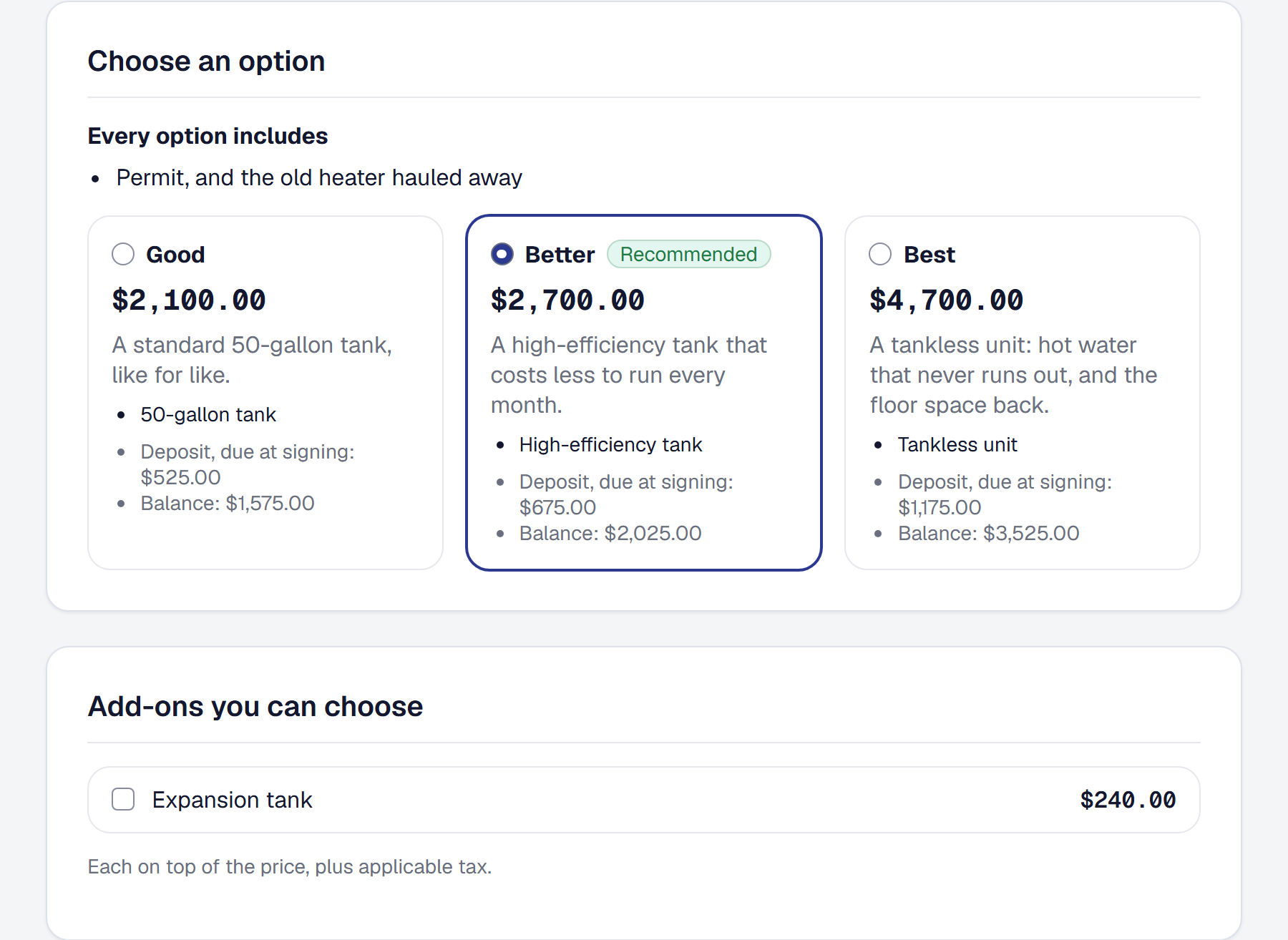
A plumber replacing a water heater rarely quotes one price. The trade offers three — a standard tank, a high-efficiency tank, a tankless unit — because a customer choosing which is no longer deciding whether. SMG Tools can now do that, and it keeps the cost behind every price while it does.
Options on one proposal
Add Proposal options on the Tools page, on every plan. On a proposal’s Costing tab, Add options turns its lines into the base every option includes and adds Good, Better and Best, each with lines of its own: two to four options, one marked Recommended, any of them at a package price. Every option shows its price, its cost and its margin against your target while you build it, so you know which one you actually want to sell. Add-ons — an expansion tank, a surge protector — are extras your customer can tick, whichever option they choose, and never ticked for them.
Building three options does not take three quotes. In the Price Book an item can name its Next step up, and Fill from ladders builds Better and Best from Good in one step. On Professional, Suggest has the assistant propose the lines no ladder covers, each one yours to add or discard.
Your customer chooses, and signs for exactly that
On the link they already open, your customer sees what every option includes, then the options side by side — on a phone, one under another — each with what it includes, its price and how it would be paid. Nothing is picked for them. They choose, tick any add-ons, and sign for that option at that price; the signed PDF names it, and the job is made from it and nothing else. Their contract carries only the chosen option’s terms, so a longer warranty that comes with Best becomes a warranty only when Best is chosen.
How they pay, said once
A proposal’s Payment tab now asks one question: Pay on completion, Deposit, then the balance, or Milestones. A deposit is invoiced the moment your customer signs, and if you take card payments they can pay it right there. Make it required and the job waits for it: signing leaves the proposal waiting on the deposit until it is paid, online or by a check you record.
Every job’s agreed price, and what is left to bill
Accepting a proposal gives the job its Agreed price: the option chosen and the add-ons taken, moved by every change order your customer accepts. The job’s Billing panel shows what was agreed, invoiced, left to invoice, paid and owed now, and Bill the rest writes the final invoice in one step — every payment and change order not yet invoiced, and one line for any difference, so nothing is left on the table.
Which option sells, and what it makes
Reports → Which Option Sells shows, from your own last twelve months, which option your customers choose, how often each add-on is taken, and each option’s expected profit — how often it is chosen times what it makes. The option chosen most is not always the one that makes you the most, and now you can see which is which.