The Price Book — everything you charge for, and what it should cost
Everything you charge for, with its price and what it costs you, quoted and invoiced in a few picks, and told what each should sell for and how it did.
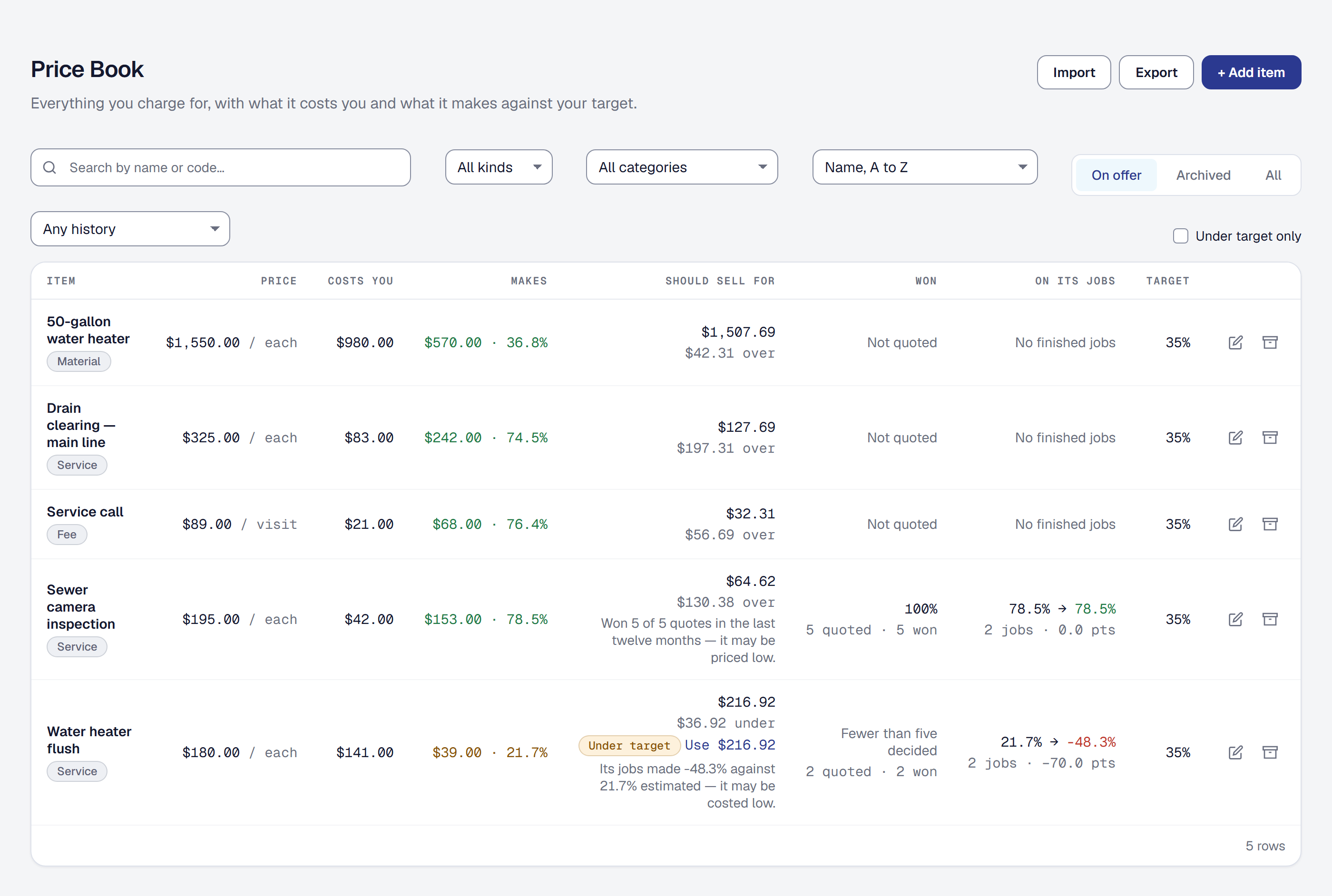
Every business has a list of what it charges: a drain clearing, a water heater installed, a service call. SMG Tools now keeps it, as the Price Book, and because this product already knows what work costs, every price in it has its cost behind it: the hours at your labor rate, the materials, the equipment. So each item shows what it makes against your target before you quote it. Add it on the Tools page, on every plan.
Quote and invoice from it
On a proposal or a change order, From Price Book adds an item at its price: pick it, say how many. Its cost comes with it, so the margin, the job it becomes and the job’s costing work exactly as they do for a line you costed by hand, and you can still cost a line by hand whenever nothing in the book fits. On an invoice, an item fills a line with its description and price. A bundle sells several items as one package at one price, and adds a line for each.
A line keeps the price it was quoted at. Change an item later and nothing already written changes.
Your cost templates are bundles now
If you kept cost templates, each one became a bundle in the Price Book under the same name and category. Each of its lines is an item with the same hours, labor rate, materials and equipment, priced at what its markup made it, so the bundle quotes for what the template did. Cost categories are the Price Book’s categories, under Tools → Price Book → Categories. Nothing was deleted.
What each item should sell for
Every item shows the price its cost needs to make your target margin, and one priced under that is marked, with Use to price it there in one step. On a proposal, any line priced under target is marked before you send it, and counted, but the proposal is still yours to send.
Over time the Price Book also reads your own history. It shows how often each item wins, once five proposals quoting it have been decided, and on the jobs it was on, the margin it was quoted at against the margin it made. When the history points at a price, a note says so: an item that wins nearly every time may be priced low; one whose jobs run over may be costed low. The note never changes a price for you.
Bring your list with you
Import takes a price list from a spreadsheet, labor rates and categories matched by name, checked row by row before anything is added, and Export gives it back in the same columns. On Professional, the assistant’s line suggestions offer your own items at your own prices.