Who should do it, and when
Each person's hours and time away, their skills, and who should do a job and when, ranked with reasons and by profit if you like, with new work assigned on its own. On every plan.
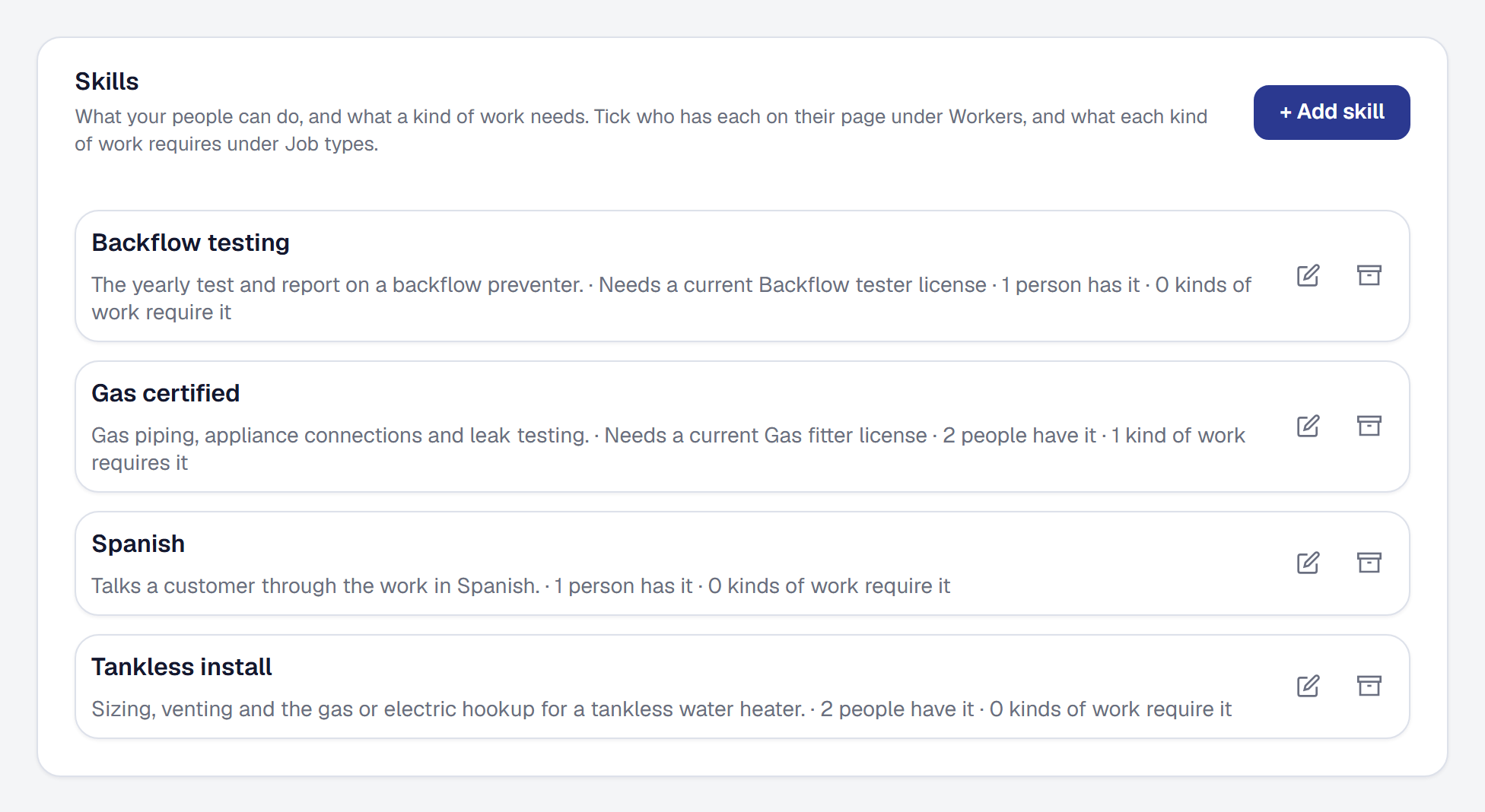
The owner knows Sam does tankless installs and Dana does not, that Luis is off Friday, and that the job across town should go to whoever is already out that way. Now the product knows it too.
Each person’s hours and time away. On their page under Workers, set when somebody works and record a day off or an appointment. Online booking, the Day Board and the calendar all read it, so nobody is booked on a day they are away.
Skills. Add Scheduling & dispatch from the Tools page and write down what your people can do — Tankless install, Gas certified, Spanish — and what each kind of work, or one job, needs. A skill can need a license from Compliance, and lapses with it.
Who should do this? Wherever you put people on work, the picker lists the people who can do it first, each with why — has Tankless install · free 8:00 AM–5:00 PM · 1.4 miles from where their day starts — and everybody else with what stops them. Suggest is on every Unassigned card on the Day Board.
When could we do it? Find a time on a job lists the best open times over the next two weeks across everybody who can do it; Book opens the visit form filled in.
By what the job keeps. Rank the people who can do it by Most profit — the job’s price less their time and drive at what they cost — and see what the job keeps with each.
And it can assign itself. Switch on Assign new work automatically, and new jobs with a time and online bookings that arrive with nobody on them go to the top suggestion, with the reasons in the job’s assignment history.
Everything is on every plan; on Professional, closeness is the real drive time.