Keeping the account secure
See every device signed in, get told when a new one appears, and require everybody in the business to use a second factor.
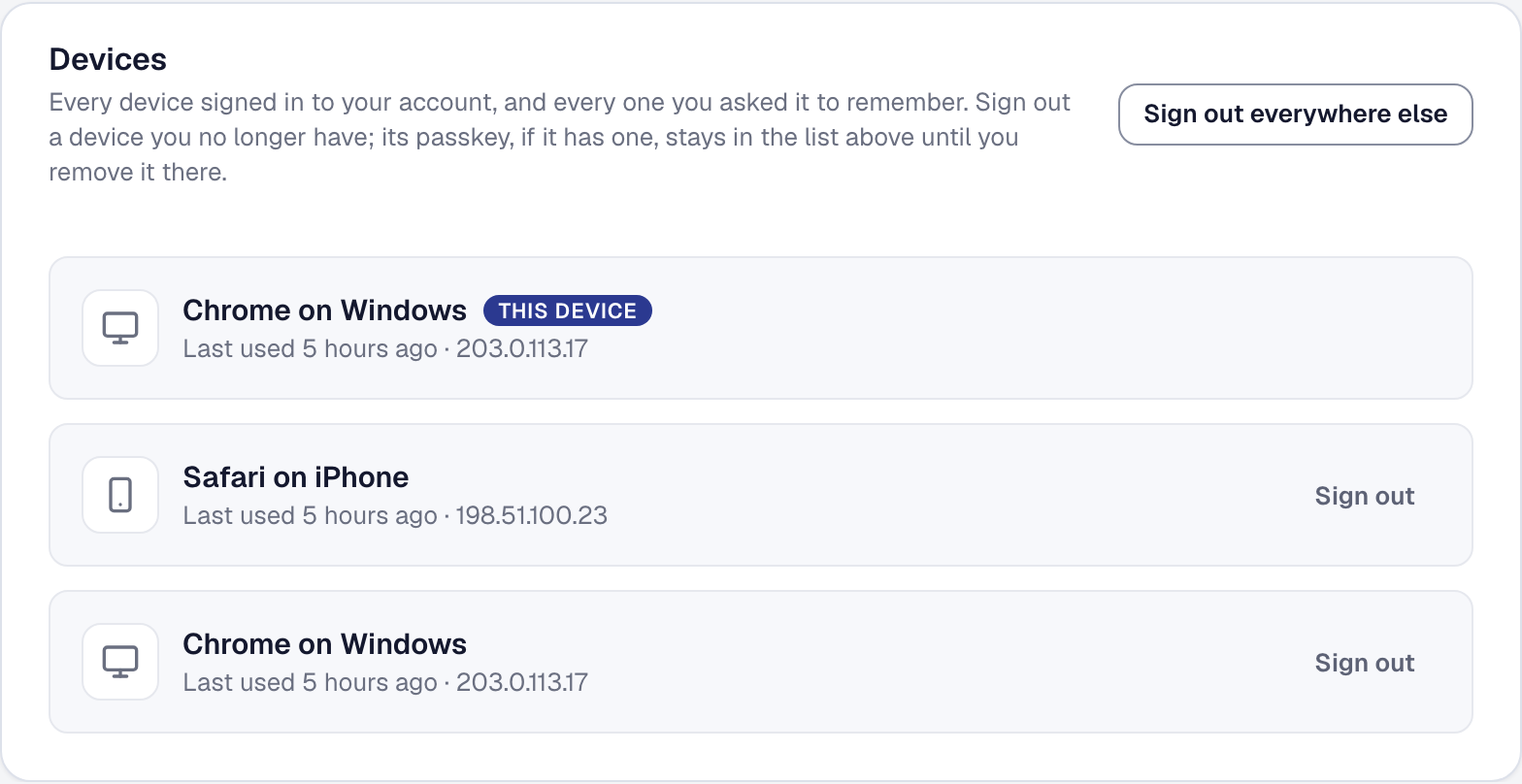
Once more than one person signs in to your business, three questions come up: where am I signed in, would I know if somebody else was, and can I make everybody use a second factor. This is the answer to all three.
See where you are signed in
Your Security page lists every device holding a session — the office computer, your phone, the tablet left in the van — with when each was last used. It shows the five most recent, this one among them; Show all lists the rest.
Sign out one of them, or sign out everything else at once.
A lost phone is a row to remove, not a password to change. That is the point of this list: the narrow, immediate fix, without disrupting everybody else.
Get told when a new device signs in
The moment your account signs in from a device it has not seen before, you get an email: the device, when it happened, how it signed in — your password, your Google account, a passkey — the IP address it came from, and what to do if it was not you. The address is not looked up to name a place. Your own device can read as new too, after you clear your browser’s cookies or after a week away; the email says so.
There is nothing to configure. It is on, for every account, always — because it is the one warning a compromised account gets while there is still time to act on it.
Require a second factor across the business
An owner can require that everyone in this business signs in with a second factor, or the stronger version: with an authenticator app or a passkey.
Somebody who has not met the requirement signs in and reaches a wall that opens their Security page and nothing else, until they have set one up. They are not locked out; they are pointed at the one thing they need to do.
On Scale, somebody who signs in through your company’s Microsoft 365 or Google Workspace meets it at either strength: the company’s own sign-in is where their two-step lives.
Turning the requirement on emails everybody who does not meet it, once, saying what is required and how to set it up. After that the owner can send a reminder from a person’s row. A reply to either comes to the owner, because the question is about your business’s rule. Lowering the requirement or removing it emails nobody: removing it lifts every wall, and lowering it lifts the wall of everyone who meets the weaker version.
The owner can see who has met the requirement and who has not, so it is a list to work through rather than a policy you hope took effect.
What to do if something looks wrong
If you get a new-device email you do not recognize:
- Sign out everywhere else from your Security page.
- Change your password.
- Turn on a second factor if you had not already — see Signing in.
In that order. Signing the other sessions out first stops whoever it was from continuing while you do the rest.
This page describes Sign-In Security — Signed-In Devices, New-Device Alerts and an Org-Wide Requirement. It is written from that feature’s record and covers what has shipped, never what is planned.