Your books in QuickBooks or Xero, kept up to date — and refunds and payouts recorded
Connect QuickBooks Online or Xero and your invoices, payments, refunds, costs and payouts are sent as they change. On every plan, refund a card payment and see each payout.
Your bookkeeper no longer has to wait for a quarter’s files. Accounting sync connects your QuickBooks Online company or Xero organization once, and from then on SMG Tools sends your records as they happen: a client as a customer, a Price Book item as a product or service, an invoice when you send it, a payment against its invoice, a refund, an expense with its vendor, income and tips, and each Stripe payout with the fees it carried.
Nothing is sent until you have said where it goes. The Accounts tab reads your ledger’s own chart and fills in an account for each kind of record from the names — check them, change any, and confirm. You also choose the first day to send, today unless you pick another, so whatever your bookkeeper already imported or typed in is not sent twice; a customer or invoice already in the ledger is linked rather than added again.
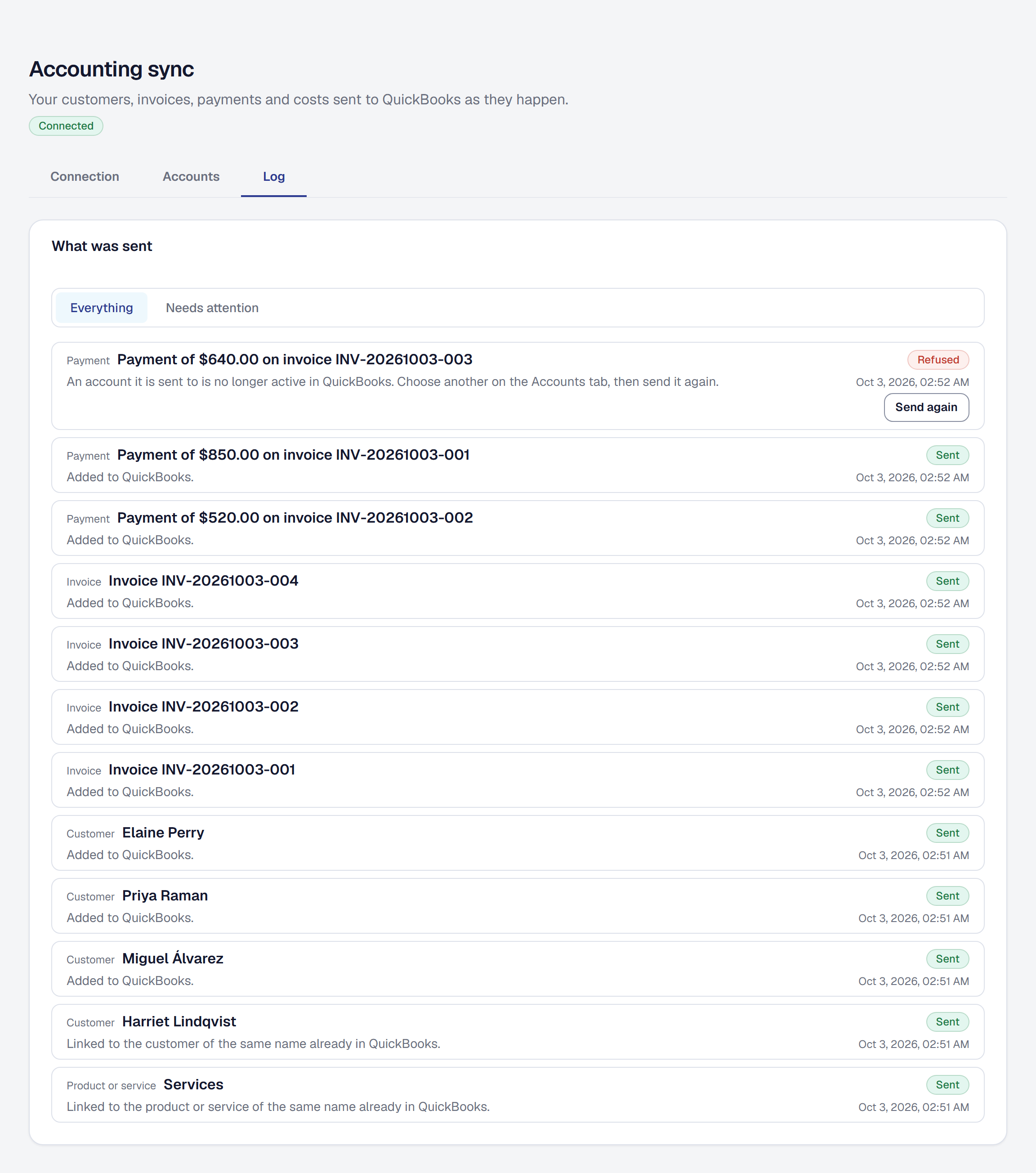
The Log tab shows every record sent and what the ledger answered, in plain words. A record the ledger refuses says why and holds nothing else up, and Send again sends it once you have fixed the cause. A ledger that is briefly down is tried again on a schedule, and one whose sign-in lapses tells you once and sends what waited when you reconnect. Accounting sync is on Professional, United States companies only. The QuickBooks export stays on every plan for whoever would rather have the files.
It rests on two things the product now records for every business on every plan. Refunds: the Owner refunds a card payment, in full or in part, from its invoice. The invoice stays paid and reads Refunded or Partly refunded, nothing starts chasing your client again, and your revenue counts the refund out on the day it was made. Payouts: under Organization → Payments, every payout Stripe sends to your bank, newest first, with the day it arrives, the payments it carried by invoice number, and the fees. Each card payment’s invoice shows what was taken from it and what reached you.
How it works is on the help page. What a connected ledger shares is in the Privacy Policy, section 4.19, and the terms of the connection, refunds and payouts in the Terms of Use, sections 5 and 8.14.