Every supplier bill checked before it is paid
Keep your suppliers and their prices, send purchase orders, receive what comes, and check every supplier bill against what was ordered and what arrived before it is paid. On every plan.
The supply house bills twelve valves when ten came, at a price nobody agreed, and the bill is paid because nobody had the order in front of them. A job’s parts are bought and never reach its cost. Now the order, what arrived and the bill are one record, checked against each other.
Your suppliers, and what each charges you. Each supplier’s part numbers, packs and prices sit on your Price Book’s items; bring in a supplier’s price list in one go. A vendor on an expense or the bank feed is joined to its supplier.
Orders, by hand or from what is short. Write one, or draft it from a van’s restock list, a job’s materials list or a technician’s request — one per supplier, in their packs. Email it as a PDF or mark it sent. Over the amount you set, it waits for your approval; a technician at a supplier’s counter can order within a limit you set.
What comes in. Receive it line by line — substitutes, extras, serials, backorders with their new dates — and a job’s parts are the job’s the moment they arrive. A pick-up is received from the technician’s day.
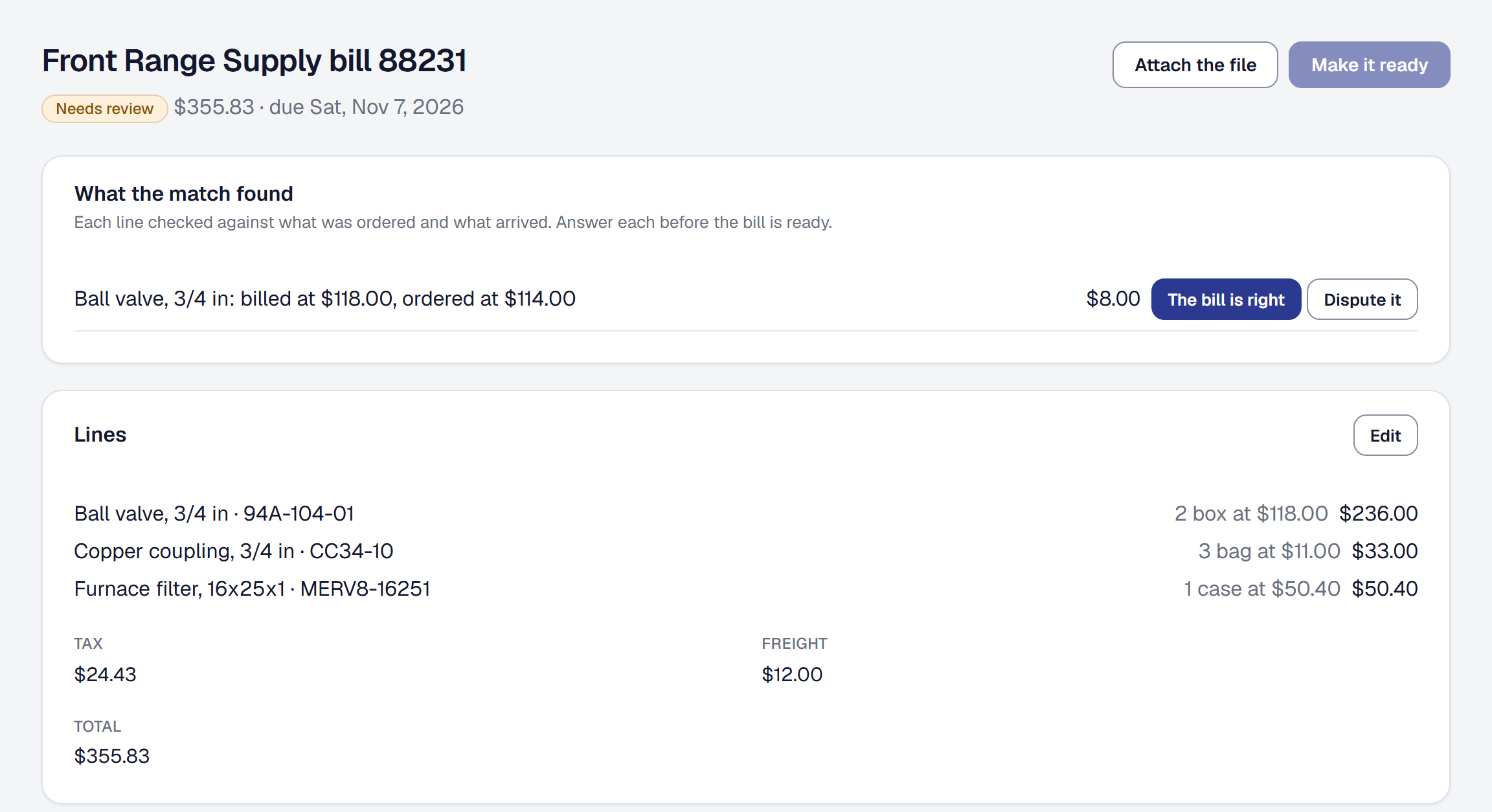
Every bill, matched three ways. Enter it against its orders, or on Professional read it from a photo or PDF, and each line is checked against what was ordered and what came; every difference is answered before the bill is ready. Ready, it is the expense, its jobs’ parts at the price billed, and its items’ costs follow it unless you pin them.
Paid, owed and sent back. Mark it paid, or match the bank payment that paid it; see what you owe by supplier and by due date. Returns, warranty claims, cores and credits each have their record, and what each supplier owes you.
And the rest of the day. Find a time waits for a job’s parts on order; the assistant drafts an order for you to send; and on Professional, with the accounting push on, ready bills, their payments and credits reach QuickBooks Online or Xero.
Purchasing is on every plan; reading a bill from a photo or PDF and sending bills to your books are on Professional.