Know the weather before the crew drives out
Google's forecast on every outdoor visit, rules for what each kind of work can stand, the visits at risk flagged with why — and a clearer day found and moved to in a few clicks, the client told why.
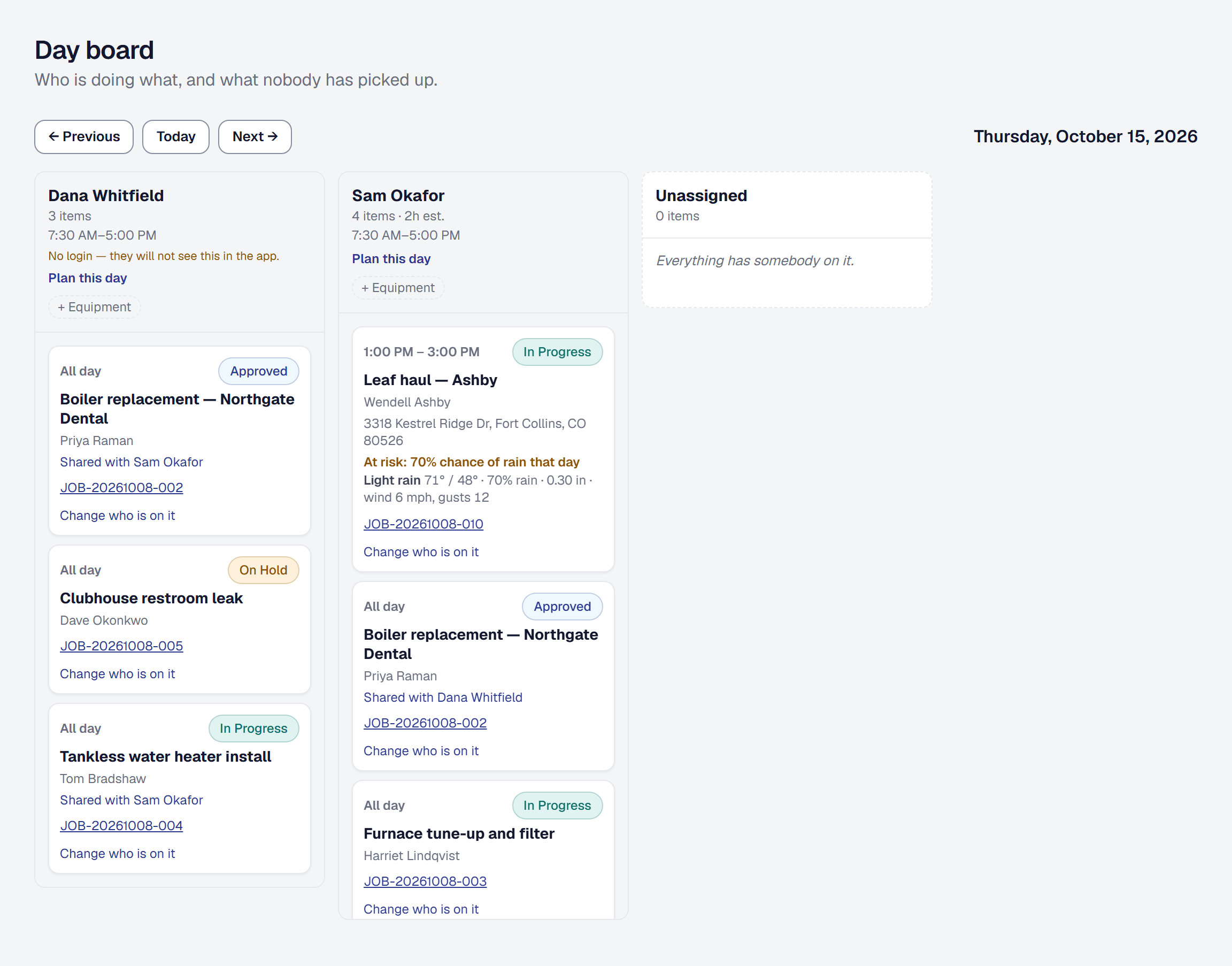
Somebody checks the forecast on Sunday night, notices on Wednesday that Thursday now says seventy percent rain, and spends the evening calling customers. Now every outdoor visit carries its own forecast, and the ones the weather puts at risk say so.
- The forecast where you already look. Each visit in the next ten days shows Google’s forecast for its own hours — the high and low, the rain, the wind — on the Day Board, the calendar, the job and the crew’s My Day.
- Rules that belong to the work. Say what each kind of work can stand: a chance or amount of rain, wind, too cold or too hot, a freeze the night after, hours that must stay dry. The landscaping, pest control and cleaning kits bring rules for their outdoor work.
- At risk, with the reason. A visit whose forecast breaks its rules is flagged — 70% chance of rain 2–4 PM — and the office’s For you gathers the week’s. Go ahead anyway, or…
- …a clearer day, found for you. The days the weather allows, with who is free and what the move costs; choose one and the visit moves, the job records why, and the client’s text and email say it was the weather.
- What weather costs. Reports shows each month’s weather moves, the hours left idle and the revenue pushed later.
Weather is on Professional. Add it from the Tools page — see Weather.