Where your profit comes from
Your finished work grouped by how each customer first came in — referrals, your public page, Angi — with what each source earned, what it cost and what it kept after marketing. On every plan.
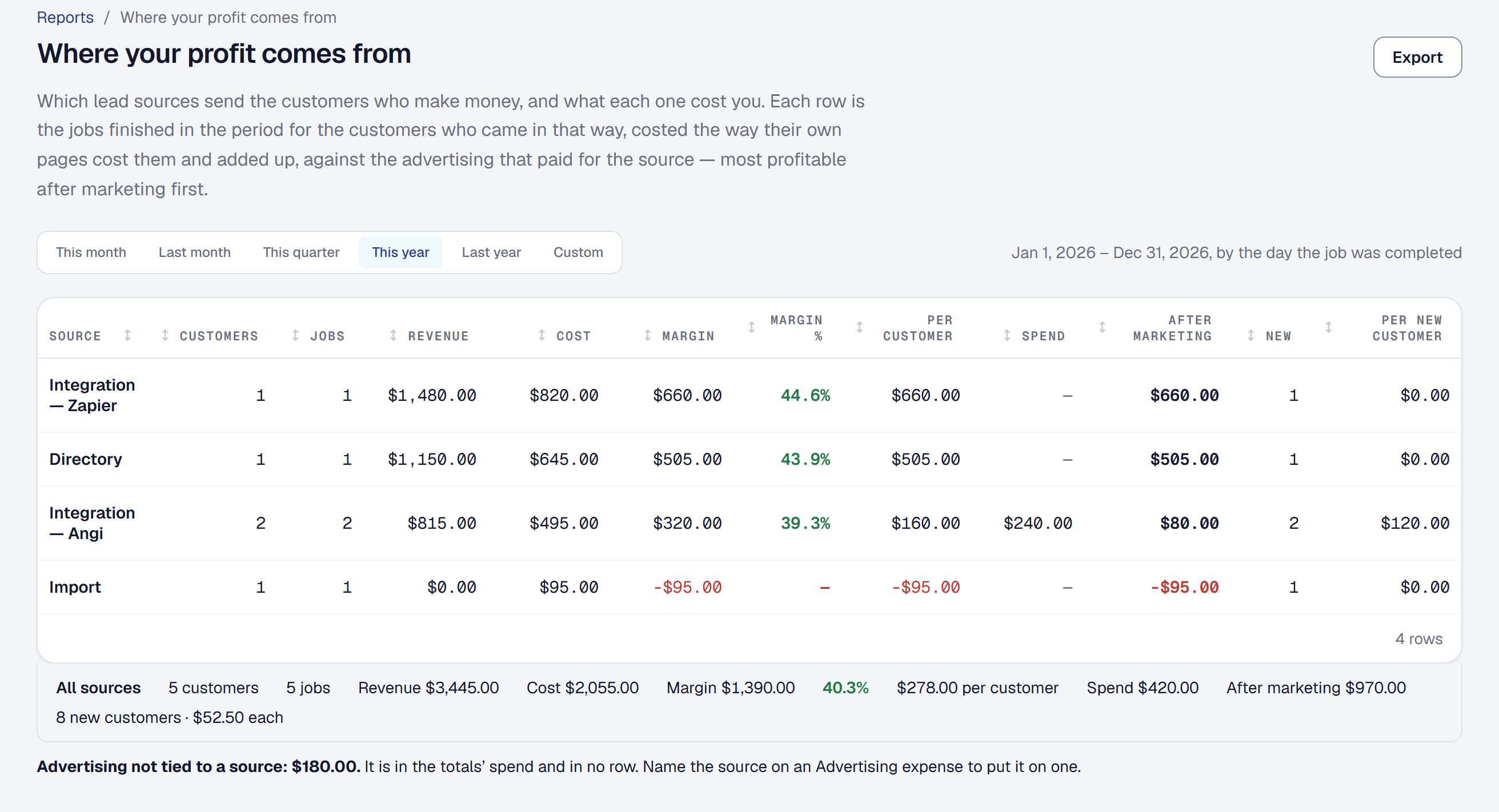
The Leads page has always said how many leads each source sends. What it could not say is which source sends the customers who make you money. A source sending twenty leads a month of small, thin jobs can be worth less than one sending three good ones — and a paid source can lose money once its bill is set against what its customers earned.
Where your profit comes from. Reports → Where your profit comes from takes the jobs you finished in a period and groups them by how each customer first came in: your public page, a referral, the directory, a phone call, an online booking, an import, or the office typing them in. Each row says how many customers and jobs, the revenue, the cost, the margin and the margin per customer — the column that compares a source of many small jobs with one of a few big ones. Every figure is the one each job’s own page shows, added up, and clicking a row opens those jobs.
Integrations by name. Leads from Angi, Thumbtack or anything you connect through Zapier each get their own row — Integration — Angi — because whether a paid service is worth it is usually the question.
What each source cost you. Mark an Advertising expense with the source it paid for — Angi’s monthly bill, the yard signs, the directory listing — and the report sets it against that source: the margin after marketing, and what each new customer cost. A source you paid for that sent nothing still has a row, because it is the one most worth seeing. Advertising that names no source is shown as its own line.
Where you already look. The Leads page’s Where Leads Come From shows each source’s margin beside its leads, and links the report. On Professional you can ask the assistant: where do my best customers come from?, is Angi worth it?