Automations: switch on the follow-up you keep meaning to do
Seven ready-made automations with one toggle each, a history of what every rule did and did not do, and — for anything else — a rule you describe in a sentence and confirm.
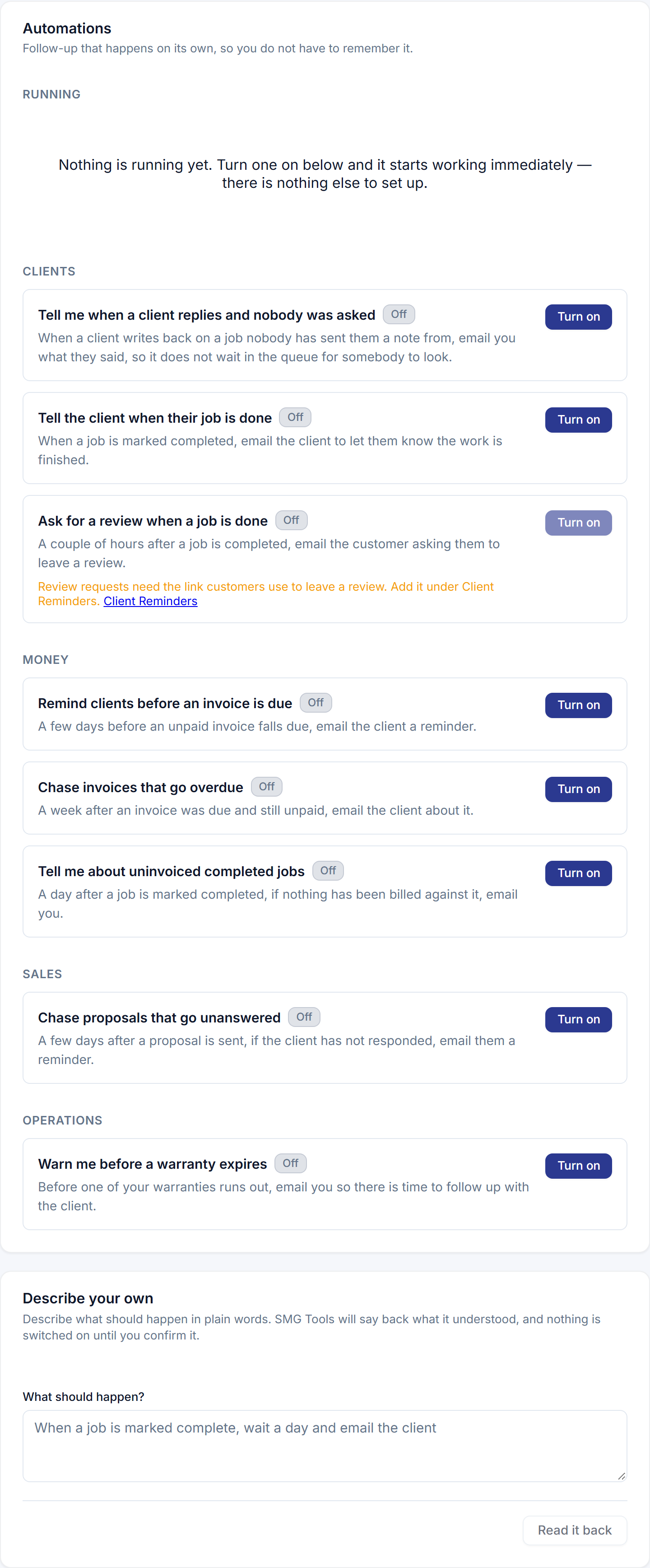
When something happens, if a condition holds, do something, optionally after a delay. Seven recipes ship: tell me about uninvoiced completed jobs; tell the client when their job is done; ask for a review when a job is done; chase proposals that go unanswered; remind clients before an invoice is due; chase invoices that go overdue; warn me before a warranty expires. Each is one toggle, with the delay and the wording editable in place.
Every rule keeps a history — acted, skipped, waiting, failed — in plain words: this job was already invoiced, client has opted out of texts, held until morning. An automation that silently does nothing is the failure the history exists to prevent.
For anything the list does not cover, describe it: when a job is marked complete, wait a day and email the client. The rule is read back as the product understood it, and nothing is saved until you agree. Consent, opt-outs and quiet hours apply to every send, always.
The proposal follow-up, invoice reminders and warranty reminder that have run since March now run as rules here, with the same timing, so exactly one thing sends each message.