Book a visit — from your page, from a client's link, and over the phone
Publish what can be booked and when; a customer picks a time and it lands on your calendar with the client, job and lead already made — instantly, or held for your say-so.
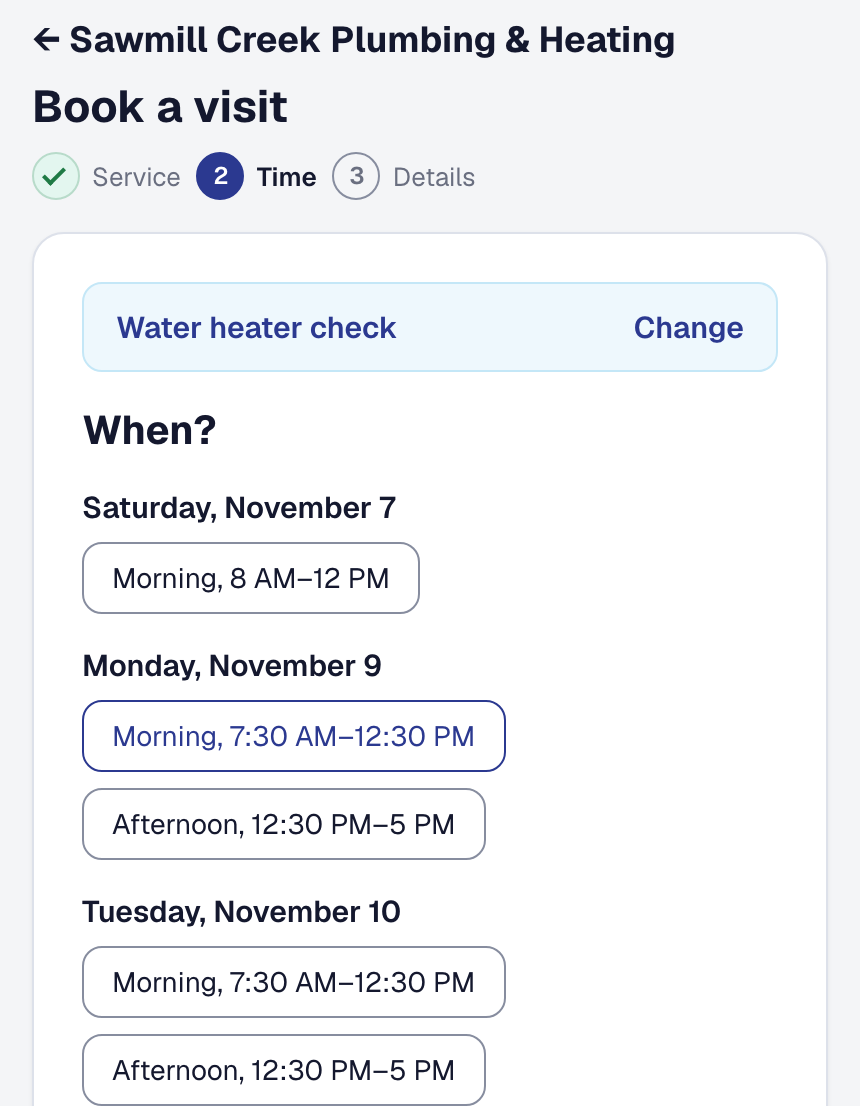
Say what a customer can book — each service with how long it takes, a price in your own words if you want one shown, and who does it — and when you take work: the mornings and afternoons, or exact times; how much notice you need; how far ahead; how many visits a window holds, or one per person. SMG Tools offers only what is actually free once everything already on your calendar is counted, and checks again the moment somebody books, so two people cannot take the last slot.
Three doors, one calendar. A stranger books from your public page. A past client books on the link they already hold, against their own record, and can move a visit themselves from the page they track it on. With the telephone assistant answering, a caller is offered the same next times and booked into the one they take — the assistant says a price only if you published it, and recognizes a returning client by their number if you leave that on.
Instant, or held. Set to Instant, the visit is on your day board the moment the customer confirms. Set to Hold, the time is reserved and the customer is told you will confirm; you confirm or decline in For you and they hear either way. A customer is never told “booked” for a time you have not agreed to.
A deposit, if you want one. A service can require your diagnostic fee to book. The customer sees the fee, your own deposit policy word for word, and that it is credited against the work, then pays on Stripe’s page while the time is held for them for fifteen minutes; the visit is made when the payment is. Nothing is refunded automatically — your policy is the policy. Booking is on every plan; the assistant’s booking is part of its add-on.