Send a note from the job. The reply lands on the job.
Write a note on a job and send it to your client by email or text. What they write back is filed on that job — and For you is one list of everything waiting on you.
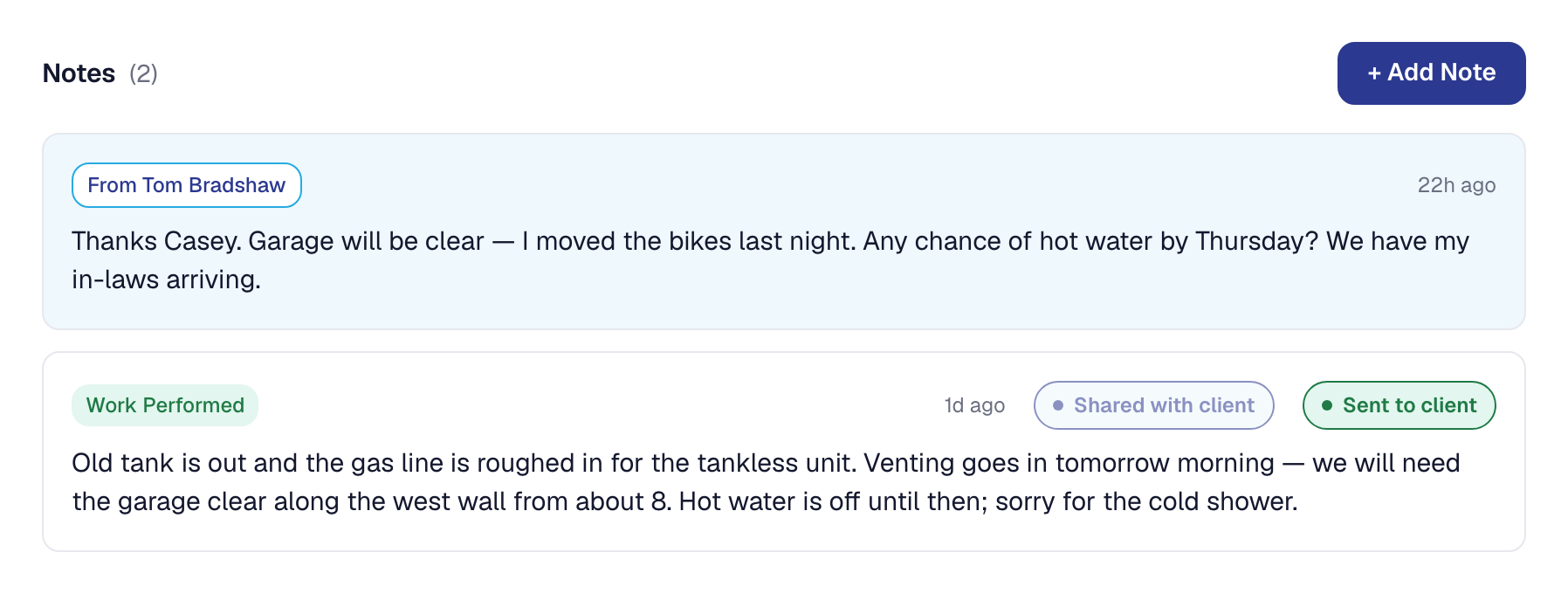
There has never been an inbox in SMG Tools, and there still isn’t one. What there is now is a way to tell your client something from the job you are telling them about, and a way for what they say back to land in the same place.
Sending a note
Open any job’s notes, press Send to client on the note you want them to read, and confirm. It goes by email, by text, or both — whichever that client has agreed to — with your business’s name, the job’s title, and the note. The text version fits in one message and carries a link to their hub, where the whole note is, before its STOP line — or no link, where none can be made. A client who has opted out of texts gets the email; a client with no email gets the text. The note is marked Sent to client with the channels it went by, and it cannot be sent twice.
Their reply
When the client texts back, the reply is filed on the job as a note from them — dated when it arrived, set apart from your own notes, never editable. It is addressed to whoever sent them the last note on that job, and that person is emailed: who replied, on which job, what they said, and where to read it. A client can answer on their hub too, where each job you have sent a note about now shows the conversation with a reply box beneath it.
If a reply arrives that we cannot place — a text about a job nobody has written to them from — it is filed on their most recent open job, or held for the office to file with one click.
@-mention a teammate
Typing @ in a note offers the people who can see that job. The person you name is emailed the
note with a link to it, and the note shows who has read it. Nothing about a mention widens what
anybody can see: you can only name someone who could already open the job.
For you
For you is a new entry in the console’s sidebar with a count on it: every note you were mentioned in and have not opened, every client reply on a job you can see that nobody has read, and — for the office — every held reply waiting to be filed. Each opens where it belongs — the job, or for a field worker their day — and reading it there clears it; a held reply is filed from the list itself. When the list is empty, it says so.
Replies and the For you list are on every plan. Sending by text rides the same plan texting always has; mentions need teammates, which is the Crew plan.
Later: from October 8, mentions come with the Scale plan’s teammates as well as Crew’s.