Show your client the finished job before it starts
From a site walk's photo, Drafted for you draws the work finished, in the client's own room, to put on the proposal labeled as an AI concept.
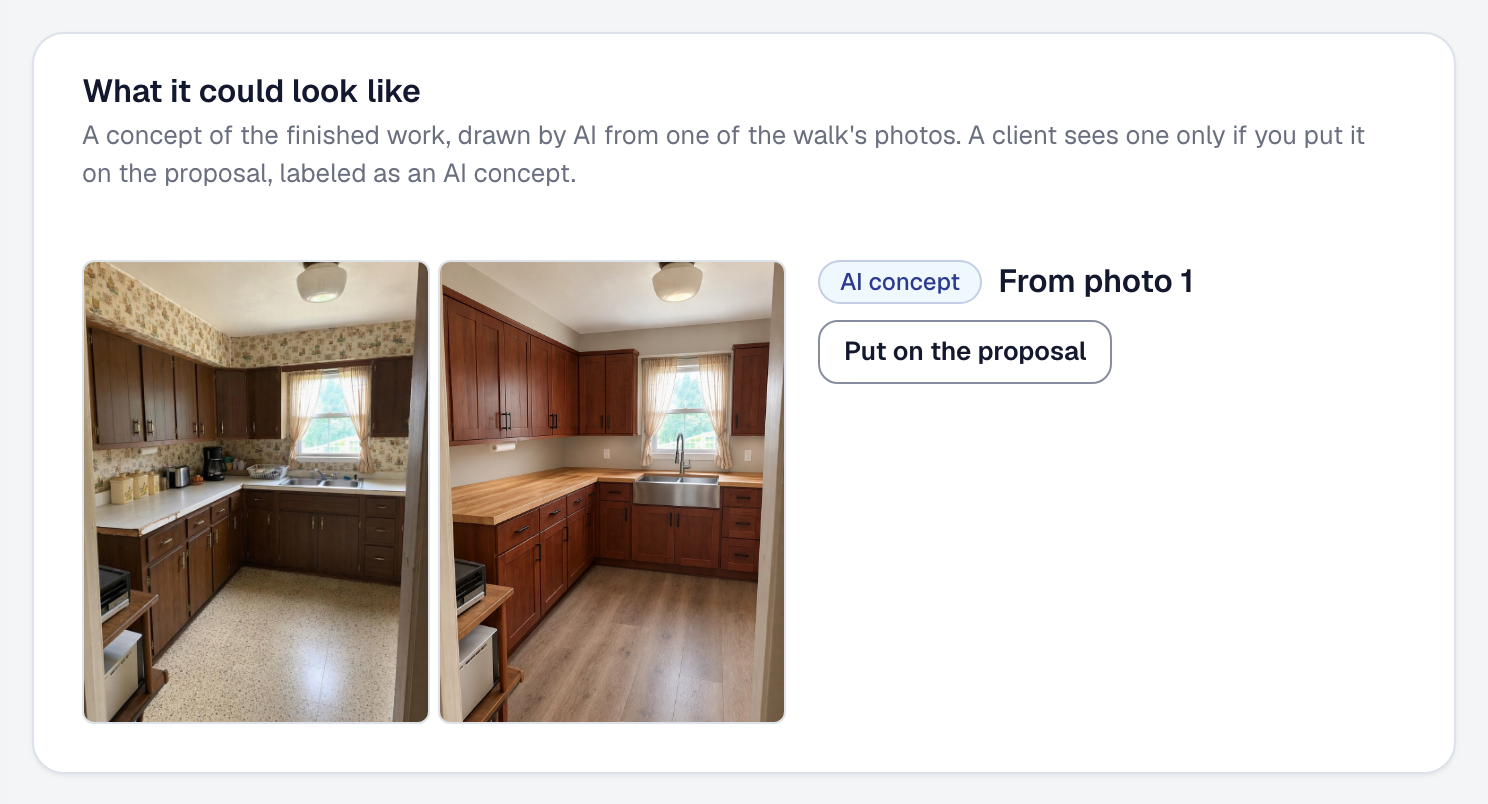
A client deciding on a remodel is picturing a room that doesn’t exist yet. Now you can show them. On a drafted site walk, press Show what it could look like, and the photo that best shows the work is redrawn as the job finished: the same room, from the same spot, in the same light, with what the walk said is changing — the new cabinets, the counters, the sink, the floor, the paint. Everything the work doesn’t touch stays as it is.
It takes about half a minute, and you can leave the page while it draws. Every one you make is kept with the walk, and you choose which goes on the proposal: there your client sees it under What it could look like, labeled as an AI concept made from a photo of their site, apart from the real photos. A client never sees one you didn’t choose.
The kitchen in the picture is a sample: a photo the image model drew, then redrawn finished. Concepts are part of Drafted for you on Professional, and each one uses some of your AI allowance: the page says how much before you press it. How to draw one and put it on a proposal is on the help page.