Where you're signed in, a note when a new device does, and a second factor for everyone
See every device holding your account and sign any out; an email the moment a device you've never used signs in; and, for the owner, a second factor — or a passkey — required of everyone.
Three things a business asks of its sign-in once more than one person has one. All of them are on every plan.
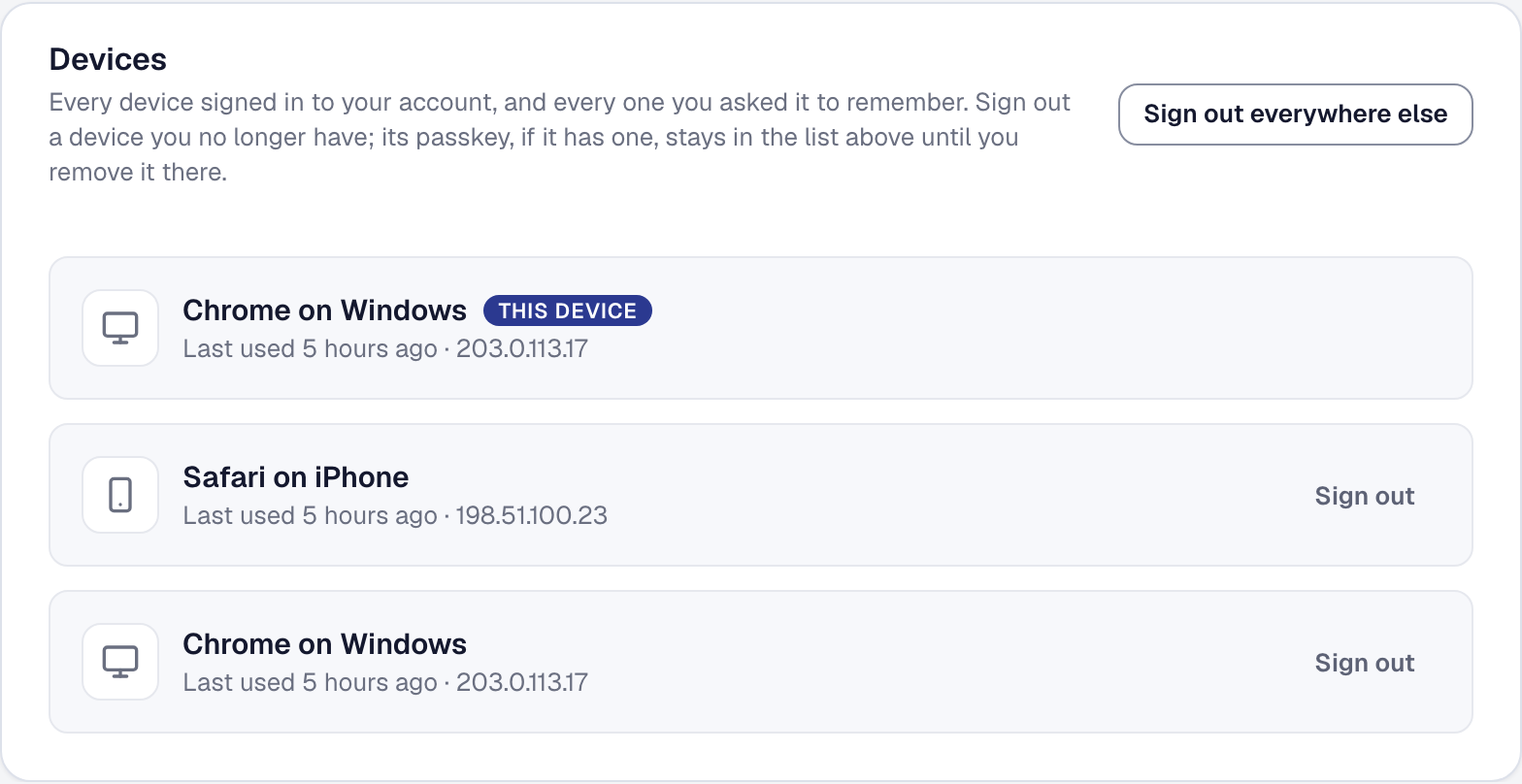
Where you’re signed in. Your Security page now lists every device holding a session on your account — the office computer, your phone, the tablet that lives in the van — with when each last used it and the address it came from. A device you no longer have is a row to sign out, not a password to change; Sign out everywhere else clears every device but the one in your hand. A device that was signed out is back at the sign-in page the next time it opens SMG Tools.
A note when a new device signs in. The moment your account signs in from a device it has not seen, you get an email: what the device is, when, from what address, and how it got in — your password, your Google account, a passkey. If it was you, there is nothing to do. If it wasn’t, the email’s button opens your Devices list so you can sign it out and change your password. The email says why it may have arrived when it was you — a week away, a cleared browser — and there is no setting to turn it off, because the one message that says somebody else is in your account is the first thing an intruder would switch off.
A second factor for everyone. If you own the business, Organization → Team has a Sign-in requirement: a second factor for everyone, or — stricter — an authenticator app or a passkey for everyone. Before you confirm, it tells you how many of your people don’t meet it yet. Each of them gets one email, and the next time they open SMG Tools they see one page explaining what the business needs, with Add a passkey front and center — a face or a fingerprint on the phone, about a minute — and the rest of the console waits until they have. The Team page shows who meets it and what each person holds, with a Remind for anyone who hasn’t got there. It applies to you too: you can’t switch it on until your own sign-in meets it.
What we keep about a device and what an owner can and cannot see is in the Privacy Policy, section 4.16.