A client replies and nobody was asked — now somebody is told
A new automation emails you, or a manager you choose, when a client writes back on a job nobody has written to them from — the reply that used to wait in a queue.
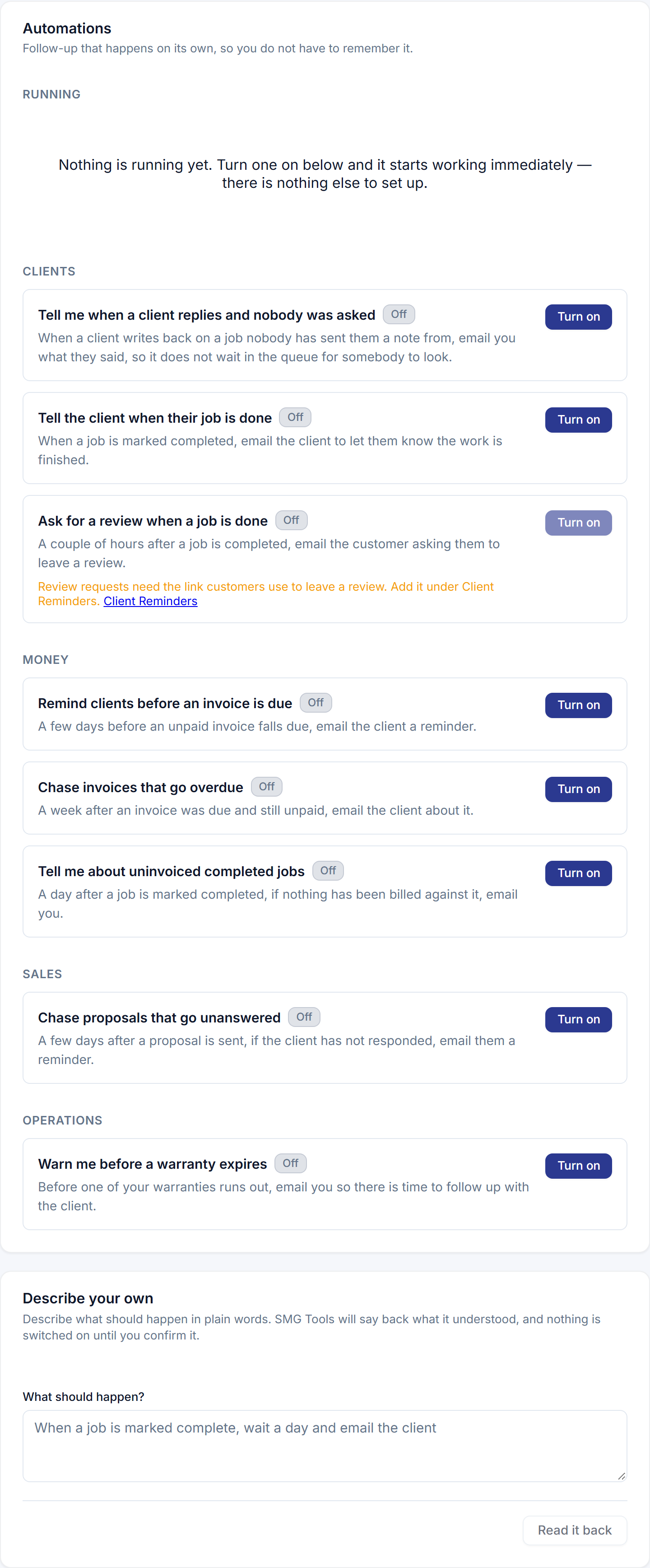
When a client answers a note you sent them, the reply lands on the job and the person who sent the note is emailed. That covers the reply somebody was waiting for. It never covered the other kind: the client who texts “are you still coming Tuesday?” about a job nobody has written to them from. That reply landed on their open job, addressed to nobody, and waited in For you until somebody happened to look.
The automation
Tell me when a client replies and nobody was asked is a new ready-made automation, on every plan, with one toggle and nothing to set up. Switch it on and a reply nobody was expecting reaches an inbox: who wrote back, on which job, what they said, and a link that opens the reply. A reply somebody was asked for — they sent the last note and have already been emailed — is recorded as a skip that names them, so the history says why nothing was sent rather than saying nothing. Three texts in a row are one email; the rest are on the job.
Or tell a manager
Press Adjust on the rule and pick who it tells: you, or any Manager of the business — the people who can see every job. A manager who leaves stops being told and you are told instead, and the history says so.
For rules you describe
A client replies on a job is also a trigger for the automations you describe in a sentence: when a client replies on a job with nobody assigned, email me now resolves, reads back, and fires. Choosing a person to tell stays on the ready-made rule’s row, on purpose.