When a client replies
A client's text or hub reply lands on their job as a note and reaches a person, rather than waiting in a queue nobody opened.
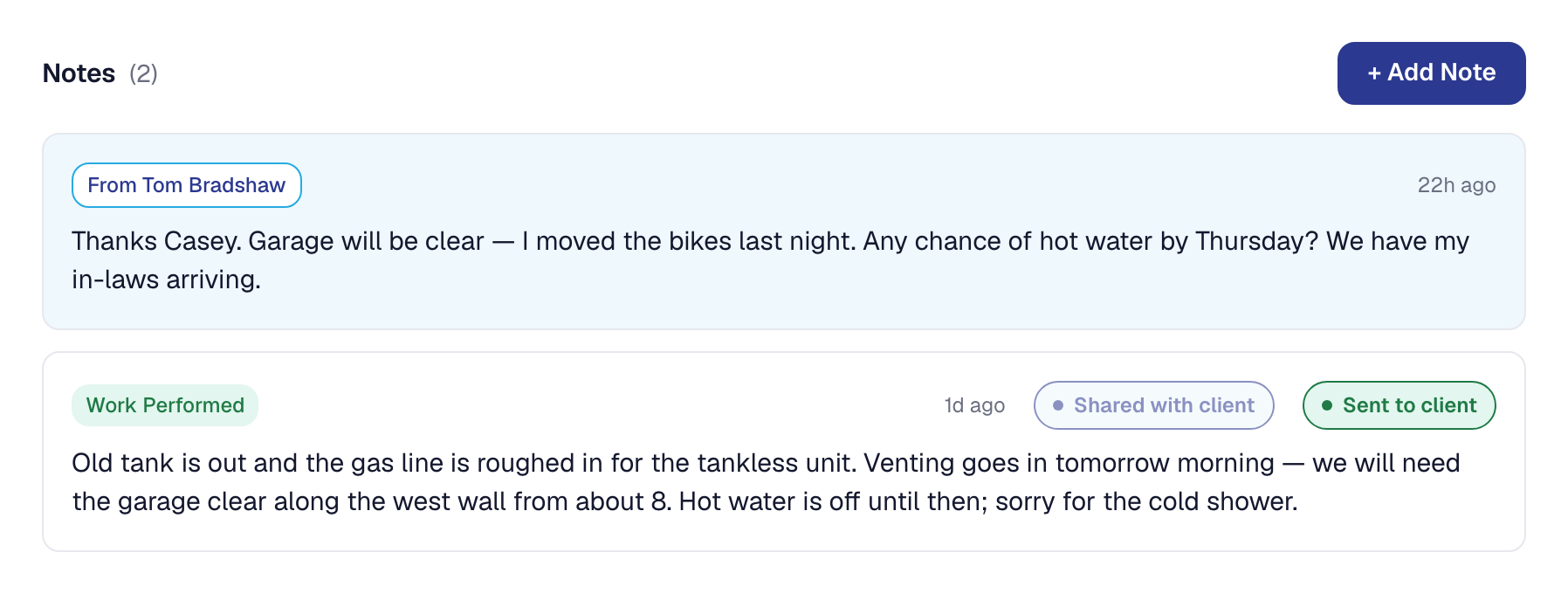
When a client texts you back, or types a reply on their own page, it lands on the job as a note from them. What this page is about is making sure somebody is actually told.
A reply to something you sent
If you sent your client a note from a job and they reply, the reply lands on that job, addressed to you — the person who wrote to them — and you get an email.
That is the straightforward case, and it works because the product knows who was expecting an answer.
A reply to nothing in particular
The harder case is the client who texts “are you still coming Tuesday?” about a job nobody has written to them from.
There is no conversation to attach it to, so it is filed on their most recent open job and addressed to nobody in particular. Without anything further, it would sit in the For you queue until somebody happened to look — which in a two-person business at four in the afternoon can easily be tomorrow.
A note your client writes on their hub is different: they chose the job, so it lands on that job, addressed to whoever last wrote to them on it — or, when nobody has, to the Owner, who gets the email. They can write about any of their open jobs, or one finished in the last ninety days — see Your client’s own page.
Make sure somebody hears about it
Turn on the automation for client replies and an unaddressed reply reaches a person instead of waiting to be found.
It is the same standing-instruction mechanism as everything else on Automations: something happened, nobody is going to notice on their own, so tell somebody.
Where replies live
Every reply, addressed or not, is on the job as a note and in that client’s communication history. Nothing depends on the notification having been seen — the record is complete either way, and the automation is about how quickly you find out.
This page describes Client Reply Trigger. It is written from that feature’s record and covers what has shipped, never what is planned.