Find anything: press Ctrl+K and type
One box from every page goes to any page, a tool's settings, or a client, job, proposal, invoice, lead or unit — only what your role can open. On every plan.
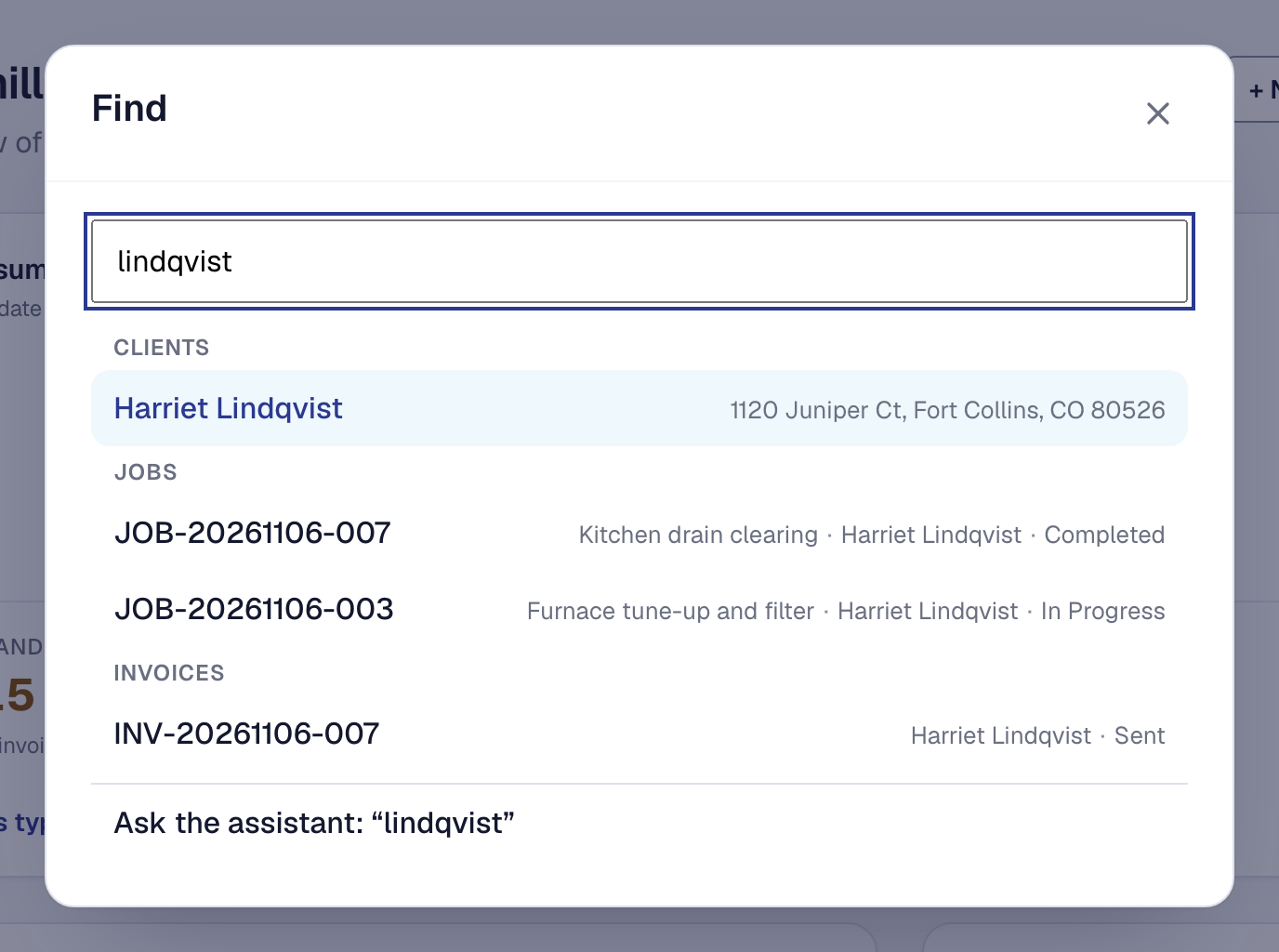
Getting to a setting meant going through the Tools page, and getting to a client meant opening the list and searching it. Now press Ctrl+K (⌘K on a Mac), choose Search at the top of the menu, or tap the magnifier on your phone, and type a few letters.
Find goes to pages, tools and each tool’s settings tab — type bookable and you are on Online booking’s Bookable services — and to your records: clients by name, address or a phone number however it was written, jobs by any part of their number or whose they are, invoices by your customer’s name, and leads, proposals and units too. Each result says which record it is and never what it is worth, and a kind with more than five opens its list already searched.
It only offers what you could already open: a dispatcher’s Find has no invoices, and a crew member’s has their day. With nothing typed, it shows the last five things you opened from it. What you type is not kept anywhere.
On Professional, the last row hands what you typed to the assistant, which is where Ctrl+K used to go. See Find anything.