Photo reports: your job's photos marked up, paired and sent as one document
Circle the crack, put the before beside the after, and send one branded report to your client, the adjuster or the inspector — with when each photo was taken and by whom. On every plan.
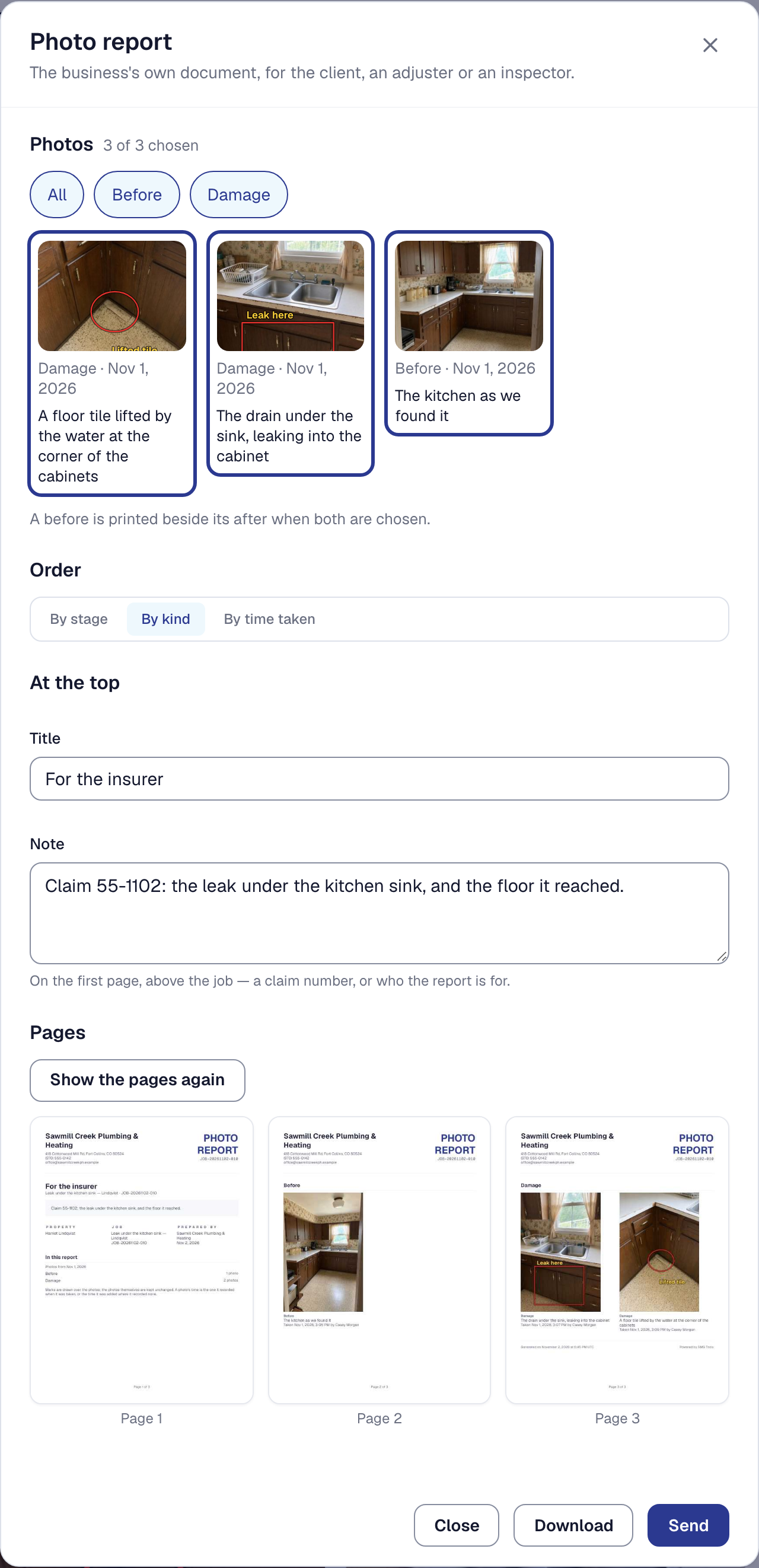
Your job’s photos can now say something to someone who was not there.
Mark up a photo with an arrow, a circle, a box, a line or a word, in red, yellow or white. The marks are drawn over the photo, never into it: Show original shows it without them, and they can be moved or taken off later. On Professional, type what to point at — circle the water stain, arrow to the cracked joist — and SMG Tools places the marks for you to move, keep or delete.
When it was taken, and by whom. A photo keeps the time it was taken, read from the picture on your phone before it is made smaller, and never where it was taken. Edit details corrects its type, its milestone or its note afterwards.
Pair a before with its after, and the two show side by side wherever they are shown — in the job, on your client’s page, and in a report. A change order carries the photos that justify it, and your client sees them on the page they approve it from.
Photo report, on the job’s photos, puts it together: the photos you choose — by kind, by milestone, the ones you shared, or one by one — in order by stage, kind or time; a checklist’s steps beside their photos and a change order beside its; a title and a note at the top, such as a claim number. Show the pages draws the report as it will print. Download it, or Send it to your client and to anyone else you name — the adjuster, the inspector, a head office. Each address gets its own email from your business with a link to the report, and the job keeps every report exactly as it was sent, with who sent it, to whom and when. A photo that could not be read is named before anything goes, never left out.
Photo reports are on every plan, Starter included. Marking a photo up from a description is on Professional.