Projects: a plan for a big job, stage by stage
Lay a remodel out as stages that hold their tasks and visits, schedule a whole stage at once, see its margin as it goes, and let the client follow along. AI drafts the plan on Professional.
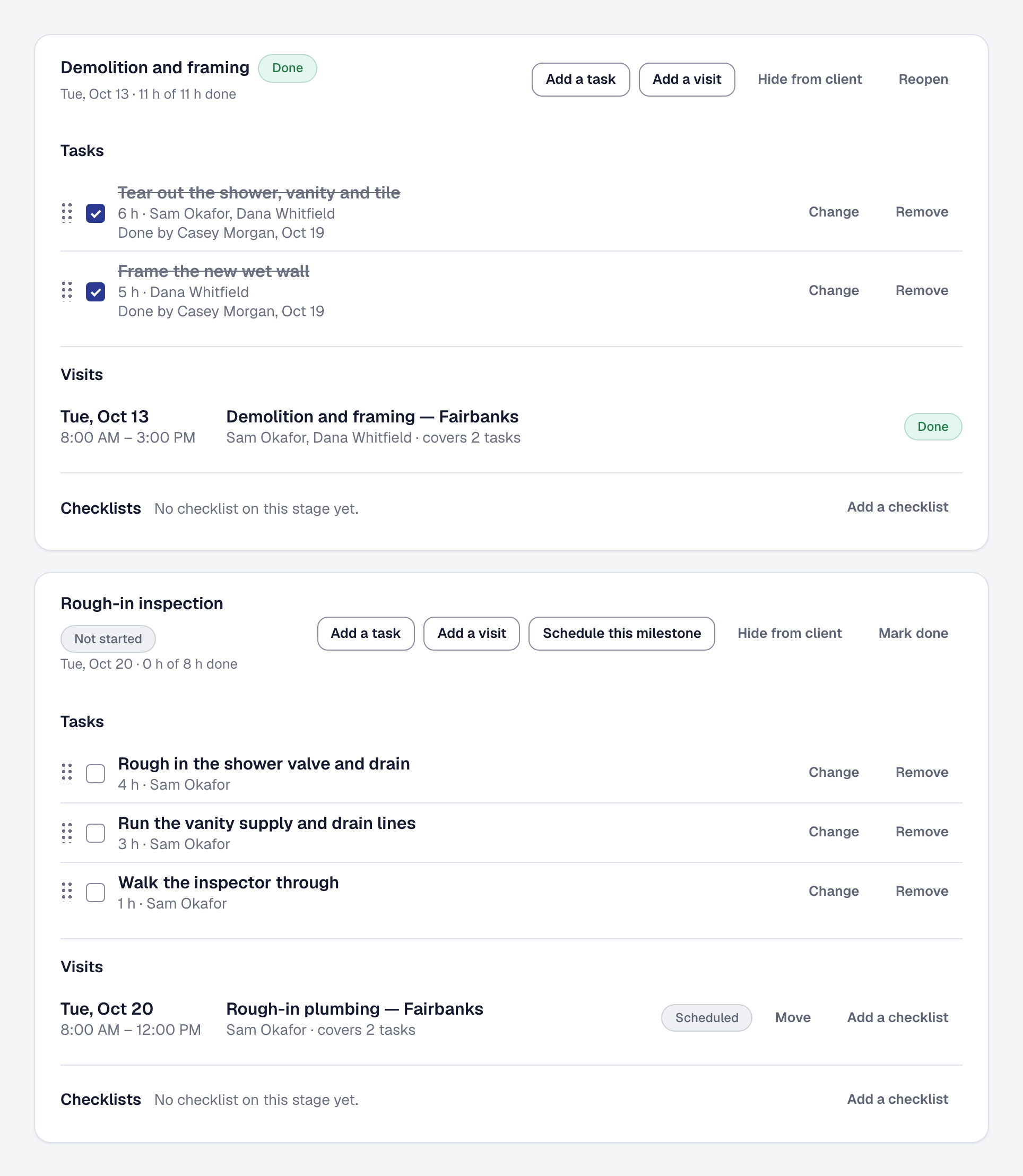
A remodel runs for weeks — demolition, rough-in, an inspection, finish — with different people on each stage and a payment due as each is done. Projects gives a job a plan: its stages in order, each holding the tasks and the visits for that part of the work, on the job’s new Plan tab.
Made, not typed. A plan is made from the proposal’s lines, a task each, from your job type’s template, or blank. On Professional, Draft the plan lays the whole job out for you — stages, the tasks covering every line sold with the skills and the crew each needs, and checklists from your own — and says where your past jobs of the type ran over: Rough-in ran 22% over on your last four Kitchen remodel jobs. Every hour comes from the lines and your templates, never the assistant, and nothing is saved until you save it.
A whole stage scheduled at once. Schedule this milestone proposes every visit a stage needs, as long as its tasks take and staffed by people with the skills, on days they are free — a run of visits for work longer than a day. Schedule it walks every stage in order. Saved crews put a whole crew on in one pick.
A stage finishes itself. When its tasks are ticked, its visits done and its checklists complete, the stage is done and its payment comes due. The crew sees today’s stage and its tasks on their phone and ticks them off.
The money, stage by stage. The job’s Financials show what each stage sold, what it was estimated to cost and what it has cost, with time, expenses, parts and orders landing on the stage they were for. Payments coming in, under Reports, shows what is expected the week each stage is planned to finish.
The client follows along. Their page shows the job stage by stage — the dates, the visits, what you have shared and their payments, never your tasks, hours or costs — and can tell them as each stage is done. A stage can be hidden from them.
Templates and kits. Save a plan as its job type’s template, and the next job of that type starts from it. New trade kits for remodeling, roofing, painting and handyman bring plan templates of their own.
Projects is a tool on every plan; add it on the Tools page. Drafting the plan with AI is on Professional.