Sales tax by the place the work is done, and what you owe each place
Your own sales tax rates, found by each job's ZIP code; tax on the taxable lines only; exempt clients; sales tax kept out of your revenue; and a report of what you owe each state, county and city.
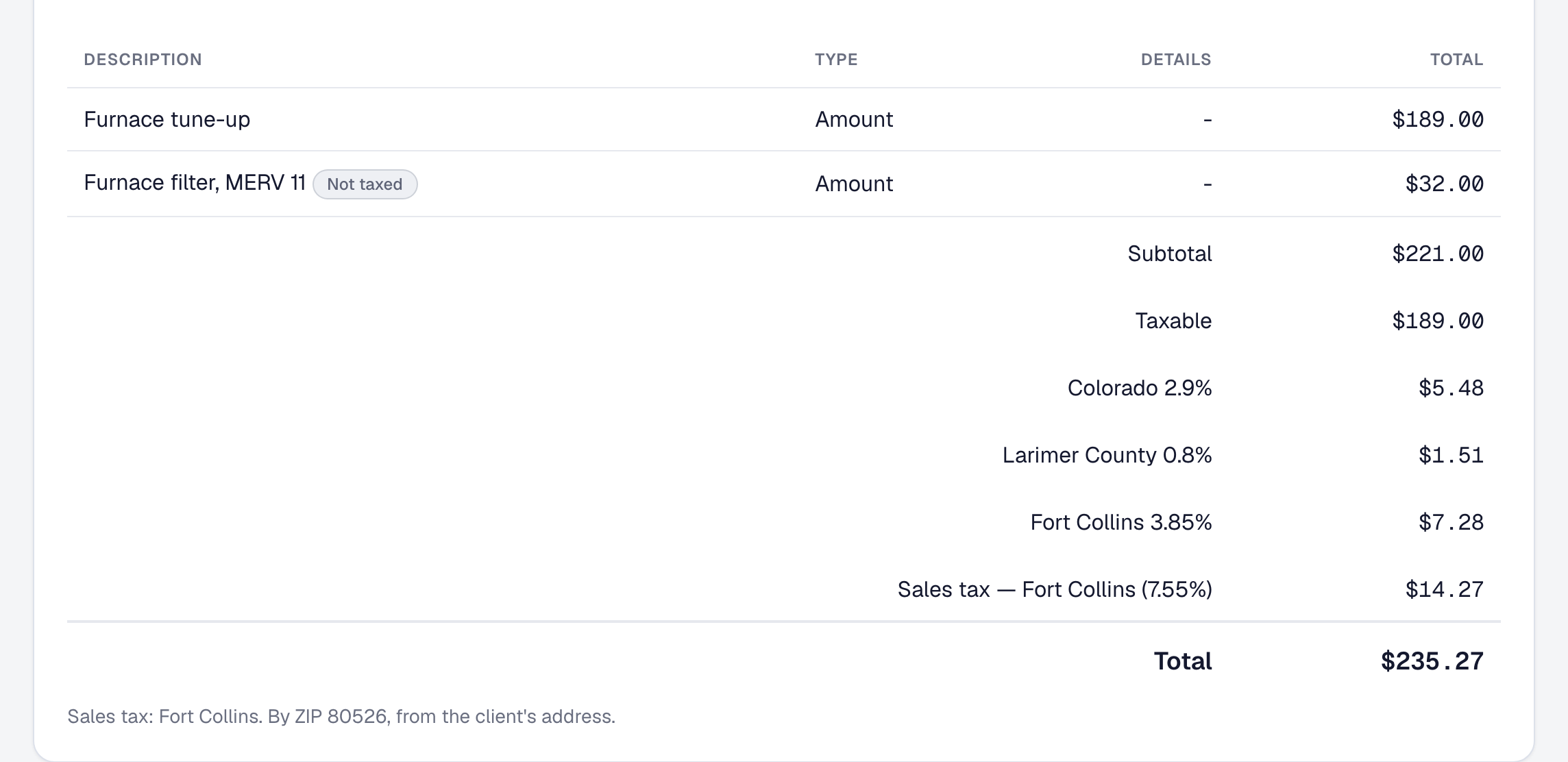
An invoice used to carry one rate, typed by hand and charged on every line. That is not how sales tax works for a pest-control, lawn-care or HVAC business in a state that taxes services, and now it is not how SMG Tools works either.
Your rates, found by address. Under Invoices → Sales tax, write each rate you registered to collect as its parts — the state’s, the county’s, the city’s — and the ZIP codes it applies in. A job takes the rate listing the ZIP of the place the work is done, or your default, and its page says which and why. A ZIP that crosses a city line is a rate chosen by hand, with the reason.
Tax on the taxable lines. Each invoice copies its rate and keeps it. Tax is charged only on the lines that are taxable, each place’s part to the cent, and a job billed in parts is taxed once on its whole. The invoice, its PDF and your client’s page name the rate and its parts, and mark the lines that were not taxed.
Exempt clients. A nonprofit, a government office or a business buying for resale is marked exempt with its certificate. Their new invoices carry no tax and name the certificate, until it expires.
Your revenue, without the state’s money. Each payment is split into the tax it carried and your part. Your revenue, your margins and your tax set-aside count only your part, and the Tax Summary shows the sales tax you collected on its own.
What you owe where. Reports → Sales tax shows each place you collect for: what you sold there, the tax you billed and collected, what you paid, and what is still owed, on the basis you file on. Record each remittance as you pay it, export the report, or ask the assistant how much sales tax do I owe? The figures are your own records. SMG Tools does not file returns or pay anybody, and it is all on every plan.