Say it once: a new customer, or the end of a job, in one go
Say everything at once — a new customer, their job and a visit, or how a job went — and check a form for each step before anything is saved. Your crew can wrap up their visits too.
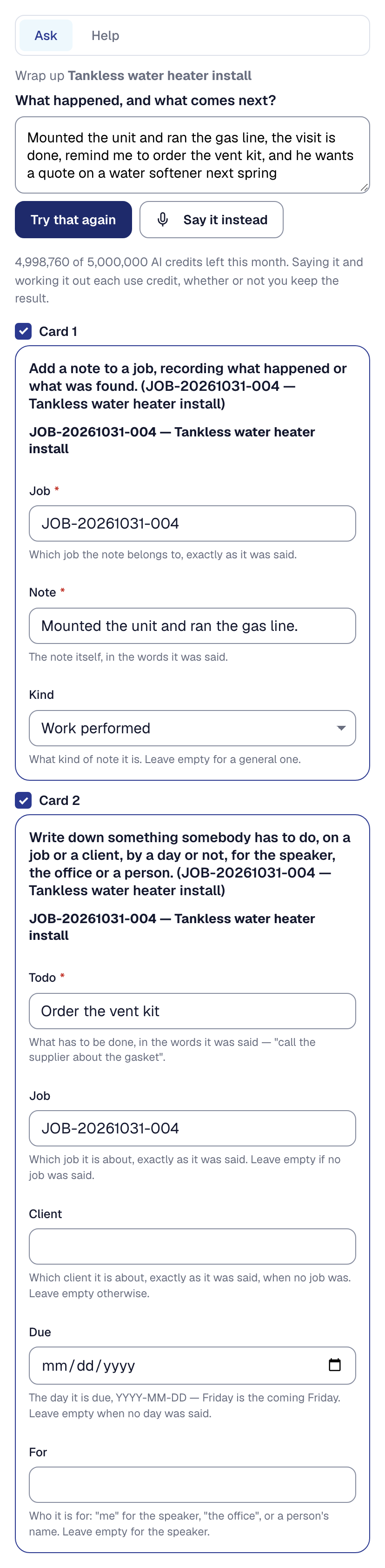
The assistant now takes everything you mean in one go. “Add Laura Chen, make a job for her bathroom remodel, and remind me to call her about the tile” lays out three forms — the client, a job for the client card 1 makes, and a to-do on the job card 2 makes — each filled in from what you said and each yours to correct or untick. Save saves them in order, and each says what it became, with a link.
At the end of a job, press Wrap up on it and say what happened: “Mounted the unit and ran the gas line, the visit is done, remind me to order the vent kit, and he wants a quote on a water softener next spring.” That becomes a note on the job, a to-do, future work for March and the visit marked done, in the order the paperwork goes. A wrap-up can be up to two minutes long, and can draft the invoice — never send it. A job is only marked finished when you say so, and not while its checklist has a required step left.
Nothing is saved until you have checked it, and nothing is sent to your customer. Working it out uses your AI allowance once, however many forms it lays out; saving is free.
To-dos and future work are new too, on every plan. A to-do sits on a job or a client, for you, the office or one person, and waits in For you on its day. Future work is what a client will want later — the second zone, the softener — due in For you in its month, where Start a proposal quotes it.
On Crew and Scale, your crew can wrap up their own visits: their note, their parts, the return visit as a to-do for the office, and their visit done — never time, money or an invoice. It spends your AI allowance, so it is yours to turn off, on the Assistant tool’s Settings tab. Saying it once is on Professional, Crew and Scale.