The job, client and worker pages, regrouped
Each record page is grouped by the question you bring to it: a job's visits in one panel and its money on Financials, a client's work on their page, a worker's pay on a tab.
The job, client and worker pages grew a panel at a time. Each panel made sense on its own, but together they answered one question in several places. A job’s visits sat in five spots and its money across four tabs. The client page was twenty-two panels in one column without one of the client’s jobs. Now each page is grouped by the question you bring to it. Nothing was taken away: every panel is still there, moved or merged, and seen by the same people.
A job. Its Visits panel is its schedule in one place. Each visit shows its people, its status, who arrived and, where the forecast reaches, the weather. Find a time opens inside the panel, and the schedule history sits at its foot. People shows who is on the job, the skills it needs and who assigned it. Its progress shows once, in the milestones. Financials holds all of its money, in order: the payment schedule, the invoices with what is left to bill, change orders, income, costing and estimates. With Margin Intelligence on, its panels are there too, so the Intelligence tab is gone. The Work tab groups what was done. There is one Equipment panel. There is one Parts and materials panel, with what the job needed, what is ordered and what was used.
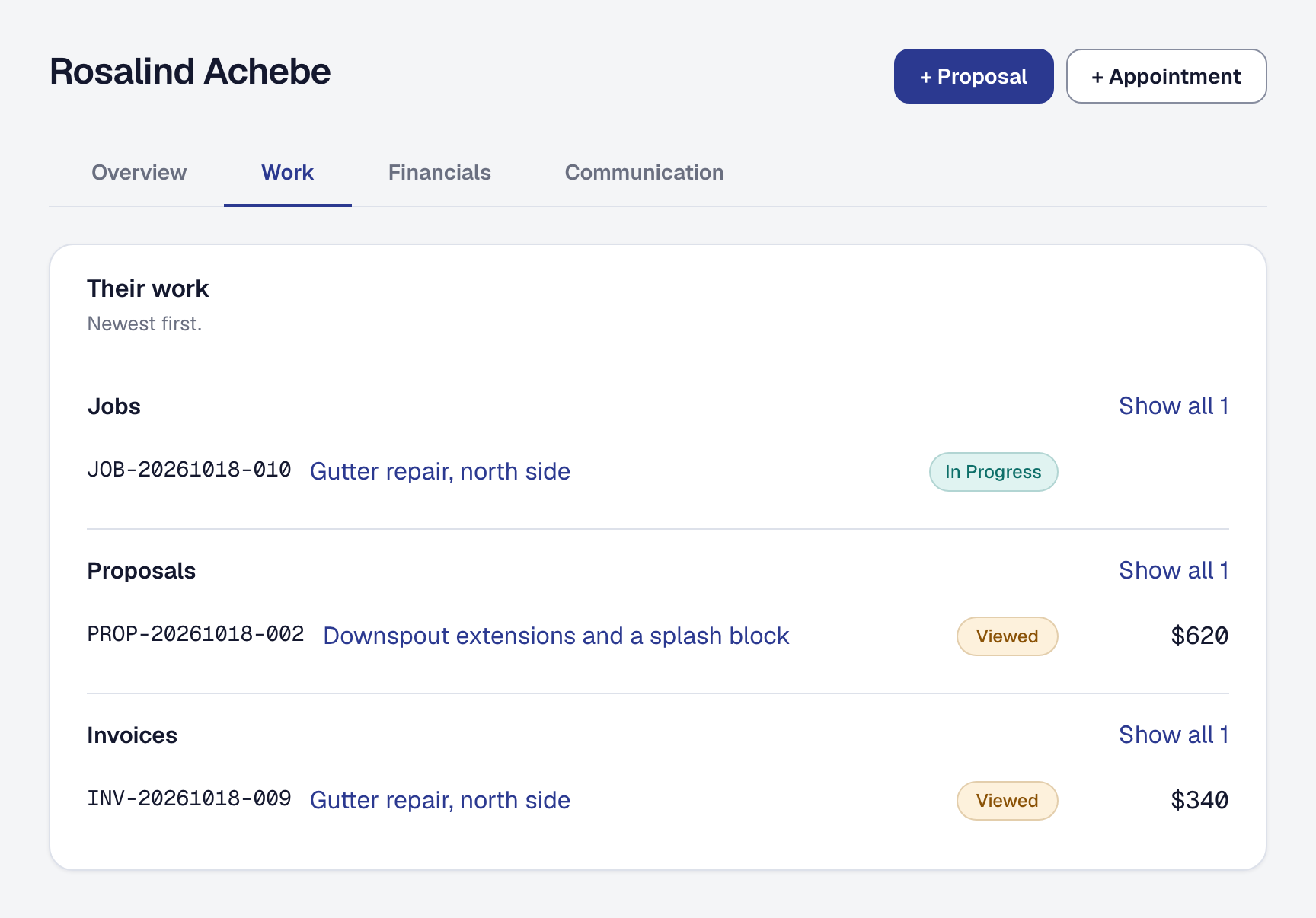
A client has four tabs: Overview, Work, Financials and Communication. Their Work tab lists their jobs, proposals and invoices, newest first, each a link with its status and amount. Show all opens the full list filtered to them. The address sits with their contact details. Their referral, request and hub links are one Links panel.
A worker has three tabs. Profile is who they are, with their engagement type and its change in the overview. Schedule is their hours, time away, skills, territory and the work they hold. Pay is their financial profile, pay rules, cards and the hours they logged on each job.
Quieter and quicker. A record’s Created and Last changed dates are now in its Change history, which says both while it is closed. A panel with nothing in it takes one line, with its add button beside it. A tab loads the first time you open it, so opening a job asks for about a third of what it did, and clicking quickly through a morning’s jobs is no longer turned away for going too fast.
Nothing to switch on: these are the pages, on every plan.