Tax reporting
A tax summary in Schedule C categories, a set-aside figure for quarterly payments, and the 1099 totals for your subcontractors.
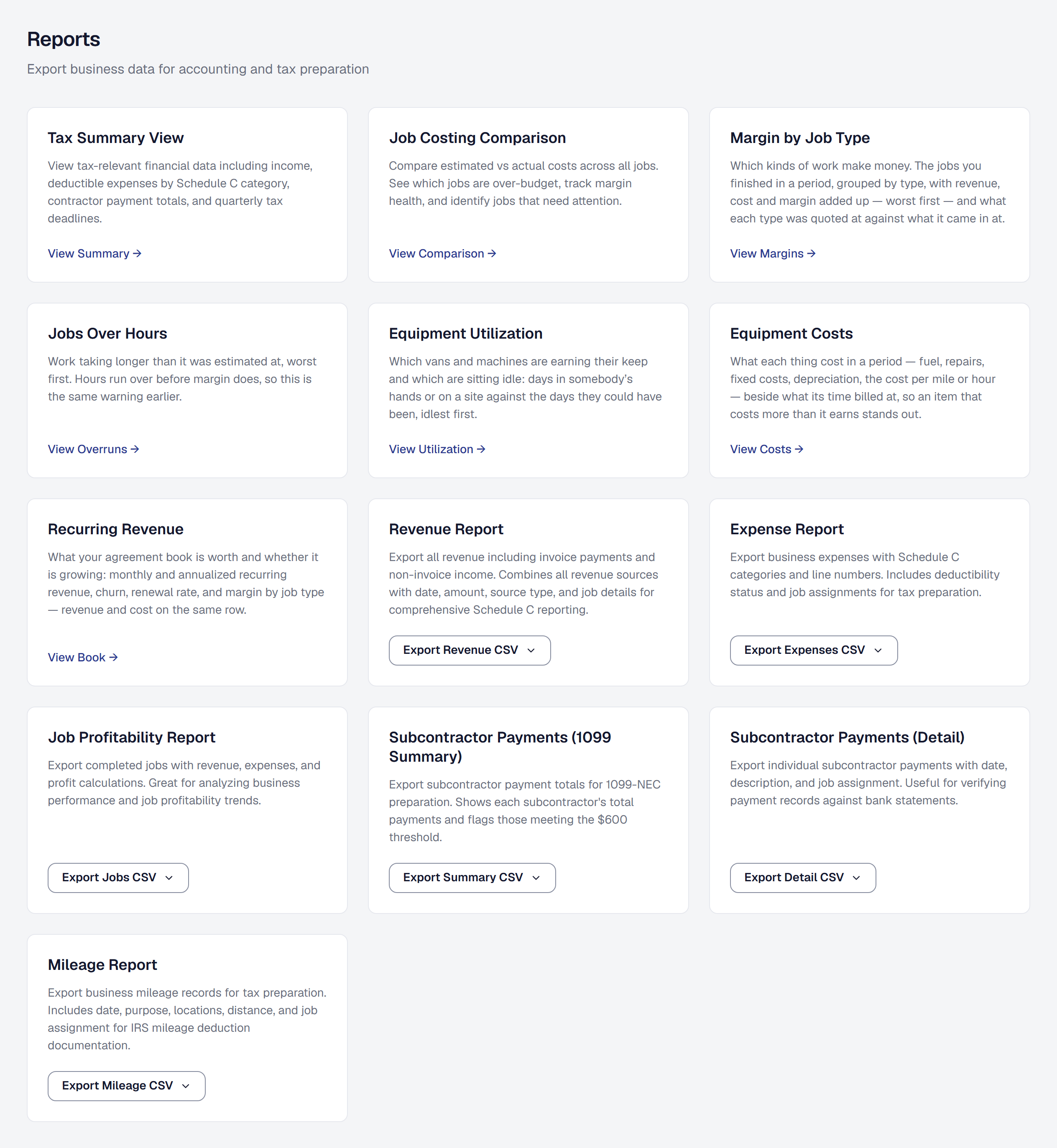
Tax time is easier when the records were already in the right shape. This is the part of SMG Tools that arranges what you have recorded into what a tax form actually asks for — and hands your accountant a file rather than a shoebox.
Get the tax summary
Reports → Tax summary arranges your income and expenses into Schedule C categories, which is the form a sole proprietor files. Because expenses are categorized that way when you record them, nothing is reclassified at the end of the year.
The Reports page exports the expenses, the revenue, the jobs and the subcontractor payments behind it as CSV, for your accountant or your tax software. An export’s Current quarter and Previous quarter are calendar quarters — January to March, April to June, July to September, October to December — the same quarter the tax summary shows.
Sales tax is not revenue. The sales tax your client pays with an invoice is the state’s money, held until you send it on, so Gross revenue counts your part of each payment and leaves the tax out. Each payment carries its invoice’s tax in the proportion the invoice was taxed, and a refund gives back each part the same way. The tax collected in the period is shown on its own, as Sales tax collected. The revenue export gives every payment and refund a Sales Tax column beside its Amount, and the two add up to what the client paid. Sales tax came out of revenue on October 17, 2026: a period you looked at before then now reads lower by the tax its payments carried, and the summary says so once.
With Inventory on, the summary also shows your inventory — every shop and van’s stock at each part’s average cost on the first day of the year and the last, or today while the year is still going — for this year or last. Those are the beginning and ending inventory Schedule C’s cost of goods sold asks for, for your accountant to use.
See what sales tax you owe
Reports → Sales tax shows each state, county and city you collect for: what you sold there, the tax you billed and collected, what you paid, and what is still owed, by the basis you file on. Sales tax says how to read it and how to record a remittance.
Put money aside for quarterly payments
The set-aside figure estimates what you should be holding back for estimated tax, based on what you have actually made — your revenue, never the sales tax you collected for the state. The share of revenue it holds back is set on the tool’s own page, Tools → Tax set-aside & reporting → Settings, by the owner; the dashboard shows the figure once it is set.
You also get quarterly reminders on the IRS deadlines, emailed two weeks ahead, and each deadline appears on your calendar like anything else with a date — even if you turn the email off under Profile → Notifications. On the tax summary each deadline still ahead counts down to its due date — Due in 9 months while it is months off, Due in 11 weeks inside about three months, and in days once it is under two weeks away. A deadline that has gone by says Passed: SMG Tools does not know whether you made that payment.
Get 1099 totals for your subcontractors
Where you use subcontractors, the product tracks what you paid each of them across the year and shows who has crossed the 1099-NEC reporting threshold.
The threshold is judged by the year the payments were made — $600 through 2025, and $2,000 from 2026 — and the tax summary, its CSV and each worker’s year-to-date figures all name the threshold they were judged by, so a number is never ambiguous about which rule produced it.
A worker is an employee or a subcontractor; that is a property of the person’s engagement rather than a permission level, and it is what decides whether they appear here at all.
Know what is deliberately not stored
Tax IDs are not kept. No SSN and no EIN is stored anywhere in this product. Where the carriers need a business’s EIN to verify the number it texts from, it is passed once to the texting provider in the request that submits the verification, and no copy is kept.
That is a deliberate decision rather than an omission. Holding those numbers would create a security and compliance burden out of all proportion to the convenience, and the amounts are what the 1099 process actually needs from this system. The identifiers belong with whoever files the form.
Treat it as preparation, not advice
Everything here is informational. It does not replace tax software or an accountant, and the product does not work out your liability or your deductions — those depend on circumstances and methods this system does not know about.
What it gives you is an accurate, categorized, exportable record, which is what any of those people or products needs from you first.
What it costs
All of it is on every plan. A tax export is a query over records you already hold on our own systems, and nothing here spends on anybody’s meter.
Add it, or put it away
Tax set-aside & reporting is one of the tools your business chooses: the owner adds it, or removes it, under Tools in the main menu — see Your tools. The quarterly estimated-tax reminder goes out only while it is on. Removing it deletes nothing you have recorded; add it back and everything is where you left it, its settings included.
This page describes Tax Reporting - Documentation. It is written from that feature’s record and covers what has shipped, never what is planned.