Webhooks, and an address any tool can post a lead to
Tell the software you already use the moment something happens here, and take leads from any tool through an address of your own. Webhooks are Professional since October 14.
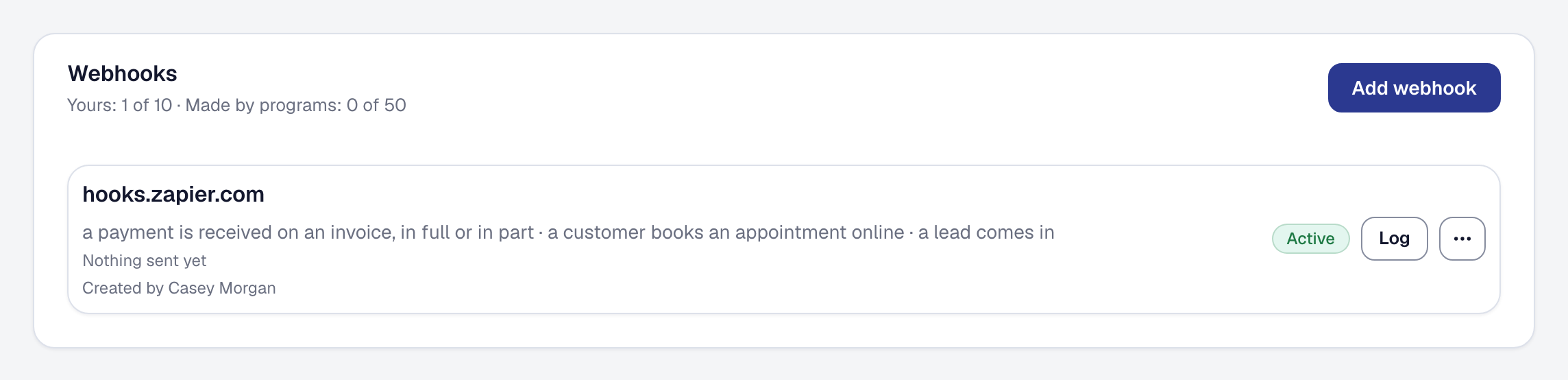
Two doors, on one page — Organization → Integrations — and both were on every plan when this shipped. Since October 14, webhooks are part of Professional and the plans above it, kept and paused on Starter; the inbound lead address is still on every plan: see The API, webhooks and Zapier are now part of Professional. Since October 16 each has its own page under Tools: see Every connection is set up on its own page.
Webhooks: the door out. Add a web address and pick what it should hear about — an invoice sent or paid, a job created or finished, a visit booked, a lead arriving, a client writing back, a proposal accepted, a warranty running out, a unit or a machine due for service — seventeen events, each in plain words with the fields it carries. From then on, each one is sent to that address within seconds of it happening, as a signed message the receiver can verify came from us. A spreadsheet tool, a Slack channel, Zapier, your own developer’s code: if it can take a web request, it can now be told.
If the address is down, we try again — a minute later, then five, then thirty, on through the day — and every attempt is on a log you can read, with the message as it was sent and a Send again on any row. A receiver that fails everything for long enough is paused and you get one email saying so; Resume it when it’s back. Send a test sends a sample so your receiver can be built against the real shape before anything real arrives. Your signing secret is shown once, when you add the webhook, and you can rotate it any time.
The inbound lead address: the door in. Every business now has one address of its own that anything can post a lead to — the form on the website your nephew built, the leads Thumbtack emails you (through an email-to-web service), a Zap from your phone system. What arrives lands on your Leads page exactly as if the customer had filled in your public page — the same notification, the same place in your attribution figures — with the label you give it shown as its source: Integration: Thumbtack. The card shows the address with a copy button, a real example request naming every field, how many leads have come through, how many requests were refused and why the last one was, a Send a test lead to watch one arrive, and Regenerate if the address ever gets out. A lead that comes in this way goes out through your webhooks too, so the tool that sent it can be told it exists.
A webhook can carry your clients’ details to an address you chose, so the Owner is the one who adds, rotates or deletes one; a Manager sees the list and the log. What we send and keep is in the Privacy Policy, section 4.18, and what’s yours to keep safe is in the Terms of Use, section 8.11.
Next in this phase: API keys, and a Zapier app built on both doors.