Your Angi leads arrive on their own — with the homeowner's answers, and what each one cost
Give Angi your address and key, and each lead Angi sells you is on your Leads page within seconds, with Angi's numbers on it and its fee counted against what it earned.
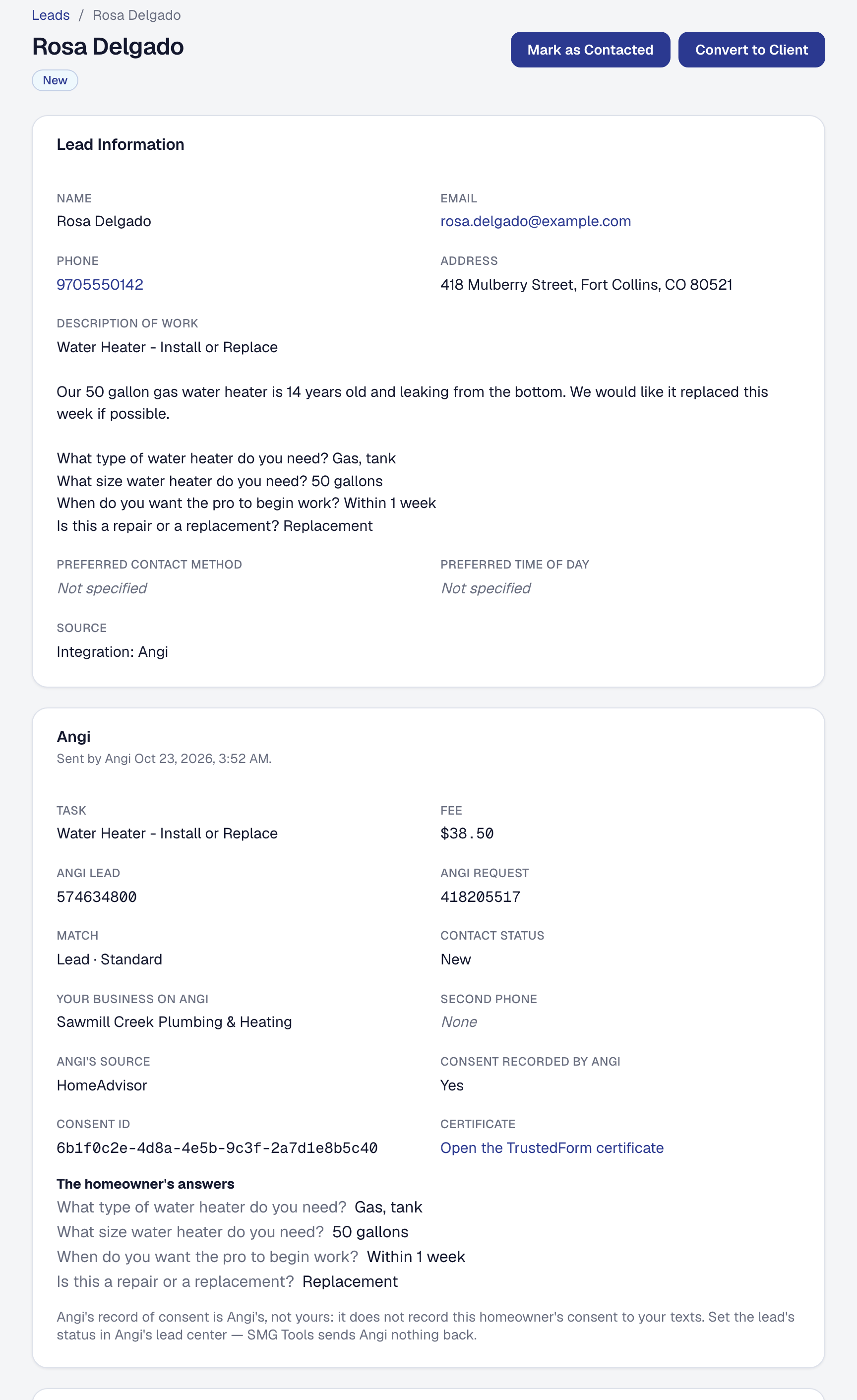
You no longer retype Angi leads. Angi’s page in SMG Tools gives you one address and your business’s own key, and writes the email to Angi’s team for you, with a place for your Angi ID. Angi’s team connects your business, and from then on each lead Angi sells you is on your Leads page within seconds: the homeowner’s name, phone, email and address, and the job in their words with their answers to Angi’s questions. It is a lead like any other — the new-lead email, the pipeline, converting it to a client.
The lead’s Angi panel keeps what Angi sent with it: Angi’s lead and request numbers, the fee, the kind of match, Angi’s own source — HomeAdvisor, say — and Angi’s record of the homeowner’s consent. Angi sending the same lead again makes no second lead, and on Starter a lead Angi sends is kept and comes in when you are back on Professional.
Each lead’s fee is recorded as an Advertising expense, so Where your profit comes from shows what Angi’s leads cost, what each lead and each job won cost you, and what you kept. If your card statement already brings Angi’s charges in, switch that off on Angi’s page. Angi sends no status, messages or credits, and SMG Tools sends it nothing: set each lead’s status in Angi’s lead center, as you do now.
Angi is on Professional. How it works is on the help page. What it shares is in the Privacy Policy.