Everything you have said to a client
One thread per client — every text, email, note, reply, document and call — so "what have we told this person" takes one click.
Watch it

A client rings and says nobody told me the visit moved. You know the product sent a text — it sends one for every rescheduled visit — but proving it used to mean opening the appointment, then the job, then their consent settings, then guessing.
Every one of those records already existed. What did not was one place that reads them together.
Open the thread
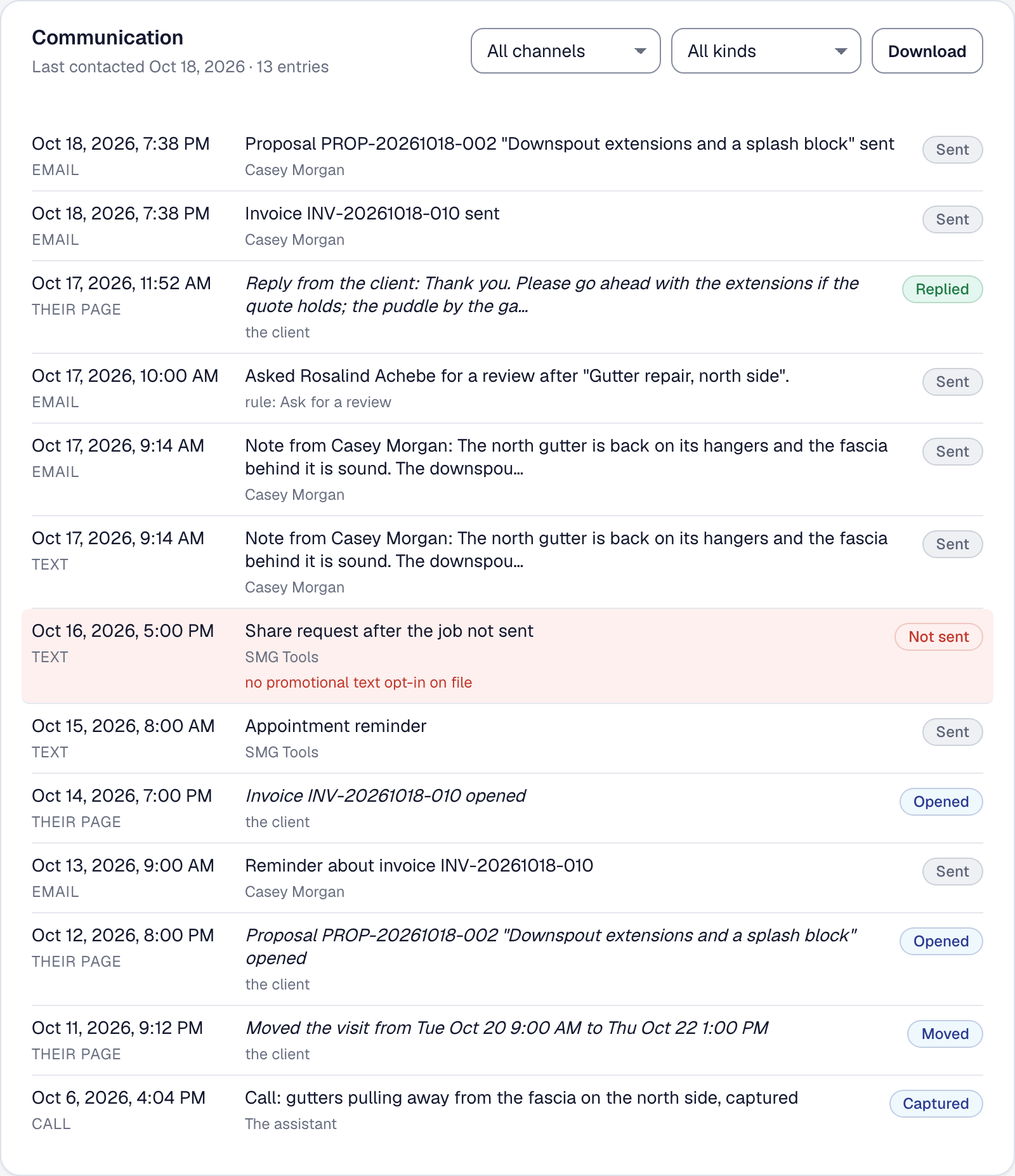
A client’s Communication tab carries their whole communication history, newest first.
It holds everything the business has said to them and everything they have said back:
- Texts and emails the product sent under your name.
- Notes you sent from a job, and their replies.
- Job summaries you sent them, by email and by text, or why one could not be sent.
- Documents — proposals and invoices — with when each was sent, resent, reminded about, opened and answered; and each time you sent them a document you shared on their hub.
- Calls the phone assistant took, as transcripts.
Read what actually happened
Each entry says the channel, the moment, and — this is the useful part — whether it went, or was blocked and why.
A text that was never sent because the client had opted out of service texts is a different fact from one that was sent and ignored, and on the phone with an annoyed customer that difference is the whole conversation.
Answer the question in one click
What have we told this person? is now one page rather than six.
Nothing new is recorded — every entry in the thread was already being kept somewhere — and what changed is that they can be read together.
Where else it appears
The job’s own notes still show the conversation about that job, including client replies — see Jobs and When a client replies.
The thread on the client is the wider view: everything, across every job.
This page describes Client Communication History. It is written from that feature’s record and covers what has shipped, never what is planned.